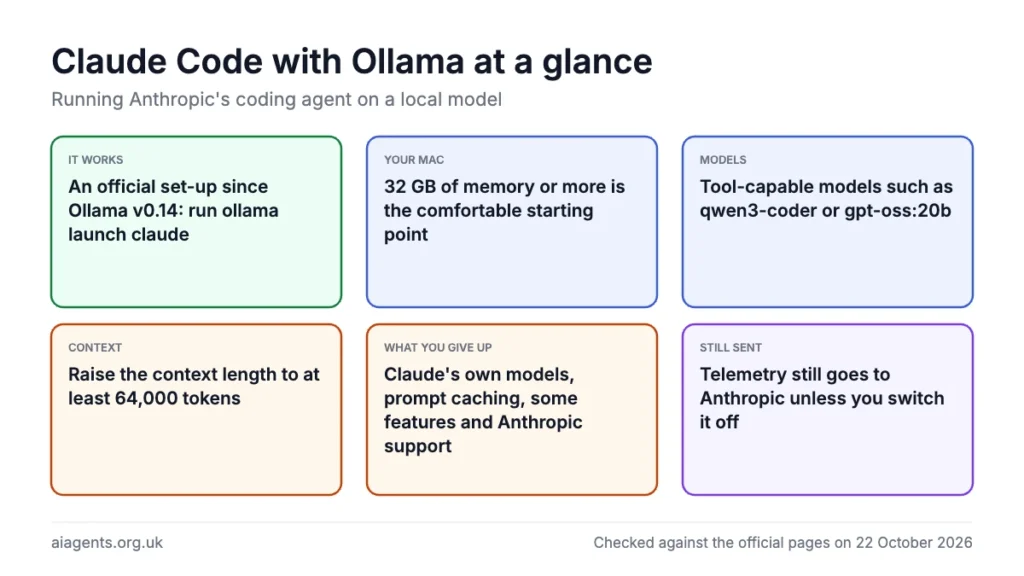
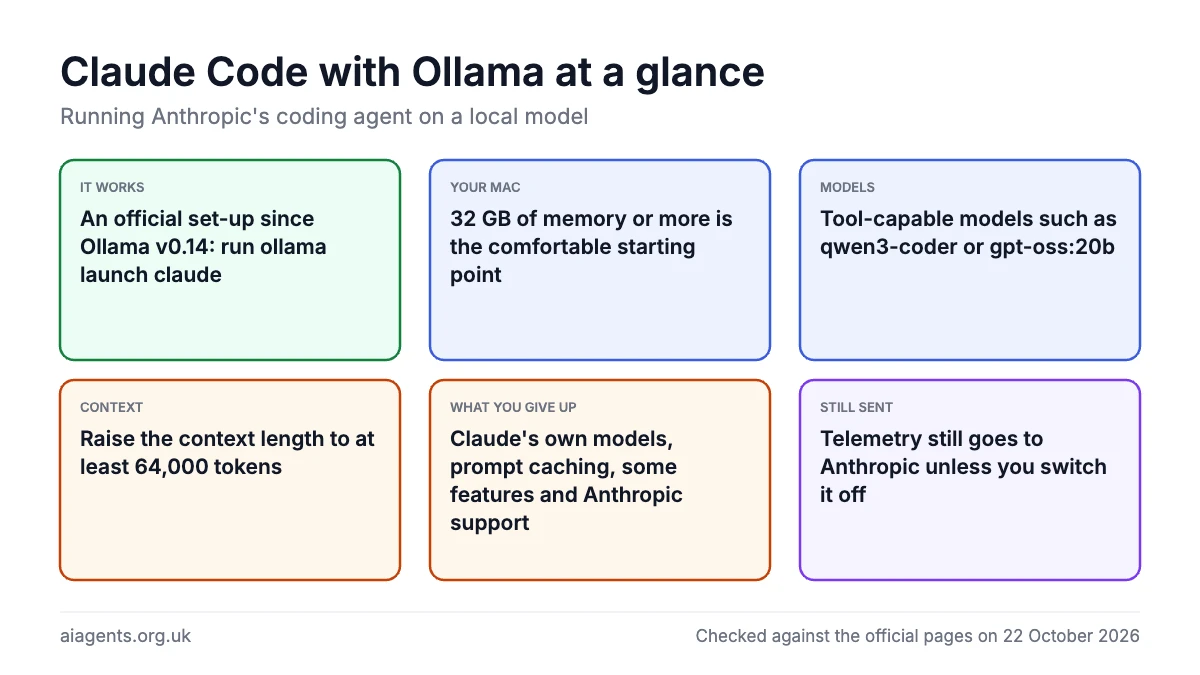
Yes, you can run Claude Code with Ollama and a local model on your Mac, and since Ollama v0.14 it is an official, documented set-up: Ollama serves an open model through an Anthropic-compatible API on your machine, and Claude Code is pointed at it with three environment variables or the single command "ollama launch claude". It works best on a Mac with 32 GB of memory or more, a tool-capable model such as qwen3-coder or gpt-oss:20b, and a context length of at least 64,000 tokens. What you give up is the quality of Anthropic's own models, prompt caching, several Claude Code features and any official support, because Anthropic's documentation says it does not support routing Claude Code to non-Claude models. If Claude Code is new to you, start with our Claude Code guide; if Ollama is new, the Ollama guide covers installing it.
On this page
- Can Claude Code really run on a local model?
- How many people use Claude Code and Ollama
- What you need to run Claude Code with Ollama
- Step 1: install Ollama and pull a model
- Step 2: raise the context length
- Step 3: point Claude Code at Ollama
- Step 4: test it
- Which models work best, and how fast
- What you give up versus Claude's own models
- Does anything still leave your Mac?
- Ollama Cloud as the middle option
- What people say on Reddit and X
- Frequently asked questions
- Read next
- Sources
Can Claude Code really run on a local model?
Claude Code is Anthropic's coding agent: a program that runs in Terminal, reads your files, runs commands and edits code. It talks to Anthropic's Messages API, and normally the model on the other end is Claude, paid for through a Pro, Max, Team or Enterprise plan or an API account; the free plan does not include it.
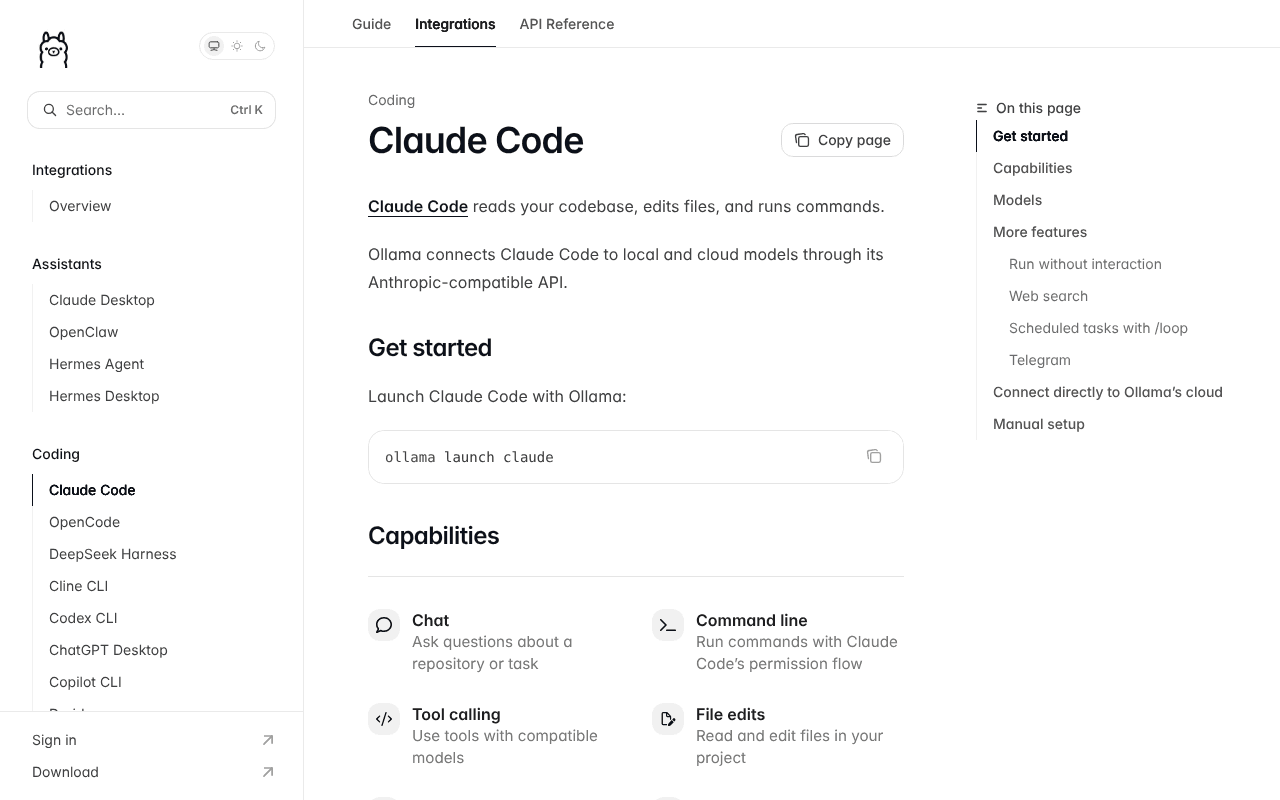
What changed on 16 January 2026 is that Ollama v0.14 added support for that same API, so, in Ollama's words, tools like Claude Code can run with open models locally or through Ollama's cloud. A week later came "ollama launch", which sets up Claude Code with "no environment variables or config files needed".
So the posts saying "run Claude Code completely free, no data leaving your device" are half right. The program is still Anthropic's and still makes a few connections of its own (see below); only the model is swapped. Anthropic's gateway documentation says it "doesn't support routing Claude Code to non-Claude models through any gateway". Ollama is measured too: "basic chat and file edits work with compatible models", while "hosted WebSearch and advanced tool controls are not fully supported".
How many people use Claude Code and Ollama
Nobody publishes a count of people running Claude Code on Ollama, but both halves are heavily used. The clearest number is npm's public counter: the @anthropic-ai/claude-code package was downloaded 49,122,517 times between 19 September and 18 October 2026. That counts installs and updates, including automated ones, not people, and installs through Anthropic's native installer, which needs no Node.js, are not npm downloads.
| Measure | Figure | Source and date |
|---|---|---|
| npm downloads of Claude Code | 49,122,517 in 30 days | npm, 19 September to 18 October 2026 |
| Claude Code run-rate revenue | Over $2.5 billion (about £1.9 billion) | Anthropic, 12 February 2026 |
| GitHub stars, anthropics/claude-code | 152.9k (26.8k forks) | GitHub, 22 October 2026 |
| GitHub stars, ollama/ollama | 184.3k | GitHub, 22 October 2026 |
| Ollama library downloads, gpt-oss and qwen3-coder (all uses) | 14.1M and 10.2M | Ollama, 22 October 2026 |
| UK searches a month, "ollama claude code" and "claude code ollama" | 210 and 110 | Semrush estimate, October 2026 |
Anthropic's own figure is about money rather than heads. On 12 February 2026 the company said Claude Code's run-rate revenue had passed $2.5 billion, more than doubling since the start of the year, and that weekly active users had also doubled since 1 January; it gave no user total. That revenue comes from Claude's own models, the part this set-up swaps out.
Interest in the local route itself is real but small: about 320 UK searches a month for the two phrases, against Semrush's estimate of 12.6 million worldwide visits to ollama.com in September 2026 (site visits are not app users).
What you need to run Claude Code with Ollama
- A Mac with Apple silicon. Ollama's macOS page requires macOS 14 Sonoma or newer; Intel Macs run on the CPU only, far too slow for an agent.
- Enough unified memory for the model plus a long context. See the table below, or the memory calculator for any model.
- Ollama v0.14 or later for the Anthropic-compatible API, v0.15 or later for "ollama launch". The current release is v0.40.8, published 21 October 2026.
- Claude Code itself. Anthropic asks for macOS 13 or later, 4 GB of RAM and an internet connection. No Anthropic account is needed for this route.
Sizes below are download sizes from Ollama's library as of 22 October 2026. macOS lets the GPU side use about 75% of unified memory, and a 64k context needs several gigabytes on top of the model file: Ollama's "launch" post says glm-4.7-flash, a 19 GB download, needs about 23 GB at 64k.
| Mac memory | Roughly usable by the model | Models that fit for Claude Code | Verdict |
|---|---|---|---|
| 16 GB | about 12 GB | gemma4:e4b (6.6 to 9.5 GB), qwen3.5:9b (6.6 to 7.6 GB) | Chat and small edits only; weak agent results |
| 24 GB | about 18 GB | gpt-oss:20b (14 GB) | Works with a modest context |
| 32 GB | about 24 GB | gpt-oss:20b, qwen3-coder (19 GB), glm-4.7-flash (19 GB), gemma4:26b (16 to 19 GB) | The sensible start; 64k is a squeeze on the 19 GB models |
| 48 GB | about 36 GB | All of the above plus qwen3.6:35b (23 to 24 GB) and gemma4:31b (19 to 20 GB) | Comfortable at 64k or more |
| 64 GB | about 48 GB | The 30B-class models at 128k | Headroom; gpt-oss:120b (65 GB) still does not fit |
| 128 GB | about 96 GB | gpt-oss:120b (65 GB), qwen3.5:122b (81 GB) | The best local experience short of a server |
If you are choosing a machine, 32 GB is the floor and 64 GB is where it stops being a compromise. See which Mac to buy for local AI, the Mac mini M5 Pro and the Mac Studio M5 Max.
Step 1: install Ollama and pull a model
Claude Code needs two things on your Mac before it can use a local model: the Ollama app and a model that supports tool calling. Download Ollama.dmg from ollama.com/download/mac, drag the app to Applications and let it link the "ollama" command when it asks. If you already have Ollama, update it first (the Ollama guide shows how).
Then pull a model tagged "tools" on Ollama's library (the models section lists the ones Ollama names). qwen3-coder is the one in Ollama's API examples, so start there if you have 32 GB:
ollama pull qwen3-coderOn a 24 GB Mac, pull gpt-oss:20b instead (14 GB). Every command in this guide is on the Ollama commands cheat sheet. The Qwen and GLM models come from Chinese labs; locally, nothing goes to the lab, but if that still matters, read is it safe to run Chinese AI models on your Mac.
Step 2: raise the context length
Raising Ollama's context length to at least 64,000 tokens is the step most people skip, and it is why Claude Code with Ollama so often disappoints. Claude Code puts your files, its tool results and the whole conversation into every request.
Ollama's FAQ says the default context window is 4,096 tokens; its context length page adds that the default now scales with graphics memory (4k under 24 GiB, 32k from 24 to 48 GiB, 256k above). Either way, that page says tasks "like web search, agents, and coding tools should be set to at least 64000 tokens".
The easiest way is the context length slider in the Ollama app's settings. From Terminal, set the server variable for the menu bar app, then quit and reopen Ollama:
launchctl setenv OLLAMA_CONTEXT_LENGTH "64000"If you run the server by hand instead:
OLLAMA_CONTEXT_LENGTH=64000 ollama serveOne wrinkle: Anthropic's docs say Claude Code's auto-compact window, where it summarises older history, is clamped "to at least 100,000 tokens", so with a 64k Ollama window it will not compact before the model fills up. Run "/compact" yourself in long sessions, or use 128k (131072) if memory allows. Ollama's release notes say "ollama launch claude" has used the model's full context length since v0.40.2 and set Claude Code's compact window to match since v0.40.7.
Bigger context means more memory. Raise it in steps and check with "ollama ps" that the PROCESSOR column still says 100% GPU; once the model spills to CPU, speed collapses. Our troubleshooting page covers this.
Step 3: point Claude Code at Ollama
There are two ways to point Claude Code at Ollama: the single command "ollama launch claude", which does the set-up for you, or three environment variables set by hand.
The one-line way. With Ollama v0.15 or later, Ollama's docs say to launch Claude Code with:
ollama launch claudeIt asks which model to use, installs Claude Code if it is missing, and starts it. Or name the model up front, as in Ollama's CLI reference:
ollama launch claude --model qwen3.5A "--config" flag configures without starting, "--yes" "skips selectors, pulls the model when needed, and requires --model", and anything after "--" goes straight to Claude Code. The docs do not say what the launcher writes to disk.
The manual way. First install Claude Code with Anthropic's native installer, which needs no Node.js:
curl -fsSL https://claude.ai/install.sh | bashOpen a new Terminal window, confirm with "claude --version", then set the three variables from Ollama's Claude Code page:
export ANTHROPIC_AUTH_TOKEN=ollama
export ANTHROPIC_API_KEY=""
export ANTHROPIC_BASE_URL=http://localhost:11434
Per Anthropic's reference, ANTHROPIC_BASE_URL sends requests to Ollama on port 11434 instead of api.anthropic.com. ANTHROPIC_AUTH_TOKEN is sent as a bearer token and overrides any saved claude.ai login; Ollama's docs call its value "required but ignored". ANTHROPIC_API_KEY is emptied so a real key in your shell cannot override the token. Now start Claude Code in your project folder, naming an Ollama model:
claude --model qwen3-coderOr on one line, as Ollama's page shows:
ANTHROPIC_AUTH_TOKEN=ollama ANTHROPIC_BASE_URL=http://localhost:11434 ANTHROPIC_API_KEY="" claude --model qwen3-coderANTHROPIC_MODEL does the job of "--model" for every session started from that shell. ANTHROPIC_DEFAULT_HAIKU_MODEL names the small model Claude Code uses for "background functionality" such as session titles (it replaces the deprecated ANTHROPIC_SMALL_FAST_MODEL). If you see errors naming a Haiku model, point it at a small model you have pulled, or make an alias with "ollama cp" as Ollama's API page suggests.
Shell exports last for one Terminal window, which is a feature here: close it and Claude Code goes back to normal. You can put the variables in the "env" block of ~/.claude/settings.json instead, but Anthropic's docs say a settings-file value beats a shell export, so every session would go to Ollama until you remove it.
Step 4: test it
Three quick checks confirm that Claude Code is really using your local Ollama model: its "/status" screen, a small prompt and "ollama ps" in a second Terminal window.
- Inside Claude Code, type "/status". Anthropic's docs say the Status tab should show an "Anthropic base URL" line with http://localhost:11434 and an "Auth token" line naming ANTHROPIC_AUTH_TOKEN. If either is missing, the variables did not reach the session.
- Ask something small and specific, such as "explain what this repository does". Vague prompts make any model scan everything.
- In a second Terminal window run "ollama ps". You want 100% GPU and a CONTEXT of 64000 or more.
If Claude Code cannot connect at all, test Ollama's endpoint directly with the curl command from its API docs. A JSON reply with an "id" field means the server side is fine:
curl -X POST http://localhost:11434/v1/messages \
-H "Content-Type: application/json" \
-H "x-api-key: ollama" \
-H "anthropic-version: 2023-06-01" \
-d '{
  "model": "qwen3-coder",
  "max_tokens": 1024,
  "messages": [{"role": "user", "content": "Hello, how are you?"}]
}'
Three errors cover most problems. "Connection refused" means Ollama is not running or is on another port; see the troubleshooting page. "Model does not support tools" means you pulled a chat-only model. A 400 error naming a field Ollama does not understand is in Anthropic's gateway troubleshooting table, which says to set CLAUDE_CODE_DISABLE_EXPERIMENTAL_BETAS=1.
Which models work best, and how fast
On a Mac, the sweet spot for Claude Code is a tool-capable mixture-of-experts model with about 3B active parameters, such as qwen3-coder or qwen3.6:35b. Ollama does not publish a ranking. These are the models its Claude Code docs and posts name, per its library as of 22 October 2026.
| Model | Download | Native context | Notes | Best for |
|---|---|---|---|---|
| qwen3-coder (30B, 3.3B active) | 19 GB | 256K | Alibaba's coding model; the example in Ollama's API docs | A 32 GB Mac, the natural start |
| gpt-oss:20b | 14 GB | 128K | OpenAI, Apache 2.0; Ollama says it runs in as little as 16 GB | 24 GB Macs |
| glm-4.7-flash (30B, 3B active) | 19 GB | 198K | Z.ai; about 23 GB at 64k, per Ollama | 32 GB Macs and up |
| qwen3.6:35b | 23 to 24 GB | 256K | The model in the independent test below; MLX build available | 48 GB Macs or more |
| flint (Recursive, 40B, about 2.5B active) | 23 GB | 256K | Added 21 October 2026; Ollama's model page gives ollama launch claude --model flint; Recursive recommends 48 GB | 48 GB Macs, when speed matters most |
| gemma4:26b and 31b | 16 to 20 GB | 256K | Google DeepMind; the e2b and e4b builds suit 16 GB Macs | 32 GB (26b) or 48 GB (31b) Macs |
| qwen3.5:9b (default tag) | 6.6 to 7.6 GB | 256K | The model in Ollama's launch example; fine for 16 GB | 16 GB Macs |
The most careful public speed test I found is Sebastian Raschka's (June 2026, updated in August). He reports Qwen3.6 35B-A3B generating about 40 tokens a second on a recent M4 Mac mini at a 50,000-token context, using up to 30 GB of memory, and considers 20 to 30 tokens a second reasonable for agent work. In his five-task benchmark, Qwen3.6 through "ollama launch claude" completed all five; the tiny gemma4:e2b failed most. Claude Code was the hungriest harness, about 578,000 input tokens across 25 turns in one run. One person's figures on one machine: a guide, not a benchmark.
Two lessons follow. Mixture-of-experts models with about 3B active parameters (qwen3-coder, glm-4.7-flash, qwen3.6:35b, gemma4:26b) are the sweet spot on a Mac: a 30B-class brain at a small model's speed. And the wait you feel is mostly the model reading a long prompt, so "/clear" between tasks matters more locally than with Claude.
The newest option is Recursive Flint, added to Ollama on 21 October 2026 and built for coding agents. Recursive claims over 125 tokens a second on a 48 GB M4 Pro MacBook Pro at short contexts, though one independent test saw mostly 40 to 60 in real agent runs. Memory advice and setup are on the Recursive Flint on a Mac page.
What you give up versus Claude's own models
- Model quality. Raschka's view is that frontier hosted models remain better than 30B-class open models, which are "capable enough for many tasks". Expect more retries and more supervision on multi-file changes.
- Prompt caching. Ollama's compatibility page lists cache_control as unsupported, so every turn is re-read in full rather than served from cache.
- Parts of the API. Also unsupported: tool_choice, token counting, the Batches API, citations and PDF blocks. Token counts are approximations, which affects Claude Code's context gauge.
- Claude Code features. Anthropic's reference says that with ANTHROPIC_BASE_URL on a non-first-party host, MCP tool search is off by default and Remote Control is disabled; voice dictation and fast mode need a claude.ai login or Anthropic key.
- Context. Claude's models give Claude Code 200K tokens or more. Locally you get what your memory allows, and below 128k you manage compaction by hand.
- Support. Anthropic "doesn't endorse, maintain, or audit third-party gateway products". Each Claude Code release may send new fields an open endpoint rejects; Ollama has been fixing these as they appear, but you are on the seam between two fast-moving projects.
What you gain is also clear: no usage limits, no per-token bill, and work that stays on your machine. For comparison, Claude Pro costs $20 a month billed monthly (about £15; the US pricing page does not mention tax) and includes Claude Code; the Claude Code guide has UK prices in pounds.
Does anything still leave your Mac?
Your prompts, your code and the model's replies go to localhost:11434 and no further. That part the viral posts get right. But Anthropic's data usage page lists what the Claude Code program itself still sends.
- Usage metrics (latency, reliability, usage patterns) are on by default and go to Anthropic and third-party logging. Anthropic says they "never include your code, prompts, or file paths". Turn them off with DISABLE_TELEMETRY=1.
- Error reports are off here: they are only on for Pro or Max sign-ins connecting directly to the Claude API.
- Auto-updates and version checks contact Anthropic's download servers.
- WebFetch sends the hostname of any URL it is about to fetch to api.anthropic.com to check a safety blocklist, "regardless of which model provider you use". Only the hostname, not the page.
To stop the non-essential traffic in one go, Anthropic's docs give this variable, which disables auto-updates, telemetry, error reporting and the feedback command (you then update by re-running the installer):
export CLAUDE_CODE_DISABLE_NONESSENTIAL_TRAFFIC=1On the Ollama side, two things reach ollama.com by design: web search, which Ollama's docs say sends each query to ollama.com, and any model whose name ends in ":cloud". Neither happens unless you choose it. For the wider picture, including UK GDPR, see the private AI pillar.
Ollama Cloud as the middle option
If your Mac has 16 GB, or you want a far bigger open model than any Mac can hold, Ollama's cloud models plug into the same set-up. Ollama's docs say they always run at full context length and need no download, and its integration page gives a direct route that does not even need Ollama installed: set your key in OLLAMA_API_KEY (created at ollama.com/settings/keys), then run:
ANTHROPIC_BASE_URL=https://ollama.com \
ANTHROPIC_AUTH_TOKEN="$OLLAMA_API_KEY" \
ANTHROPIC_API_KEY="" \
claude --model glm-5.3-flash
glm-5.3-flash is a 321B-parameter model (18B active) with a 1M-token context, MIT licensed, far beyond any Mac. With a signed-in local Ollama you can also use a cloud tag such as "gemma4:cloud" and the Step 3 variables.
As of 22 October 2026 there is a free plan with starter credits, Pro at $20 a month (about £15) with $60 of credits, and Max at $100 a month (about £75); the pricing page does not mention tax. Ollama states that "prompt or response data is never logged or trained on" and that it hosts "primarily in the United States". That is a strong promise, but not local processing, and your code leaves the country. Full details are on the Ollama Cloud explained page.
What people say on Reddit and X
These are individual users' opinions and experiences, not tests I have run. I read each thread or post in full on 22 October 2026.
- On the "completely free" posts: "You can now run Claude Code for FREE. No API costs. No rate limits. 100% local on your machine." - @hasantoxr on X, January 2026 post. X readers attached a Community Note saying the tutorial uses "local open-source models (Qwen, Gemma) via Ollama, not Anthropic's proprietary Claude models".
- On tool calling: "Tool-calling is a nightmare. Spent an entire night trying to make it work." - one user on X, replying to another viral January 2026 post making the same claim
- On the usual fix: "Since the Default Context window was really small for the Claude system prompt, the tool calling wasn't happening properly." - a user in r/ClaudeCode whose qwen3-coder and glm-5 runs had managed "Not even a single step", February 2026 thread
- On a 48 GB Mac: "Claude Code pointed at Ollama with qwen3.8:27b-mlx successfully read and summarized a real repository file." - a user in r/ClaudeCode with an M4 Pro, August 2026 thread. They report about 33 to 34 tokens a second in direct tests, but later added that they "still can't use it reliably for real-world repositories and tasks".
- On 32 GB Macs: "On 32Gb unified memory, I cannot run Qwen 27B without heavily, heavily quantising the kv-cache" - a user in r/ClaudeAI, May 2026 thread, where two others said they had switched from Ollama to the MLX-based oMLX
- On getting value from it: "local coder models are useful if treated less like autonomous senior engineers and more like constrained junior agents with strict operating procedures." - a user in r/LocalLLM testing on a 48 GB M3 Max, April 2026 thread
The praise is for small, tightly scoped jobs on Macs with 48 GB or more; the complaints cluster around tool calls that never fire, usually traced to a small context window (Step 2), and memory on 32 GB machines. The "free" posts are right about cost and wrong about getting Claude.
Frequently asked questions
Is Claude Code free if I use it with Ollama?
There is no charge to install the Claude Code program, and an open model running on your own Mac costs nothing but electricity, so the running cost is zero. What you are not getting is Claude: Anthropic's models need a Pro, Max, Team, Enterprise or API account, and the free Claude plan does not include Claude Code at all. Hardware is the real price, because the set-up only works well on a Mac with 32 GB of memory or more.
Do I need an Anthropic account to use Claude Code with Ollama?
No. Ollama's documentation installs Claude Code and points it at a local model without logging in to Anthropic. Anthropic's own gateway docs say that when ANTHROPIC_AUTH_TOKEN is set, Claude Code uses it as its credential and skips the login screen, and that any saved claude.ai login stays unused while the variable is set.
Which Ollama model is best for Claude Code?
Ollama does not rank them, but the names in its own Claude Code docs and posts are qwen3-coder, gpt-oss:20b, glm-4.7-flash, qwen3.5 and gemma4. On a 32 GB Mac, qwen3-coder is the natural start; on 24 GB, gpt-oss:20b; on 48 GB or more, qwen3.6:35b did well in the one independent test I found. Whatever you pick must be tagged "tools" on Ollama's library, or Claude Code cannot use it.
How much memory does my Mac need to run Claude Code locally?
Plan for the model's download size plus several gigabytes for a 64,000-token context, inside the roughly three quarters of unified memory macOS lets the GPU use. In practice that means 16 GB runs only small models with weak results, 32 GB runs the 19 GB coding models with a tight context, and 48 GB or 64 GB runs them comfortably. Our memory calculator does the sums for any model and Mac.
Why does Claude Code with Ollama keep forgetting files it has already read?
Almost always because the context length is still at Ollama's small default, which its FAQ gives as 4,096 tokens. Claude Code sends the whole conversation on every turn, so once it exceeds the window the oldest material drops out. Raise the context to at least 64,000 tokens in the Ollama app's settings or with OLLAMA_CONTEXT_LENGTH, then confirm the CONTEXT column in "ollama ps".
Does Claude Code with Ollama send my code to Anthropic?
Not your code or prompts: those go to Ollama on your Mac. Anthropic's data usage page says Claude Code does send usage metrics, which never include code, prompts or file paths, plus update checks and a hostname check before any web fetch. Setting CLAUDE_CODE_DISABLE_NONESSENTIAL_TRAFFIC=1 switches off the metrics, error reporting, auto-updates and the feedback command.
What does ollama launch claude actually do?
It is Ollama's launcher, added in v0.15, that configures and starts Claude Code against an Ollama model with no environment variables or config files to set by hand. It lets you pick a local or cloud model, pulls it if needed, and in recent versions uses the model's full context length and sets Claude Code's compaction window to match. The manual environment variables do the same job and are easier to undo.
How many people use Claude Code with Ollama?
Nobody publishes that figure. Claude Code itself is very widely used: npm recorded 49,122,517 downloads of its package between 19 September and 18 October 2026, and Anthropic said in February 2026 that its run-rate revenue had passed $2.5 billion. Semrush estimates about 320 UK searches a month for "ollama claude code" and "claude code ollama" combined, which points to a much smaller, enthusiast audience for the local set-up.
Read next
- Claude Code explained: UK pricing, install and first steps
- Ollama guide: install, models, updating and uninstalling
- Ollama commands cheat sheet
- Ollama troubleshooting: port 11434, slow answers and context length
- Can my Mac run this model? Memory calculator
- Ollama Cloud explained
- Which Mac or mini PC to buy for local AI
- Is it safe to run Chinese AI models on your Mac?
- Run a local LLM on your Mac: the complete guide
- Recursive Flint on a Mac: the fast 40B coding model
Sources
- Claude Code, Ollama documentation: ollama launch, the three environment variables, the 64k context advice, cloud route and caveats - checked 22 October 2026
- Anthropic compatibility, Ollama documentation: the /v1/messages endpoint, supported and unsupported features, the curl test - checked 22 October 2026
- Claude Code with Anthropic API compatibility, Ollama blog: the 16 January 2026 announcement, v0.14 requirement, model suggestions - checked 22 October 2026
- ollama launch, Ollama blog: the 23 January 2026 launcher announcement, v0.15 requirement, 64k context and the glm-4.7-flash memory figure - checked 22 October 2026
- CLI reference, Ollama documentation: ollama launch syntax and flags - checked 22 October 2026
- Context length, Ollama documentation: default context tiers, the 64,000-token recommendation, the serve command and ollama ps - checked 22 October 2026
- FAQ, Ollama documentation: 4,096-token default, launchctl setenv on macOS, reading ollama ps - checked 22 October 2026
- macOS, Ollama documentation: macOS 14 requirement, Apple silicon GPU support, dmg install - checked 22 October 2026
- Ollama Cloud, Ollama documentation: cloud model tags, API keys, no-training statement - checked 22 October 2026
- Pricing, Ollama: plan prices, credits, concurrency, privacy and hosting statements - checked 22 October 2026
- Web search, Ollama documentation: queries sent to the ollama.com endpoint - checked 22 October 2026
- Releases, Ollama on GitHub: v0.40.8 current version and the launch-related notes in v0.40.2, v0.40.4 and v0.40.7 - checked 22 October 2026
- qwen3-coder, Ollama library: sizes, parameters, context, tools tag, download count - checked 22 October 2026
- gpt-oss, Ollama library: sizes, 16 GB note, licence, download count - checked 22 October 2026
- glm-4.7-flash, Ollama library: sizes, parameters, context - checked 22 October 2026
- qwen3.6, Ollama library: sizes and context - checked 22 October 2026
- qwen3.5, Ollama library: sizes and context - checked 22 October 2026
- gemma4, Ollama library: sizes, parameters, context - checked 22 October 2026
- glm-5.3-flash, Ollama library: parameters, context, licence, cloud-only status - checked 22 October 2026
- Other LLM gateways, Claude Code documentation (Anthropic): the statement that Anthropic does not support non-Claude models through a gateway, and subscription behaviour - checked 22 October 2026
- Connect Claude Code to an LLM gateway, Claude Code documentation (Anthropic): credential variables, settings precedence, /status, troubleshooting table, non-essential traffic - checked 22 October 2026
- Environment variables, Claude Code documentation (Anthropic): ANTHROPIC_BASE_URL, ANTHROPIC_AUTH_TOKEN, ANTHROPIC_API_KEY, ANTHROPIC_MODEL, the deprecated small/fast variable, context and compaction variables - checked 22 October 2026
- Model configuration, Claude Code documentation (Anthropic): model precedence and ANTHROPIC_DEFAULT_HAIKU_MODEL for background functionality - checked 22 October 2026
- Advanced setup, Claude Code documentation (Anthropic): system requirements, native installer, account requirement - checked 22 October 2026
- Data usage, Claude Code documentation (Anthropic): telemetry streams, what metrics exclude, error reporting, WebFetch hostname check - checked 22 October 2026
- Manage costs effectively, Claude Code documentation (Anthropic): background token usage and why context grows - checked 22 October 2026
- Pricing, Claude (Anthropic): Pro and Max prices and Claude Code inclusion - checked 22 October 2026
- Using Local Coding Agents, Sebastian Raschka: independent speeds, memory use, token counts and task results for local models including Claude Code via ollama launch - checked 22 October 2026
- npm download counts for @anthropic-ai/claude-code, npm: 49,122,517 downloads from 19 September to 18 October 2026 - checked 22 October 2026
- Anthropic raises $30 billion in Series G funding, Anthropic: the 12 February 2026 statement on Claude Code run-rate revenue and weekly active users - checked 22 October 2026
- anthropics/claude-code on GitHub: star and fork counts - checked 22 October 2026
- ollama/ollama on GitHub: star count - checked 22 October 2026
- Semrush Traffic Analytics and Domain Overview (estimates): website visits for September 2026 and UK organic search traffic; UK search volumes from the Keyword Magic Tool, October 2026 - checked 22 October 2026
- Post by @hasantoxr on X, 26 January 2026: the viral claim, view count and Community Note - checked 22 October 2026
- Post on X, 19 January 2026, with replies: the same free Claude Code claim and a user reply on tool calling - checked 22 October 2026
- Tool calling with Claude Code, Ollama and Local Open Source Models, r/ClaudeCode (Reddit): tool-call failures and the context-window fix, February 2026 - checked 22 October 2026
- Claude Code + Ollama/Qwen3.8 is the first local coding setup that worked for me, r/ClaudeCode (Reddit): M4 Pro 48 GB results and speed, August 2026 - checked 22 October 2026
- My experience using Claude code with Local Llm, r/ClaudeAI (Reddit): memory on 32 GB Macs and moves to oMLX, May 2026 - checked 22 October 2026
- Testing local Qwen Coder via Ollama/Claude Code on an M3 Max, r/LocalLLM (Reddit): what worked and failed on a 48 GB Mac, April 2026 - checked 22 October 2026


