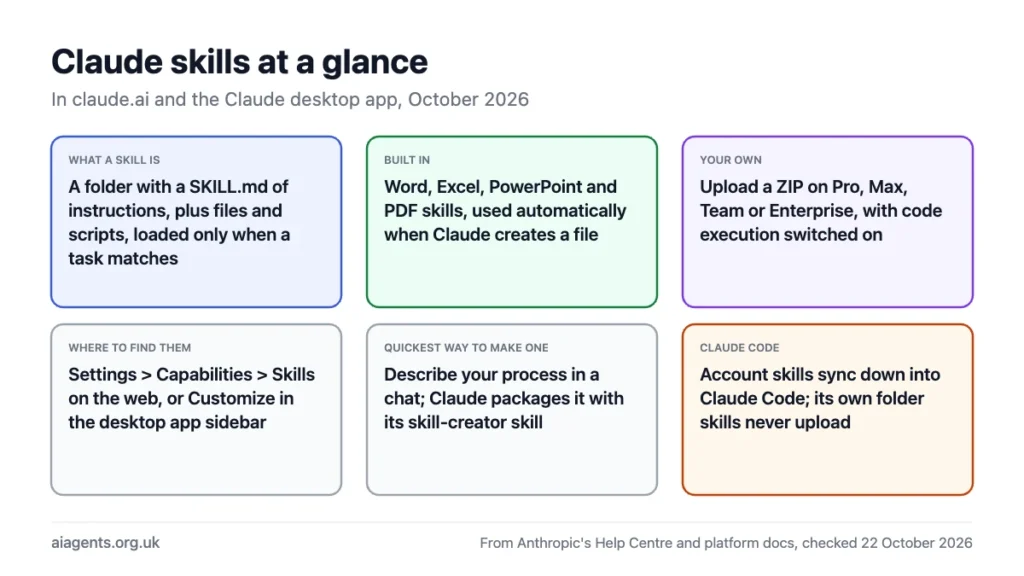
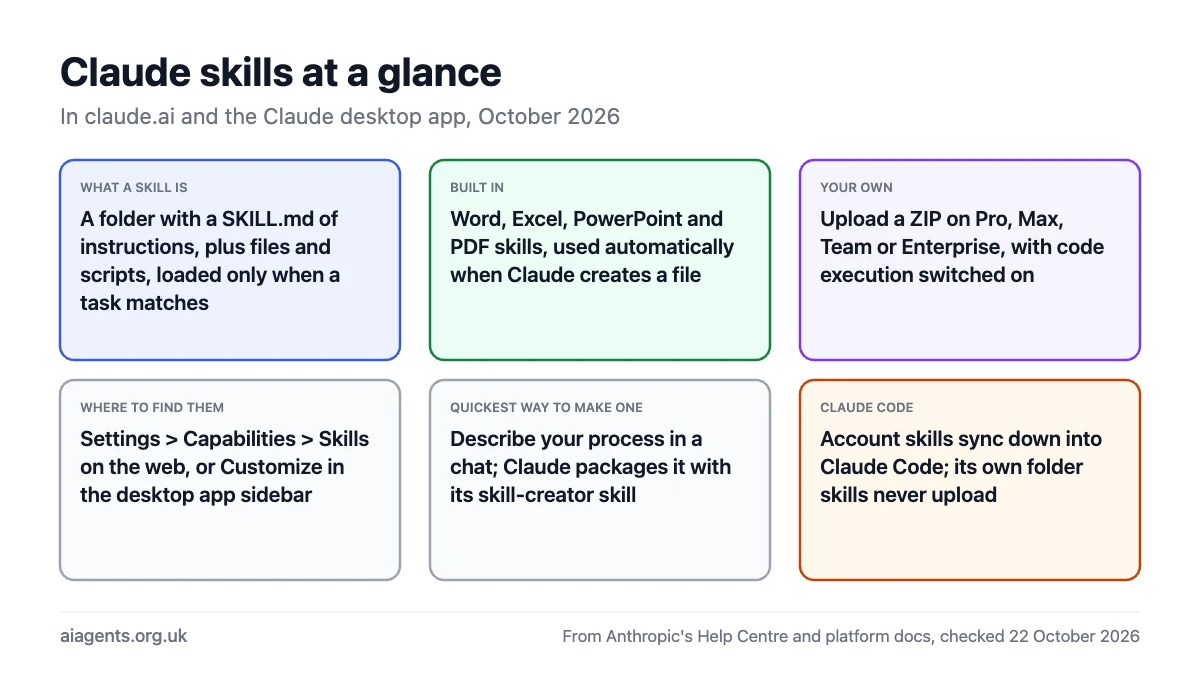
A Claude skill is a folder of instructions, and optionally files and scripts, that Claude loads only when a task calls for it, so you stop re-explaining the same process every time. Anthropic ships four built in, for Word, Excel, PowerPoint and PDF files, and lets Pro, Max, Team and Enterprise users upload their own through Settings. The quickest way to make one is to describe your process in a chat and let Claude package it. This guide covers what skills do, how to turn them on, how to create one, and how they differ from Projects, custom instructions and the separate skills system in Claude Code. Everything here was checked against Anthropic's documentation on 22 October 2026.
Key facts
- What a skill is: a folder with a SKILL.md file of instructions, plus any reference files, templates and scripts, that Claude reads when your request matches its description
- Built-in skills: Word (docx), Excel (xlsx), PowerPoint (pptx) and PDF, used automatically whenever Claude creates one of those files
- Custom skills: upload your own on Pro, Max, Team and Enterprise, with code execution and file creation switched on
- Where: Settings > Capabilities > Skills on claude.ai, or Customize in the desktop app sidebar; the desktop agent (formerly Cowork) loads whatever is enabled for your account
- Sharing: custom skills are private to your account; Team and Enterprise owners can provision skills for everyone
- Open standard: the format is published at agentskills.io and used by other agents, including OpenClaw
- Not the same as: Claude Code skills, which live in folders on your computer. Skills you enable on claude.ai download into Claude Code; Claude Code's own skills never upload to claude.ai
On this page
- What are Claude skills?
- The four built-in skills
- How to turn skills on
- How to create a skill in a conversation
- What goes in a skill folder
- Skills vs Projects, custom instructions and MCP
- Claude skills vs Claude Code skills
- Safety: treat a skill like software
- Frequently asked questions
What are Claude skills?
Anthropic's Help Centre describes skills as folders of instructions, scripts and resources that Claude loads when a task calls for them, so it can complete specific tasks "in a repeatable way". The idea is an onboarding guide for a new colleague: instead of telling Claude how you write a client report every time, you write the method down once, and Claude pulls it out whenever you ask for a client report.
The clever part is what Anthropic calls progressive disclosure. At the start of every chat Claude sees only each skill's name and a one-paragraph description, about 100 tokens apiece. When your request matches a description, it reads the full instructions. Only if those instructions point to a template, a data file or a script does it open that too. You can have dozens of skills installed and pay almost nothing in context until one is used. That is also why the description matters more than anything else in a skill: it is the only thing Claude reads when deciding whether to use it.
Skills run inside Claude's code execution environment, a small virtual machine with a file system, which is why the feature depends on code execution and file creation being switched on. It is the same machinery that lets Claude build a spreadsheet or a slide deck.
The four built-in skills
| Skill | What it does | When Claude uses it |
|---|---|---|
| Word (docx) | Creates and edits formatted documents, with headings, tables and tracked changes | Whenever you ask for a .docx or a "document" to download |
| Excel (xlsx) | Builds spreadsheets with working formulas, analyses data, adds charts | Any spreadsheet, budget, tracker or data analysis that ends in a file |
| PowerPoint (pptx) | Creates and edits slide decks, reads existing presentations | Any deck or presentation request |
| Generates formatted PDF documents and reports, fills forms, extracts text | PDF output, or reading a PDF you upload |
These need no setup: Anthropic's docs say they are active whenever you create documents on claude.ai. They are also available through the Claude API, where developers reference them by the IDs docx, xlsx, pptx and pdf. The same four are published as open source in Anthropic's skills repository, so you can read exactly what instructions Claude follows when it builds a spreadsheet. Claude Code gets them by sync from your account rather than as part of its own install; more on that below.
Anthropic also lists partner skills, built by Notion, Figma and Atlassian among others, designed to work with those companies' MCP connectors, and on Team and Enterprise plans an owner can provision skills to everyone in the organisation and set them on or off by default.
How to turn skills on
- In claude.ai or the desktop app, open Settings and switch on Code execution and file creation. Without it the Skills section does not appear.
- Go to Settings > Capabilities and scroll to Skills. Toggle the ones you want on or off.
- To add your own, click Upload skill and choose a ZIP of the skill folder. The folder name must match the skill's name, and the folder must contain a SKILL.md file.
- Use it by asking for the task. Claude picks the skill from your request; if it does not, name it: "Use my brand guidelines skill to write this."
On Team plans skills are on by default at the organisation level. On Enterprise an owner has to enable code execution, file creation and Skills under Admin settings > Capabilities before anyone sees them. Custom skills you upload are private to your account; the Help Centre says peer-to-peer sharing is not available, so a colleague needs to upload the same ZIP to theirs.
How to create a skill in a conversation
You can write a skill by hand, but Anthropic's own tutorial recommends describing it in a chat and letting Claude do the packaging, using a built-in skill-creator skill that knows the format. Four steps:
- Start a new chat and describe the job. Upload anything that shows how you do it: a template, two or three finished examples, brand guidelines, a data file. Name any connected tools Claude should use.
- Answer its questions. Claude asks about the steps and when you would use the skill. The tutorial's advice: give enough detail that "someone capable but unfamiliar could follow your approach".
- Let Claude build it. It writes the SKILL.md, organises your files as references, writes scripts for anything that must happen the same way every time, and hands you a ZIP.
- Upload and test. Add the ZIP under Settings > Capabilities > Skills, then ask for a relevant task. Look for "Using [skill name]" in Claude's working to confirm it fired. If the output is wrong, ask Claude to update the skill and upload the new version.
Good first skills are the things you explain to Claude every week: the structure of your monthly report, how you qualify a sales lead, the tone and banned words for your newsletter, the checklist you run before publishing a page. Anthropic's examples include CRM automation, contract review, sprint planning and SEO content.
What goes in a skill folder
Every skill needs one file, SKILL.md, with two fields at the top and instructions below. Everything else is optional.
---
name: monthly-client-report
description: Builds the monthly performance report for a client from the exported data. Use when asked for a monthly report, client update or performance summary.
---

# Monthly client report

## Instructions
1. Read the CSV the user attached and check it has the columns in references/columns.md.
2. Build the summary table using the layout in assets/template.docx.
3. Write three findings, each with a number and a next step.
4. Flag any metric that moved more than 20% month on month.
Anthropic's rules for the two fields: the name is lowercase letters, numbers and hyphens only, up to 64 characters, and cannot contain the words "anthropic" or "claude"; the description must be non-empty, under 1,024 characters, and must say both what the skill does and when to use it. Alongside SKILL.md you can add a references/ folder for documents Claude reads when needed, assets/ for templates and files it uses, and scripts/ for code it runs. A script's output enters the conversation but its code does not, which makes scripts the efficient way to do anything repetitive or exact, such as validating a file or reformatting data.
That layout is the Agent Skills open standard, which Anthropic published and other agents have adopted. A skill written for Claude will, in principle, work in any agent that reads SKILL.md, including OpenClaw.
Skills vs Projects, custom instructions and MCP
| Feature | What it holds | When it loads | Use it for |
|---|---|---|---|
| Skills | A procedure, with files and scripts | Only when a task matches the description | Repeatable jobs: reports, reviews, formatting, data work |
| Projects | Background documents and a project prompt | In every chat inside that project | Static knowledge about one client, product or subject |
| Custom instructions | Preferences about tone, format and language | In every chat, always | How you like answers written |
| MCP connectors | A connection to an outside service | When Claude calls the tool | Reading and writing in Notion, Gmail, Jira and so on; see what MCP is |
Anthropic's own summary: Projects give static background knowledge while skills activate dynamically; MCP connects Claude to a service while a skill supplies the procedure for using it; custom instructions apply broadly while skills are task-specific. They stack. A Project holds what you know about a client, a connector reaches their CRM, and a skill holds the steps for the monthly update you send them.
Claude skills vs Claude Code skills
Same format, different homes, and the sync runs one way. Claude Code's own skills are folders on your computer, in ~/.claude/skills/ for personal ones or .claude/skills/ inside a project, and claude.ai never sees them: the Claude Code docs say it "never uploads" skills. In the other direction, skills enabled for your claude.ai account are downloaded into ~/.claude/skills/synced/ when a Claude Code session starts and kept up to date while it runs, and Anthropic's own skills such as pdf and xlsx always sync. The desktop agent and cloud sessions load only the account skills, not the folder on your Mac. So if you want one skill everywhere, upload it to claude.ai and let it flow down. Our guide to skills in Claude Code covers installing, writing and sharing them through plugins.
| claude.ai and desktop app | Claude Code | Claude API | |
|---|---|---|---|
| Built-in document skills | Yes, automatic | Synced from your account (pdf, xlsx always) | Yes, by skill ID |
| Custom skills | ZIP upload in Settings; Pro and above | Folders on disk, plus account skills synced down | Upload through the Skills API |
| Shared with | You only (owners can provision on Team and Enterprise) | Your machine or the project repo; plugins for teams | Whole workspace |
| Sync | Down to Claude Code and the desktop agent | Never uploads | Separate from both |
| Network access for scripts | Depends on your settings | Full, like any program | None |
Safety: treat a skill like software
A skill can tell Claude to run code and call tools, so a bad one can do what any bad program does. Anthropic's guidance is to use skills only from sources you trust, meaning ones you wrote or got from Anthropic, and to audit anything else before installing: read every file, look for unexpected network calls, and be wary of skills that fetch content from external URLs, since that content can carry instructions of its own. Enterprise organisations can turn on skill scanning, which checks uploads for malicious content. The OpenClaw ClawHub incidents, where hundreds of malicious skills were found in a registry, show why this matters once skills can be shared.
Frequently asked questions
What are Claude skills?
Folders of instructions, and optionally files and scripts, that Claude loads only when a task matches their description. Anthropic provides four for Word, Excel, PowerPoint and PDF files, and paid plans can upload their own. They let you teach Claude a repeatable process once instead of explaining it in every chat.
Are Claude skills free?
The built-in document skills work wherever Claude can create files, and Anthropic's Help Centre lists skills as available on Free, Pro, Max, Team and Enterprise. Uploading your own custom skills needs Pro, Max, Team or Enterprise, with code execution and file creation switched on in Settings.
How do I create a skill in Claude?
Start a new chat, describe the process you want to capture and attach examples or templates, answer Claude's questions, and it builds a SKILL.md file plus supporting files and gives you a ZIP. Upload that under Settings > Capabilities > Skills, then test it by asking for the task. You can also write the folder by hand following the format at agentskills.io.
Where are skills in Claude settings?
Settings > Capabilities, in the Skills section. If you cannot see it, switch on Code execution and file creation first; the Skills section only appears when that is enabled. The same path works in claude.ai and in the Claude desktop app.
Can I share a skill with my team?
Not directly from one account to another. Custom skills are private to the person who uploads them, so a colleague needs the same ZIP. On Team and Enterprise plans an owner can provision a skill for the whole organisation from Admin settings, which is the supported way to share.
What is the difference between a Claude skill and a Project?
A Project holds background knowledge that is present in every chat inside it. A skill holds a procedure that loads only when a task calls for it, and can include scripts that run. Use a Project for what Claude should know about a subject and a skill for how Claude should do a job.
Do Claude skills work in Claude Code?
One way. Skills enabled on your claude.ai account are downloaded into Claude Code's ~/.claude/skills/synced/ folder and kept up to date during a session. Skills you write in Claude Code's own folders stay on your computer and are never uploaded, so claude.ai and the desktop agent cannot see them. To use one skill everywhere, upload it to claude.ai.
Read next
- How to install and use skills in Claude Code
- Claude Cowork review: the desktop agent for non-coding work
- What is MCP? The connector standard explained
- Claude Code explained
- OpenClaw: the open-source agent that also reads SKILL.md
Sources
- Anthropic Help Centre: What are skills? - plans, skill types, comparison with Projects and MCP - checked 22 October 2026
- Anthropic Help Centre: Using skills in Claude - settings path, upload rules, admin controls, security advice - checked 22 October 2026
- Claude Academy: How to create a skill with Claude through conversation - the four-step method - checked 22 October 2026
- Anthropic platform docs: Agent Skills overview - progressive disclosure, SKILL.md field rules, where skills work, cross-surface limits - checked 22 October 2026
- Claude Code docs: Extend Claude with skills - one-way sync of account skills into ~/.claude/skills/synced/, Cowork and cloud sessions - checked 22 October 2026
- Agent Skills open standard - folder format and adoption - checked 22 October 2026
- Anthropic skills repository on GitHub - open-source document skills - checked 22 October 2026


