
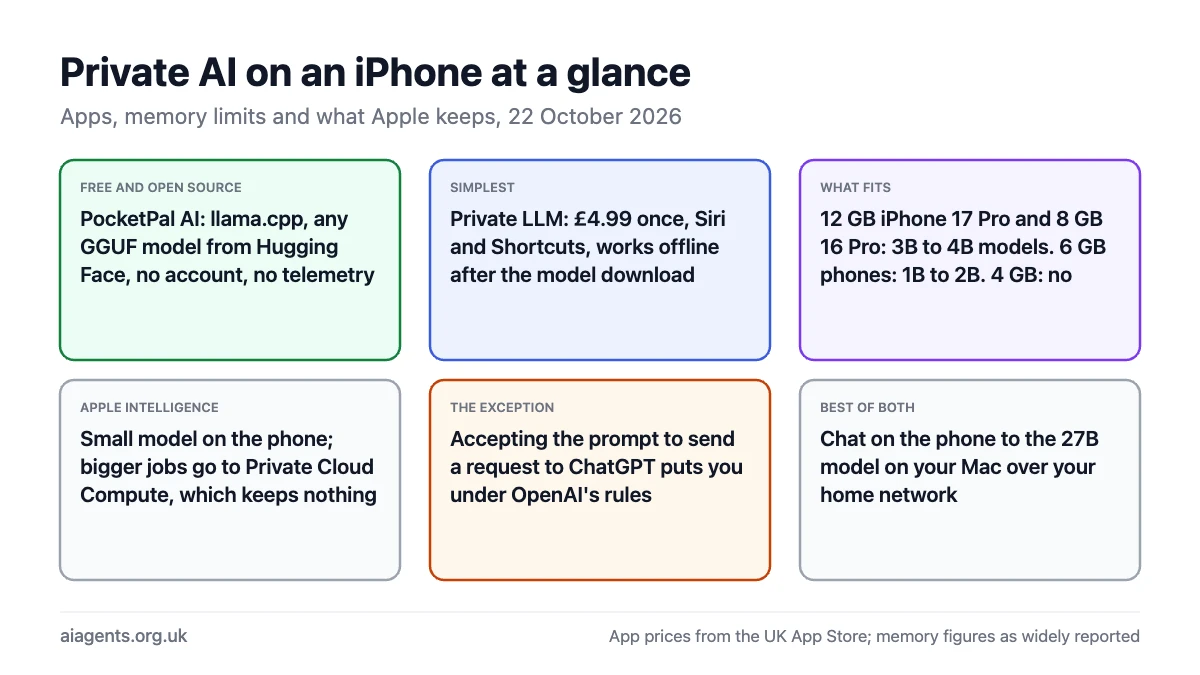
Yes, you can run an AI model on an iPhone with nothing leaving the phone. PocketPal AI does it for free and open source, Private LLM does it for £4.99 once with Siri and Shortcuts support, and both work in airplane mode once the model is downloaded. The limit is memory: an iPhone 17 Pro with 12 GB runs 3B to 4B models at a usable pace, an 8 GB iPhone 16 Pro runs the same models more slowly, and a 6 GB iPhone 14 Pro is restricted to 1.7B models. Apple's own Apple Intelligence runs a small model on the phone and sends larger jobs to Private Cloud Compute, which keeps nothing and which Apple's staff cannot access; the exception is when Siri hands a question to ChatGPT, which puts you under OpenAI's rules. This page covers the apps, the models that fit, and what Apple does and does not keep.
On this page
- The apps that run a model on the phone
- Which models fit which iPhone
- Apple Intelligence: on the phone, in Private Cloud Compute, or at OpenAI
- Use your Mac's model from your phone
- Frequently asked questions
The apps that run a model on the phone
| App | Price (UK App Store) | Engine | Open source | Best for |
|---|---|---|---|---|
| PocketPal AI | Free | llama.cpp with Metal; any GGUF model from Hugging Face | Yes, MIT | Choosing your own models; no account, no telemetry |
| Private LLM | £4.99 once, shared across iPhone, iPad and Mac with Family Sharing | Its own runtime; a curated library of 140-plus models | No | Siri and Shortcuts ("Hey Siri, ask Private LLM"); the simplest setup |
| Enclave | Free; optional Pro at £9.99 for cloud models | Local open models, offline, with voice | No | Voice chat offline; one app for local and, if you choose, cloud |
| Locally AI | Free | Apple MLX; from the LM Studio team | Not stated | Linking to LM Studio on your Mac; Apple Foundation Models access |
PocketPal is the one I use. Its README describes it as "A private AI assistant that runs entirely on your phone", it is MIT-licensed, and you add a model by searching Hugging Face inside the app for a GGUF file and picking a quantisation that fits. There is "no subscription, no 'pro' tier to unlock the AI". Private LLM is the better buy for anyone who wants it to just work: £4.99, version 1.9.16 from Numen Technologies, a filtered model browser, and the phrase "no internet is required after the first model download" on its homepage. Enclave's local models are free and work offline, including voice; its Pro tier adds cloud models from Anthropic and OpenAI, which is the opposite of private, so leave it off if privacy is the point.
Which models fit which iPhone
Apple does not publish iPhone memory, so the figures below are the widely reported ones used in PromptQuorum's September 2026 guide. A phone shares that memory with iOS and every open app, so the usable amount for a model is well under half.
| iPhone | Memory | Models that run well | Reported speed |
|---|---|---|---|
| iPhone 17 Pro | 12 GB | 3B to 4B at 4-bit: Qwen3.5 4B, Llama 3.2 3B, Phi-4 Mini, Gemma 3 4B | About 13 to 20 tokens a second |
| iPhone 16 Pro, iPhone 15 Pro | 8 GB | The same 3B to 4B models, with less room for other apps | About 10 to 15 tokens a second |
| iPhone 14 Pro and most 2022 to 2023 phones | 6 GB | 1B to 2B: Qwen3 1.7B, SmolLM2 1.7B, Gemma 3 1B | About 15 to 20 tokens a second |
| iPhone SE and older | 4 GB | Not recommended |
A 4B model at 4-bit is about 2.5 to 3.3 GB on disk and reads a document, drafts a message or answers a general question competently. It is not Qwen3.8 27B, and it will not be: the 27B models that make a Mac worthwhile need 18 GB of memory, which no phone has. Expect the phone to warm up and the battery to drop during a long chat. For what each size can and cannot do, the Ollama models list covers the same model families at every size.
Apple Intelligence: on the phone, in Private Cloud Compute, or at OpenAI
Apple Intelligence runs on iPhone 15 Pro and Pro Max, every iPhone 16, iPhone Air, iPad mini with the A17 Pro, iPads with M1 or later, and Macs with M1 or later, according to Apple's support page. Writing Tools, notification summaries and the rest use a small model on the device where they can. When a request needs more, it goes to Private Cloud Compute, Apple's own servers running on Apple silicon. The same on-device model ships on Macs, where you can use it from Terminal: see your Mac already has a free local LLM.
Apple's 2024 security paper sets out five requirements for PCC, quoted here because they are the standard every other cloud AI service should be measured against: "Stateless computation on personal user data", "Enforceable guarantees", "No privileged runtime access", "Non-targetability" and "Verifiable transparency". In plain words: your data is used only for that request and nothing is kept; there is no way for Apple staff to log in; and Apple publishes the server software so researchers can check that what runs matches what was published. The paper states that user data is not available to Apple, including its staff.
The exception is the ChatGPT integration. When Siri or Writing Tools offer to send a request to ChatGPT and you accept, the text goes to OpenAI under OpenAI's terms, not Apple's. You can decline each time or switch the integration off in Settings. If you never want that prompt, leave it off; is ChatGPT private? explains what OpenAI keeps.
Use your Mac's model from your phone
The best private AI on an iPhone is often the one running on the Mac at home. Locally AI's LM Link connects the phone to LM Studio on your Mac over your network, so you chat on the phone and the 27B model answers from the desk. The same works with Ollama and any app that accepts a custom server address, as long as Ollama is set to listen on the network rather than only on the Mac itself; the troubleshooting page has the setting. Keep it on your home network or behind a VPN into it, never open to the internet. For an always-on assistant you message from your phone, OpenClaw on the Mac with a Telegram channel does the same job with a local model behind it.
Frequently asked questions
Can you run AI locally on an iPhone?
Yes. Apps such as PocketPal AI, which is free and open source, and Private LLM, £4.99 once, download an open model to the phone and run it there, so chats work in airplane mode and nothing is sent anywhere. An iPhone with 8 GB or more runs 3B to 4B models; a 6 GB phone manages 1B to 2B models. Apple Intelligence also runs its own small model on iPhone 15 Pro and later.
What is the best local AI app for iPhone?
PocketPal AI if you want to choose your own models and pay nothing: it is MIT-licensed, loads any GGUF file from Hugging Face and has no account or telemetry. Private LLM, at £4.99 once on the UK App Store, if you want the simplest setup with Siri and Shortcuts. Locally AI if you have LM Studio on a Mac and want the phone to use it.
Does Apple AI work locally?
Partly. Apple Intelligence uses an on-device model for what it can and Private Cloud Compute, Apple's own servers, for larger requests. PCC is designed so that nothing is retained and Apple's staff cannot access it, and Apple publishes the server software for inspection. Requests you choose to send to ChatGPT leave that system and go to OpenAI.
Which AI model can I run locally on an iPhone?
On an 8 GB or 12 GB iPhone, 3B to 4B models at 4-bit: Qwen3.5 4B, Llama 3.2 3B, Phi-4 Mini or Gemma 3 4B, each around 2 to 3.3 GB. On a 6 GB phone, Qwen3 1.7B, SmolLM2 1.7B or Gemma 3 1B. Anything larger than 4B is slow or will not load; the 27B models that run on a Mac need 18 GB.
Is Apple Intelligence private?
More private than any other phone assistant. On-device features never leave the phone. Private Cloud Compute, used for bigger requests, keeps no data after the reply, has no privileged access for Apple staff, and runs published software that researchers can verify. The one way to lose that is accepting the prompt to send a request to ChatGPT, which can be turned off.
Can I use my Mac's AI model from my iPhone?
Yes, on the same network. Locally AI connects to LM Studio on a Mac through LM Link, and most local chat apps accept a custom Ollama server address once Ollama is set to listen on the network. You then get a 27B model on your phone with the text staying inside your home. Do not expose the Mac to the internet; use your home network or a VPN into it.
Read next
- Private AI: the UK guide
- Run a local LLM on your Mac
- Private AI chatbots compared
- LM Studio guide
- Your Mac already has a free local LLM
Sources
- PocketPal AI on GitHub: licence, engine, model loading - read 22 October 2026
- Private LLM on the UK App Store and privatellm.app: price, version, developer, offline claim - read 22 October 2026
- Enclave on the UK App Store - read 22 October 2026
- PromptQuorum: Best local LLM apps for iPhone 2026, updated 1 September 2026: memory tiers, speeds, Locally AI details - read 22 October 2026
- Apple: Apple Intelligence supported devices - read 22 October 2026
- Apple Security Research: Private Cloud Compute, 10 June 2024 - read 22 October 2026


