
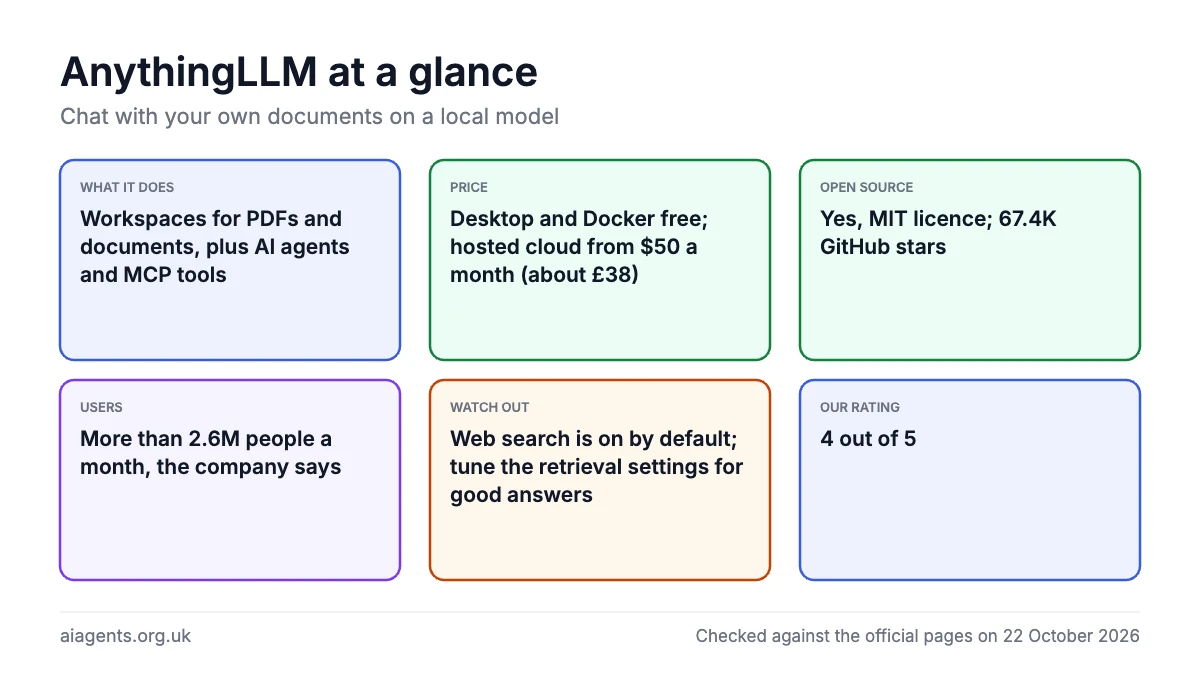
AnythingLLM is a free, MIT-licensed desktop app from Mintplex Labs that lets you drop PDFs and other documents into a workspace and chat with them on a model running on your Mac, with AI agents, MCP tools and a local meeting transcriber included. The company says more than 2.6 million people use it every month. The Mac app and the Docker version cost nothing; the paid options are a hosted cloud from $50 a month (about £38) and an optional Desktop Pro subscription that lifts daily limits on its dictation and highlight tools. On paper it is the most complete free document-chat app I have reviewed, but you will need to tune the retrieval settings and a local model needs a capable Mac. My rating: ★★★★☆ 4/5. If you have not run a local model before, start with the Ollama guide and come back.
Key facts
- What it does: a desktop and self-hosted app for chatting with your own documents, running AI agents and using local or cloud models, with a built-in local model engine
- Made by: Mintplex Labs Inc, Los Angeles, California, United States (Y Combinator Summer 2022)
- Price: desktop app and self-hosted Docker free; hosted Cloud $50 a month (about £38) or $99 a month (about £74), VAT not mentioned; Desktop Pro price not published
- Free plan or trial: the desktop and Docker versions are free with no account; the cloud plans list no free trial
- Runs on: macOS (Apple Silicon and Intel), Windows (x64 and ARM), Linux, Docker on amd64 and arm64, plus a free Android app
- Open source: Yes (MIT)
- Users: more than 2.6 million a month across desktop and Docker, the company says; its homepage claims 7M+ desktop downloads (checked 22 October 2026)
- Best for: one person on a Mac who wants to ask questions of a pile of PDFs and documents without sending them to a cloud service
- Our rating: ★★★★☆ 4/5
On this page
- What is AnythingLLM?
- How many people use AnythingLLM?
- How to install it on a Mac
- What it costs
- What I like
- What I'd want fixed
- What people say on Reddit and X
- Who should use it?
- Is it safe to use? Privacy and data
- Using it in the UK
- Alternatives to AnythingLLM
- My verdict
- Frequently asked questions
- Read next
- Sources
What is AnythingLLM?
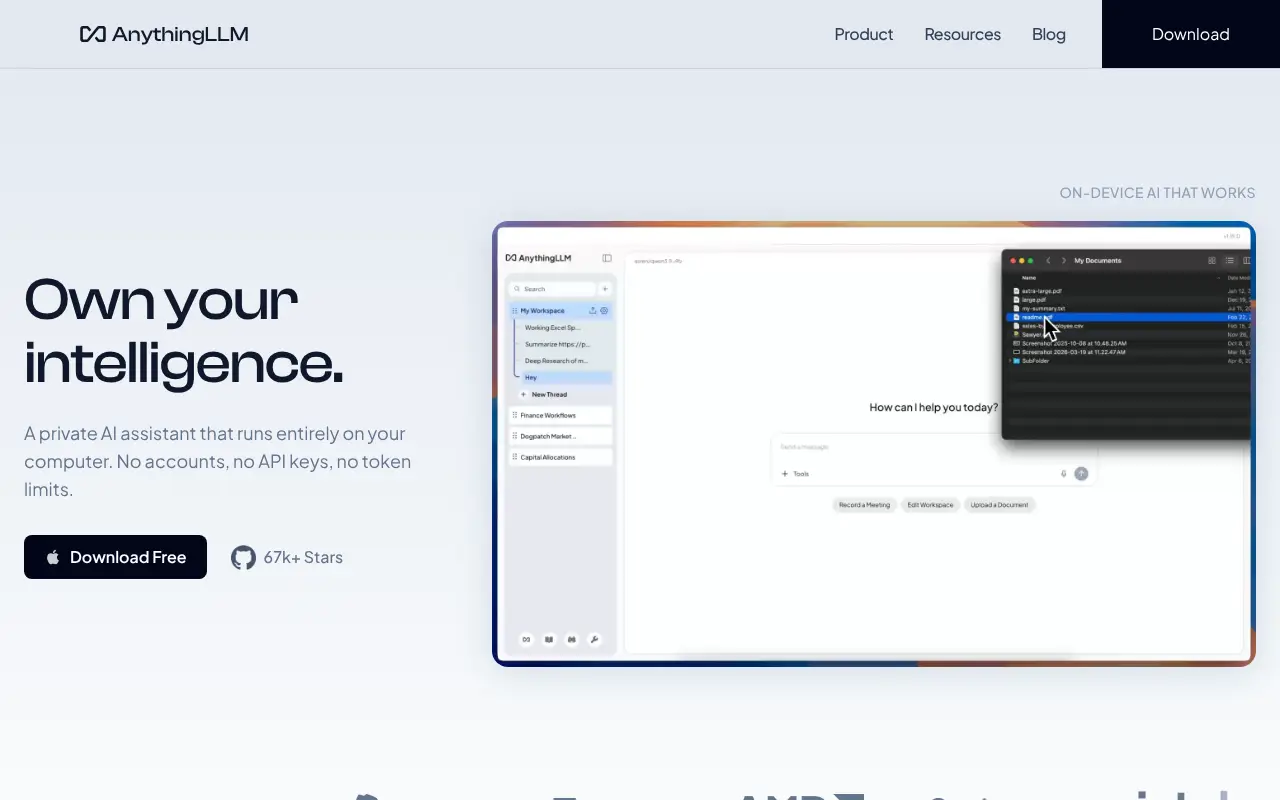
AnythingLLM describes itself as "a free, private AI assistant that runs on your device" with "no accounts, no API keys, no token limits". In practice it is a chat window organised into workspaces. You add documents, the app splits them into chunks and stores them in a local vector database, then pulls the relevant chunks into the model's context when you ask a question.
The technique is called retrieval-augmented generation, or RAG, and it is the main reason people install AnythingLLM.
It is made by Mintplex Labs Inc, a four-person company in Los Angeles from Y Combinator's Summer 2022 batch, founded by Timothy Carambat. The code is on GitHub under the MIT licence, so you can use and change it at work with no fee. As of 22 October 2026 the latest release is v1.18.0, published on 13 October 2026.
There are three ways to run it: the desktop app for macOS, Windows and Linux, which the documentation calls a "single-player" application; the self-hosted Docker image, the only version with multi-user accounts; and AnythingLLM Cloud, a managed instance on AWS. There is also a free Android app. The standout features are:
- Workspaces and chat modes. Each workspace has its own documents, system prompt and model. Chat mode mixes your documents with the model's general knowledge, Query answers only from your documents, and Agent lets the model use tools.
- Built-in model engine. New installs run GGUF models through Lemonade, AMD's open source server built on llama.cpp, using Metal on Apple Silicon.
- Bring your own model. Ollama, LM Studio, LocalAI or KoboldCPP locally, or cloud providers such as OpenAI, Anthropic, Google Gemini, Mistral, OpenRouter and DeepSeek.
- Embeddings and vector databases. The built-in embedder and LanceDB database run on the device; Ollama, LM Studio, OpenAI or Cohere embedders and databases such as Chroma, Pinecone and Qdrant are options.
- AI agents. Type @agent and the model gets web search (You.com by default since September 2026, no key needed), web scraping, RAG search, file saving, charts, an SQL agent, Gmail, Google Calendar and Outlook agents, and scheduled jobs.
- MCP support. Model Context Protocol servers over stdio, SSE or streamable HTTP give the agent extra tools. If MCP is new to you, read What is MCP first.
- Meeting Assistant. Desktop only. It records, transcribes with NVIDIA's Parakeet model and summarises meetings on the device, with no bot joining the call.
- Multi-user mode. Docker only, with Admin, Manager and Default roles. Once switched on, "you cannot revert back to single-user mode".
How many people use AnythingLLM?
The company says: "More than 2.6M people use AnythingLLM every month across Desktop and Docker", and calls that "a floor since most users turn telemetry off". The claim is on its Y Combinator profile, which is undated and quotes 56K+ GitHub stars, so it predates today's 67.4k. The homepage claims 7M+ desktop downloads.
| Measure | Figure | Source, date |
|---|---|---|
| Monthly users (company figure) | More than 2.6 million | Y Combinator profile, undated |
| Desktop downloads (company figure) | 7M+ | anythingllm.com, 22 October 2026 |
| Docker Hub pulls | 4,841,679 | Docker Hub, 22 October 2026 |
| GitHub | 67.4k stars, 7.6k forks, 291 contributors | GitHub, 22 October 2026 |
| Homebrew installs | 670 (30 days), 1,709 (90 days), 7,906 (365 days) | Homebrew, 22 October 2026 |
| Website visits (estimate) | 563.6K visits, 341.2K unique visitors | Semrush, September 2026 |
| UK organic search (estimate) | 1.4K visits a month, up 4.4% | Semrush, October 2026 |
Read the counters with care. Docker pulls count downloads of the image, not people, and the homepage's "5M+" Docker figure is higher than the main image's count. Homebrew only counts Macs that install with that one command. Semrush figures are estimates, and site visits are not app users. For scale, Semrush puts openwebui.com at 841.6K visits in September and estimates 1,300 UK searches a month for "anythingllm".
How to install it on a Mac
The download page promises "Download one file, double-click, done", and for the desktop app that is accurate. There are two disk images: AnythingLLMDesktop-Silicon.dmg for Apple Silicon and AnythingLLMDesktop.dmg for Intel. Open the image and drag the app into Applications. If you use Homebrew, the cask is simpler; as of 22 October 2026 it lists version 1.18.0.
brew install --cask anythingllmTo update, download the latest disk image again, which keeps your data, or run the Homebrew pair below; the documentation describes no auto-update.
brew update && brew upgrade --cask anythingllmThe recommended hardware is 16GB of RAM and an 8-core CPU, with no separate GPU needed on a Mac, and the docs say M-series chips run models "considerably faster" than Intel Macs. Check whether a model fits your Mac's memory first with the memory calculator.
On first run you choose a model: the built-in provider downloads GGUF files from Hugging Face or imports a .gguf file you already have. If you run Ollama, choose the Ollama provider and "connect to Ollama with http://127.0.0.1:11434 when using the default settings". Everything the app creates lands in one folder, which matters for backups:
/Users/<usr>/Library/Application\ Support/anythingllm-desktop/storageIts plugins subfolder holds the MCP configuration file, anythingllm_mcp_servers.json. Add servers there and press Refresh on the Agent Skills page; each server's command must already be on your PATH, as in my LM Studio plugins and MCP guide.
The Docker route suits a shared machine or a Mac mini on your network. This command from the repository's Docker guide keeps your data in your home directory, and the interface appears at http://localhost:3001.
docker pull mintplexlabs/anythingllmexport STORAGE_LOCATION=$HOME/anythingllm && \
mkdir -p $STORAGE_LOCATION && \
touch "$STORAGE_LOCATION/.env" && \
docker run -d --rm -p 3001:3001 \
--cap-add SYS_ADMIN \
-v ${STORAGE_LOCATION}:/app/server/storage \
-v ${STORAGE_LOCATION}/.env:/app/server/.env \
-e STORAGE_DIR="/app/server/storage" \
mintplexlabs/anythingllmTwo caveats for Mac users: a container cannot see Ollama at localhost, so use http://host.docker.internal:11434, and Docker on macOS "cannot use the Apple GPU, so models run on the CPU there". Run Ollama or LM Studio natively and let AnythingLLM in Docker talk to it. For a team, see my self-hosted LLM guide.
What it costs
For almost everyone reading this, nothing. The desktop app and the Docker image are free, with no account, and the MIT licence means a business pays no seat fee. The documentation states that "AnythingLLM Desktop will and forever will be free to use for 99% of our features".
| Option | Price (as of 22 October 2026) | What you get |
|---|---|---|
| Desktop app | Free | Everything for one user on one Mac: local models, document chat, agents, MCP, meeting assistant |
| Self-hosted Docker | Free | Browser interface, multi-user accounts and roles, password protection, embeddable chat widget |
| Cloud Basic | $50 a month (about £38), VAT not mentioned | Private instance on AWS with a custom subdomain; "Just bring an LLM API Key" |
| Cloud Pro | $99 a month (about £74), VAT not mentioned | "Higher performance with priority resources" and a 72-hour support SLA |
| Cloud Enterprise | Custom quote | On-premise deployment, custom SLA, custom integrations, SSO and RBAC |
| Desktop Pro | Subscription; price not published in the documentation | Removes daily limits on Magic Echo, Magic Beacon and Magic Tab, and removes the watermark from generated documents |
The cloud plans are a managed copy of the self-hosted product: you still pay a model provider separately, and there is no built-in model, custom agents or MCP. The pricing page lists no free trial and only monthly billing. For multi-user without the $50, run the Docker version on a Mac mini; see which Mac to buy for local AI.
Desktop Pro only concerns the three Magic features: Magic Echo (dictation into any app), Magic Beacon (act on highlighted text) and Magic Tab (autocomplete anywhere). Each has "a generous free tier", and the documentation says the Pro features "are not required to use AnythingLLM". The price sits on a checkout page I could not load.
What I like
- Free and MIT licensed, with no account, for the desktop and Docker versions
- One disk image or one Homebrew command on a Mac, with a built-in model engine that uses Metal on Apple Silicon
- Document chat that is thought through: attach for full text, embed for RAG, pin for always-on, and a Query mode that admits when it finds nothing
- Agents, MCP servers, scheduled jobs and a no-code flow builder in a free app
- A local meeting transcriber that needs no bot in the call
- Telemetry that is documented event by event and can be switched off in the app or with one variable
- Works with Ollama and LM Studio, so you can keep the models you already have
What I'd want fixed
- Telemetry is on by default rather than opt-in
- Multi-user is Docker only, and the switch to multi-user mode cannot be undone
- Scheduled jobs are single-user only, so a shared instance loses them
- Retrieval needs tuning: the docs say "there is no guarantee that relevant text stays together" when documents are chunked
- Agent mode is unreliable with small quantised local models, by the project's own admission
- The hosted cloud drops MCP and custom agents, and the Desktop Pro price is not in the docs
- Recent Mac bug reports around the Magic features and agent sessions (see below)
What people say on Reddit and X
These are individual users' opinions, not my test results; I have checked each quote against the original post.
- On documents, against Open WebUI: "Anything LLM queries large document data in a much more comprehensive way than OpenWebUI for my purpose (medical)" - a user in r/LocalLLaMA, September 2026 thread
- On the interface: "It is much more sophisticated than its simple layout may suggest." - a user in r/LocalLLaMA comparing it with Open WebUI, February 2026 thread
- On getting started: "This is the app that does the heavy RAG work for you." - AI educator Hasan Toor (@hasantoxr) on X, in a step-by-step June 2026 thread pairing it with Ollama
- On retrieval: asked which of about 200 reports mention a name, "it failed unless I explicitly pointed to specific file or pinned file" - a user in r/LocalLLM, May 2026 thread
- On agents: after a 14B coding model only printed JSON, "got a large model to try out AnythingLLM with the same workflow and it works finally" - a user in r/LocalLLM, July 2026 thread
- On the Mac app: "Desktop version is completely broken." - a user in r/LocalLLM with an M5 MacBook Air, who said even a one-word greeting returned a network error while the browser version worked, August 2026 thread
The praise is mostly about document chat that holds up against Open WebUI and how much a free app packs in. The complaints cluster around retrieval that misses things across many files, agents that need a bigger model than people start with, and stability on some setups, which matches the documentation and the GitHub reports below.
Who should use it?
Pick AnythingLLM if your main job is asking questions of your own files: contracts, papers, meeting notes, course PDFs. Ollama on its own gives you a model; AnythingLLM gives you the workspace, the document pipeline and the citations around it. It also suits anyone who wants to try agents and MCP without writing code.
Look elsewhere if you only want a nicer chat window for Ollama, need several people on one Mac without Docker, or have an 8GB Mac and expect a decent local model; the 16GB recommendation is realistic.
What reviewers report. A May 2026 review on Robo Rhythms called it "the best free chat-with-docs application I have tried in 2026" but said "retrieval-accuracy benchmarking is missing from the docs". An Italian review found the documentation "patchy at times".
Recent Mac bug reports on GitHub cluster around the newer features. Issue 6691 (12 October 2026) reported Magic Echo crashing the app on an M4 Pro MacBook Pro and was closed the same day; issue 6784 (19 October, v1.18.0) reports the Magic Beacon dot not appearing and a crash on quit, and is open. Issue 4116 compared answers unfavourably with NotebookLM; the maintainer suggested other embedding models and fewer documents at a time.
The documentation says the app "gets back 4-6 text chunks" per question, so it cannot answer questions that need the whole document set. Use Query mode for strict answers, pin a short document you always need, drop the similarity threshold if answers go missing, and try a better embedder.
Is it safe to use? Privacy and data
The desktop privacy page says "everything is saved locally on your device by default", that the app "can run entirely offline", and that "none of your messages, chat histories, and documents are ever transmitted from your system" by AnythingLLM itself.
The exception is the model provider you choose: pick OpenAI or Anthropic and your prompts and retrieved chunks go to them under their terms. Choose the built-in engine or Ollama and they do not. Web search has been on by default since September 2026, with You.com as the provider, so web searches do leave your Mac.
Telemetry is the part to decide on. It is on by default and sent to PostHog. The README lists what is sent, such as the installation type, the vector database, the LLM provider and model, and the fact that a document was added or a chat sent, not what it contained. It states "no IP or other identifying information is collected" and that the data "is never shared with third parties, ever". To turn it off, open the sidebar, choose Privacy and disable telemetry; on Docker, set DISABLE_TELEMETRY to true in the .env file.
The Magic features and the Desktop Assistant can send screenshots and on-screen text to a cloud model provider; with the built-in engine, Ollama or LM Studio the documentation says image processing happens on the device. And the desktop app has no user accounts, so the documentation warns against exposing it to the public internet.
Because the code is open, all of this can be checked; the README links to a search of every place telemetry is sent. For what "private" means on a Mac more generally, see the private AI guide.
Using it in the UK
For personal use on a Mac there is nothing UK-specific to worry about: the download is free and the default web search needs no API key. Cloud and Pro prices are in dollars with VAT not mentioned, so the card charge will vary with the exchange rate.
If you are a UK business considering the cloud plans, the documentation says each instance runs on "an isolated AWS instance" but does not name a region, so ask before you upload anything covered by UK GDPR. The Docker version sidesteps the question because the data never leaves your premises. The privacy page adds that, because its telemetry is anonymous, Mintplex Labs is "unable to fulfill data subject requests". For the rules on agents and personal data, read AI agents and UK GDPR.
Alternatives to AnythingLLM
Four apps overlap with AnythingLLM on a Mac: Open WebUI, Msty Studio, LM Studio and Jan, all checked on 22 October 2026.
| App | Licence | Price | Where it beats AnythingLLM |
|---|---|---|---|
| Open WebUI | Open WebUI License (keep the branding) | Free; pip, Docker or Kubernetes | Teams: roles, groups and permissions, 156k GitHub stars, RAG over 9 vector databases. Browser based, no Mac app. |
| Msty Studio | No open source licence listed | Free tier; Aurum $149 per user a year (about £112) or $349 lifetime (about £262), VAT not mentioned | A single-user desktop app for chatting with local and online models, with Knowledge Stacks and Agent Mode on the free tier. |
| LM Studio | Available under its terms of use | $0 tier; Bionic+ $20 a month (about £15), Pro $100 a month (about £75) | Model discovery and its own runtime "with MLX and llama.cpp under the hood". |
| Jan | Apache 2.0 | Free | "Runs 100% offline", 45k stars, MCP support and custom assistants, with a simpler interface. |
AnythingLLM vs Open WebUI is the comparison most people are asking about. Both do document chat, agents and multi-user. Open WebUI runs in Docker or with pip, so it suits a team on a shared server and has a bigger community; AnythingLLM's native Mac app, built-in engine and meeting assistant make it the pick for one person on one Mac. Open WebUI's licence also requires you to keep its branding. My Open WebUI review goes into detail.
For a simpler chat window, read the Msty review; for the model runner itself, the LM Studio guide.
My verdict
| Area | Score |
|---|---|
| Usefulness | 4/5 |
| Getting started | 4/5 |
| Value for money | 5/5 |
| Trust and privacy | 4/5 |
| UK fit | 3/5 |
| Overall | ★★★★☆ 4/5 |
I would install AnythingLLM on any Apple Silicon Mac with 16GB or more where the job is reading documents, not just chatting. Usefulness and getting started lose a point each for the retrieval tuning most people will do and for agent mode's dependence on a strong model.
Value for money is hard to fault when the desktop app is free and MIT licensed. Trust loses a point for opt-out telemetry, and UK fit for dollar pricing and an unnamed cloud region; neither matters if you keep it on your own Mac.
Frequently asked questions
Is AnythingLLM free?
Yes. The desktop app for macOS, Windows and Linux and the self-hosted Docker image are free, open source under the MIT licence and need no account. The paid products are the hosted cloud, from $50 a month (about £38, VAT not mentioned), and an optional Desktop Pro subscription that removes daily limits on the Magic dictation and highlight features.
How many people use AnythingLLM?
Mintplex Labs says more than 2.6 million people use AnythingLLM every month across the desktop app and Docker, and its homepage claims 7M+ desktop downloads. Public counters on 22 October 2026 show 67.4k GitHub stars and 4,841,679 Docker Hub pulls. Semrush estimates anythingllm.com had 563.6K visits in September 2026, though site visits are not app users.
Does AnythingLLM work on a Mac with Apple Silicon?
Yes. There is a separate Apple Silicon disk image and a Homebrew cask, and the built-in model engine uses Metal on M-series chips. The documentation recommends 16GB of RAM and says Intel Macs run models on the CPU and are slower.
Do I need Ollama to use AnythingLLM?
No. New installs include a built-in engine, powered by Lemonade and llama.cpp, that downloads GGUF models from Hugging Face. If you already run Ollama or LM Studio, you can pick them as the provider instead and keep your existing models.
Does AnythingLLM send my documents anywhere?
Not by itself. Documents, chats and the vector database stay in a folder on your Mac, and the privacy page says messages and documents are never transmitted from your system. Anonymous telemetry is on by default and can be switched off under Privacy in the sidebar, and if you choose a cloud model provider, your prompts and retrieved text go to that provider.
AnythingLLM vs Open WebUI: which should I choose?
Choose AnythingLLM for one person on one Mac: it has a native app, a built-in model engine, MCP and a local meeting transcriber in a one-click install. Choose Open WebUI for a team on a shared server, where its roles, groups and permissions and much larger community count for more. Both are free to self-host.
Can several people use AnythingLLM?
Only with the Docker version. Multi-user mode adds Admin, Manager and Default roles and password protection, but the desktop app is single-user and the documentation says you cannot switch an instance back to single-user mode once multi-user is enabled. Scheduled jobs are also only available in single-user mode.
Does AnythingLLM support MCP?
Yes, on the desktop and Docker versions. You list servers in the anythingllm_mcp_servers.json file in the plugins folder, using stdio, SSE or streamable HTTP, and the agent can call their tools. Only tools are supported, not resources, prompts or sampling, and the hosted cloud does not support MCP at all.
Read next
- Ollama guide: install, models, cloud pricing, updating, uninstalling
- Open WebUI review
- Msty review
- LM Studio guide
- LM Studio plugins and MCP
- What is MCP?
- Can my Mac run this model? Memory calculator
- Private AI in the UK
Sources
- AnythingLLM home page, Mintplex Labs: product description, platforms, MIT licence statement, 7M+ desktop downloads and 5M+ Docker pulls claims - checked 22 October 2026
- Pricing, AnythingLLM: cloud plan prices and inclusions - checked 22 October 2026
- Download, AnythingLLM: Mac disk image names, no-account claim - checked 22 October 2026
- anything-llm repository, GitHub: stars, forks, contributors, licence, README features, providers, telemetry section - checked 22 October 2026
- LICENSE, anything-llm on GitHub: MIT licence text - checked 22 October 2026
- Release v1.18.0, anything-llm on GitHub: latest release and date - checked 22 October 2026
- Changelog v1.18.0, AnythingLLM Docs: move from Ollama to Lemonade engine, reasoning controls - checked 22 October 2026
- How to use Dockerized AnythingLLM, GitHub: Docker commands, host.docker.internal, built-in engine - checked 22 October 2026
- Install on macOS, AnythingLLM Docs: disk images, Homebrew command, Intel note - checked 22 October 2026
- System requirements, AnythingLLM Docs: 16GB RAM, 8-core CPU, GPU not needed on Mac - checked 22 October 2026
- Where is my data stored, AnythingLLM Docs: macOS storage path and folder contents - checked 22 October 2026
- Updating AnythingLLM Desktop, AnythingLLM Docs: update methods and data persistence - checked 22 October 2026
- Desktop overview, AnythingLLM Docs: single-player description, desktop vs Docker feature table, public internet warning - checked 22 October 2026
- Desktop privacy, AnythingLLM Docs: local by default, offline, telemetry opt-out, data subject requests - checked 22 October 2026
- Built-in LLM provider, AnythingLLM Docs: Lemonade and llama.cpp, GGUF downloads, Metal, Docker CPU note - checked 22 October 2026
- Ollama provider, AnythingLLM Docs: default address - checked 22 October 2026
- Large language models, AnythingLLM Docs: local and cloud provider list - checked 22 October 2026
- Embedder configuration, AnythingLLM Docs: embedder list and re-embedding warning - checked 22 October 2026
- Vector database configuration, AnythingLLM Docs: supported databases - checked 22 October 2026
- Chat modes, AnythingLLM Docs: Chat, Query and Agent modes, similarity threshold options - checked 22 October 2026
- Attaching vs embedding documents, AnythingLLM Docs: attach, embed and pin behaviour - checked 22 October 2026
- RAG in AnythingLLM (legacy), AnythingLLM Docs: chunk retrieval and limitations - checked 22 October 2026
- AI agents overview, AnythingLLM Docs: default skills list, agent flows - checked 22 October 2026
- Agent setup, AnythingLLM Docs: agent skills settings - checked 22 October 2026
- Agent usage, AnythingLLM Docs: small quantised models warning - checked 22 October 2026
- MCP compatibility, AnythingLLM Docs: transports and config format - checked 22 October 2026
- MCP on desktop, AnythingLLM Docs: config file path, tools-only limitation, PATH requirement - checked 22 October 2026
- Security and access, AnythingLLM Docs: multi-user mode, roles, irreversibility - checked 22 October 2026
- Scheduled jobs, AnythingLLM Docs: cron schedule, v1.13.0, single-user only - checked 22 October 2026
- Meeting Assistant, AnythingLLM Docs: local transcription, Parakeet, platforms - checked 22 October 2026
- Desktop Assistant, AnythingLLM Docs: overlay shortcut, on-device image handling - checked 22 October 2026
- AnythingLLM Pro overview, AnythingLLM Docs: Magic features, free tier, opt-in statement - checked 22 October 2026
- Magic Echo, AnythingLLM Docs: on-device transcription, accessibility permission - checked 22 October 2026
- Cloud overview, AnythingLLM Docs: isolated AWS instance - checked 22 October 2026
- Cloud limitations, AnythingLLM Docs: no built-in LLM, custom agents or MCP on hosted cloud - checked 22 October 2026
- Mobile overview, AnythingLLM Docs: free Android app - checked 22 October 2026
- anythingllm cask, Homebrew: cask version 1.18.0 and install counts for 30, 90 and 365 days - checked 22 October 2026
- AnythingLLM, Y Combinator: location, batch, founder, team size, company statement on monthly users - checked 22 October 2026
- mintplexlabs/anythingllm, Docker Hub API: pull count - checked 22 October 2026
- AnythingLLM and You.com bring real-time web search to everyone, AnythingLLM blog: You.com as default web search, on by default, September 2026 - checked 22 October 2026
- Semrush Traffic Analytics, Domain Overview and Keyword Magic Tool (estimates): website visits for September 2026, UK organic search traffic and UK search volume - checked 22 October 2026
- Openwebui + open terminal, r/LocalLLaMA: user comment comparing document search with Open WebUI, September 2026 - checked 22 October 2026
- What Frontend do you use?, r/LocalLLaMA: user comment on the interface, February 2026 - checked 22 October 2026
- Hasan Toor on X: local RAG thread with Ollama, June 2026 - checked 22 October 2026
- Tried local llm for document analysis, r/LocalLLM: user report on retrieval across many files, May 2026 - checked 22 October 2026
- Using local models, I cannot get agents to work on files and folders, r/LocalLLM: user report on agents and model size, July 2026 - checked 22 October 2026
- Network Error Anything LLM, r/LocalLLM: user report on the desktop app on an M5 MacBook Air, August 2026 - checked 22 October 2026
- AnythingLLM review, Robo Rhythms: reported praise and criticisms, May 2026 - checked 22 October 2026
- AnythingLLM: what it is, how it works and a real review, Pasquale Pillitteri: reported criticisms of documentation and hardware - checked 22 October 2026
- Issue 6691, anything-llm on GitHub: Magic Echo crash report on Mac - checked 22 October 2026
- Issue 6784, anything-llm on GitHub: Magic Beacon and quit crash report on v1.18.0 - checked 22 October 2026
- Issue 4116, anything-llm on GitHub: chunk and embedding count report and maintainer reply - checked 22 October 2026
- open-webui repository, GitHub: licence, stars, features - checked 22 October 2026
- Pricing, Msty: free tier and Aurum prices - checked 22 October 2026
- Pricing, LM Studio: free tier and paid tiers - checked 22 October 2026
- jan repository, GitHub: licence, stars, MCP support - checked 22 October 2026


