
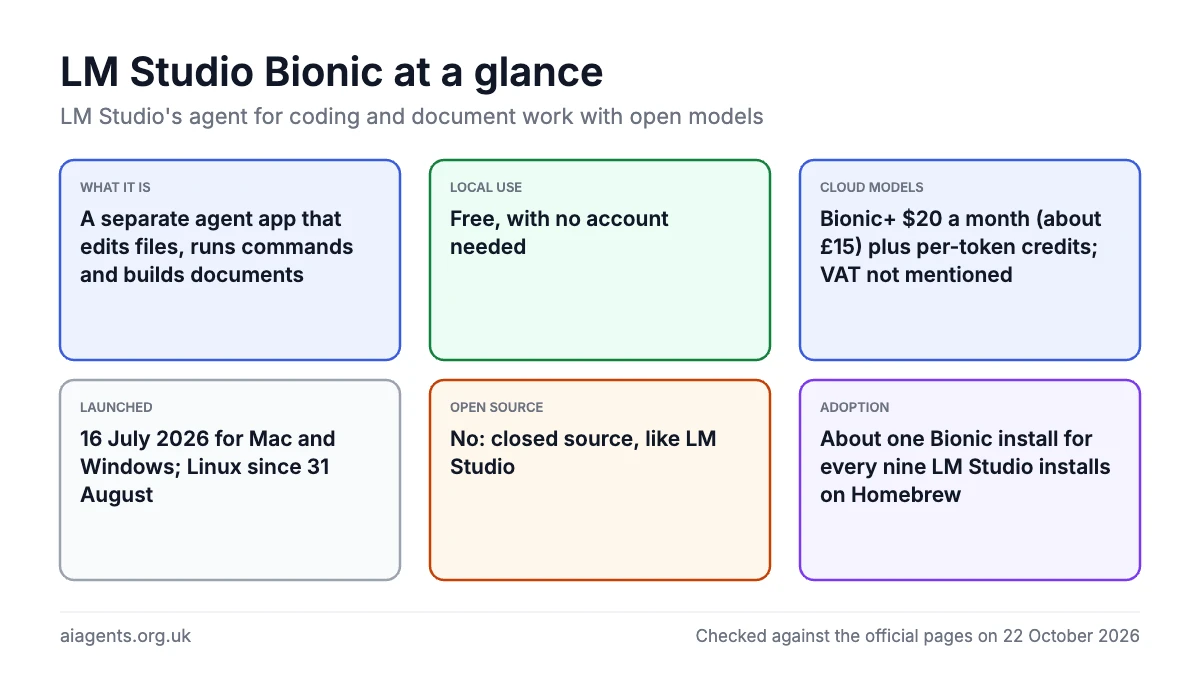
LM Studio Bionic is a free desktop AI agent from the makers of LM Studio that does coding and document work with open models, either running on your Mac or through LM Studio's US-hosted cloud. It is a separate app, not a replacement: LM Studio stays as the model runner and chat window, while Bionic is the agent that edits files, runs commands and builds documents. Local use costs nothing and needs no account; cloud models sit behind a Bionic+ plan at $20 a month (about £15, VAT not mentioned) plus per-token credits. The catch, raised loudly on Hacker News, is that Bionic is closed source, like LM Studio itself. LM Studio had "millions of downloads worldwide" by July 2025, its founder says, but there is no published count for Bionic yet. If you are new to LM Studio, start with the LM Studio guide and come back here.
On this page
- What LM Studio Bionic is
- Bionic vs LM Studio: the difference
- How many people use LM Studio and Bionic
- What it can do
- Requirements and install on a Mac
- How to use Bionic: five first tasks
- Which local model to use
- Is it free? What Secure Cloud costs
- Privacy: local, cloud and closed source
- Bionic vs Claude Code, Codex, OpenClaw and OpenWorker
- What I like
- What I'd want fixed
- What people use Bionic for
- What people say on Reddit and X
- Bionic problems and fixes
- Who should use it?
- Frequently asked questions
- Read next
- Sources
What LM Studio Bionic is
LM Studio announced Bionic on 16 July 2026 as "the AI agent made for open models". The company behind both apps is Element Labs, Inc., a Delaware corporation. Bionic launched for Mac and Windows, LM Studio announced a Linux build on 31 August 2026, and the current release is 1.1.9, dated 21 October 2026.
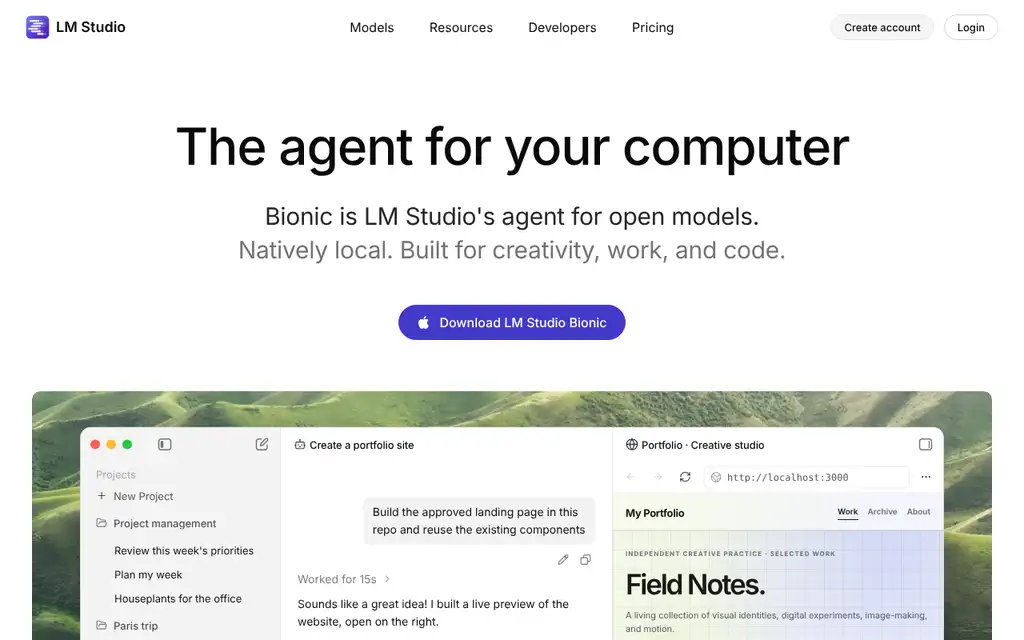
"Open models" means open-weight models you can download and run: Qwen, Gemma, GLM, Kimi, DeepSeek and the like. Bionic does not connect to Claude, GPT or Gemini. That is the pitch: an agent built around models you control, with a cloud option for the ones too big for a laptop.
Work is organised into projects (related files and conversations) and sessions (one task each). Sessions open in tabs, run side by side, can be forked, and carry on in the background. Each session chooses where its model runs: on your computer, on another device you own through LM Link, or in LM Studio Secure Cloud.
Bionic vs LM Studio: the difference
People often assume they must pick one. They do not. LM Studio runs local models, gives you a chat window, and serves those models on port 1234 to other apps. Bionic acts: it reads a folder, edits files, runs commands and produces documents, using a model from LM Studio's runtime or the cloud.
| Area | LM Studio | LM Studio Bionic |
|---|---|---|
| Job | Download, configure, run and chat with local models; local API server | Agent that does tasks: code, documents, spreadsheets, decks, research |
| Works on your files | Attach files to a chat | Reads and edits a working folder; sandbox and checkpoints for documents |
| Models | Local (llama.cpp, MLX) and LM Link | Local, LM Link and Secure Cloud open models |
| Account needed | No for local use | No for local use; yes for cloud |
| Price | Free | Free locally; Bionic+ $20 a month for cloud models |
| Open source | No | No |
| Current version | 0.4.26 | 1.1.9 (21 October 2026) |
LM Studio's docs put it plainly: "Bionic is a new, separate app from LM Studio. For advanced low-level configuration, you can continue to use LM Studio alongside Bionic." Since Bionic 1.1.8 the two coexist, with Bionic using LM Studio for local inference while LM Studio is running (0.4.26 or newer required). Keep LM Studio if other tools point at it, including LM Studio plugins and MCP servers, and add Bionic for a graphical agent. Still choosing a runtime? See Ollama vs LM Studio.
How many people use LM Studio and Bionic
Neither LM Studio nor Element Labs has published a user count for Bionic. The biggest stated figure covers LM Studio as a whole: "millions of downloads worldwide", in a blog post by founder Yagil Burowski on 8 July 2025. For Bionic itself, the one like-for-like public counter is Homebrew, where Bionic is installed about once for every nine LM Studio installs.
| Measure | Figure | Date and source |
|---|---|---|
| LM Studio downloads (the company says) | "Millions of downloads worldwide" | 8 July 2025, LM Studio blog |
| Visits to lmstudio.ai, LM Studio and Bionic together (estimate) | 3.4 million visits, 2.1 million unique visitors, both up on August | September 2026, Semrush |
| UK organic search visits to lmstudio.ai (estimate) | 13.8K a month, down 1.3% | October 2026, Semrush |
| Homebrew installs of Bionic (lm-studio-bionic) | 673 in 30 days; 1,602 in 90 days, which is every install recorded so far | To 22 October 2026, Homebrew |
| Homebrew installs of LM Studio (lm-studio) | 5,974 in 30 days; 14,481 in 90 days; 56,503 in a year | To 22 October 2026, Homebrew |
| Launch attention | 279.3K views of LM Studio's launch post on X; 331 points and 134 comments on Hacker News | Posted 16 July 2026, counted 22 October 2026 |
| GitHub stars, lms command-line tool | About 5,300 | 22 October 2026, GitHub |
Treat these as signals, not a census. The Semrush figures are estimates for the whole lmstudio.ai site, and site visits are not app users: many people download once and never come back. Homebrew only counts people who install through it with analytics left on, so it misses every website download, but it counts both apps the same way. GitHub stars track developers following LM Studio's open-source tools, since the apps themselves have no public repository.
What it can do
Coding. Turn on "Allow coding" when you create a project and point it at a folder. Bionic indexes it, then can search the repository, edit files, use Git and run shell commands there, showing changes as inline diffs. It can split a big job into sub-sessions that investigate in parallel, and since 1.1.0 safe read-only shell commands no longer prompt every time.
Documents. A project without coding enabled is for documents. LM Studio says Bionic "can work with documents, spreadsheets, presentations, PDFs, images, and text files", and can generate decks, spreadsheets and reports from scratch, inside "a managed sandbox for iterating on documents and other files" with automatic checkpoints for review or rollback. Version 1.1.6 added Canvas, a shared board you and the agent both edit.
Web search. Toggle it on under Settings, General, Web Search. The free plan has "limited web search"; Bionic+ adds page extraction.
Voice. Bionic ships Voxtral by Mistral AI, "a performant multilingual realtime transcription model" in LM Studio's words, and transcribes on your device; the launch post also describes a voice keyboard that dictates into any app from the cursor. For faster starts, open Settings, Voice and switch on "Auto load voice model", which keeps the model loaded; otherwise the first transcription waits while it loads. For dedicated local transcription see MacWhisper.
Skills and MCP. Bionic uses the standard Agent Skills format (a SKILL.md file) and can use "compatible skills you already use in other apps such as Codex and Claude Code". Custom MCP servers are supported too; see our MCP explainer and the Claude Code skills guide for the format Bionic reads.
Requirements and install on a Mac
As of 22 October 2026, LM Studio has not published a separate requirements page for Bionic. Two things are clear: the Mac download on lmstudio.ai/download is an Apple Silicon (arm64) build, and LM Studio's own requirements are Apple Silicon (M1 to M4), macOS 14.0 or newer, and "16GB+ RAM recommended", with 8GB Macs limited to smaller models. Intel Macs are not supported.
Treat 16GB as the floor and 24GB as workable. In the bitdoze hands-on review, a Mac mini M4 Pro with 24GB ran a 4GB Gemma 4 E2B model plus the 3GB Voxtral voice model, and memory peaked at about 20GB. Before downloading, run your Mac through the local LLM memory calculator. The steps follow LM Studio's quick start.
- Go to lmstudio.ai/download, choose "Download Bionic for macOS" and open the app.
- Download a model: Settings, Local Models, Explore, then pick one using the device-fit information.
- Create a new Project and give it a name.
- For a codebase, toggle on "Allow coding", then "Choose a folder for Bionic to work in" and pick the root folder. Skip this for document work.
- Click Create.
- In the new session, select a model if Bionic has not already chosen the "Root model". Set a default under Settings, General, Root model.
- Tell the agent what you want. Drag in files and folders as source material; anything Bionic creates appears under Project Files.
Signing in (Settings, General, Account) is only needed for cloud models. For a first local model, see Qwen 3.8 on a Mac, which suits 24GB or more; on a 16GB Mac pick a smaller model from the table below. Bionic 1.1.5 added a Mac-only Splash engine for faster Qwen 3.8 inference, but it needs an M3 or newer Mac, macOS 26.4 or later and at least 36GB of memory.
How to use LM Studio Bionic: five first tasks, step by step
These follow LM Studio's Bionic docs and changelog, checked 24 October 2026. I have not run them myself.
1. Summarise a folder of PDFs into a report
- Create a new Project, leave Allow coding off and click Create.
- Drag the folder of PDFs into the session and pick a local model. For private papers, leave Settings, General, Web Search off.
- Send the prompt below. The report appears under Project Files in the right sidebar.
- Ask for changes in the same session. Automatic checkpoints let you roll back.
Sample prompt: "Read every PDF in this folder. Write a two-page summary as a Word document called contracts-summary.docx. Give each document a short section, add a table of renewal dates, notice periods and costs, and give the page number for every figure."
One warning from the documents guide: when Bionic edits an "External file", "the change is made directly to that original file". Give it copies.
2. Turn notes into a slide deck or spreadsheet
Set up as in task 1 and drag in your notes. LM Studio advises giving the audience, length, tone and output filename. Its own example: "Turn these meeting notes into a 6-slide presentation for a project review. Keep each slide brief and save it in the Workspace."
Sample prompt: "Turn these notes into a spreadsheet called budget-2027.xlsx. Use one row per cost, with columns for supplier, monthly cost in pounds and renewal date, and a total at the bottom."
Bionic 1.1.8 added in-app previews of Word, spreadsheet and presentation files.
3. Fix a bug in a small codebase with "Allow coding"
- Commit your work in Git first, so every change is easy to undo.
- Create a new Project, toggle on Allow coding, select Choose a folder for Bionic to work in, pick the code's root folder and click Create.
- In the composer, set shell commands to manual review. The other modes are disabled, Auto Review (a rule checker plus a reviewer agent) and allow-all.
- Ask for an explanation before any edit. The coding guide calls this an "inspect, change, test" workflow. Then review the inline diffs and your Git diff.
Sample prompts, one at a time: "The booking form accepts dates in the past. Find where dates are validated and explain the current behaviour. Do not change anything yet." Then: "Fix it, add a test for a past date and run only that test."
4. Dictate with the voice keyboard
- Open Settings, Voice and turn on Auto load voice model. Without it, the first transcription waits while Voxtral loads.
- Click the microphone button in the composer and speak. If nothing happens, allow Bionic under System Settings, Privacy and Security, Microphone.
- In other apps, the voice keyboard "will begin transcribing where your cursor is", LM Studio says. As of 24 October 2026 the docs list no shortcut for it.
Sample spoken prompt: "Look at the three quotes in this project and draft a short email to the cheapest supplier, asking whether the price includes VAT and delivery."
5. Add a skill or an MCP server
- After a task that went well, type "Create a skill based on what we just did." Bionic drafts a SKILL.md file.
- To install a skill, give Bionic its URL or type @Install Skill. Existing SKILL.md files go in Settings, Skills.
- For Claude Code or Codex skills, open Settings, Skills, Use skills found in other apps.
- Type @ to call a skill by name. The skills guide says to review new skills before relying on them.
Sample prompt: "Create a skill called invoice-check from what we just did. It should check each invoice for a VAT number, VAT at 20% and a due date, then list any problems in a table."
MCP servers work, but the docs do not yet cover set-up. A bug report describes a Settings, MCP page that reads mcp.json in ~/.lmstudio/apps/bionic, in the "mcpServers" format of LM Studio's MCP guide. That guide warns some servers "might use excessive amounts of tokens", too many for a small local model.
Which local model should you use in Bionic?
LM Studio publishes no Bionic list by memory size, as of 24 October 2026. This table uses its model catalogue: models tagged "Tool use", which Bionic needs to edit files, favouring ones LM Studio has tested or written up for Bionic. Sizes are the catalogue's downloads. Minimum memory is about the same, so leave several gigabytes spare.
| Mac memory | Models to try first | Download size | Why these |
|---|---|---|---|
| 16 GB | Gemma 4 E4B; Gemma 4 12B; Qwen3.5 9B | 5.9 GB; 7.4 GB; 7 GB | Leave headroom; all tagged Tool use. Qwen3.8 27B lists a 16 GB minimum, leaving nothing spare. |
| 24-32 GB | Qwen3.8 27B; Qwen3.6 27B; Gemma 4 31B | 16.1 GB; 16.1 GB; 19 GB | Qwen3.6 27B and Gemma 4 31B each completed 77.7% of tasks in LM Studio's internal BionicBench test. |
| 48-64 GB | Muse Glimmer; Qwen3.8 27B with Splash; Flint | 25.8 GB; not listed; 24.2 GB | Muse Glimmer topped BionicBench at 83.3%. Splash needs an M3 or newer Mac, macOS 26.4 and 36 GB or more. Flint is a coding model added on 21 October. |
| 96 GB or more | Laguna S 2.1; Nemotron 3.5 Super VL; gpt-oss-120b | 71.2 GB; 70.1 GB; 65 GB | Large tool-use models for agentic coding. DeepSeek V4 Flash needs 156 GB or more locally; use it in Secure Cloud. |
LM Studio calls Muse Glimmer "a great fit for working with the Bionic agent locally" (launch post), but it needs 26 GB, so 32 GB is tight. Fetch models in Settings, Local Models, Explore. For Splash, download Splash (Metal) under Settings, Runtime, Experimental backends, then search Explore for incoai/Qwen3.8-27B-Splash. Unsure what fits? Try the memory calculator.
Is it free? What Secure Cloud costs
Yes for local use: "Local and LM Link models do not use Bionic cloud credits, and can be used without an LM Studio account." The pricing page lists three plans, all in US dollars with no VAT or tax statement, as of 22 October 2026:
| Plan | Price | What you get |
|---|---|---|
| Free | $0 | Bionic Agent, local models (llama.cpp and MLX), offline voice transcription, LM Link for up to 5 devices, limited web search |
| Bionic+ | $20 a month (about £15) | Everything in Free plus US-hosted open source models (Kimi K3, GLM 5.3, DeepSeek V4 Flash "and more"), discounted bulk tokens, web search and page extraction |
| Pro | $100 a month (about £75) | Everything in Bionic+ plus 5x usage limits and early access to new features |
Beyond the plan, usage is metered. The pricing FAQ says "Cloud credits cover usage beyond the allowance included with your plan", but never states how large that allowance is. Credits are only used when a session runs a cloud model, and you top up under Settings, Account, Manage plan. Per-token prices from each model's catalogue page, as of 22 October 2026:
| Cloud model | Maker | Input per 1M tokens | Output per 1M tokens |
|---|---|---|---|
| GLM-5.3 | Z.ai | $1.40 (about £1.05) | $4.40 (about £3.30) |
| GLM-5.3-Flash | Z.ai | $0.15 (about £0.11) | $0.50 (about £0.38) |
| GLM-5.2 | Z.ai | $1.40 (about £1.05) | $4.40 (about £3.30) |
| Kimi K3 | Moonshot AI | $3.00 (about £2.25) | $15.00 (about £11.25) |
| DeepSeek V4 Flash | DeepSeek | $0.13 (about £0.10) | $0.26 (about £0.20) |
| DeepSeek V4.1 Flash (and the 1017 update) | DeepSeek | $0.30 (about £0.23) | $1.20 (about £0.90) |
| DeepSeek V4 Pro | DeepSeek | $1.32 (about £1) | $3.96 (about £3) |
| Muse Spark Open | Meta | $1.25 (about £0.94) | $4.25 (about £3.19) |
| Beam | Reflection | $1.30 (about £0.98) | $4.30 (about £3.23) |
Two lines from the terms (version 23 August 2026) matter before you buy: "Fees are non-refundable except as required by law", and "Usage credits may be subject to expiration or other conditions presented when made available". For a cloud option with pound prices, compare Ollama Cloud.
Privacy: local, cloud and closed source
Local. The LM Studio app privacy policy (effective June 2026) states that when you run models locally "none of your messages, chat histories, and documents are ever transmitted from your system". That is a good baseline for a private AI setup.
The app does check for updates (sending app version, operating system and, via the CDN, your IP address) and sends anonymised model search queries, but "does not include telemetry or user-specific tracking".
Cloud. For cloud models and web search, the policy says requests are "processed transiently and not stored after the request completes", are "not used for training or any other purpose", and that "all parties involved in processing your data operate under Zero Data Retention or substantially equivalent terms". On Hacker News the founder, Yagil, confirmed: "We negotiated ZDR with our providers." Inference is US-hosted, UK data is transferred to the United States, and the policy lists GDPR rights and the UK ICO as a complaint route. Most cloud models are Chinese-developed open weights run on US servers, a different risk profile from those companies' own APIs; see whether Chinese AI models are safe to run and AI agents and UK GDPR.
Closed source. This is the community's main objection. The Hacker News launch thread reached 331 points and 134 comments, and its top reply was a reminder "that both LM Studio app and now this new LM Studio Bionic app are closed source", with follow-ups arguing that people run local models for privacy and a closed, VC-backed app can change anything in an update. The terms confirm it: the source code is a trade secret, reverse engineering and redistribution are barred, and only LM Studio's CLI, SDKs and MLX engine are on GitHub. So the local privacy claims are a policy you trust, not code you can audit.
Bionic vs Claude Code, Codex, OpenClaw and OpenWorker
| Tool | What it is | Open source | Open models on your Mac | Cost to start | Best for |
|---|---|---|---|---|---|
| LM Studio Bionic (Element Labs) | Desktop agent for code and documents; Mac, Windows, Linux | No | Built in (llama.cpp, MLX), plus LM Link and Secure Cloud | Free locally; cloud from $20 a month (about £15) | Non-developers doing document work with open models on a 16GB+ Apple Silicon Mac |
| Claude Code (Anthropic) | Coding agent in the terminal, IDEs, a desktop app and the browser | No ("All rights reserved") | Only by pointing it at LM Studio or Ollama | Claude Pro $20 a month (about £15), Max from $100 (about £75), or API usage; tax not included | Developers who want Anthropic's Claude models and will pay for a plan |
| Codex (OpenAI) | Coding agent as CLI, IDE extension, cloud and ChatGPT apps | CLI is Apache-2.0 | Yes: codex --oss via Ollama or LM Studio | ChatGPT Plus, Pro, Business, Edu or Enterprise sign-in, or an API key; local models free | Developers who want a more polished coding agent, with a ChatGPT plan or local models |
| OpenClaw (OpenClaw Foundation) | Personal assistant living in WhatsApp, Telegram, Slack, Discord and 20+ channels | MIT | Yes: LM Studio is a native provider | Free, no paid tier | An open-source assistant that answers you inside WhatsApp, Telegram, Slack and other messaging apps |
| OpenWorker (Andrew Ng) | Desktop "AI coworker" with 25+ connectors and approval gates, open beta; macOS 12+ Apple Silicon, Windows | MIT | Yes: Ollama, plus 13 cloud providers | Free app; you pay your model provider | Office tasks across Slack, Gmail, Jira and Notion, with approval for each action by default |
Bionic vs Claude Code. Different problems. Claude Code is built around Anthropic's Claude models and a paid plan, and is a developer tool first. Bionic is a graphical, open-model-only agent that treats documents as a first-class job. You can run Claude Code against a local model without the subscription; LM Studio's docs give this setup for its server on port 1234:
export ANTHROPIC_BASE_URL=http://localhost:1234
export ANTHROPIC_AUTH_TOKEN=lmstudio
export CLAUDE_CODE_ATTRIBUTION_HEADER=0
claude --model openai/gpt-oss-20b
The Ollama route is in Claude Code with Ollama. Either way, a small local model is not Claude: the bitdoze reviewer's answer to "can Bionic replace Claude Code" was "not yet" for serious multi-file work.
Bionic vs Codex. Codex is the closest in shape, and the bitdoze review called it the more polished coding UI, with Bionic "weaker on early UI and small-model coding quality". Bionic's edge is the document sandbox, local voice and no OpenAI account.
Bionic vs OpenClaw and OpenWorker. These are assistants, not coding agents. OpenClaw answers you inside messaging apps and can use LM Studio as its provider. OpenWorker, from Andrew Ng's GitHub account (announced 23 July 2026), is a desktop coworker for Slack, Gmail, Jira and Notion, with every action needing approval by default. Both are MIT-licensed but take more setting up. For a terminal option, see Hermes Agent.
What I like
- Local use is free and needs no account, in writing.
- Zero data retention is in the privacy policy, not just the marketing, and the founder says it was negotiated with every provider.
- Documents get a sandbox, automatic checkpoints and rollback, which is rare in agents aimed at non-developers.
- Voice dictation runs on the Mac with Voxtral and reaches into other apps.
- It reads the same SKILL.md skills as Claude Code and Codex.
- Ten releases between 27 August and 21 October 2026, including Linux, Canvas and Office previews.
What I'd want fixed
- Closed source, for an app whose selling point is privacy.
- No Bionic-specific system requirements page; you infer them from LM Studio's.
- The pricing page never says how much usage Bionic+ includes before credits kick in.
- US dollar prices only, no VAT statement, fees non-refundable and credits may expire.
- Small local models produce "chat-usable" code, not shippable projects, per the hands-on review.
- Intel Macs are out, and 24GB felt tight with model, voice and agent all loaded.
What do people use Bionic for?
These are reported uses, not my tests: LM Studio's examples, two published reviews, then individual users' opinions, each linked.
- Documents and contracts (LM Studio): founder Yagil Burowski's launch post on X says "You can ask it to create and edit documents: slides, docs, sheets. Redline contracts, fill out forms, and more."
- Research, then a deck (LM Studio blog): Dongyuan Liu asked Kimi K3 in Bionic for a band history as a Word document, then a PowerPoint: "two prompts for a researched document, and one more for a deck to go with it."
- Bank statements to spreadsheets (Ars Technica): Andrew Cunningham, reviewing the M5 Ultra Mac Studio on 24 September 2026, had Qwen 3.8 27B in Bionic "write a Python script to convert bank statement PDFs into spreadsheets", then built a web app around it.
- A one-page website (Micro Center): Dan Ackerman built a single-page site in a Code project (13 August 2026) and "thought Qwen 3.6 did a better job" than Gemma 4.
- Coding next to VS Code: "the Bionic app is off to the right where i do my work", running Qwen3.6 27B (MLX) on a 48GB M4 Pro. A user in r/LocalLLM, July 2026.
- A safer agent for files: chosen because it "is sandboxed, prevents agents from calling potentially destructive scripts (anything that removes files), has 'revert' function". A user in r/LocalLLaMA, August 2026.
- School spreadsheets: analysing CSV and XLSX files of "student data at a local school". A user in r/LocalLLM, September 2026.
- A Codex user going local: "I just pointed it to my existing LM Studio models library, ran Qwen3.6 35B, and the results are exactly what I would hope for." A Hacker News commenter, July 2026.
Failures sit at the harder end. A non-programmer building HTML tools for work wrote "i cant make a 300 lines html" with small models (r/LocalLLM, July 2026). Another could not get Qwen 3.8 27B to write a Google Apps Script that splits a sheet into tabs (r/LocalLLM, September 2026).
What people say on Reddit and X
These are individual users' opinions from Reddit and X since the 16 July 2026 launch, not tested findings; each one links to the original post so you can read the context.
- On small local models: "It's 100x better than it was for coding with small models. The improvement is huge." - a user in r/LocalLLM, July 2026 thread
- As a local Claude Code or Codex: "If I was setting up a local LLM for somebody, I would use this." - a user in r/LocalLLM, in a July 2026 thread titled "LM Studio Bionic is the local Claude/Codex we've been waiting for"
- On Secure Cloud: "this feels like a soft launch for their new secure private cloud model provider" - a user in r/LocalLLM, July 2026 thread
- On bugs: "It also failed to finish a small to medium size code problem I give to create a web page." - a user in r/LocalLLM, cross-posted from r/lmstudio_ai, September 2026 thread
- On closed source and the classic app: "if you are planning on shutting it down can you please make it open source?" - a user in r/LocalLLaMA, August 2026 thread
- On the marketing: "Bionic is underrated. DO market it more!" - one user on X, August 2026 reply to LM Studio
The praise comes mostly from people running small and mid-sized models on their own machine who want a desktop app rather than a terminal. The complaints cluster around early bugs with web search and longer coding jobs, the nudge towards paid cloud models, and fears for the classic LM Studio app: the August r/LocalLLaMA thread asking whether LM Studio is abandoning it drew 320 upvotes and 307 comments. Linux users asked for a build on launch day, and got one about six weeks later.
Bionic problems and fixes
From LM Studio's docs, changelog and bug tracker, checked 24 October 2026. Bug reports are individual users' findings; most were still open.
Model too big, or "context length that is too small"
On a tight Mac, LM Studio's memory guardrail quietly shrinks a model's context. A 16GB MacBook Air user saw it cut to 4,864 tokens, and Bionic then refused requests with "The selected model was loaded with a context length that is too small for this request" (issue 2212). The message suggests closing apps and reloading. The lasting fix is a smaller model. The lms tool, which Bionic 1.1.9 shares with LM Studio, shows the context a model really loaded with and can estimate memory first:
lms ps
lms load --estimate-only qwen/qwen3.8-27b --context-length 32768
Tool calling not working with a model
Signs are "Tool call failed", or an agent that says "Writing it now" but never writes the file. One report ties this to a community build of Qwen 3.8 27B (issue 2440). Another saw Gemma 4 rename a folder called 1.input to input (issue 2477). The r/LocalLLaMA user above found official models fine but a Qwen fine-tune broke tool calling. Use catalogue versions tagged Tool use, and switch model if paths keep going wrong.
Web search failing
Check Settings, General, Web Search is on. The Free plan has "limited web search"; page extraction needs Bionic+. One 1.1.7 user hit "Cannot compact this conversation" straight after a search, and raising the context from 8,192 to 32,768 tokens fixed it (issue 2482). In that report a text-only model never called the search tool at all.
Voice model not loading
The usual error is "No voice models are available yet", open since 5 August and still reported on 1.1.9 on 23 October (issue 2241). Two users fixed it by quitting LM Studio completely; on a Mac it keeps running in the menu bar, so quit it there. Then turn on Settings, Voice, Auto load voice model. Some Windows and Linux users still have the problem.
Coding sessions stopping early
Users report sessions "stuck coding and deleting", or blocked at about 16K tokens of context (r/LocalLLM, July 2026). Give the model more context, split the job (the docs say to "ask it to investigate first, then implement") or move to a bigger model. One Windows user's "Error: terminated" on every local turn was AdGuard filtering traffic (issue 2424), so check ad blockers and VPNs. Update too: 1.1.8 made long sessions more reliable.
Who should use it?
A non-developer with an Apple Silicon Mac and 16GB or more should try it. Bionic is the first agent from a local-AI company that treats PDFs, spreadsheets and decks as the main event, and the checkpoint design means a mistake is a rollback, not a lost file.
Start with a document project and a small local model, keep the cloud off, and judge it on your own files. Expect a small model to be slow and sometimes wrong.
A developer who already pays for Claude Code or Codex can wait. The hands-on review's bottom line was that for production coding the author still reached for Codex or OpenCode with a strong model. Bionic becomes interesting when you want a graphical agent that never touches a closed model, or when Bionic+ with GLM-5.3 works out cheaper than your current subscription.
If closed source is the problem, skip it and pair LM Studio or Ollama with OpenClaw, OpenWorker or Hermes Agent. Whichever you choose, check your Mac's memory first; the which Mac to buy for local AI guide covers upgrades if 16GB is the bottleneck.
Frequently asked questions
Is LM Studio Bionic free?
Yes for local use, and local models need no LM Studio account. The Free plan is $0 and includes the Bionic agent, local models through llama.cpp and MLX, offline voice transcription, LM Link for up to 5 devices and limited web search. Cloud models need the Bionic+ plan at $20 a month (about £15) or Pro at $100 a month (about £75), plus credits for usage beyond the plan allowance. Prices are in US dollars and the page does not mention VAT.
What is the difference between LM Studio Bionic and LM Studio?
LM Studio downloads, configures and runs local models, gives you a chat window and serves models to other apps. Bionic is a separate agent app that does tasks: it reads a folder, edits code, runs commands and creates or edits documents, spreadsheets and decks. LM Studio says you can keep using LM Studio alongside Bionic for low-level configuration, and since Bionic 1.1.8 the two share local inference when both are running.
Is LM Studio Bionic open source?
No. Both LM Studio and Bionic are proprietary, and the terms of use describe the source code as a trade secret. LM Studio does publish its lms command-line tool, SDKs and MLX engine under the MIT licence on GitHub, but not the apps. The closed-source point was the top criticism in the Hacker News launch thread.
Does LM Studio Bionic work on an Intel Mac?
No. The Mac download is an Apple Silicon build, and LM Studio's published requirements say Intel-based Macs are not supported. You need an M1 or later chip, macOS 14 or newer, and ideally 16GB of memory or more.
How many people use LM Studio Bionic?
LM Studio has not published a Bionic user count. The company said in July 2025 that LM Studio itself had millions of downloads worldwide, and Semrush estimates lmstudio.ai had 2.1 million unique visitors in September 2026, though site visits are not app users. On Homebrew, Bionic was installed 1,602 times in the 90 days to 22 October 2026, about a ninth of LM Studio's 14,481.
What does LM Studio Secure Cloud cost?
Access comes with the Bionic+ plan at $20 a month (about £15) or Pro at $100 a month (about £75). Usage beyond the plan allowance is paid with credits. Each model has its own per-million-token price on its catalogue page, for example GLM-5.3 at $1.40 input and $4.40 output, DeepSeek V4 Flash at $0.13 and $0.26, and Kimi K3 at $3 and $15. LM Studio describes the cloud as US-hosted with zero data retention.
Can LM Studio Bionic replace Claude Code?
Not for most developers yet. Claude Code uses Anthropic's Claude models and is a terminal-first tool with IDE and desktop versions, while Bionic only runs open models and is strongest at document work. The one hands-on review found small local models in Bionic produced chat-usable code rather than finished projects. If you want open models in a Claude Code workflow, you can point Claude Code at LM Studio or Ollama instead.
Does Bionic send my documents to the cloud?
Only if you choose a cloud model or turn on web search. With a local model, the privacy policy says none of your messages, chat histories and documents are transmitted from your system; the app only contacts LM Studio to check for updates and to search the model catalogue. With a cloud model, requests are processed transiently on US servers under zero data retention and are not used for training, according to the policy.
What is the best local model for LM Studio Bionic on a 16GB Mac?
LM Studio does not name one. From its model catalogue, small tool-use models such as Gemma 4 E4B (about 5.9 GB), Gemma 4 12B (about 7.4 GB) or Qwen3.5 9B (about 7 GB) leave room for macOS and Bionic. Qwen3.8 27B lists 16 GB as its minimum memory, so it suits a Mac with 24 GB or more.
Why does Bionic say the model was loaded with a context length that is too small?
The model does not fit comfortably in memory, so LM Studio's guardrail shrank its context below what Bionic needs. Close other apps and reload, or choose a smaller model. The lms ps command shows the context a model actually loaded with.
Can LM Studio Bionic use MCP servers?
Yes. The changelog lists support for custom MCP servers, with timeout controls added in 1.1.3 and on-demand tool discovery, which uses less context, in 1.1.9. As of 24 October 2026 the Bionic docs do not explain set-up. Users describe a Settings, MCP page that reads an mcp.json file in the same format as LM Studio.
Read next
- LM Studio guide: install, models and settings on a Mac
- LM Studio plugins and MCP
- Ollama vs LM Studio
- Claude Code explained: UK pricing and install
- Claude Code with Ollama
- OpenClaw with a local model on a Mac
- Can my Mac run this model? Memory calculator
- Private AI in the UK: the complete guide
- Is it safe to run Chinese AI models on your Mac?
Sources
- Introducing LM Studio Bionic: the AI agent for open models, LM Studio Blog: announcement date, launch models, voice keyboard, sandbox, checkpoints, ZDR commitment - checked 22 October 2026
- Welcome to LM Studio Bionic, LM Studio Docs: local, remote and cloud model options, relationship to LM Studio - checked 22 October 2026
- Create Your First Project, LM Studio Docs: install steps, Allow coding, Root model - checked 22 October 2026
- Projects and Sessions, LM Studio Docs: tabs, forking, background sessions - checked 22 October 2026
- Set Up Billing and Add Credits, LM Studio Docs: account requirement, sign-in and credit top-up steps - checked 22 October 2026
- Understand Credits and Usage, LM Studio Docs: when credits are consumed, Billing and Usage page - checked 22 October 2026
- Working with Documents, LM Studio Docs: managed sandbox, file types, web search setting - checked 22 October 2026
- Coding, LM Studio Docs: repository search, Git, shell commands, sub-sessions - checked 22 October 2026
- Skills, LM Studio Docs: SKILL.md format, skills from Codex and Claude Code - checked 22 October 2026
- Choose a Cloud, Local, or Remote Model, LM Studio Docs: cloud requirements, ZDR, Root model setting - checked 22 October 2026
- Download Local Models, LM Studio Docs: Explore and Library steps - checked 22 October 2026
- Voice Input in Bionic, LM Studio Docs: Voxtral, auto load setting - checked 22 October 2026
- Bionic Pricing, LM Studio: Free, Bionic+ and Pro plans, credits FAQ, ZDR wording - checked 22 October 2026
- Download LM Studio, LM Studio: Bionic macOS (arm64) download, LM Studio 0.4.26 - checked 22 October 2026
- LM Studio Bionic: Agent for Work and Code, LM Studio: voice privacy statement, cloud model names - checked 22 October 2026
- Bionic Changelog, LM Studio: versions 1.1.0 to 1.1.9, Linux build, Canvas, previews, coexistence with LM Studio - checked 22 October 2026
- Model Catalog, LM Studio: which models are marked as cloud models - checked 22 October 2026
- GLM-5.3, LM Studio Model Catalog: per-million-token prices and US hosting (also the GLM-5.2, GLM-5.3-Flash, DeepSeek V4 Pro, DeepSeek V4.1 Flash, Muse Spark Open and Beam pages) - checked 22 October 2026
- Kimi K3, LM Studio Model Catalog: per-million-token prices - checked 22 October 2026
- DeepSeek V4 Flash, LM Studio Model Catalog: per-million-token prices - checked 22 October 2026
- System Requirements, LM Studio Docs: Apple Silicon, macOS 14, 16GB recommended, no Intel support - checked 22 October 2026
- LM Link, LM Studio Docs: end-to-end encrypted links between your devices via Tailscale - checked 22 October 2026
- Claude Code, LM Studio Docs: environment variables for running Claude Code against LM Studio - checked 22 October 2026
- Codex, LM Studio Docs: codex --oss with LM Studio - checked 22 October 2026
- Terms of Use, LM Studio: version 23 August 2026, proprietary licence, non-refundable fees, credit expiry, New York law - checked 22 October 2026
- LM Studio Desktop App Privacy Policy, LM Studio: effective June 2026, local data statement, ZDR cloud processing, US transfers, GDPR rights - checked 22 October 2026
- lmstudio-ai, GitHub: which components are published under MIT, no app source, star counts - checked 22 October 2026
- lmstudio-ai/lms, GitHub: 5.3k stars on the lms command-line tool, MIT licence - checked 22 October 2026
- LM Studio is free for use at work, LM Studio Blog: Yagil Burowski, 8 July 2025, "millions of downloads worldwide" - checked 22 October 2026
- lm-studio-bionic, Homebrew Formulae: Bionic install counts for 30, 90 and 365 days - checked 22 October 2026
- lm-studio, Homebrew Formulae: LM Studio install counts for 30, 90 and 365 days - checked 22 October 2026
- Anonymous Analytics, Homebrew Documentation: how install analytics are collected and switched off - checked 22 October 2026
- Semrush Traffic Analytics and Domain Overview (estimates): website visits for September 2026 and UK organic search traffic - checked 22 October 2026
- LM Studio expands beyond chat with Bionic, 9to5Mac: launch report by Marcus Mendes, 16 July 2026, Mac and Windows availability - checked 22 October 2026
- LM Studio Bionic: the AI agent for open models, Hacker News: 331 points, 134 comments, closed-source criticism, business-model concern, founder's ZDR reply, cited as community reaction - checked 22 October 2026
- Meet LM Studio Bionic, LM Studio on X: launch post of 16 July 2026, 279.3K views, launch-day replies asking for Linux - checked 22 October 2026
- Bionic is now available for Linux, LM Studio on X: Linux announcement of 31 August 2026 - checked 22 October 2026
- GLM 5.3 is now available in Bionic agent, LM Studio on X: 28 August 2026 post and the user reply quoted, cited as user opinion - checked 22 October 2026
- LM Studio launches Bionic, a standalone agent app for open models, r/LocalLLM: July 2026 launch thread, cited as user opinion - checked 22 October 2026
- LM Studio Bionic is the local Claude/Codex we've been waiting for, r/LocalLLM: 19 July 2026 thread, cited as user opinion - checked 22 October 2026
- Been running Bionic for the last 2 days. Here's my pros/cons, r/LocalLLM: 19 July 2026 thread, cited as user opinion - checked 22 October 2026
- Is LM Studio abandoning their core product?, r/LocalLLaMA: 4 August 2026 thread, 320 upvotes and 307 comments, cited as user opinion - checked 22 October 2026
- LM Studio Bionic First Try, r/LocalLLM (cross-posted from r/lmstudio_ai): 13 September 2026 thread, cited as user opinion - checked 22 October 2026
- LM Studio Bionic Review: Local AI Agent for Coding and Work, bitdoze: hands-on report of 17 July 2026 on a Mac mini M4 Pro 24GB, memory use and coding results, cited as a report - checked 22 October 2026
- Claude Code overview, Anthropic: surfaces, install commands, subscription requirement - checked 22 October 2026
- Pricing, Claude: Pro $20 a month, Max from $100 a month, tax not included - checked 22 October 2026
- LICENSE.md, anthropics/claude-code, GitHub: all rights reserved, commercial terms - checked 22 October 2026
- openai/codex, GitHub: Apache-2.0 licence, install, ChatGPT plan sign-in - checked 22 October 2026
- Codex, Ollama Docs: codex --oss with local models - checked 22 October 2026
- Claude Code, Ollama Docs: ollama launch claude and ANTHROPIC_BASE_URL setup - checked 22 October 2026
- openclaw/openclaw, GitHub: MIT licence, channels, no paid tier, OpenClaw Foundation - checked 22 October 2026
- LM Studio provider, OpenClaw Docs: openclaw onboard with LM Studio on port 1234 - checked 22 October 2026
- andrewyng/openworker, GitHub: MIT licence, open beta, macOS 12+ Apple Silicon and Windows, Ollama and cloud providers, approval gates - checked 22 October 2026
- OpenWorker announced on X, RuntimeWire: announcement date of 23 July 2026 - checked 22 October 2026


