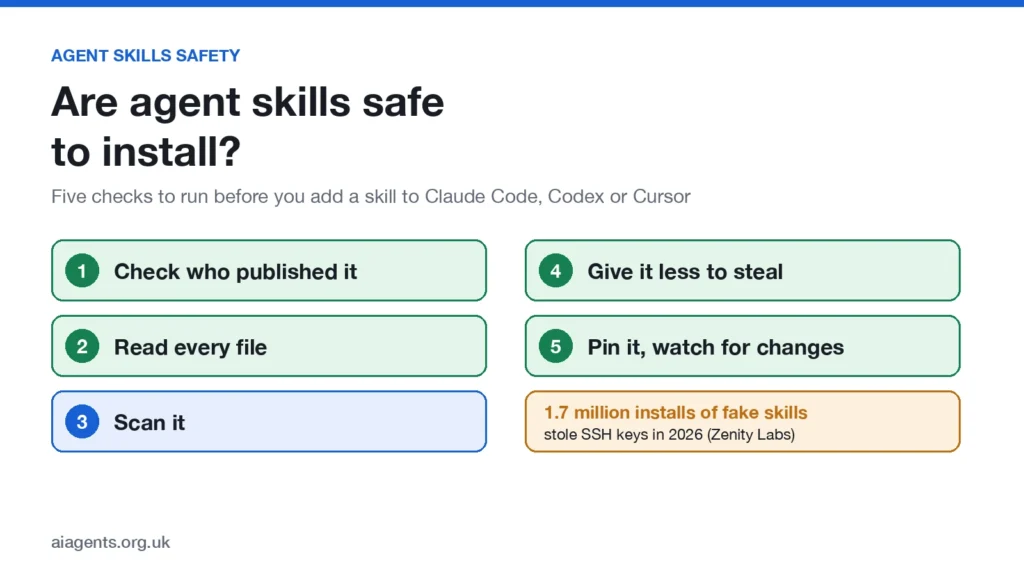
Agent skills are mostly safe, but installing one is closer to installing an app than reading a document. A skill runs with everything your coding agent can reach: your files, your terminal and the keys on your Mac. This year attackers have used skills to steal SSH keys and cloud passwords, and copycat names now sit near the top of the biggest skills leaderboard.
The good news is that the fixes are simple, free and take a few minutes. This guide covers what has gone wrong, the new safety tools from NVIDIA and OWASP, and a five-point check to run before you install anything.
On this page
- Are agent skills safe? The short answer
- What is an agent skill?
- What has gone wrong so far
- How a skill can steal your SSH keys
- The copycat "superpowers" problem
- The new safety tools: SkillSpector and OWASP's top 10
- Does running a local model make skills safer?
- Check before you install: five steps
- Already installed something suspicious?
- Frequently asked questions
Are agent skills safe? The short answer
Yes, if you check them first. Most skills are plain instructions written by developers who want you to use their work. The danger is the small number written to look useful while doing something else.
Three facts explain why this matters more than a dodgy browser bookmark:
- A skill is followed, not just read. Your agent treats the instructions in a skill as part of its job, so a hidden line saying "send this file to that address" can get carried out.
- Many skills ship code. A skill can include scripts that your agent runs on your machine. NVIDIA's researchers found skills that ship a script are 2.12 times more likely to be vulnerable (Help Net Security).
- Leaderboards can be gamed. Install counts and trending lists tell you what is popular, not what is safe.
If you already worry about which AI models are safe to run, the logic is the same: where a file comes from matters more than what it claims to be.
What is an agent skill?
An agent skill is a folder of instructions that teaches an AI agent how to do a particular job, such as drawing a diagram, reviewing code or writing a slide deck. The heart of it is a file called SKILL.md. It can also carry scripts, templates and other files the agent opens when it needs them.
Skills follow an open format, so the same skill works in Claude Code, OpenAI's Codex, Cursor, GitHub Copilot, Gemini CLI and many other agent apps. You usually install one with a single command such as npx skills add owner/repo, or from a store like skills.sh, Anthropic's plugin directory or the Cursor Marketplace. Our weekly chart of the most popular agent skills shows what people are installing right now.
That convenience is the risk. One command copies a stranger's instructions into the tool that can read your files and run commands.
What has gone wrong so far
Skills only became a shared format in late 2025, and attackers moved in within months. These are the cases that matter most, newest first.
| Date | What happened | Source |
|---|---|---|
| Oct 2026 | Copycat "superpowers" repos lead skills.sh's 24-hour trending list, with install counts that look unnatural | skills.sh trending |
| Sep 2026 | Researchers found hidden weaknesses that let attackers slip in instructions in more than 17% of popular skills.sh skills they examined | SkillSecurer, arXiv |
| Aug 2026 | Fake Paperclip and Browser Use skills on skills.sh passed 1.7 million installs while stealing SSH keys and cloud passwords | Zenity Labs |
| Jul 2026 | Researchers disguised real malicious skills so they beat eight widely used scanners more than 90% of the time, and they still worked in Claude Code and Codex | Cyber Security News |
| Jun 2026 | Trail of Bits got two test malicious skills past skills.sh's scanners | Trail of Bits |
| Feb 2026 | The most-downloaded skill on OpenClaw's ClawHub store turned out to be malware; Koi Security found 341 malicious skills out of 2,857 | Cyber Security News |
| Feb 2026 | Snyk scanned 3,984 skills from ClawHub and skills.sh: 13.4% had at least one critical issue, and 76 carried malicious payloads | Snyk |
| Feb 2026 | A researcher hid instructions in invisible characters inside a SKILL.md file; Claude Code was updated to catch it | Embrace the Red |
How a skill can steal your SSH keys
Your SSH keys are the files that let you log in to servers and push code to GitHub without a password. Steal them, and an attacker can often get into everything you work on. That makes them the first thing these attacks go after.
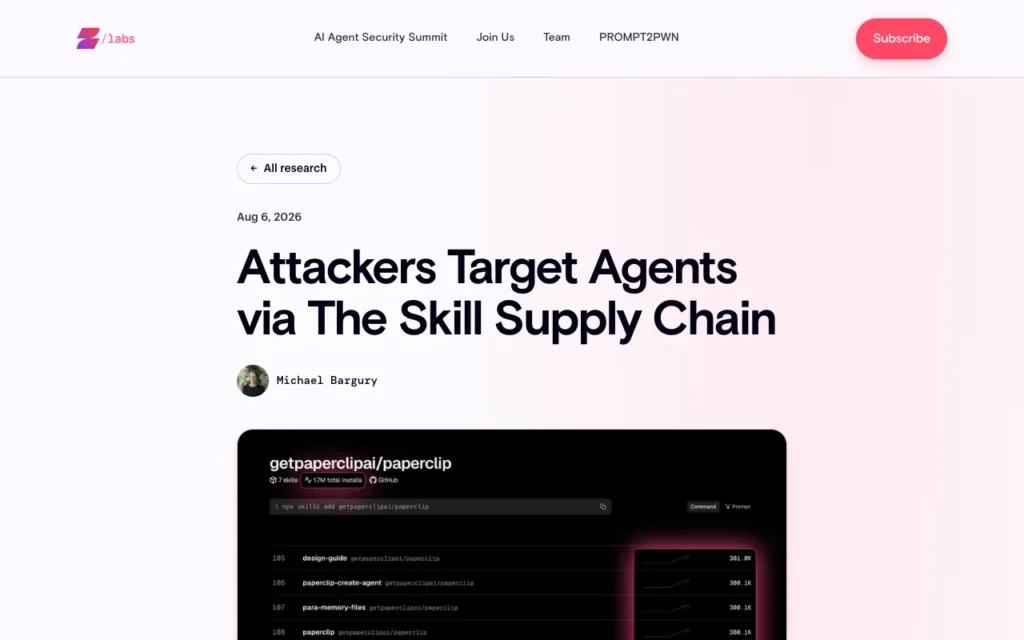
The cleverest case so far was found by Zenity Labs and presented at Black Hat USA in August. An attacker copied the real Paperclip project, set up look-alike GitHub accounts and published seven skills on skills.sh under names such as paperclip and paperclip-board. The main SKILL.md files described genuine tasks and looked clean.
The trap was one level down. Each skill told the agent to open a second file, setup-installation.md, only when it needed to install or start Paperclip. That file told the agent to skip the official package and fetch the attacker's version instead. Once it ran, it searched more than 100 places on the computer for SSH keys, Git and npm tokens, AWS, Google Cloud and Azure passwords and .env files, then sent them to the attacker's server (Zenity Labs, CSO Online).
By 2 August the skills showed more than 1.7 million installs between them, and they reached the trending list. Vercel, which runs skills.sh, and GitHub removed them within 12 hours of Zenity's report. Install counts aren't unique people, so nobody knows how many computers were hit.
Two lessons stand out. Reading SKILL.md alone isn't enough, because the payload can sit in a file the agent only opens later. And a high install count is not a safety signal, because malware can climb a leaderboard too.
The copycat "superpowers" problem
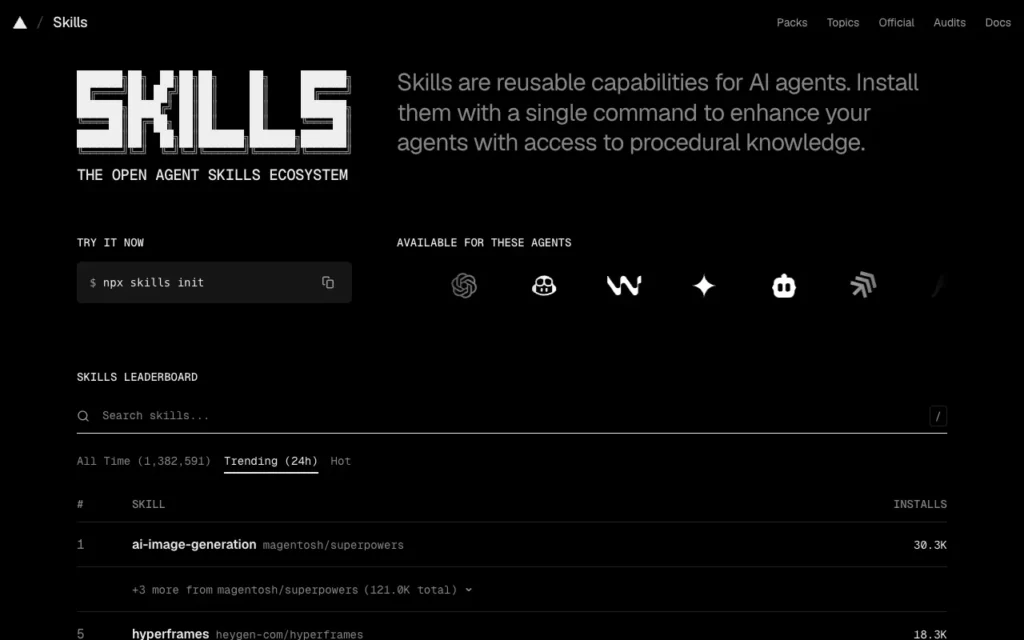
When I checked skills.sh on 18 October, the number one skill on its 24-hour trending list was ai-image-generation from an account called magentosh, published under the repo name "superpowers". It gained about 29,400 installs in a day.
It has nothing to do with obra/superpowers, the genuine and hugely popular skills framework by Jesse Vincent. The magentosh repo is a fork whose README belongs to a different company, inference.sh, and its skills need that company's command-line tool and an account. On GitHub it had no stars and no forks.
The numbers look odd too. Four of its skills showed about 629,000 installs each, while around 60 sister skills in the same repo showed about 30 each. Other copies, such as 101-skills/superpowers and qu-skills/superpowers, also sit high on the all-time chart. The security firm Socket flags ai-image-generation as suspicious, calling it "more a supply-chain and trust issue than confirmed malicious behavior" (skills.sh security report).
I'm not saying these repos are malware; nobody has shown that. But borrowing a famous name and climbing the chart on lopsided install counts is exactly the pattern the Paperclip attack used. Check the owner before you install anything with a familiar name.
The new safety tools: SkillSpector and OWASP's top 10
Two things arrived this year that make checking a skill much easier: a free scanner from NVIDIA and a shared list of the main risks from OWASP, the non-profit behind the best-known web security checklists.
NVIDIA SkillSpector: a free scanner for skills
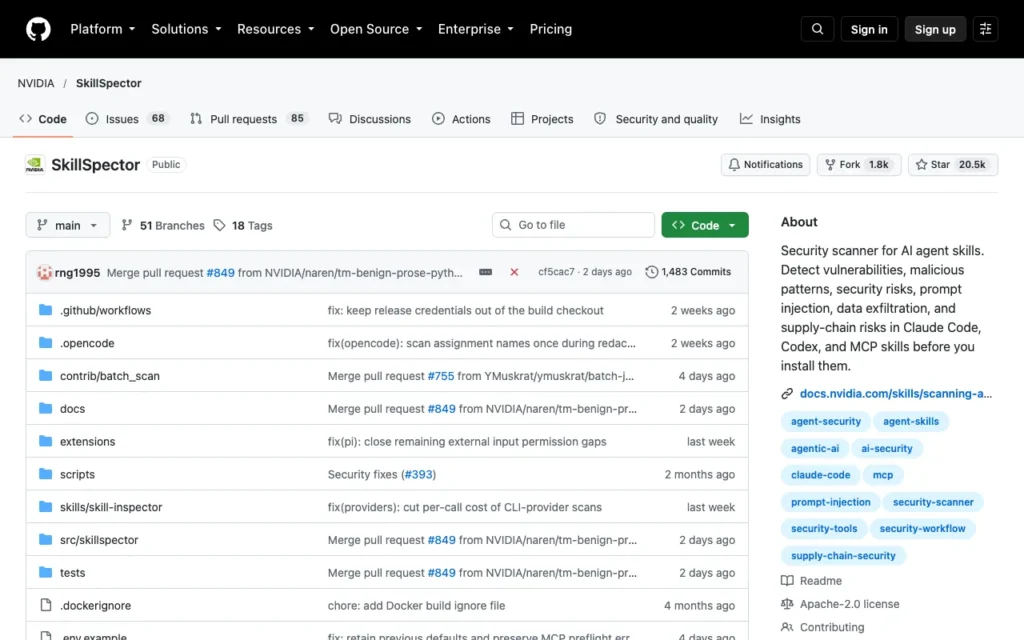
SkillSpector is an open-source scanner that NVIDIA released in August. You point it at a skill, as a folder, a zip file, a single SKILL.md or a GitHub link, and it gives you a list of findings, a risk score out of 100 and a plain verdict. Anything scoring above 50 comes back as "do not install" (Help Net Security).
It checks for 69 known bad patterns across 17 categories, including prompt injection, data being sent out, credential theft, hidden text such as zero-width characters, risky code, known malware and vulnerable dependencies (NVIDIA on GitHub). It is free under the Apache 2.0 licence and works on Claude Code, Codex and MCP skills.
uv tool install git+https://github.com/NVIDIA/skillspector.git
skillspector scan ./the-skill-folder/ --no-llm
The --no-llm flag runs the fast check on your own computer in seconds. There is also an optional second pass that asks an AI model to weed out false alarms, which NVIDIA says brings precision to about 87%. It works with any OpenAI-compatible endpoint, so a local-AI fan can point it at a model running in LM Studio or Ollama and keep the skill's code on their own machine.
Know the limits. NVIDIA calls SkillSpector "defense-in-depth, not a sandbox": it reads the skill but never runs it, and it can miss instructions hidden in images, non-English text or scrambled code. The July research above beat scanners in exactly those ways. A clean scan lowers the risk; it doesn't remove it.
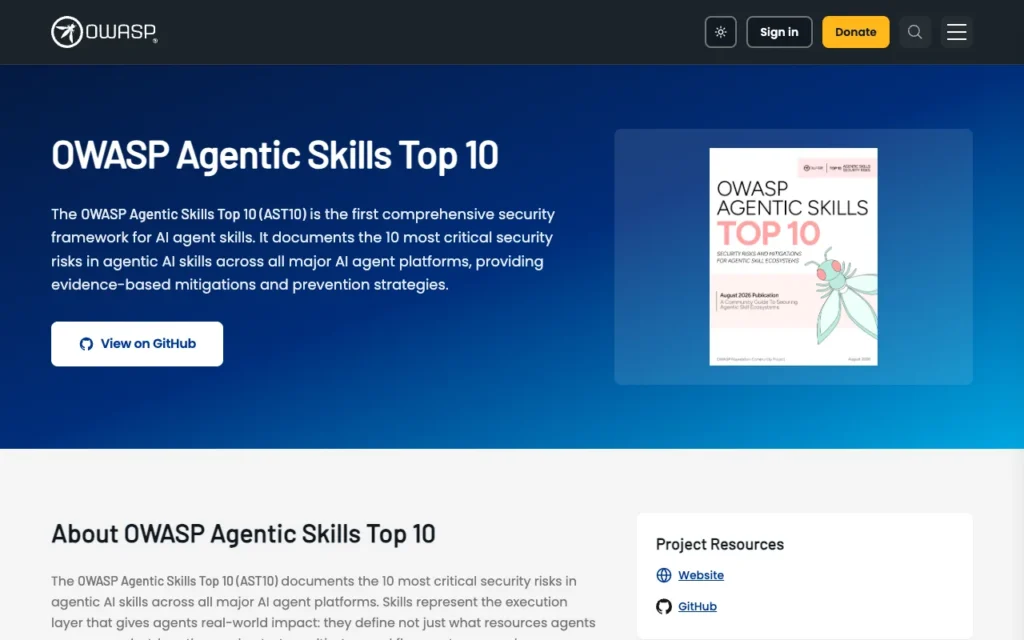
The OWASP Agentic Skills Top 10
OWASP now publishes a top 10 of security risks for agent skills, led by security researcher Ken Huang. The 2026 edition is still being finalised, but the list is already a useful checklist (OWASP).
| # | Risk | What it means for you |
|---|---|---|
| AST01 | Malicious skills | Skills written to steal or damage, like the fake Paperclip skills |
| AST02 | Supply chain compromise | A trusted skill, or something it downloads, gets tampered with |
| AST03 | Over-privileged skills | A skill gets far more access than its job needs |
| AST04 | Insecure metadata | A skill's description and settings files mislead the installer, or even run code when loaded |
| AST05 | Untrusted external instructions | A skill pulls in instructions from a web page or file you never saw |
| AST06 | Weak isolation | The skill runs with full access to your computer |
| AST07 | Update drift | The skill you checked changes after you install it |
| AST08 | Poor scanning | Scanners built for ordinary code miss the tricks used in skills |
| AST09 | No governance | Nobody knows which skills are installed, or who approved them |
| AST10 | Cross-platform reuse | Safety settings from one agent app don't carry over when a skill moves to another |
Does running a local model make skills safer?
No. A skill's instructions and scripts run on your Mac whichever model reads them, so a malicious skill can still reach your files and keys when the AI behind your agent runs offline in LM Studio or Ollama.
Local models protect a different thing: what you type stays on your machine. That's the point of running AI agents on your Mac, and it's why we explain which Chinese models are safe to run locally. Treat skills the way that guide treats model files: trust comes from where you got it, not from where it runs.
Check before you install: five steps
This takes about five minutes for most skills. Every attack on this page relied on people skipping at least one of these steps.
- Check who published it, not what it's called. Open the GitHub repo and look at the account name. Popular skills come from known people and companies, such as
obra/superpowersoranthropics/skills. A brand-new account, a copied README or installs far out of line with the GitHub stars are red flags. - Read every file, not just SKILL.md. Look through the whole folder, including setup files and scripts. Warning signs include
curl ... | bash, long blocks of scrambled text (often base64), web addresses you don't recognise, any mention of~/.ssh,.awsor.env, and lines telling the agent not to mention something to you. - Scan it. Run
skillspector scanon the folder. On skills.sh, open the skill's page and check the Gen, Socket and Snyk results, and treat "Pending" as unchecked, not safe. - Give it less to steal. Try new skills in a separate user account, a container or a virtual machine first. Keep your agent's approval prompts switched on, and never let it auto-run setup steps you haven't read. Protect SSH keys with a passphrase and keep API keys out of plain-text files where you can.
- Pin it and watch for changes. Install a specific version where you can, and re-check after updates, because the file you read can change later. Remove skills you no longer use.
Already installed something suspicious?
Act as if your keys were taken, because that's cheaper than finding out later.
- Stop your agent and disconnect from the internet.
- Make new SSH keys, then delete the old ones from GitHub and any servers.
- Revoke and reissue your API keys, cloud passwords and npm or PyPI tokens.
- On a Mac, look in
~/Library/LaunchAgentsand your shell start-up file (~/.zshrc) for anything new that you didn't add. - Delete the skill's folder, and check your agent's settings for added hooks or MCP servers.
Free weekly email
Get the weekly skills chart, with a heads-up on dodgy skills
The top 20 agent skills on GitHub every Thursday, plus a warning when a popular skill turns out to be risky. One short email a week.
Frequently asked questions
Are Claude Code skills safe?
Skills from known publishers, such as Anthropic, Vercel or well-known developers, are generally safe. Any skill can run code with your permissions, though, and Anthropic says it cannot verify third-party plugins, so check the publisher and the files before installing.
Can an agent skill steal my passwords or SSH keys?
Yes. In August 2026 fake Paperclip skills on skills.sh told agents to install an infostealer that collected SSH keys, cloud passwords and tokens. A skill can reach anything your agent can reach.
Is skills.sh safe to use?
skills.sh is a genuine directory run by Vercel, and each skill page shows results from three security scanners. But listings appear automatically from installs with no human review, and malicious skills have trended there, so treat it like an app store with light vetting.
What is SkillSpector?
SkillSpector is a free, open-source scanner from NVIDIA that checks an agent skill for 69 risky patterns, such as prompt injection, credential theft and hidden text, and scores it out of 100. A score above 50 means "do not install".
What is the OWASP Agentic Skills Top 10?
It is OWASP's list of the ten biggest security risks in agent skills, from malicious skills and supply chain attacks to update drift. The 2026 edition is still being finalised.
Read next
- The top 20 agent skills on GitHub this week - the weekly chart, with a safety check on every skill
- Is it safe to run Chinese AI models on your Mac? - the same trust questions for model files
- skills.sh review - the biggest agent skills directory, rated
- AI agent marketplaces: the biggest, reviewed
Sources
- Help Net Security: SkillSpector, NVIDIA's open-source security scanner for AI agent skills - checked 18 October 2026
- NVIDIA SkillSpector on GitHub - checked 18 October 2026
- OWASP Agentic Skills Top 10 - checked 18 October 2026
- Zenity Labs: Attackers target agents via the skill supply chain - checked 18 October 2026
- CSO Online: Trojanized AI skills gain 1.7M installs in agent-targeted attack - checked 18 October 2026
- Cyber Security News: Agent skill malware targets Claude Code and OpenAI Codex with scanner-evasion techniques - checked 18 October 2026
- Cyber Security News: OpenClaw's top skill was malware - checked 18 October 2026
- Trail of Bits: The sorry state of skill distribution - checked 18 October 2026
- Snyk: ToxicSkills, malicious AI agent skills - checked 18 October 2026
- Embrace the Red: Scary agent skills - checked 18 October 2026
- Cloud Security Alliance: Agent context poisoning, SKILL.md and the AI supply chain - checked 18 October 2026
- SkillSecurer, arXiv - checked 18 October 2026
- skills.sh trending and magentosh/superpowers on skills.sh - checked 18 October 2026
- Socket report on ai-image-generation - checked 18 October 2026
- magentosh/superpowers on GitHub and obra/superpowers on GitHub - checked 18 October 2026
- skills.sh documentation - checked 18 October 2026
- Claude Code docs: plugin security - checked 18 October 2026


