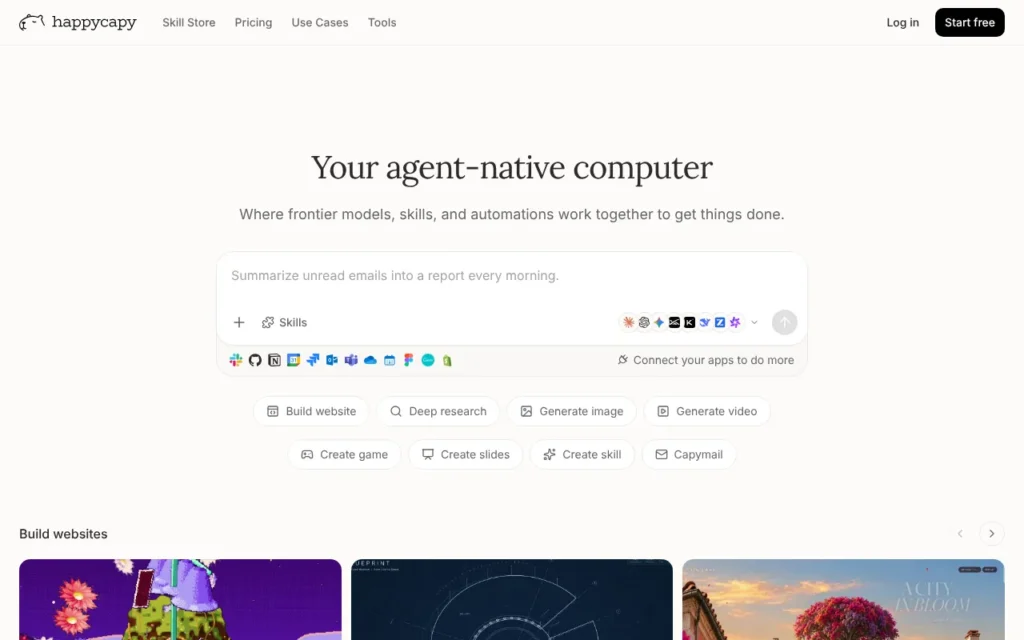
Happycapy gives you a computer in the cloud with an AI agent at the wheel. You ask for a result - a slide deck, a website, some research - and it does the work in a sandbox, even while your own computer is off. It is aimed at non-technical people. There is a free plan, and Pro costs $20 a month (about £15). It was #1 on Product Hunt for the day, week and month. I like the idea, but the privacy terms are thin. My rating: ★★★☆☆ 3/5.
Key facts
- What it does: Runs AI agents in a private cloud sandbox that can browse, write code, handle files, make images and slides, send email and run tasks on a schedule.
- Made by: Happycapy, from the team behind Trickle. The iOS app is sold by Trickle Pte. Ltd. The site gives no country; a developer directory lists offices in Hong Kong and Shenzhen, China.
- Launched on Product Hunt: 11 February 2026, #1 Product of the Day, #1 Product of the Week and #1 Product of the Month (February 2026)
- Price: Free; Pro $20 a month (about £15), Plus $50 (about £38), Max $200 (about £150). Annual billing gives two months free.
- Free plan or trial: Free plan with 250 credits a month
- Works with: Web, iOS and Android; Gmail, Google Calendar, Google Drive, Canva and Feishu connectors; MCP servers and command-line tools; your Mac through Connect My Mac
- Best for: Curious individuals and small teams who want an agent to do whole tasks without installing anything
- Our rating: ★★★☆☆ 3/5
On this page
- What is Happycapy?
- Watch the demo
- How it did on Product Hunt
- What Product Hunt users said
- How much does Happycapy cost?
- What I like
- What I'd want fixed
- Who should use it?
- Is it safe to use? Privacy and permissions
- Using it in the UK
- Other launches from the same team
- Alternatives to Happycapy
- My verdict
- Frequently asked questions
What is Happycapy?
Happycapy is a computer in your browser that an AI agent operates for you. Each project runs in a cloud sandbox, separate from your own machine. You describe the result you want, add files if you need to, and the agent plans the steps, uses tools and reports back. The docs say it is powered by Claude Code and can pick from many models, including Claude, DeepSeek, Kimi and MiniMax.
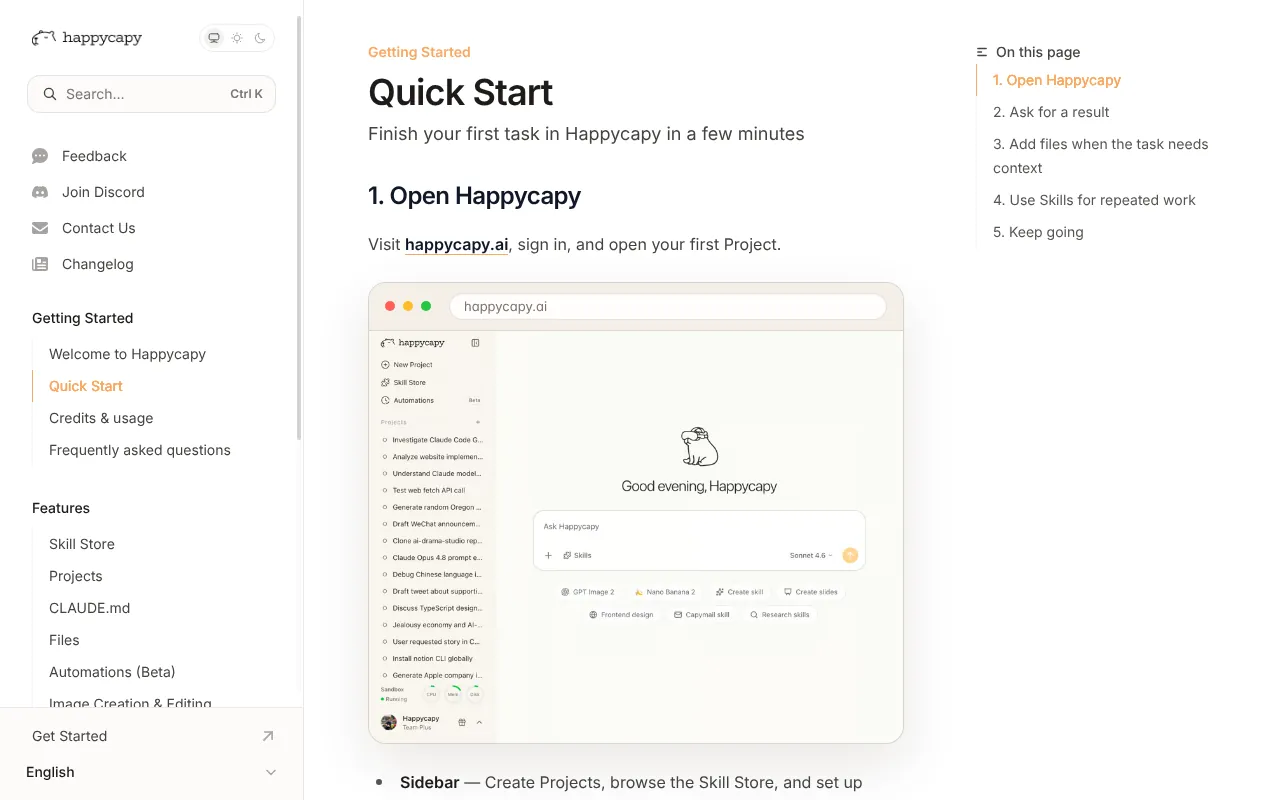
What makes it an agent rather than a chatbot is that it does the work, not just the talking. It can build a website, research a topic, make a slide deck or generate video. It can also run Automations on a schedule, such as a weekly summary every Friday at 4pm, which keep going while you are away.
It has its own email too. Capy Mail gives your account an address that can receive tasks and send results back. And if a job needs your own files or apps, Connect My Mac lets the agent read files, run commands and use apps on your Mac.
Watch the demo
Happycapy's intro video, the one embedded at the top of its docs, pitches it as an easier alternative to OpenClaw for people who are not developers.
Video: happycapy on YouTube.
How it did on Product Hunt
Happycapy finished #1 on Product Hunt for the day, the week and the month.
| Launch | Date | Daily rank | Other awards | Upvotes |
|---|---|---|---|---|
| Happycapy | 11 February 2026 | #1 Product of the Day | #1 Product of the Week (week of 9 February 2026); #1 Product of the Month (February 2026); no Golden Kitty | 1,358 |
Upvotes as shown on Product Hunt on 17 October 2026.
This was the Trickle team's fourth #1 of the day, so they know how to launch. On the day it had more than twice the upvotes of any other product. The product page and daily leaderboard show 1,358; the launch page and the weekly and monthly leaderboards show 1,347. A strong launch shows real interest, and the 38 reviews since then give a fairer picture than the upvotes.
What Product Hunt users said
- The review score is 4.7 from 38 reviews, though some of the older reviews are for Trickle, the team's earlier product.
- The most common praise is that it gets things done with little setup and feels more hands-off than other AI tools. One reviewer built a personal notes system with reminders, Google Calendar and GitHub.
- The most repeated complaint is that you cannot see enough of what the agent is doing during long tasks, which makes it hard to trust or fix.
- One reviewer said a scheduled task failed because the cloud machine was asleep, and found the remote browser view too laggy.
- Another found the free credits too few to finish a project. The team replied that Claude models, especially Opus, use credits fast and suggested cheaper models.
How much does Happycapy cost?
Happycapy has a free plan and three paid plans priced in US dollars on the website.
| Plan | Price | What you get |
|---|---|---|
| Free | $0 | 250 credits a month, a basic sandbox, Claude model access and custom skills |
| Pro | $20 a month (about £15), or $17 a month billed annually (about £13) | 2,000 credits, a bigger sandbox (2 cores, 4GB RAM, 50GB storage), frontier models, 3 Automations and Capy Mail with 200 emails |
| Plus | $50 a month (about £38), or $42 billed annually (about £32) | 5,000 credits, 5 Automations and 2,000 emails |
| Max | $200 a month (about £150), or $167 billed annually (about £126) | 22,000 credits, 4 cores, 8GB RAM, 200GB storage, 10 Automations, 5,000 emails and priority human support |
| Team | Not published | Plans for teams, on request |
The website does not mention VAT. The UK App Store sells Pro at £19.99 a month or £199.99 a year, plus credit packs from £9.99 for 750 credits. Annual billing gives two months free. Early reviewers praised an unlimited plan; Max now comes with a set number of credits.
What I like
- There is nothing to install. It runs in the browser and on iOS and Android.
- The free plan gives you 250 credits a month to try it before you pay.
- Work runs in a cloud sandbox, so the agent cannot touch your own files unless you connect your Mac.
- Automations keep running when your laptop is shut, which is what you want from an agent.
- The AI terms say it does not use your inputs or outputs to train third-party AI models without your explicit consent.
- You can choose cheaper models to make credits last longer.
What I'd want fixed
- The website, privacy policy and terms do not name the company or its country. I had to find Trickle Pte. Ltd. on the App Store.
- The privacy policy does not mention UK GDPR or GDPR, and says data is transferred to the United States.
- There is no guide to how many credits a typical task costs, so it is hard to budget.
- Connect My Mac gives the agent your files, terminal and apps, and the docs describe no step-by-step approval.
- Users want a clearer view of what the agent is doing during long tasks.
Who should use it?
Happycapy suits a curious individual or a small business owner who wants to hand over whole tasks - research, a simple website, a deck - and is happy working in the cloud. Skip it if you handle client data or anything sensitive, because the privacy terms are too thin for that. If you want an agent that works on your own computer instead, look at Claude Cowork.
Is it safe to use? Privacy and permissions
- It needs only the files you upload, unless you add connectors (Gmail, Calendar, Drive, Canva, Feishu) or connect your Mac, which gives access to files, the terminal and apps.
- The privacy policy says data from outside the US is transferred to and processed in the United States. It names no hosting provider or AI model providers, though the AI terms say it may use Anthropic and OpenAI.
- For connected Google, Canva and Feishu data, it promises no advertising use and no training of general AI models. There is no mention of UK GDPR, a legal basis or a regulator, and no security certifications. See my guide to AI agents and UK GDPR.
- The AI terms cap Happycapy's liability for AI-related claims at $100 and tell you not to upload health data, ID numbers, financial account details or trade secrets.
Using it in the UK
- It is available in the UK on the web and the App Store. The App Store charges in pounds: £19.99 a month for Pro.
- The website prices in US dollars and does not mention VAT.
- Data goes to the US, and the privacy policy does not mention UK GDPR or name a UK representative.
Other launches from the same team
- Trickle - Magic Canvas, 23 July 2025: #1 Product of the Day and #1 Product of the Week
- Trickle (AI apps, websites and forms), 19 December 2024: #1 Product of the Day
- Trickle (searchable screenshots), 13 September 2023: #1 Product of the Day, #1 Product of the Week, #4 Product of the Month and runner-up for AI Features Product of the Year at the 2023 Golden Kitty Awards
- Trickle 1.0, 14 June 2023: no ranking badge shown
- Trickle AI: Prompts Warehouse, 9 April 2023: #4 Product of the Day
- Trickle, 3 August 2022: no ranking badge shown
Alternatives to Happycapy
- Claude Cowork - a desktop agent from Anthropic that works on your own files. Pick it if you already pay for Claude and want the work done on your machine.
- OpenClaw - a free, open-source assistant that runs on your own Mac, Windows or Linux machine. Pick it if you are technical and want your data to stay local.
- Manus - a general agent that executes tasks and automates workflows on web, desktop and mobile, with a free trial on its pricing page. Pick it if you want to compare a second all-round agent.
My verdict
| Area | Score |
|---|---|
| Usefulness | 4/5 |
| Getting started | 4/5 |
| Value for money | 3/5 |
| Trust and privacy | 2/5 |
| UK fit | 2/5 |
| Overall | ★★★☆☆ 3/5 |
I would try Happycapy on the free plan for personal projects, like a research report or a quick website. I would not give it client data or my email until it names its company and explains UK data handling. It is easy to start, and the trust side needs to catch up.
Frequently asked questions
Is Happycapy free?
Yes, there is a free plan with 250 credits a month and a basic sandbox. Paid plans start at $20 a month (about £15) for 2,000 credits, or £19.99 a month through the UK App Store.
Is Happycapy safe?
It runs your tasks in a cloud sandbox, away from your own computer, and its AI terms say your inputs and outputs are not used to train third-party models without your consent. But the privacy policy names no company, sends data to the US and does not mention UK GDPR. I would keep sensitive data out of it.
Happycapy vs OpenClaw: which should I use?
OpenClaw is free and open source and runs on your own computer, but it takes some setup. Happycapy runs in the cloud with no setup and costs from $20 a month after the free plan. Pick Happycapy for ease, OpenClaw for control.
Read next
Sources
- Happycapy on Product Hunt - checked 17 October 2026
- Happycapy launch on Product Hunt - checked 17 October 2026
- Happycapy launches on Product Hunt - checked 17 October 2026
- Happycapy reviews on Product Hunt - checked 17 October 2026
- Product Hunt daily leaderboard, 11 February 2026 - checked 17 October 2026
- Product Hunt weekly leaderboard, week of 9 February 2026 - checked 17 October 2026
- Product Hunt monthly leaderboard, February 2026 - checked 17 October 2026
- Happycapy homepage - checked 17 October 2026
- Happycapy pricing - checked 17 October 2026
- Happycapy privacy policy - checked 17 October 2026
- Happycapy terms of service - checked 17 October 2026
- Happycapy AI terms - checked 17 October 2026
- Happycapy about - checked 17 October 2026
- Happycapy affiliate programme - checked 17 October 2026
- Happycapy docs - checked 17 October 2026
- Happycapy Quick Start - checked 17 October 2026
- Happycapy FAQ - checked 17 October 2026
- Happycapy credits and usage - checked 17 October 2026
- Happycapy Automations - checked 17 October 2026
- Happycapy Capy Mail - checked 17 October 2026
- Happycapy Connect My Mac - checked 17 October 2026
- Happycapy on the UK App Store - checked 17 October 2026
- Happycapy on EveryDev - checked 17 October 2026
- AI agents for the rest of us, Happycapy on YouTube - checked 17 October 2026
- OpenClaw - checked 17 October 2026
- Manus - checked 17 October 2026
- Manus pricing - checked 17 October 2026


