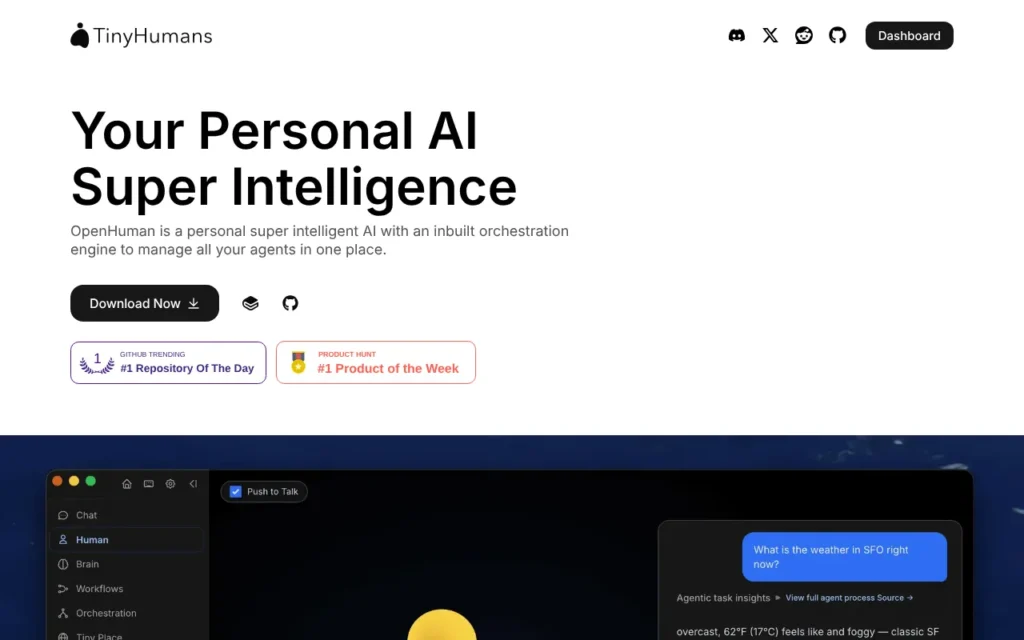
OpenHuman is a free, open-source AI assistant for your desktop from TinyHumans. It remembers what matters about you, connects to apps like Gmail, Notion and Slack, and runs workflows you approve. You can run it on local models so nothing leaves your computer. It suits curious individuals and privacy-minded sole traders who can live with beta software. The app is free; hosted extras use paid credits. It was #1 Product of the Day and of the Week on Product Hunt in May 2026. My rating: ★★★½☆ 3.5/5.
Key facts
- What it does: A desktop AI agent with long-term memory that works across your apps, runs scheduled workflows and can stay fully on your own computer.
- Made by: Tiny Human Intelligence Inc, trading as TinyHumans (Newark, Delaware, US)
- Launched on Product Hunt: 15 May 2026, #1 Product of the Day, #1 Product of the Week and #7 Product of the Month
- Price: Free (GPL-3.0 open source); optional TinyHumans credits from a $5 top-up (about £3.76)
- Free plan or trial: The whole app is free; you pay only for hosted services or your own AI provider
- Works with: macOS, Windows and Linux; Ollama and LM Studio for local models; 119 app integrations including Gmail, Outlook, Google Calendar, Notion, Slack, HubSpot and Stripe
- Best for: Individuals and sole traders who want a private personal assistant and do not mind beta software
- Our rating: ★★★½☆ 3.5/5
On this page
- What is OpenHuman?
- Watch the demo
- How it did on Product Hunt
- What Product Hunt users said
- How much does OpenHuman cost?
- What I like
- What I'd want fixed
- Who should use it?
- Is it safe to use? Privacy and permissions
- Using it in the UK
- Other launches from the same team
- Alternatives to OpenHuman
- My verdict
- Frequently asked questions
What is OpenHuman?
OpenHuman is a personal AI agent you install on your computer. Its makers built it for people who gave up on AI agents because they forget everything, store your data in the cloud or need a terminal to set up. It is a desktop app with a one-click setup, and it is still in early beta.
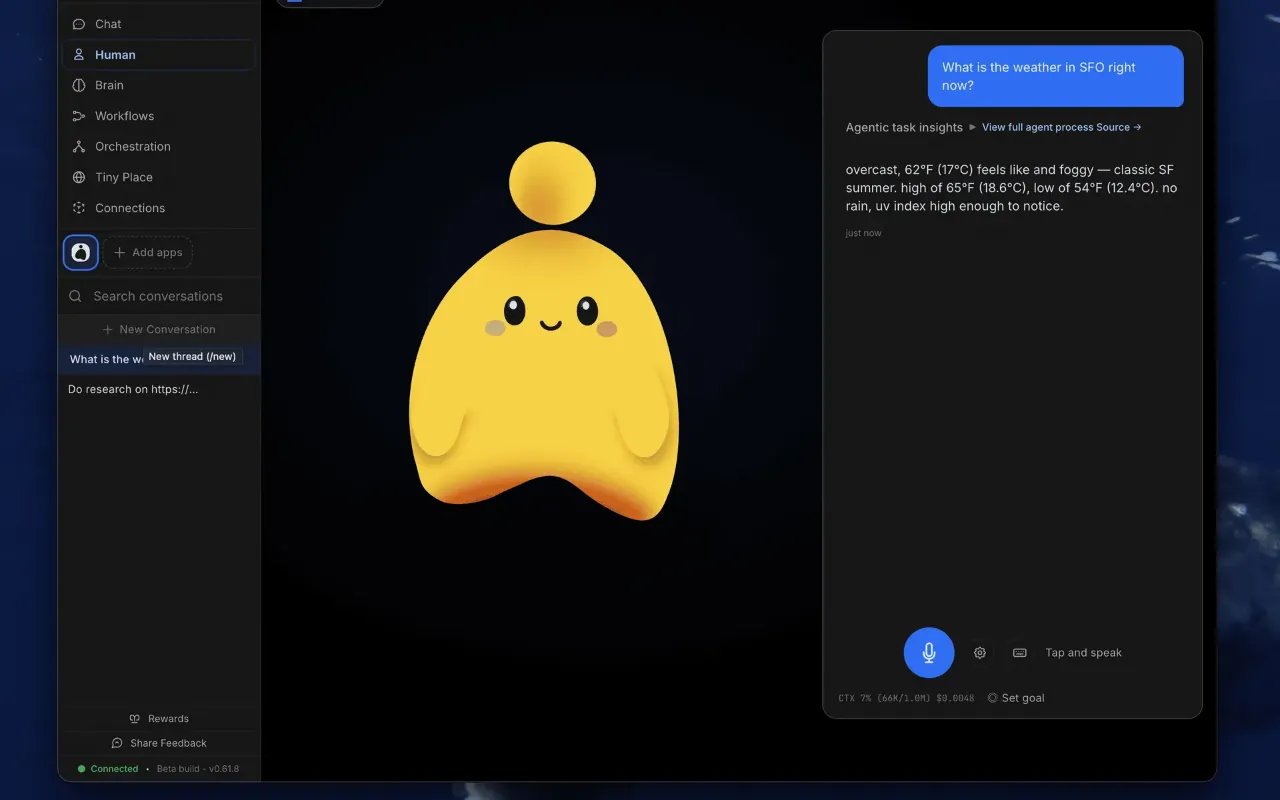
The heart of it is memory. OpenHuman pulls in your folders, files, links and connected apps, and compresses them into a memory stored in a database on your machine. It also mirrors that memory as a folder of plain Markdown notes you can open and edit in Obsidian. When you ask a question, it answers with citations to what it remembered.
What makes it an agent is that it acts. It connects to apps such as Gmail, Google Calendar, Notion and Slack, can search and browse the web, and can control the browser and computer. You build workflows by chatting, review them on a canvas and run them on a schedule or when something happens. Workflows pause at approval gates before they do anything you have not signed off.
Watch the demo
The official demo, posted three days before launch, introduces OpenHuman as an assistant for people who gave up on AI tools.
Video: TinyHumans AI on YouTube.
How it did on Product Hunt
OpenHuman finished #1 Product of the Day on 15 May 2026, then #1 Product of the Week and #7 for the month.
| Launch | Date | Daily rank | Other awards | Upvotes |
|---|---|---|---|---|
| OpenHuman | 15 May 2026 | #1 Product of the Day | #1 Product of the Week; #7 Product of the Month (May 2026) | 545 |
Upvotes as shown on Product Hunt's product page on 17 October 2026.
It has no Golden Kitty Award. For a first launch, a weekly win is a strong result, and it came in a busy month for agent launches. The bigger signal is on GitHub, where the project now shows 39.7k stars, against the 8,000 or so its founder claimed at launch. That points to real interest from developers, but stars do not tell you how well it works for a non-technical user.
What Product Hunt users said
- No review score is shown yet. The comments were mostly warm, with people saying they loved the idea and that it looked good.
- Many questions were about local models. The makers said the default local model is a small 1B Gemma 3, that you can pick others in settings, and that LM Studio works.
- People asked how memory is built and how it copes with limits. The makers explained the local database and Obsidian vault, and said context is compressed near the limit.
- Some asked whether the privacy claims hold up, and whether it could hold medical records. The makers said records cannot be imported automatically yet.
- The few complaints were about beta bugs, which the makers acknowledged, and coding, where they admitted it is not good yet.
How much does OpenHuman cost?
OpenHuman itself is free. You pay only if you use TinyHumans' hosted services or your own paid AI provider.
| Plan | Price | What you get |
|---|---|---|
| OpenHuman app | Free | The full desktop app under GPL-3.0, with local models or your own API keys |
| Pay as you go | Top-ups from $5 (about £3.76) | Credits for hosted model calls, search, embeddings and integrations, charged per call |
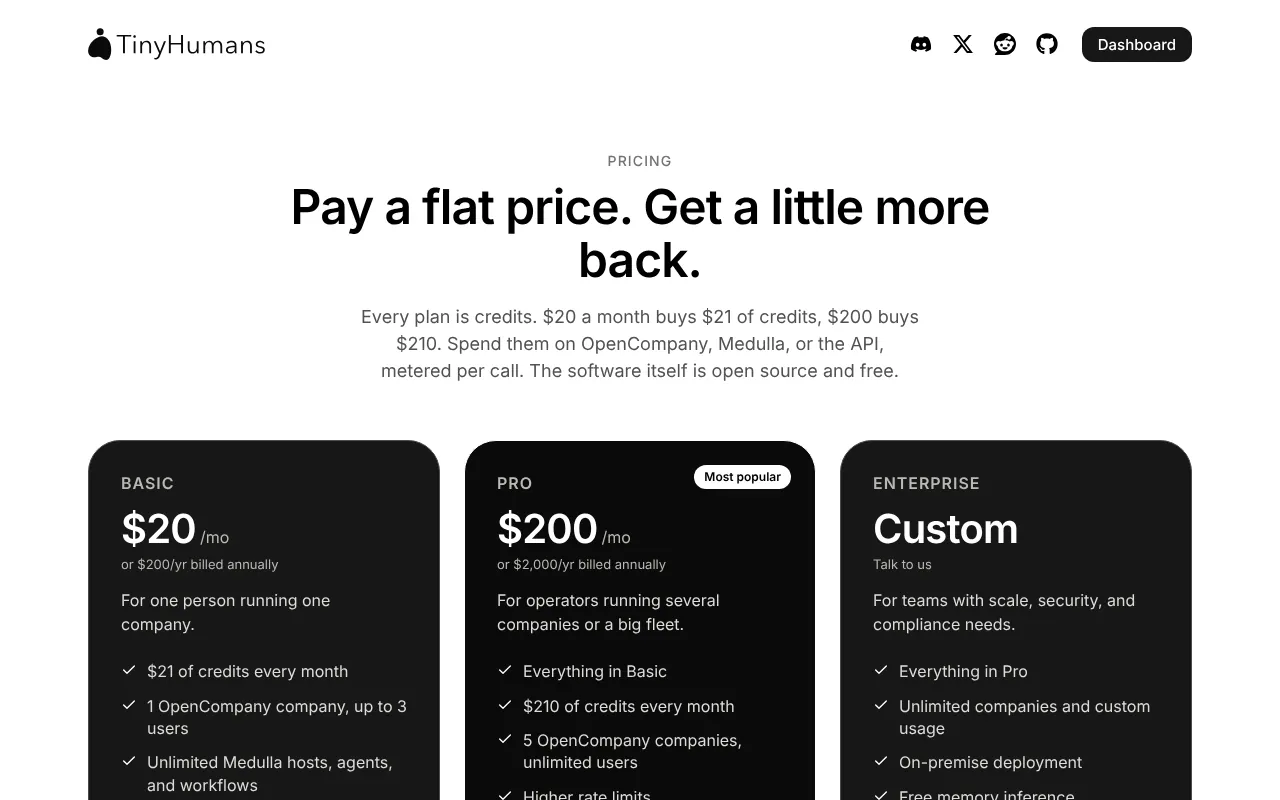
| Basic | $20 a month (about £15) or $200 a year | $21 of credits a month, 1 GB of memory storage |
| Pro | $200 a month (about £150) or $2,000 a year | $210 of credits a month, 20 GB of memory storage, higher rate limits |
TinyHumans' pricing page is written around its newer products and does not name OpenHuman, so check what your key draws on in the app before you subscribe. Prices are in dollars, VAT is not mentioned, yearly billing saves two months, and all sales are final with no refunds.
What I like
- It is genuinely free and open source under GPL-3.0, with the full code on GitHub.
- Your memory is readable. It sits in a local database and a folder of Markdown notes you can open, edit and delete.
- Privacy Mode is enforced in the app's code, not by asking the AI nicely. Local-only mode blocks cloud models, web search and integrations.
- It reaches a lot of apps, including Gmail, Outlook, Google Calendar, Notion, Slack, HubSpot, Stripe and Shopify.
- Workflows pause for your approval, agents have read-only, supervised and full modes, and passwords sit in your computer's keyring.
- Mac, Windows and Linux are all supported, so it fits whatever computer you already have.
What I'd want fixed
- It is early beta. The GitHub page warns of rough edges, and the makers acknowledged bugs at launch.
- The cost of the optional TinyHumans key is unclear, and the pricing page says all sales are final.
- The privacy policy does not mention GDPR, name its sub-processors or say where hosted data is stored.
- Local-first applies to memory, not everything. Integrations in the default mode run through TinyHumans' servers and Composio, and voice leaves your machine even in local-only mode. The docs also describe a TinyHumans-hosted memory engine, so check which one you are using.
- The default local model is small, so expect weaker answers than cloud models unless you have a powerful computer.
Who should use it?
OpenHuman suits curious individuals, tinkerers and privacy-minded sole traders who want an assistant that remembers their work and keeps that memory on their own machine. It is also a good fit if you already run local models with Ollama or LM Studio. Skip it if you need polished, supported software for a team, or have no patience for beta bugs. For something more finished, Claude Cowork works on your files and comes with a paid Claude plan.
Is it safe to use? Privacy and permissions
- To act for you, it asks for app access through one-click sign-ins, such as Gmail, Google Calendar, Notion or Slack, and it has browser and computer control tools. Autonomy can be set to read-only, supervised or full, and workflows wait at approval gates.
- Memory lives on your computer in a local database and an Obsidian vault. In local-only Privacy Mode, chat stays on local runtimes such as Ollama or LM Studio, but voice transcription still goes to a hosted service.
- TinyHumans says it does not use personal data to train shared public or third-party AI models, and that temporary task data is deleted within 30 days. The policy names no storage country, sub-processors or certifications, and does not mention GDPR. See AI agents and UK GDPR.
- Because the code is open source, anyone can check what the app does, which is a real advantage over closed assistants.
Using it in the UK
- The free app downloads for macOS, Windows and Linux, with no country restrictions mentioned.
- Paid credits are in dollars and VAT is not mentioned.
- Local-only mode keeps your data on your own computer, which is the simplest way to stay on the right side of UK GDPR when it touches client information.
Other launches from the same team
- None. OpenHuman is the only launch on the makers' Product Hunt profiles, and I found no Product Hunt launches for TinyHumans' newer products, OpenCompany and Medulla.
Alternatives to OpenHuman
- OpenClaw - pick it if you would rather talk to your agent through WhatsApp, Telegram or other chat apps; also free and open source, under the MIT licence.
- Claude Cowork - pick it for a polished desktop agent that works on your files, included with Claude Pro from $20 a month (about £15), or $17 a month billed yearly.
- Happycapy - pick it if you want an agent that runs in the cloud and keeps working when your computer is off.
My verdict
| Area | Score |
|---|---|
| Usefulness | 3/5 |
| Getting started | 3/5 |
| Value for money | 5/5 |
| Trust and privacy | 4/5 |
| UK fit | 3/5 |
| Overall | ★★★½☆ 3.5/5 |
I would try OpenHuman on my own laptop with a local model, starting with memory and email triage. It costs nothing, and a local-only mode enforced in open code is a stronger privacy promise than a policy document alone. I would wait for it to leave beta before trusting it with client work.
Frequently asked questions
Is OpenHuman free?
Yes. The app is free and open source under GPL-3.0. You only pay if you use TinyHumans' hosted services, with top-ups from $5 (about £3.76), or if you connect your own paid AI provider.
Is OpenHuman private?
It can be. Memory is stored on your computer, and local-only Privacy Mode blocks cloud models, web search and integrations at the code level. Voice still goes to a hosted service, and in the default mode your app connections run through TinyHumans' servers.
OpenHuman vs OpenClaw: which should I choose?
Both are free and open source. Choose OpenHuman if you want a desktop app with readable long-term memory and approval-gated workflows. Choose OpenClaw if you would rather message your agent from WhatsApp, Telegram or another chat app.
Read next
Sources
- OpenHuman on Product Hunt - checked 17 October 2026
- OpenHuman launches on Product Hunt - checked 17 October 2026
- OpenHuman launch on Product Hunt - checked 17 October 2026
- OpenHuman makers on Product Hunt - checked 17 October 2026
- Steven E. on Product Hunt - checked 17 October 2026
- Pooja Khanna on Product Hunt - checked 17 October 2026
- Product Hunt daily leaderboard, 15 May 2026 - checked 17 October 2026
- Product Hunt weekly leaderboard, week of 11 May 2026 - checked 17 October 2026
- Product Hunt monthly leaderboard, May 2026 - checked 17 October 2026
- Golden Kitty Awards hall of fame - checked 17 October 2026
- OpenHuman homepage - checked 17 October 2026
- TinyHumans homepage - checked 17 October 2026
- TinyHumans pricing - checked 17 October 2026
- OpenHuman docs - checked 17 October 2026
- OpenHuman docs: TinyHumans API key - checked 17 October 2026
- OpenHuman docs: Privacy Mode - checked 17 October 2026
- OpenHuman docs: integrations - checked 17 October 2026
- OpenHuman on GitHub - checked 17 October 2026
- TinyHumans privacy policy - checked 17 October 2026
- TinyHumans terms of service - checked 17 October 2026
- OpenHuman Demo Video (YouTube) - checked 17 October 2026
- TinyHumans AI YouTube channel - checked 17 October 2026
- OpenClaw homepage - checked 17 October 2026
- Claude Cowork - checked 17 October 2026
- Happycapy homepage - checked 17 October 2026


