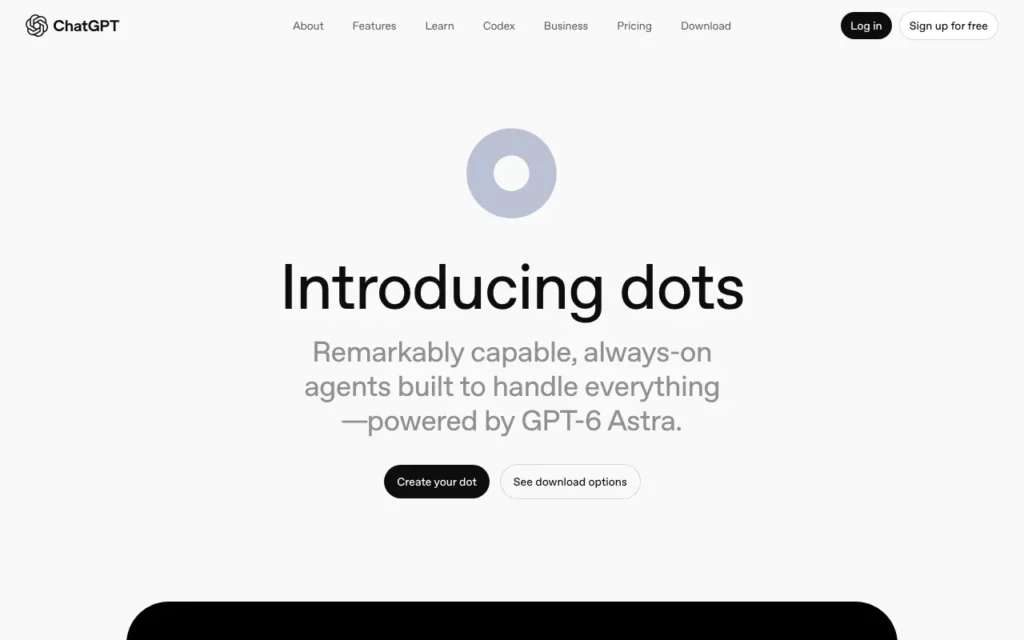
ChatGPT Dots (OpenAI Dots) are always-on AI agents inside ChatGPT that run on their own cloud computer and keep working on your goals between conversations. They suit teams who already live in ChatGPT. As of 17 October 2026, a dot comes with ChatGPT Pro, but Pro dots are not offered in the UK. UK users can get one through a ChatGPT Business Premium seat at £75 a month billed yearly, or £90 monthly. Set Custom Rules before connecting anything, because a dot acts on your real accounts.
Key facts
- What it is: An always-on agent in ChatGPT with its own cloud computer and browser, powered by GPT-6 Astra
- Made by: OpenAI
- Price: Included with a Business Premium seat (£75 a month billed yearly, £90 monthly) in the UK; outside the UK, EEA and Switzerland, Pro (from $100 a month) includes a dot, as of 17 October 2026
- Free plan or trial: No. Not included with Free, Go or Plus
- Runs on: OpenAI's cloud; you reach it in ChatGPT on web, desktop and mobile, plus Slack and Microsoft Teams
- What you need: An eligible paid plan, age 18 or over, and the ChatGPT app or a desktop browser
- Open source: No
- Available in the UK: Yes on Business Premium and Enterprise (beta); not on personal Pro plans
- Best for: ChatGPT Business teams wanting a background assistant for research and drafting
- Official site: chatgpt.com/features/dots
On this page
- What is ChatGPT Dots?
- How is Dots different from ChatGPT Work?
- What's new in ChatGPT Dots in October 2026?
- Is ChatGPT Dots available in the UK?
- How much does ChatGPT Dots cost in the UK?
- What do you need to run ChatGPT Dots?
- How do you set up a dot?
- How do you use ChatGPT Dots? First things to try
- Best ChatGPT Dots video tutorials
- Official ChatGPT Dots links
- Is ChatGPT Dots safe? Privacy, security and UK GDPR
- ChatGPT Dots vs Meta Muse and other always-on agents
- Who should use ChatGPT Dots?
- Frequently asked questions
What is ChatGPT Dots?
A dot is a named AI agent that lives in ChatGPT and keeps going after you close the chat. OpenAI announced Dots at DevDay on 29 September 2026, and writes the name in lower case ("your dot").
According to OpenAI's announcement and help centre, a dot has:
- Its own computer. A cloud computer and browser, so it works while your laptop is shut. Linking your own computer is optional and off by default.
- Your apps. Through ChatGPT plugins it can reach more than 4,000 apps, with the permissions you grant.
- Memory. It starts with your ChatGPT memory and keeps its own notes.
- A proactive streak. When you are not talking to it, it looks through connected apps for ways to help, then brings you suggestions. Follow-up actions go through your usual approvals.
- Several channels. Message or call it in ChatGPT, or message it in Slack or Microsoft Teams (an invite-only alpha for workspaces). It is the same dot everywhere.
Dots launched with ChatGPT Space, a shared home for pages and files that teammates, ChatGPT, Codex and your dot all work from. It replaces Library on Pro, Business and Enterprise (VentureBeat).
The idea is not new. Open-source OpenClaw made always-on agents popular, and OpenAI hired its creator in February 2026 (CNBC).
How is Dots different from ChatGPT Work?
ChatGPT Work is a mode you start for one task. It works through the steps across your apps and files and asks before important actions. It replaced the old agent mode and is on every plan, with limits on Free and Go.
A dot is a standing assistant, not a task. It has a name, long-term memory, its own computer and ongoing goals, and it can hand jobs to Work and Codex. Those jobs count against Work and Codex limits, but chatting with your dot does not count against ChatGPT limits (OpenAI).
Use Work for one job done now. Use a dot for someone keeping an eye on things all week.
What's new in ChatGPT Dots in October 2026?
- 16 October 2026: An iOS home-screen widget now opens your dot or starts a call with it (RuntimeWire).
- 15 October 2026: GPT-Live-1.1 voice reached ChatGPT, Codex and dots, with new voices in French, German, Hindi, Mexican Spanish, Korean and Japanese (OpenAI).
- 14 October 2026: GPT-5.5 retired from ChatGPT, ChatGPT Work and Codex on all plans. The API is unaffected (OpenAI).
- 13 October 2026: Security firm Geordie told The Register a read-only test dot logged 155 activity traces and about 307,000 tokens in a day unprompted.
- 9 October 2026: OpenAI showed dot setup in the phone app (YouTube). At launch, you had to create a dot on desktop, then message it on your phone.
- 8 October 2026: The UK Information Commissioner's Office (ICO) opened a call for evidence on agentic AI, after enquiries with OpenAI, Anthropic and Meta (ICO).
- 5 October 2026: OpenAI said it will invisibly watermark ChatGPT and Codex text in the EU. The UK is not mentioned (BleepingComputer).
- 29 September 2026: Dots launched with ChatGPT Space, a new $500 Pro tier and GPT-6.1 Sol (release notes).
Is ChatGPT Dots available in the UK?
Partly. As of 17 October 2026, OpenAI's help centre says dots on Pro exclude the European Economic Area, Switzerland and the UK. So a UK Pro subscriber does not get a dot.
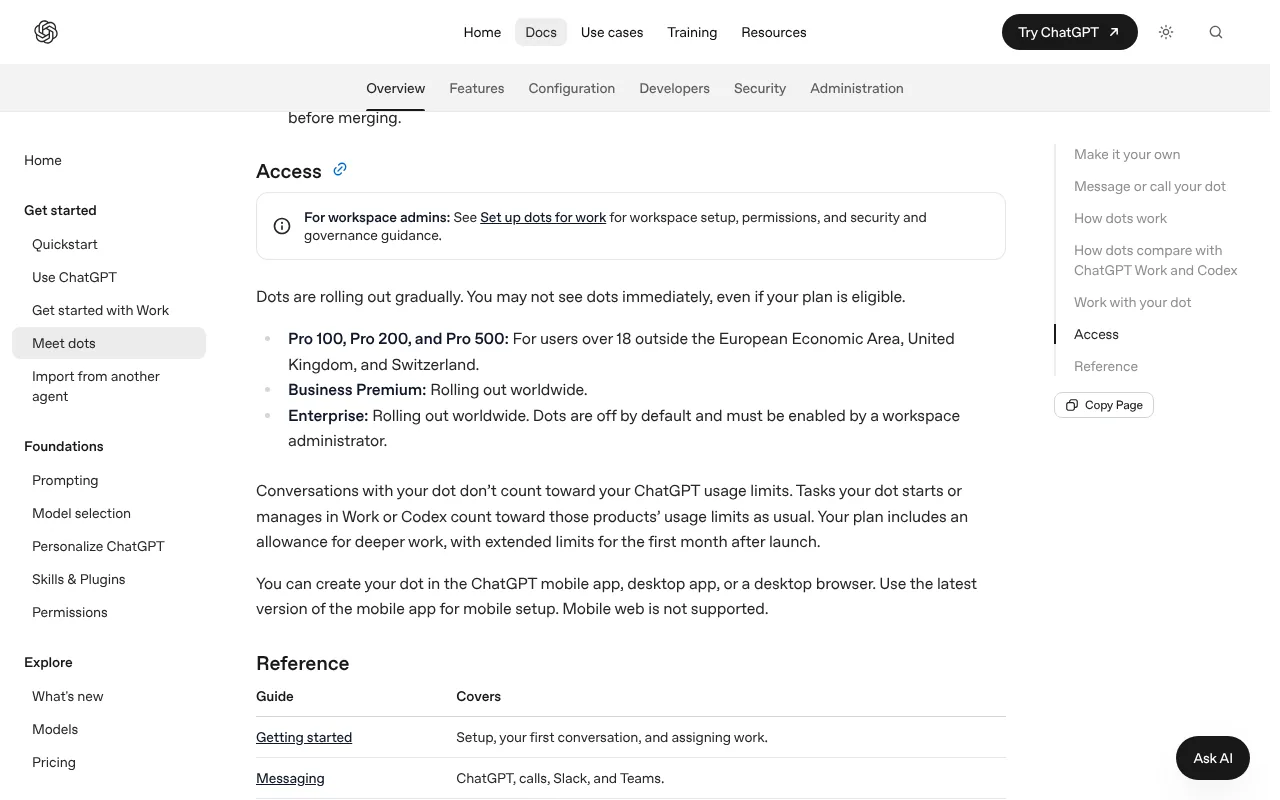
Business plans are different:
- Business Premium: available in all supported ChatGPT regions, including the UK.
- Enterprise, Edu and Healthcare: a beta, off until a workspace admin switches it on.
OpenAI has given no reason for the Pro exclusion and no date for UK Pro access. Rollout is gradual, so a dot can take several days to appear even on an eligible plan.
How much does ChatGPT Dots cost in the UK?
There is no separate price. Your first dot is included with an eligible plan, with extended limits for the first month after launch. Free, Go and Plus do not include one. OpenAI's pricing page shows sterling prices to UK visitors, and the table uses those where we saw them. Prices as of 17 October 2026.
| Plan | US price | UK price | Dot included? | Dot available to UK buyers? |
|---|---|---|---|---|
| Pro 100 | $100 a month | £89 a month, including £14.83 VAT | Yes | No |
| Pro 200 | $200 a month | £200 a month, including £33.33 VAT | Yes | No |
| Pro 500 | $500 a month | Not checked (UK Pro prices include VAT) | Yes | No |
| Business Premium seat | $125 a month, or $100 a month billed yearly | £90 a month, or £75 a month billed yearly | Yes | Yes |
| Business Standard seat | $25 a month, or $20 a month billed yearly | £18 a month, or £15 a month billed yearly | No | Not applicable |
| Enterprise | Contact sales | Not published | Beta, admin must enable | Yes |
Sources: OpenAI's Pro tiers and Business overview pages, and the plan prices ChatGPT shows UK visitors. One oddity: the UK pricing page still lists a dot among Pro features, even though the help centre excludes UK Pro accounts. Trust the help centre until OpenAI changes it.
The catch for a UK sole trader: a Business workspace needs at least two seats. The cheapest route to a dot is one Premium plus one Standard seat: £108 a month, or £90 a month (£1,080 a year) billed yearly.
Watch for:
- VAT. UK Pro prices include VAT. The Business prices are shown without saying whether VAT is added, so check the checkout total. Businesses can add a VAT number under Workspace settings, then Billing (OpenAI).
- Later pricing. OpenAI has not said what extra or faster dots will cost.
- Handed-off work. Jobs sent to Codex or Work use those allowances. Business workspaces can buy credits.
For comparison, see what AI agents cost in the UK.
What do you need to run ChatGPT Dots?
- A plan with dots. In the UK, a Business Premium seat or an Enterprise workspace with the beta on.
- Age 18 or over.
- A device. The ChatGPT desktop app, a desktop browser or the latest phone app. Phone browsers are not supported.
- Apps to connect. Email, calendar, Slack or Drive.
- Optional: a computer left on. To use your own Mac or PC, it must stay online with ChatGPT open. Only one can be linked (OpenAI docs).
No coding is needed.
How do you set up a dot?
These steps follow OpenAI's help centre and docs. There are no commands to type.
- Get an eligible seat. In the UK, ask your ChatGPT Business admin for a Premium seat, or on Enterprise for the dots beta to be enabled.
- Open ChatGPT. On a Mac, use the ChatGPT desktop app. On Windows, use the desktop app or a browser, and on Linux use a desktop browser at chatgpt.com. The latest phone app works too.
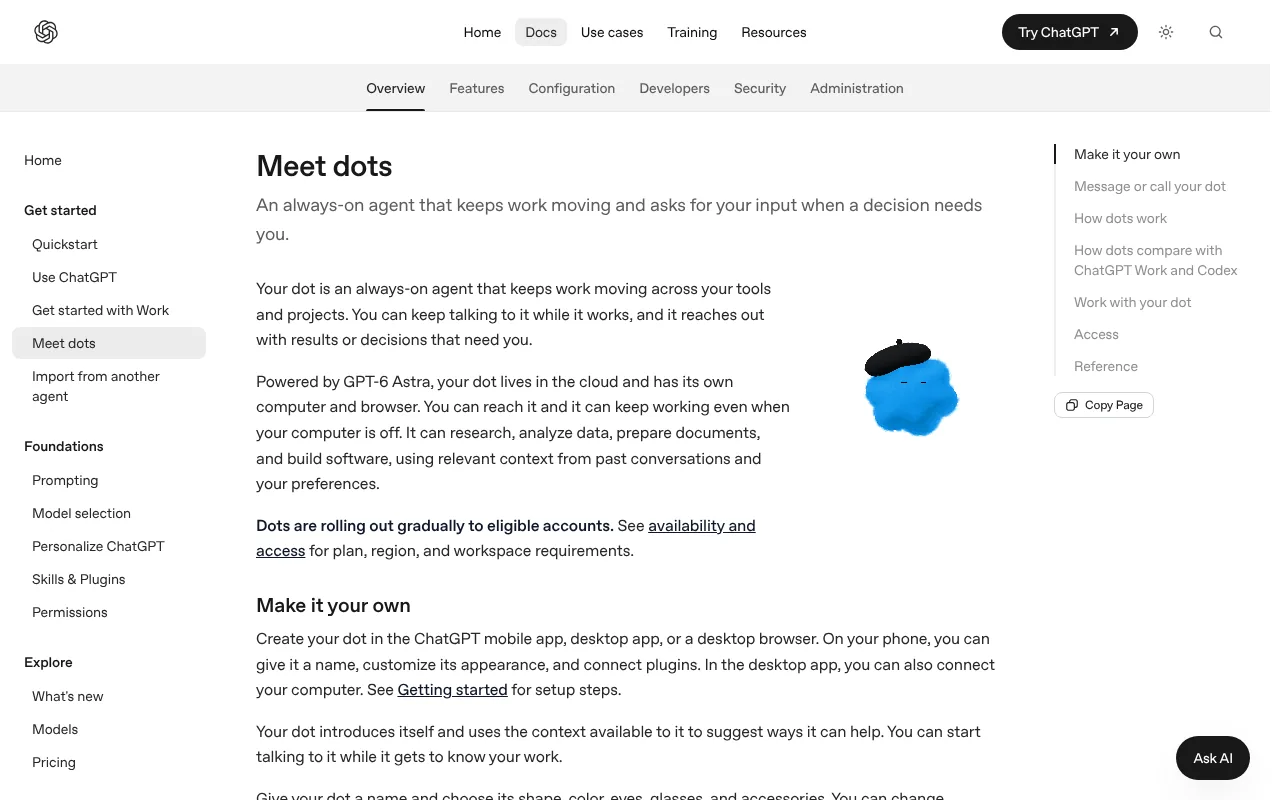
- Create your dot. Choose "Create your dot" and follow the prompts. Success: a conversation with your dot appears.
- Name it and pick a look. Choose a name, shape, colour and accessories. Its handle follows the name, or defaults to @yourname-dot.
- Connect apps. Open Customize, then Plugins, and review each permission. Success: the app shows as connected.
- Set Custom Rules. Under Customize, then Custom rules (on desktop, Settings, then Personalization), choose per action: act without asking, act if pre-approved, ask first, or hand off to you. Use "ask first" for anything that sends or spends.
- Give it a goal. Describe an ongoing responsibility, not a one-off question. Success: the dot replies with a plan.
- Add extras on desktop. In the dot's profile, use "Allow access" to link your computer, or Add for Slack or Teams. Check progress under Activity.
Pause, in the ••• menu on its profile, stops only its main task; stop delegated tasks in Activity and schedules in Scheduled. Reset deletes the dot and everything it remembers.
How do you use ChatGPT Dots? First things to try
- Morning brief. "Every weekday at 7.30, summarise my unread email and today's meetings."
- Meeting prep. "Before each external meeting, give me three bullet points from recent emails with that person."
- Invoice watch. "List supplier invoices in my inbox with due dates. Never pay anything."
- Customer feedback. "Every Friday, tell me the top three complaints from this week's support emails."
- Slack catch-up. "Each evening, summarise #sales and list questions aimed at me."
- Price tracking. "Every Monday, tell me if these three suppliers' prices moved more than 5%."
- Trip planning. "Plan a two-day client visit to Manchester with trains and a hotel. Don't book."
- Code checks. With your computer linked: "Use Codex on my computer to run the website project's tests and summarise failures."
Keep week one read-only.
Best ChatGPT Dots video tutorials
Video: OpenAI on YouTube.
OpenAI's own clip, under three minutes, shows creating a dot in the phone app, naming it, choosing a look and making it your first conversation.
| Video | Channel | Length | Uploaded | Best for |
|---|---|---|---|---|
| Set up your dot in the ChatGPT mobile app | OpenAI | 2:47 | 9 October 2026 | Fastest first setup on a phone |
| The dots demo, take two, OpenAI DevDay 2026 | OpenAI | 9:10 | 1 October 2026 | Seeing what a dot does, from trip planning to Slack catch-up |
| Master OpenAI's Dot Agent in 8 Minutes (Complete Guide) | Aishwarya Srinivasan | 7:32 | 9 October 2026 | Six everyday uses plus permission boundaries |
| ChatGPT's NEW Dots: Everything You Need To Know | Peter Yang | 17:56 | 29 September 2026 | A one-person business test, with a Grok Bot and Muse comparison |
| Master the NEW ChatGPT Dots in 20 Minutes (Full Course) | Edwin Chen (AI Automation) | 22:29 | 7 October 2026 | Browser tasks, voice calls and Slack in depth |
| How to Connect ChatGPT Dots to Your Computer and Run Codex | proflead | 1:33 | 7 October 2026 | Linking your own computer for a first Codex task |
Watch OpenAI's setup clip first, then Aishwarya Srinivasan's guide for ideas on what to ask.
Official ChatGPT Dots links
| Link | What it's for |
|---|---|
| Dots product page | Overview and "Create your dot" |
| Introducing dots | Launch announcement |
| Getting started with your dot | Plans, regions, setup and reset |
| Dots documentation | Customising, computers, Slack, Teams and calls |
| Dots safety FAQ | Approvals, data use and retention |
| Dots safety design | How the safeguards work |
| ChatGPT pricing | Which plans include Dots |
| Release notes | Dated changes |
| Data controls | Turning model training off |
| UK and EEA privacy policy | How OpenAI handles UK personal data |
Is ChatGPT Dots safe? Privacy, security and UK GDPR
Dots have more guardrails than most agents, but they act on your real accounts. From OpenAI's safety FAQ and safety post:
Approvals. Changing a password or moving money between accounts is handed back to you. Permanent deletion, installing unrecognised software and granting new security access need your approval, as do saved-card purchases, which you can sometimes pre-approve. A separate Auto-review system checks actions such as sending email, and Custom Rules cannot switch it off.
Passwords. On supported sites you type passwords into a secure form the model never sees. A password pasted into chat is not protected.
Read-only research. OpenAI says background research cannot send messages, change app content or control a browser.
Training. On personal plans, the "Improve the model for everyone" setting controls whether dot conversations and actions are used. Business, Enterprise and Edu content is not used by default. Humans may still review content in limited cases.
Memory. Disconnecting an app does not delete what the dot already learned, and you cannot yet view or edit individual dot memories. Only a reset clears them.
Known issues. The Register's 13 October report showed a read-only dot doing lots of unseen background work. OpenAI admits dots make mistakes and that prompt injection (hidden instructions in web pages or emails) is reduced, not eliminated.
UK GDPR. OpenAI's EEA, UK and Switzerland privacy policy names the US company OpenAI OpCo, LLC as controller for users outside the EEA and Switzerland, including the UK, relies on UK adequacy rules and the UK transfer addendum, and says UK residents can complain to the ICO. The ICO's agentic AI call for evidence closes on 20 November 2026 (ICO).
Safe settings: "ask first" on everything, one app at a time, no payment cards, and a weekly look at Activity. If your dot touches customer or staff data, read AI agents and UK GDPR.
ChatGPT Dots vs Meta Muse and other always-on agents
Prices and availability as of 17 October 2026.
| Agent | Price | Where it runs | UK availability | Privacy stance |
|---|---|---|---|---|
| ChatGPT Dots | Business Premium seat from £75 a month billed yearly (two-seat minimum); Pro from $100 outside the UK, EEA and Switzerland | OpenAI's cloud; your computer optional | Business Premium and Enterprise only | Training opt-out on personal plans; off by default for business |
| Meta Muse | Free with limits; $20 or $100 a month (about £15 or £75) | Isolated virtual machine in Meta's cloud | No, US and Canada only | Kept out of Meta's ad systems, says Meta |
| Instinct | Invite-only beta; no published price | Instinct's servers; you text or call it | Waitlist; no official country list | Reportedly trains on your data by default, with an opt-out |
| Grok Bot | From $30 a month (about £23) | One shared cloud computer per user | Available in the UK, but tagging @bot on X isn't yet | Training opt-out available |
| Gemini Spark | Google AI Pro or Ultra (Ultra from $100, about £75) | Google's cloud browser, or your Chrome | No, UK excluded | Needs Google's Keep Activity setting on |
| OpenClaw | Free, MIT licence; you pay for the AI model | Your own computer or server | Yes | Stays on your machine, apart from model calls |
Dots vs Meta Muse: Muse is cheaper and has a free tier, but is not available in the UK at all. Dots reach the UK only through a business seat, so for a UK individual neither is a real option today.
Pick Dots if your firm already pays for ChatGPT Business and works in Slack or Teams. Pick Grok Bot for a cheaper hosted option. Pick OpenClaw or Hermes Agent to keep the agent and your data on your own hardware.
Who should use ChatGPT Dots?
Dots suit UK teams already on ChatGPT Business who can give one person a Premium seat, managers buried in email and Slack, and Codex users who want to steer coding jobs from their phone.
Skip it, for now, if:
- You are a UK individual on Plus or Pro. Personal plans here do not include a dot.
- You handle sensitive personal data and need to see or delete exactly what an agent remembers.
- You want AI that runs privately on your own machine. See running AI agents on your Mac.
Small firms: see AI agents for UK small businesses.
Frequently asked questions
What is ChatGPT Dots?
ChatGPT Dots, also called OpenAI Dots, are always-on AI agents inside ChatGPT, launched on 29 September 2026. Each dot has its own cloud computer, runs on GPT-6 Astra and can use more than 4,000 connected apps. A dot keeps working on your goals between conversations and asks for approval before risky actions.
How much does ChatGPT Dots cost in the UK?
ChatGPT Dots have no separate price. In the UK, the self-serve route is a ChatGPT Business Premium seat at £90 a month, or £75 a month billed yearly, as of 17 October 2026. A Business workspace needs two seats, so the cheapest setup is £1,080 a year with one Standard seat. Check the checkout total for VAT.
Is ChatGPT Dots available in the UK?
ChatGPT Dots are available in the UK only on business plans. As of 17 October 2026, OpenAI excludes the UK, the European Economic Area and Switzerland from dots on personal Pro plans. Business Premium seats include a dot in the UK, and Enterprise workspaces can switch on a beta. There is no date for UK Pro access.
How do I set up Dots?
To set up Dots on an eligible plan, open the ChatGPT desktop app, a desktop browser or the ChatGPT phone app and choose "Create your dot". Name it, connect apps under Customize then Plugins, and set Custom Rules for what it may do alone. Then give your dot an ongoing goal.
Is Dots safe?
Dots have strong guardrails: password changes and money transfers stay with you, permanent deletion needs approval, background research is read-only and Auto-review checks outgoing actions. But Dots act on real accounts, can make mistakes and remain open to prompt injection. Start with "ask first" rules, avoid linking payment cards and turn off model training on personal plans.
Dots vs Meta Muse: which is better?
ChatGPT Dots and Meta Muse do similar jobs, but Muse has a free tier and paid plans from $20 a month, while Dots come with Pro from $100 a month outside the UK, EEA and Switzerland, or a £75 Business Premium seat here. For UK readers the bigger difference is access: Meta Muse is limited to the US and Canada, while Dots are available here through ChatGPT Business Premium seats.
Can I get ChatGPT Dots on ChatGPT Plus?
No. ChatGPT Dots are not included with Free, Go or Plus, according to OpenAI's pricing page as of 17 October 2026. OpenAI plans to expand dots to more users but has not named plans or dates. A UK Plus user would need a Business Premium seat or an alternative.
Read next
- Claude Duet: Anthropic's proactive agent, and why it is US-only for now
- ChatGPT Work, workspace agents and the end of agent mode
- Meta Muse guide
- OpenClaw guide
- Personal AI assistants in the UK
- What is agentic AI?
Sources
- Introducing dots, OpenAI - checked 17 October 2026
- Getting started with your dot, OpenAI Help Center - checked 17 October 2026
- Dots safety and privacy FAQ, OpenAI Help Center - checked 17 October 2026
- How we build safety, security and privacy into dots, OpenAI - checked 17 October 2026
- Dots documentation, ChatGPT Learn - checked 17 October 2026
- ChatGPT Dots product page - checked 17 October 2026
- ChatGPT pricing - checked 17 October 2026
- About ChatGPT Pro tiers, OpenAI Help Center - checked 17 October 2026
- ChatGPT Business overview, OpenAI Help Center - checked 17 October 2026
- ChatGPT release notes, OpenAI Help Center - checked 17 October 2026
- Getting started with Space in ChatGPT, OpenAI Help Center - checked 17 October 2026
- Models and GPT-5.5 retirement, ChatGPT Learn - checked 17 October 2026
- GPT-Live-1.1 announcement, OpenAI on X - checked 17 October 2026
- Updating billing information, Tax ID and VAT ID, OpenAI Help Center - checked 17 October 2026
- OpenAI privacy policy for the EEA, UK and Switzerland - checked 17 October 2026
- ICO secures changes from leading AI developers as scrutiny extends to AI agents - checked 17 October 2026
- Agentic AI call for evidence, ICO - checked 17 October 2026
- The 5 biggest announcements from OpenAI's AI conference, Axios - checked 17 October 2026
- OpenAI launches Dots and ChatGPT Space, VentureBeat - checked 17 October 2026
- OpenAI's dot assistant burned 300K+ tokens in a day, The Register - checked 17 October 2026
- ChatGPT adds an iOS widget for its Dots agents, RuntimeWire - checked 17 October 2026
- OpenAI adding invisible watermarks to ChatGPT and Codex text in the EU, BleepingComputer - checked 17 October 2026
- OpenClaw creator Peter Steinberger joining OpenAI, CNBC - checked 17 October 2026
- About Muse subscriptions, Meta Help Center - checked 17 October 2026
- How Muse handles your privacy, safety and security, Meta Help Center - checked 17 October 2026
- Meta Muse Wonder: the Muse app skips Europe, Notebookcheck - checked 17 October 2026
- Instinct AI: what it is and how to get in, eesel - checked 17 October 2026
- Grok Bot, xAI - checked 17 October 2026
- Manage your tasks and workflows in Gemini Apps, Google Help - checked 17 October 2026
- Everything new in Google AI subscriptions from I/O 2026, Google - checked 17 October 2026
- OpenClaw on GitHub - checked 17 October 2026


