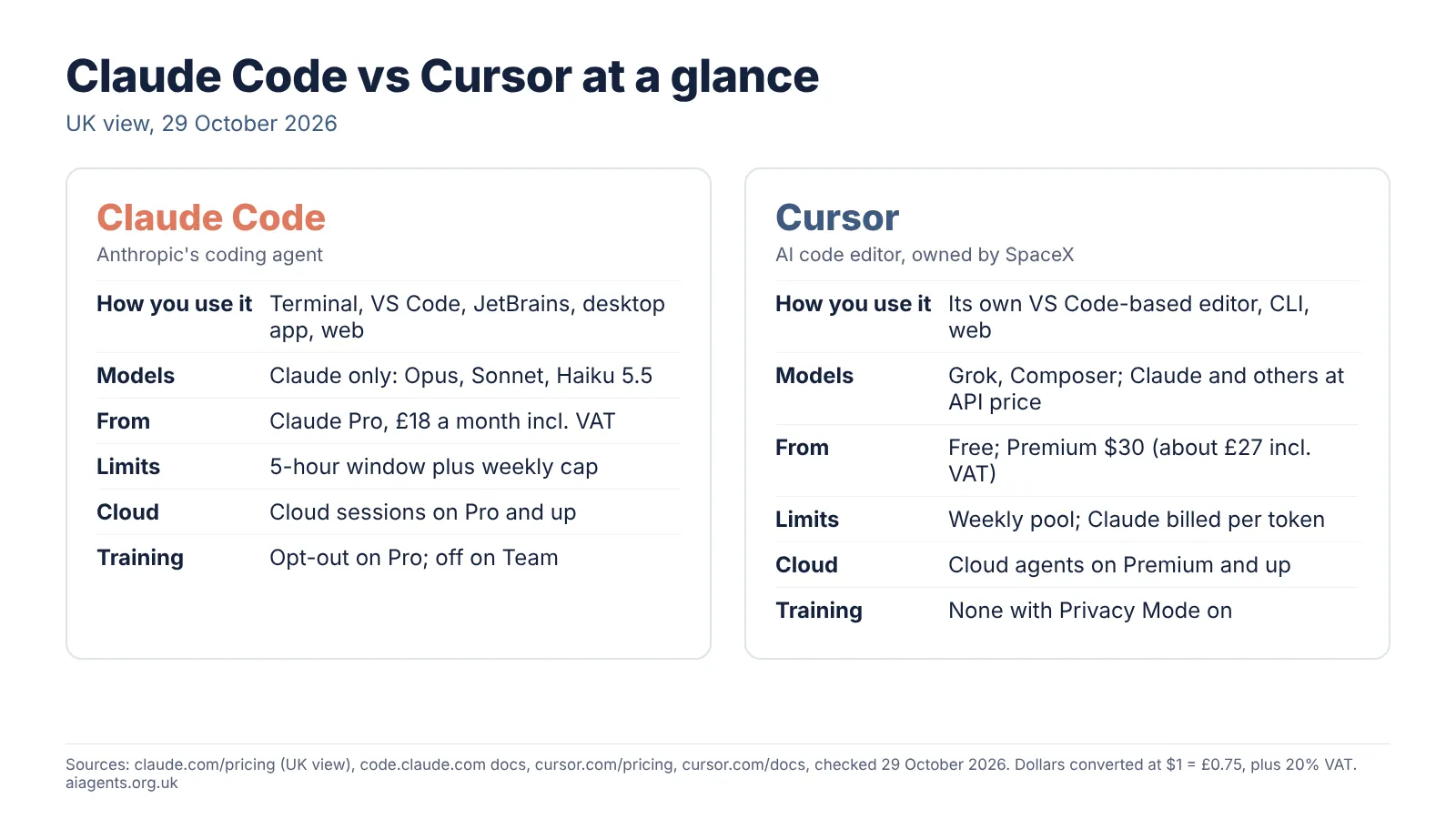
Claude Code vs Cursor comes down to how you like to work. Claude Code is Anthropic's coding agent: you hand it a whole task and review the result, from £18 a month including VAT. Cursor is an AI code editor, free to start, where Claude models cost extra at API prices. Many developers use both.
Key facts
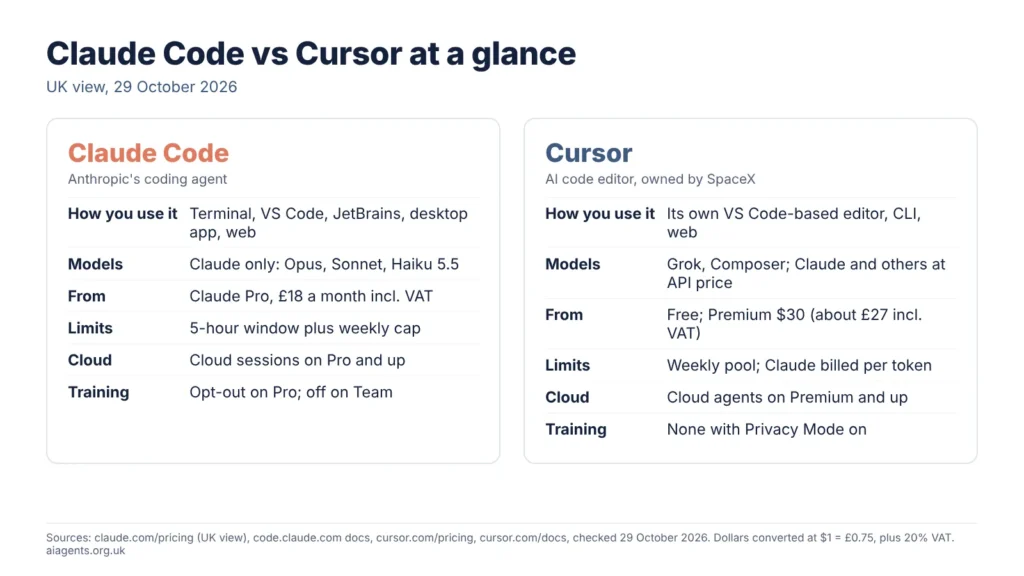
- What they are: Claude Code is an agent you give jobs to, in the terminal, editors, a desktop app and the web. Cursor is a VS Code-based editor with its own agents.
- Price (UK, 29 October 2026): Claude Code comes with Claude Pro at £18 a month including VAT. Cursor is free to start; Premium is $30 (about £27 with VAT).
- Models: Claude Code runs only Anthropic's Claude models. Cursor offers Grok and its own Composer in the plan, and Claude, Gemini and others at API list price.
- Privacy: Cursor's Privacy Mode is on by default for Teams. Claude Pro users must switch off Model Improvement themselves.
- Five-person team: £112.50 a month on Claude Team, £135 on Cursor Teams, with VAT.
- Best setup for many: run Claude Code inside Cursor's terminal, using Cursor's free plan as the editor.
On this page
- Claude Code vs Cursor: the short verdict
- What is the difference between Claude Code and Cursor?
- Can you use Claude in Cursor, and what does it cost?
- How much do Claude Code and Cursor cost in the UK?
- How do the usage limits compare?
- Which is safer for client code? Privacy and data
- MCP, rules, skills and hooks compared
- Cloud agents: which works while your laptop is shut?
- Which is better for a small team?
- Is there a benchmark that settles it?
- How to use Claude Code inside Cursor
- Cursor vs Claude Code: which should you choose?
- Frequently asked questions
- Read next
- Sources and dates checked
Claude Code vs Cursor: the short verdict
Pick Cursor if you want to stay in an editor and steer the code yourself. Pick Claude Code if you want to hand over whole jobs at a predictable monthly price. If you like Cursor's editor but want Claude's agent, run Claude Code inside Cursor.
That matches my comparison of eight AI coding agents: Claude Code is the best agent for terminal users, Cursor the strongest AI editor.
What is the difference between Claude Code and Cursor?
Claude Code is an agent; Cursor is an editor with agents built in.
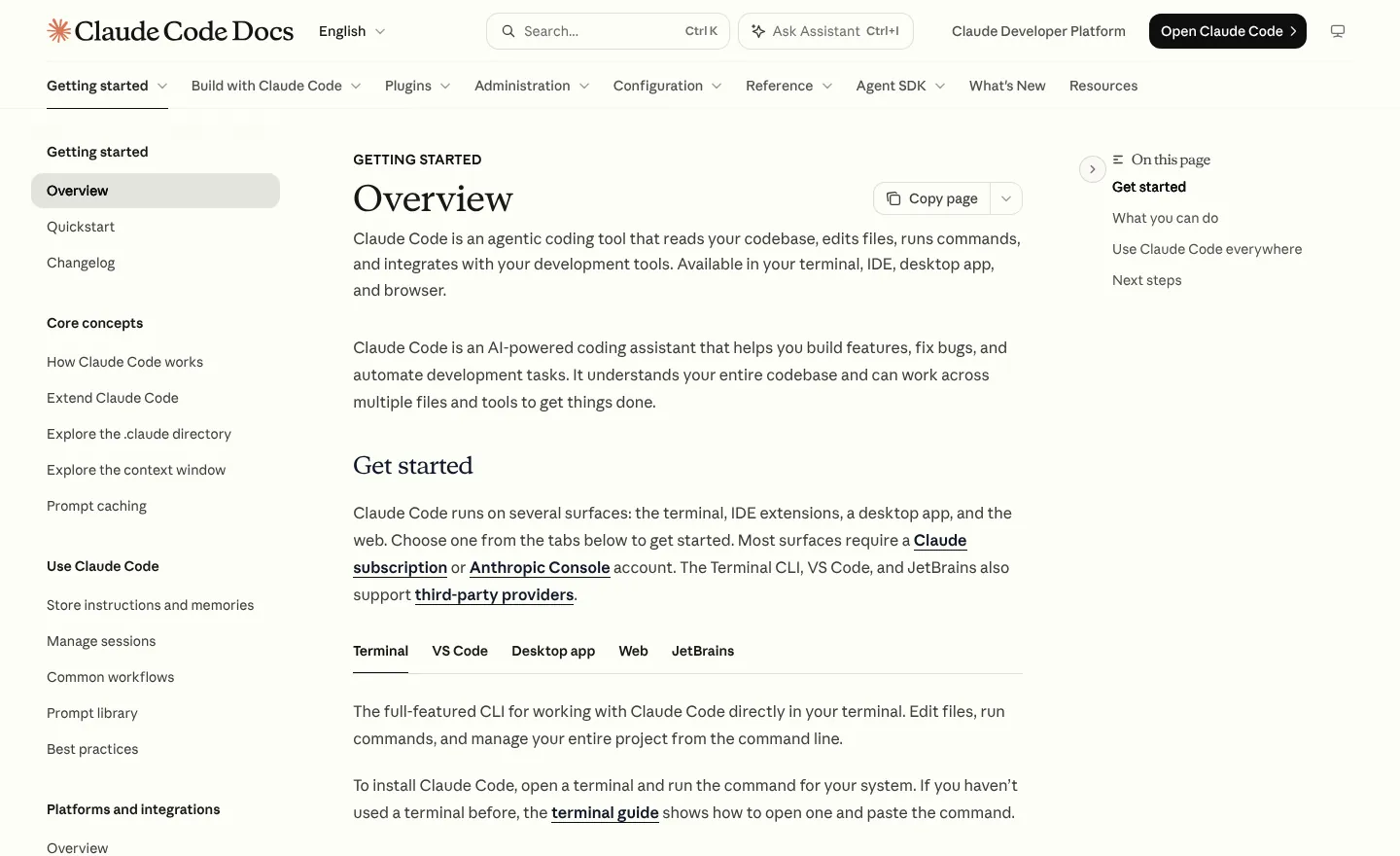
Anthropic describes Claude Code as "an agentic coding tool that reads your codebase, edits files, runs commands". You start it in a project folder and describe a job in plain English. It plans, edits files, runs tests and reports back. It runs in the terminal, in VS Code and JetBrains through extensions, in the Claude desktop app and in the browser at claude.ai/code.
Cursor is a full code editor based on VS Code, so extensions and shortcuts carry over. Its agent reads your code, plans and makes changes inside the editor, where you review each diff. It also has a command-line tool and cloud agents. My Cursor review covers the product in full.
Ownership matters to some buyers. Cursor confirmed on 14 August 2026 that SpaceX had acquired it, and new plans are sold by X Subscription Corp, bundled with Grok and X features.
Can you use Claude in Cursor, and what does it cost?
Yes, Cursor lists Anthropic's Claude Fable 5.1, Opus 5.5, Sonnet 5.5 and Haiku 5.5. But on the plans Cursor sells today, Claude is not part of your monthly allowance: Cursor bills it per token at API list price, from prepaid credit, on Premium and above.
In Claude Code, a Claude Pro subscription covers Claude models up to the plan's limits. In Cursor, the subscription covers Grok models and Cursor's own Composer, and Claude is a separate meter. Cursor's prices for Claude match Anthropic's own API list prices, so you pay no markup on individual plans:
| Model | Input, per million tokens | Output, per million tokens |
|---|---|---|
| Claude Opus 5.5 | $4 (about £3) | $20 (about £15) |
| Claude Sonnet 5.5 | $2 (about £1.50) | $10 (about £7.50) |
| Claude Haiku 5.5 | $0.10 (about 8p) | $0.50 (about 38p) |
| Composer 2.5 (in the Cursor pool) | $0.50 (about 38p) | $2.50 (about £1.88) |
Before VAT, checked 29 October 2026. As an illustration, an Opus 5.5 job in Cursor that reads 1 million tokens and writes 100,000 costs $4 plus $2, so $6 (about £4.50) before VAT.
On Cursor Teams and Enterprise, Cursor adds $0.25 per million tokens on eligible models, and the $8 Plus plan cannot run Claude at all. OpenAI also said on 28 August 2026 that it is winding down its contract supplying models to Cursor, with a proposed shutoff date of 12 November 2026, which would narrow the choice. Cursor still listed OpenAI's GPT-5.6 models on 29 October.
How much do Claude Code and Cursor cost in the UK?
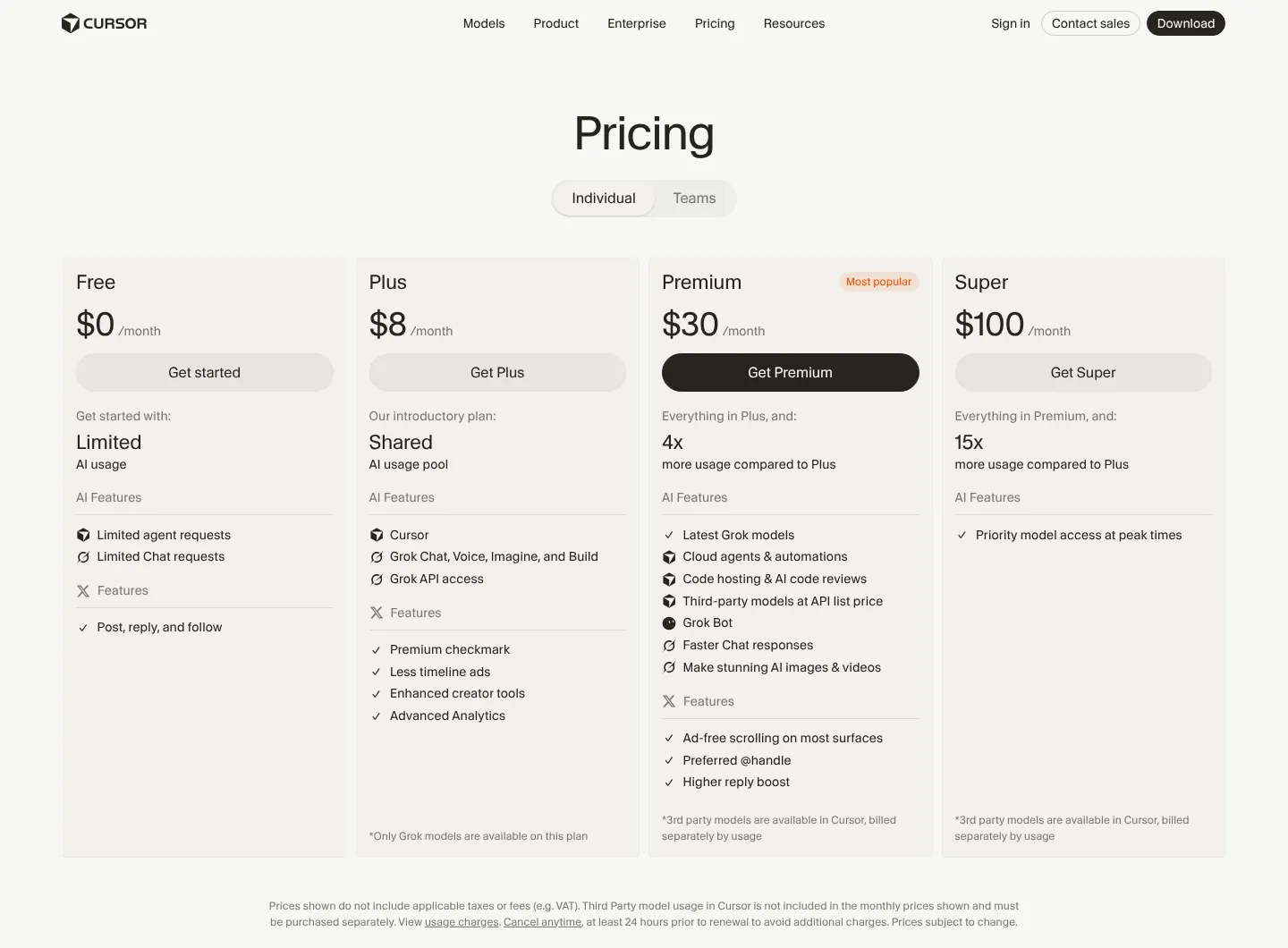
Claude Code starts at £18 a month including VAT; Cursor starts free, with its useful paid tier at $30 (about £27 with VAT). Anthropic shows UK visitors prices in pounds with 20% VAT included. Cursor shows US dollars, even from a UK connection, and says prices "do not include applicable taxes or fees (e.g. VAT)".
| Plan | Claude (UK prices, VAT included) | Cursor (US dollars, before VAT) |
|---|---|---|
| Free | Free plan, but no Claude Code | Free: limited agent and chat requests |
| Entry paid | Pro: £18 a month, or £180 a year (£15 a month) | Plus: $8 (about £7.20 with VAT), Grok models only, no cloud agents |
| Main paid | Pro, as above | Premium: $30 (about £27 with VAT): 4x Plus usage, cloud agents, Bugbot reviews, third-party models at API price |
| Heavy use | Max 5x £90 or Max 20x £180 a month | Super $100 (about £90 with VAT), Ultra $200 (about £180 with VAT) |
| Team | Team Standard £22.50 a seat monthly or £18 yearly; Premium seat £113 or £90; 2 to 150 seats | Teams: from $30 a user a month (about £27 with VAT), billed per active user |
| Enterprise | US$20 a seat a month yearly plus usage at API rates, 20-seat minimum | Custom |
Checked 29 October 2026. Cursor's pricing page shows monthly prices only, but its models documentation lists yearly billing for individual plans: $80 for Plus, $300 for Premium (about £270 with VAT, or £22.50 a month), $1,000 for Super and $2,000 for Ultra. My UK AI price tracker follows both each month.
On monthly billing, before extra usage, a solo developer pays £18 for Claude Pro or £27 for Cursor Premium ($30 x 0.75 = £22.50, plus 20% VAT), so £45 for both. A five-person team pays 5 x £22.50 = £112.50 for Claude Team, or 5 x $30 = $150 x 0.75 = £112.50 plus VAT, so £135, for Cursor Teams: £247.50 for both.
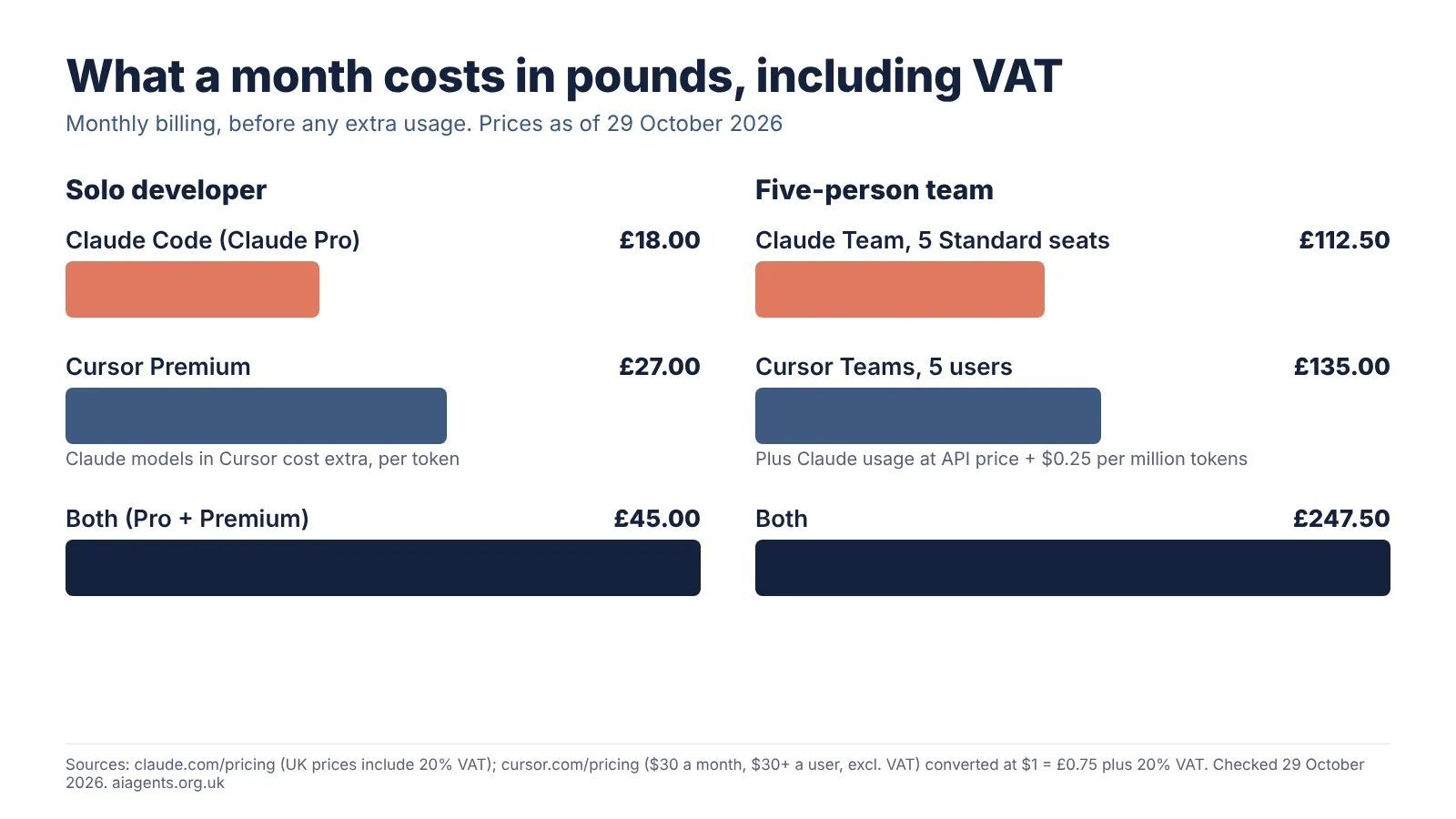
Yearly billing cuts the Claude side: Pro becomes £15 a month and Team Standard £18 a seat, so five seats cost £90 a month.
How do the usage limits compare?
Claude Code limits you by time window; Cursor limits you by a weekly pool plus a pay-per-token meter.
- Claude Code: Anthropic says every plan's usage "reset[s] on a rolling five-hour session window", paid plans add weekly limits, and Claude chat and Claude Code "draw from the same pool". Pro gives at least 5 times Free's usage per window, and Max 5 or 20 times Pro's. When you hit a limit you wait, upgrade, or turn on usage credits at API rates. Type
/usageto see where you stand. - Cursor: each plan has a usage pool shared across Cursor and Grok. Cursor says "your allowance refreshes weekly, so one heavy day never wipes out your whole month", and you can buy top-ups. Premium has 4 times Plus usage, Super 15 times and Ultra 50 times. Claude and other third-party models sit outside the pool, billed per token, and you can set a spending cap.
Claude Code's limits work like a speed limit: a long session can stall until the window resets. Cursor's work like a budget: Claude usage keeps adding to the bill. Anthropic says enterprise Claude Code users average about $13 (about £10) per developer per active day at API rates.
Which is safer for client code? Privacy and data
Both can be set up safely for client code, but the defaults differ. Cursor's Privacy Mode is on by default for Teams and Enterprise; on Claude's personal plans you must switch training off yourself.
| Question | Claude Code | Cursor |
|---|---|---|
| Trains on your code? | Free, Pro and Max: only if Model Improvement is on (opt-out). Team, Enterprise, API: no, unless your organisation opts in | Not with Privacy Mode on. With it off, Cursor "may use and store codebase data, prompts, editor actions, code snippets" |
| Default | Consumer plans: decide in your privacy settings | Privacy Mode on by default for Teams and Enterprise; admins can enforce it. Cursor does not say what the default is on individual plans |
| Retention | Consumer: 5 years with Model Improvement on, 30 days off. Commercial: 30 days; zero retention for eligible Enterprise | Zero data retention agreements with model providers in Privacy Mode; Fable 5.1 is an exception that needs approval |
| Where data goes | Anthropic Ireland is the UK controller; data goes to US servers | Servers in "various jurisdictions, including in the United States"; US-only residency, and EU and UK inference-only on request |
From Anthropic's and Cursor's data and privacy pages, checked 29 October 2026.
For a solo developer on Claude Pro, the fix takes a minute: switch off Model Improvement at claude.ai/settings/data-privacy-controls. On Cursor's individual plans, check Privacy Mode is on under Cursor Settings, General. If you handle customers' personal data, use a business plan and read my guide to AI agents and UK GDPR.
MCP, rules, skills and hooks compared
Both support MCP, skills, hooks and project instructions, and Cursor can read several of Claude Code's files, so a setup built for one partly carries over.
| Feature | Claude Code | Cursor |
|---|---|---|
| Project instructions | CLAUDE.md, or AGENTS.md if there is no CLAUDE.md | Rules in .cursor/rules (.mdc files), AGENTS.md, user rules, and team rules on Teams |
| Skills | SKILL.md folders in .claude/skills, run as /skill-name | SKILL.md folders in .cursor/skills or .agents/skills; also loads .claude/skills |
| Hooks | Shell commands and more at set events, in settings.json | hooks.json; can also load Claude Code hooks from .claude/settings.json |
| MCP | claude mcp add, project, user or local scope | mcp.json; stdio, SSE and Streamable HTTP; Enterprise allowlists |
| Plugins | Official Anthropic marketplace via /plugin | Cursor Marketplace, reviewed by hand |
Both follow the Agent Skills format, and Cursor loads Claude Code hooks by default. My guides to Claude Code skills, the Cursor Marketplace and MCP explain each piece.
Cloud agents: which works while your laptop is shut?
Both have one. Cursor's cloud agents need Premium or above; Claude Code's cloud sessions come with Pro.
- Claude Code cloud sessions run on Anthropic-managed virtual machines and "count toward your plan's usage limits", with "no separate charge for the cloud VM". They are on Pro, Max and Team, and on some Enterprise seats. Start one from claude.ai/code, the mobile app or
claude --cloud. - Cursor cloud agents (formerly background agents) run in isolated cloud VMs, in parallel. They need Premium, Teams or Enterprise, draw on your usage at the chosen model's rate, and ask you to set a spend limit first. Start them from the app, the web, iPhone, Slack, GitHub or Linear. Cursor says they are "the only feature that requires Cursor to store code", and copies are deleted when the agent finishes.
Which is better for a small team?
Claude Team is cheaper per seat and includes VAT; Cursor Teams has stronger editor controls, such as team rules and an enforced Privacy Mode.
- Claude Team (2 to 150 seats): SSO, domain verification, central billing, usage analytics, spend controls, organisation-wide skills, admin controls for connectors, and "no model training on your content by default". SCIM and audit logs need Enterprise.
- Cursor Teams: central billing and administration, usage analytics, team-wide privacy settings, custom chat data retention, SAML and OIDC SSO, mixed seat types and a private team marketplace. Cursor bills per active user. SCIM, audit logs and MCP controls need Enterprise.
Is there a benchmark that settles it?
No. The published benchmarks measure models, not these two products, and both products can run the same Claude model.
Anthropic's Opus 5.5 announcement of 22 September 2026 reports 66.4% on Terminal-Bench 4.0 and 57.8% on CursorBench 4.0, Cursor's own coding benchmark, at maximum effort (Anthropic's xhigh setting for Terminal-Bench). Cursor's documentation says Opus 5.5 set the highest CursorBench score of any model in Cursor at launch. Neither company publishes a head-to-head test of Claude Code against Cursor, so I would not choose on scores.
How to use Claude Code inside Cursor
Run Claude Code in Cursor's terminal, or install Anthropic's extension in Cursor. Anthropic's VS Code page has an "Install for Cursor" link, and its docs say the command-line tool "works in any terminal".
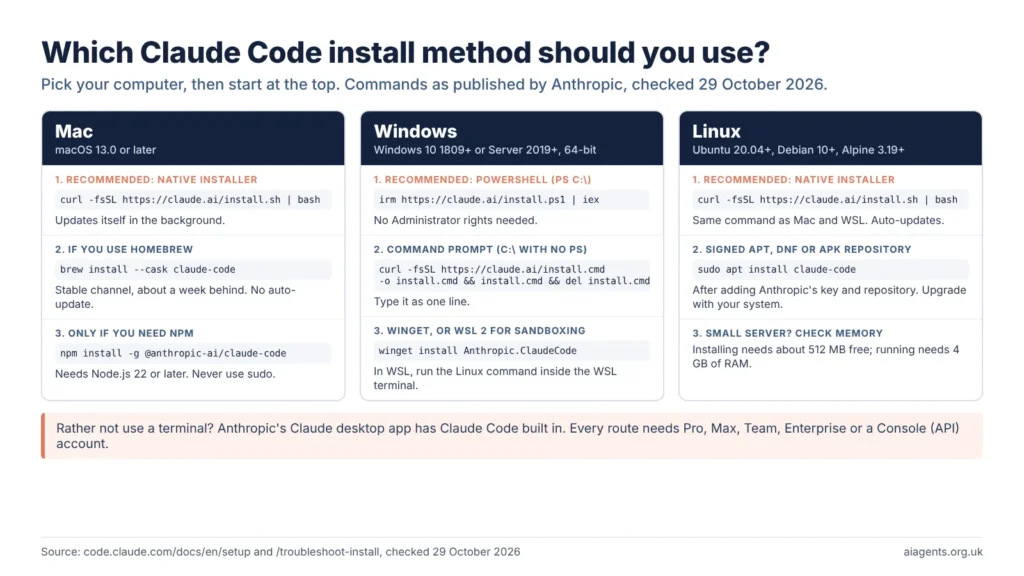
- Install the Claude Code command-line tool. On a Mac, run
curl -fsSL https://claude.ai/install.sh | bashin Terminal. Windows steps are in my Claude Code guide. - Open your project in Cursor and open the built-in terminal with Ctrl+` (Cmd+` on a Mac).
- Type
claudeand sign in with your Claude account. Anthropic says the tool then links to the editor for diff viewing and error sharing. In an outside terminal, type/ideto connect. - Or add the extension: search "Claude Code" in Cursor's Extensions view. It gives you a chat panel with inline diffs, but it does not add
claudeto your terminal, so you still need step 1 for the command-line features. - Keep one set of instructions. Put shared rules in AGENTS.md, which Cursor reads and Claude Code reads when there is no CLAUDE.md, and keep skills in .claude/skills, which Cursor also loads.
Your Claude Code work then draws on your Claude plan, not Cursor's pool, so Cursor's free plan is enough as the editor. Let only one agent work on a task at a time, as both can edit the same files.
Cursor vs Claude Code: which should you choose?
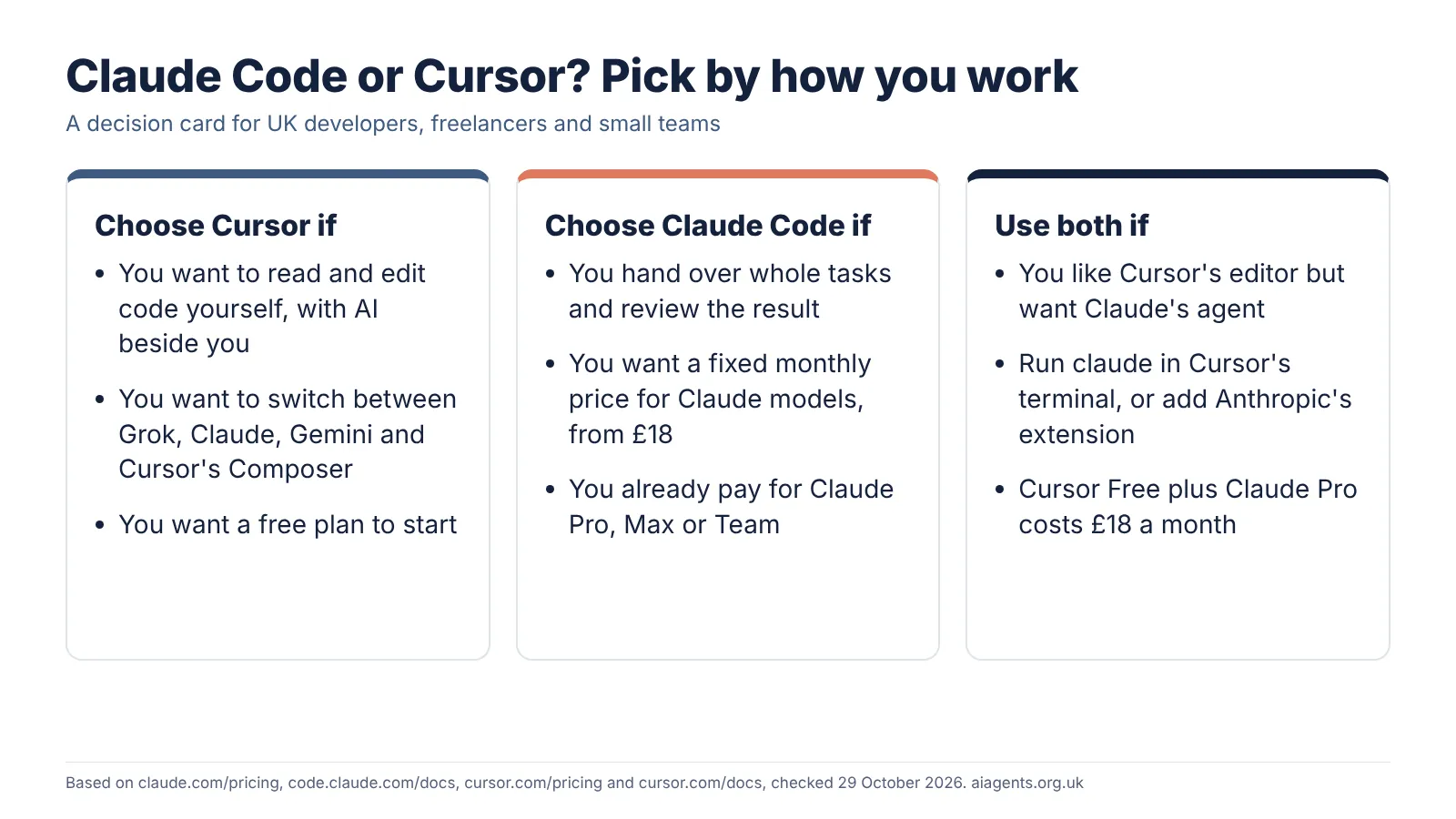
Choose Cursor if you want to read and shape the code yourself in a polished editor, switch between Grok, Claude, Gemini and Cursor's Composer, and start free. Budget for Claude per token on top.
Choose Claude Code if you would rather hand over whole tasks, from a bug fix to a refactor, and review the result, at a fixed price from £18 a month including VAT. It suits terminal users and freelancers who already pay for Claude.
Use both if you like Cursor's editor but want Claude's agent. Claude Code in Cursor's terminal, with Cursor's free plan, costs £18 a month in total.
My verdict: for most UK freelancers and small teams who want Claude's models, Claude Code is the better value, because the subscription covers the model and the price includes VAT. Cursor is the better editor and the better choice if you want several model makers in one place, or if the SpaceX ownership does not bother you. If your shortlist includes OpenAI, see Codex vs Claude Code.
Frequently asked questions
Is Claude Code better than Cursor?
Neither is better for everyone. Claude Code is the stronger choice if you want to hand an agent whole tasks on a fixed monthly price, from £18 including VAT. Cursor is the stronger choice if you want a full AI code editor and a choice of models. Both can run the same Claude Opus 5.5 model, so the gap is mostly workflow and billing.
Can I use Claude Code in Cursor?
Yes. Anthropic publishes an install link for Cursor on its VS Code extension page, and the Claude Code command-line tool runs in Cursor's built-in terminal like any other. Usage then counts against your Claude plan, not Cursor's allowance. You need a paid Claude plan or an Anthropic Console account; Cursor's free plan is enough for the editor.
Is Claude cheaper in Cursor or in Claude Code?
For steady daily use, Claude Code is usually cheaper, because Claude Pro at £18 a month includes Claude models up to its usage limits. In Cursor, Claude models are billed per token at API list price on top of the plan, for example $4 per million input tokens for Opus 5.5, plus $0.25 per million on Teams.
Does Cursor or Claude Code train on my code?
Cursor says it does not train on your code when Privacy Mode is on, which is the default for Teams and Enterprise. Anthropic lets Pro and Max users opt out of training, and keeps data for 30 days instead of five years when they do. On Claude Team and Enterprise, Anthropic does not train on your code by default.
Is Cursor free in the UK?
Yes, Cursor has a free plan with limited agent and chat requests. Paid plans are priced in US dollars before VAT: Plus is $8 a month (about £7.20 with VAT) with Grok models only, and Premium is $30 (about £27 with VAT), which adds cloud agents and Claude at API list price.
Read next
- AI coding agents compared: Claude Code vs Codex vs Copilot vs Cursor, with UK prices
- Claude Code explained: UK pricing, install and how it compares
- Cursor review: AI coding agents on your desktop and in the cloud
- Cursor Marketplace review: the most carefully checked skills store
- How to install and use skills in Claude Code
- How to run Claude Code with Ollama and a local model on your Mac
Sources
- Claude plans and pricing, Anthropic (UK view) - Pro £18 or £180 a year, Max from £90 (Max 5x), Team £22.50 or £18 a seat, Premium £113 or £90, Enterprise US$20 plus usage, prices include 20% VAT, usage limits FAQ - checked 29 October 2026
- Claude Code overview, Anthropic docs - surfaces, MCP, CLAUDE.md, skills, hooks, background agents - checked 29 October 2026
- Use Claude Code in VS Code, Anthropic docs - Install for Cursor, integrated terminal, /ide - checked 29 October 2026
- Data usage, Anthropic docs - training, retention, local transcripts - checked 29 October 2026
- Manage costs effectively, Anthropic docs - about $13 per developer per active day - checked 29 October 2026
- Claude Code on the web, Anthropic docs - cloud sessions, plans, no separate VM charge - checked 29 October 2026
- Hooks reference, Anthropic docs - hook events - checked 29 October 2026
- Connect Claude Code to tools via MCP, Anthropic docs - MCP - checked 29 October 2026
- Using Claude Code with your Pro or Max plan, Claude support - five-hour and weekly limits shared with chat - checked 29 October 2026
- Claude Opus 5.5, Anthropic (22 September 2026) - Terminal-Bench 4.0 and CursorBench 4.0 results, API prices - checked 29 October 2026
- Privacy policy, Anthropic (effective 10 September 2026) - UK controller and US transfers - checked 29 October 2026
- Cursor pricing - Free, Plus $8, Premium $30, Super $100, Ultra $200, Teams $30+ a user, excludes VAT, weekly allowance, third-party models at API list price - checked 29 October 2026
- Cursor models and pricing - Claude, Grok and Composer token prices, Cursor Token Rate, yearly billing for individual plans - checked 29 October 2026
- Claude Opus 5.5 in Cursor - CursorBench note, billing from prepaid credit - checked 29 October 2026
- Cursor docs: cloud agents - plans, billing, where to start them - checked 29 October 2026
- Cursor CLI - agent command - checked 29 October 2026
- Cursor docs: rules - project, user and team rules, AGENTS.md - checked 29 October 2026
- Cursor docs: skills - skill folders, loads .claude/skills - checked 29 October 2026
- Cursor docs: hooks - hooks.json and Claude Code compatibility - checked 29 October 2026
- Cursor docs: third-party hooks - Claude Code settings files, default setting - checked 29 October 2026
- Cursor docs: MCP - mcp.json, transports, admin controls - checked 29 October 2026
- Cursor data use (updated 3 September 2026) - Privacy Mode on and off - checked 29 October 2026
- Cursor help: privacy - Privacy Mode default for Teams and Enterprise - checked 29 October 2026
- Cursor docs: privacy and data governance - data residency, cloud agents storing code - checked 29 October 2026
- Cursor security (updated 25 August 2026) - certifications - checked 29 October 2026
- Cursor privacy policy (updated 11 October 2026) - processing locations, affiliates - checked 29 October 2026
- Cursor is now a part of SpaceX, Cursor blog (14 August 2026) - ownership - checked 29 October 2026
- Composer 2.5, Cursor blog (18 May 2026) - benchmark results shown as an image - checked 29 October 2026
- Our decision on Cursor following its acquisition by SpaceX, OpenAI (28 August 2026) - proposed shutoff date of 12 November 2026 - checked 29 October 2026
- Cursor docs: team pricing - seat tiers, billing per active paid seat - checked 29 October 2026
- What is the Max plan?, Claude help centre - Max 5x $100 and Max 20x $200 a month in US dollars, monthly only - checked 29 October 2026