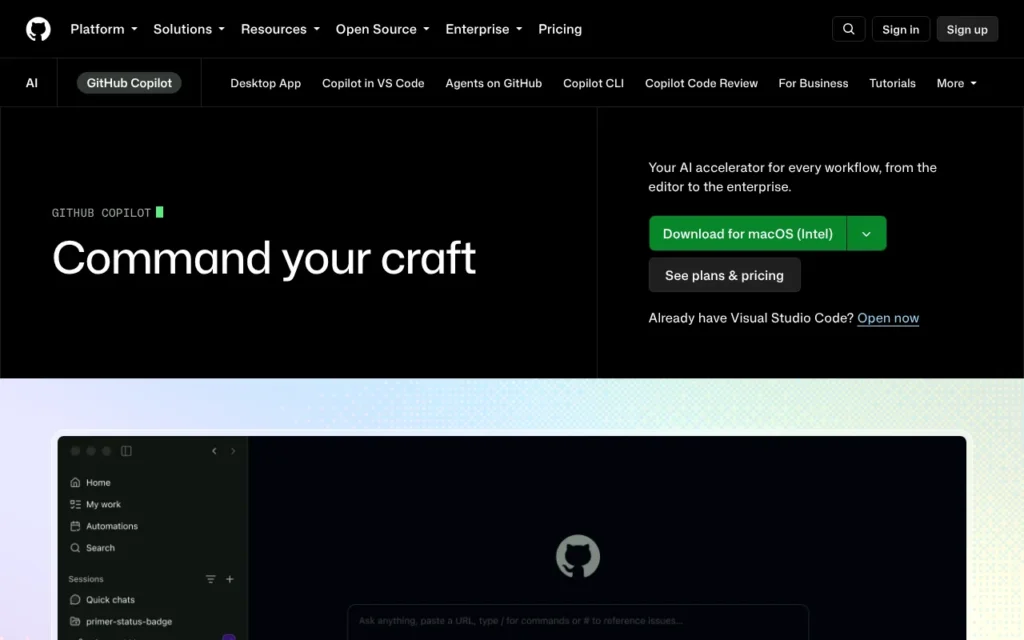
GitHub Copilot coding agent (now Copilot cloud agent) is GitHub's AI agent that turns an issue into code changes and a pull request, working in GitHub's cloud. It suits developers and small teams whose code already lives on GitHub. It needs Copilot Pro at $10 a month (about £7.50, priced in US dollars before any tax) or above, or the free Student plan for verified students, and it works in the UK. Know this first: on personal plans, GitHub may train its AI models on your Copilot use unless you switch that off.
Key facts
- What it is: An AI agent in GitHub Copilot that takes an issue or task, works on a branch in GitHub's cloud and opens a pull request for you to review; now called Copilot cloud agent
- Made by: GitHub, the Microsoft-owned code hosting company
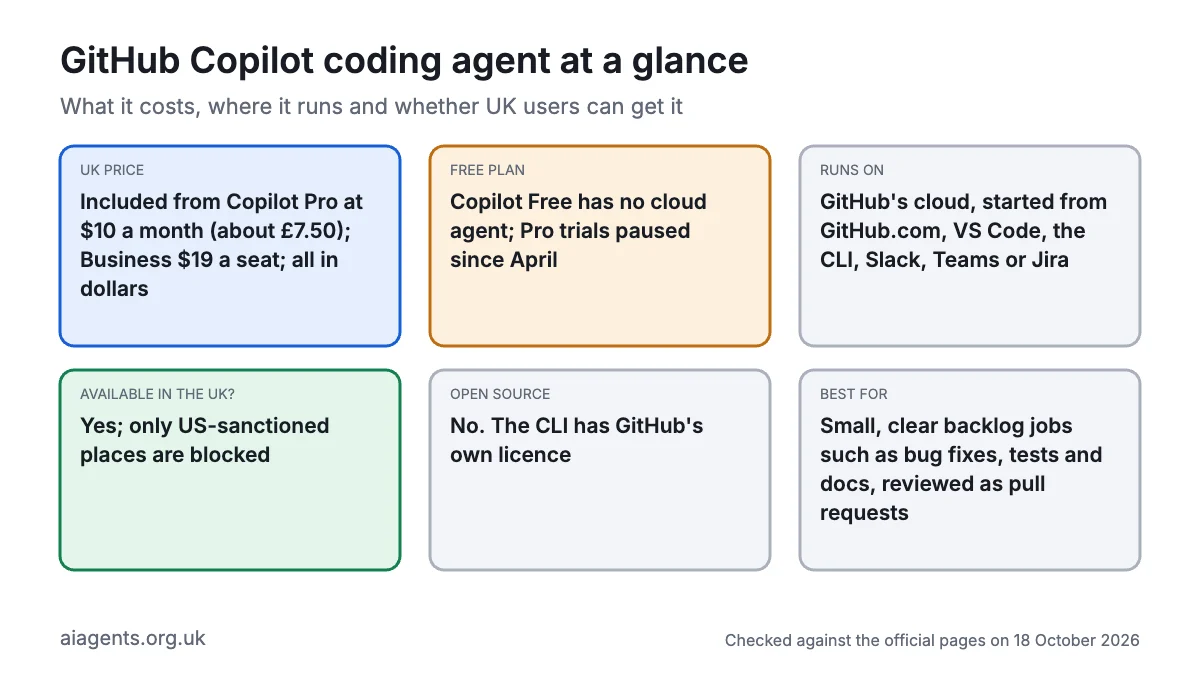
- Price: Included from Copilot Pro at $10 a month (about £7.50); Pro+ $39, Max $100, Business $19 a seat, Enterprise $39 a seat, all in US dollars, as of 18 October 2026
- Free plan or trial: Copilot Free includes Copilot CLI and the Copilot app but not the cloud agent. Pro trials have been paused since 10 April 2026
- Runs on: GitHub's cloud, started from GitHub.com, GitHub Mobile, VS Code and other IDEs, the GitHub CLI, the Copilot app (macOS, Windows, Linux), Slack, Teams or Jira
- What you need: A GitHub account, a paid Copilot plan (or Copilot Student) and write access to a repository on GitHub. On Business and Enterprise, an admin must switch it on
- Open source: No. Copilot CLI is published under GitHub's own licence, which does not allow modified versions
- Available in the UK: Yes. GitHub's terms only restrict people and places covered by US sanctions and export controls
- Best for: Small, clear jobs from your backlog, such as bug fixes, tests and documentation, which you review as pull requests
- Official site: github.com/features/copilot
On this page
- What is GitHub Copilot coding agent?
- What's new in GitHub Copilot coding agent in October 2026?
- How much does GitHub Copilot coding agent cost in the UK?
- What do you need to use GitHub Copilot coding agent?
- How do you assign an issue to Copilot?
- How do you install GitHub Copilot CLI?
- How do you use GitHub Copilot coding agent? First things to try
- Best GitHub Copilot coding agent video tutorials
- Official GitHub Copilot coding agent links
- Is GitHub Copilot coding agent safe? Privacy, security and UK GDPR
- GitHub Copilot coding agent vs Claude Code, Codex and other alternatives
- Who should use GitHub Copilot coding agent?
- Frequently asked questions
What is GitHub Copilot coding agent?
GitHub Copilot coding agent is an AI agent built into GitHub. Instead of suggesting lines as you type, it takes a whole task, works on it in the background and hands you a pull request (a proposed change that a person reviews before it joins the main code). GitHub renamed it Copilot cloud agent on 1 April 2026, so this guide uses both names.
How it works:
- You assign a GitHub issue to Copilot, or type a task in the Agents tab, your editor, the GitHub CLI, Slack, Teams or Jira.
- Copilot starts a short-lived computer in GitHub's cloud, powered by GitHub Actions (GitHub's automation service), and reads your repository.
- It plans the change, edits files, runs your tests and linters, and pushes commits to a new branch whose name starts with
copilot/. - It opens a pull request and asks for your review. You comment
@copilotto ask for changes, then merge it yourself.
It can also research a question or write a plan before touching code. Each session stops after 59 minutes, and it changes only the one GitHub repository you started it in.
Two related tools run on your own computer: Copilot CLI, a terminal agent much like Claude Code, and the GitHub Copilot app, a desktop app for macOS, Windows and Linux that launches, tracks and merges agent work.
What's new in GitHub Copilot coding agent in October 2026?
- 15 October: GitHub will retire Claude Opus 4.8 (except on individual annual plans), Claude Opus 5 and GPT-5.6 Terra on 16 November. @GitHub in Slack and Teams can now work across several repositories in one conversation.
- 14 October: HydraFusion, a research preview that combines several models into one answer, gained a Max option with more reasoning effort.
- 13 October: Google's Gemini 4 Argon joined the model picker, including for the cloud agent and Copilot CLI, on Pro+, Max, Business and Enterprise (not Pro), billed at Google's list price.
- 9 October: the Copilot app lets you use one GitHub account for your licence and another for your repositories.
- 7 October: Claude Haiku 5.5 arrived on all paid plans. Local sandboxing, which limits the files, networks and credentials agent commands can reach, became generally available in Copilot CLI, the app and VS Code at no extra cost. Copilot CLI 1.0.94-0 can find models in a running Ollama install through
/model. - 2 October: Gemini 3.5 Flash, Gemini 3.6 Flash, Kimi K2.7 Code and Claude Opus 4.7 were retired.
- 1 October: computer use arrived in public preview in Copilot CLI and the Copilot app on macOS and Windows, letting Copilot click, type and scroll in desktop apps you approve (
/computer on). Dynamic workflows (scripted, multi-step agent jobs) entered public preview on all plans except legacy annual Pro and Pro+.
How much does GitHub Copilot coding agent cost in the UK?
GitHub prices Copilot in US dollars only. Its plan pages and billing docs do not say whether VAT is added for UK buyers, and its terms make you responsible for taxes, so check the total at checkout. Pound figures are conversions at $1 = £0.75, as of 18 October 2026.
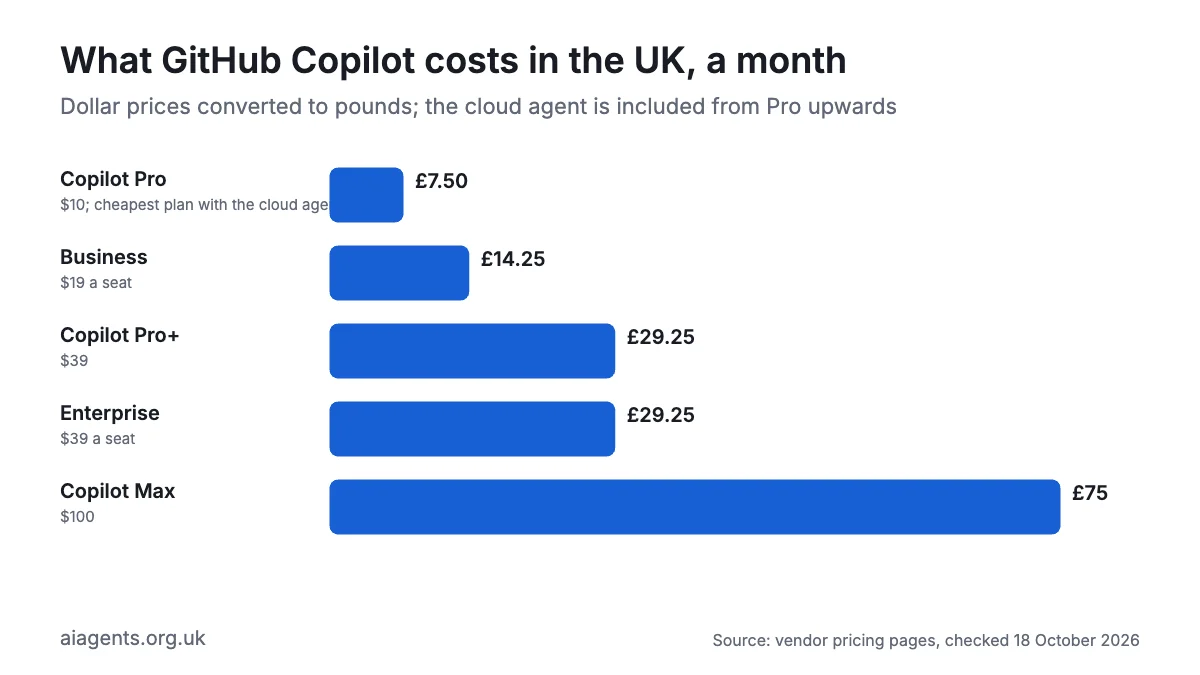
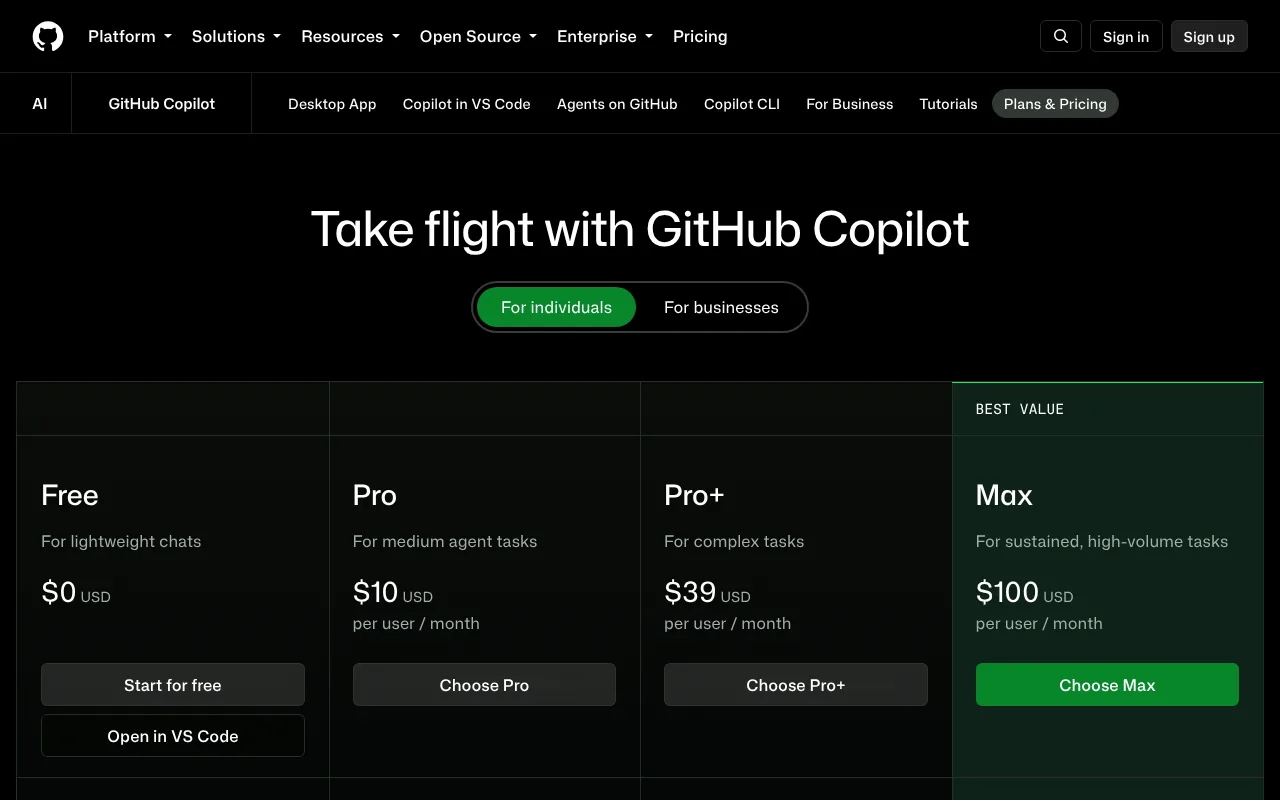
Since 1 June 2026, usage is counted in GitHub AI Credits. One credit costs $0.01 (about 0.75p), and each task uses credits according to the model and how much text (tokens) it processes. Included credits reset on the 1st of each month and do not roll over.
| Plan | Price | In pounds | AI credits a month | Coding agent |
|---|---|---|---|---|
| Free | $0 | £0 | A small allowance, automatic model choice only | No (Copilot CLI and app only) |
| Pro | $10 a month | about £7.50 | 1,500 (worth $15) | Yes |
| Pro+ | $39 a month | about £29 | 7,000 (worth $70) | Yes, plus Claude and Codex as extra agents (preview) |
| Max | $100 a month | about £75 | 20,000 (worth $200) | Yes, plus Claude and Codex as extra agents (preview) |
| Business | $19 a seat a month | about £14 | 1,900 a user, pooled across the company | Yes, once an admin enables it |
| Enterprise | $39 a seat a month | about £29 | 3,900 a user, pooled | Yes, once an admin enables it; needs GitHub Enterprise Cloud |
Part of each personal allowance is a "flex" top-up (for example $5 of Pro's $15), which GitHub says will vary over time. Code completions are unlimited on paid plans and do not use credits.
What happened to premium requests? GitHub replaced premium requests with AI Credits on 1 June 2026. Monthly plans switched automatically, while annual Pro and Pro+ subscribers stay on premium requests until their plan ends.
Costs that catch people out:
- GitHub Actions minutes. The agent uses Actions minutes as well as credits. Public repositories are free; for private ones, GitHub Free accounts include 2,000 minutes a month, Pro and Team 3,000, and Enterprise Cloud 50,000.
- Running out. Set a dollar budget for extra credits, or wait for next month or upgrade.
- Long jobs and pricey models. Long sessions across many files use more credits, and some models, such as Gemini 4 Argon, are billed at the provider's list price.
- No free trial. GitHub paused Copilot Pro trials on 10 April 2026 because of abuse and has not announced their return. Verified students can use the Student plan.
For the wider picture, see what AI agents cost in the UK.
What do you need to use GitHub Copilot coding agent?
- A GitHub account and a Copilot plan that includes it: Pro or above, or the free Student plan for verified students.
- A repository on GitHub with write access: only people with write access can start the agent or get replies from it. It does not work with code on GitLab, Bitbucket or only on your laptop.
- Admin approval at work: on Business and Enterprise, an administrator must enable the cloud agent policy, and repository owners can opt repositories out. It is not available in repositories owned by managed user accounts (logins controlled by a company's identity system).
- Tests, ideally: Copilot checks its work by running your tests, so projects with tests get more reliable results.
- For Copilot CLI: macOS, Windows (with PowerShell 6 or later) or Linux.
- Skills: writing a clear issue needs no coding, but judging the pull request needs some, or a developer you trust.
How do you assign an issue to Copilot?
These are GitHub's steps on GitHub.com, as of 18 October 2026.
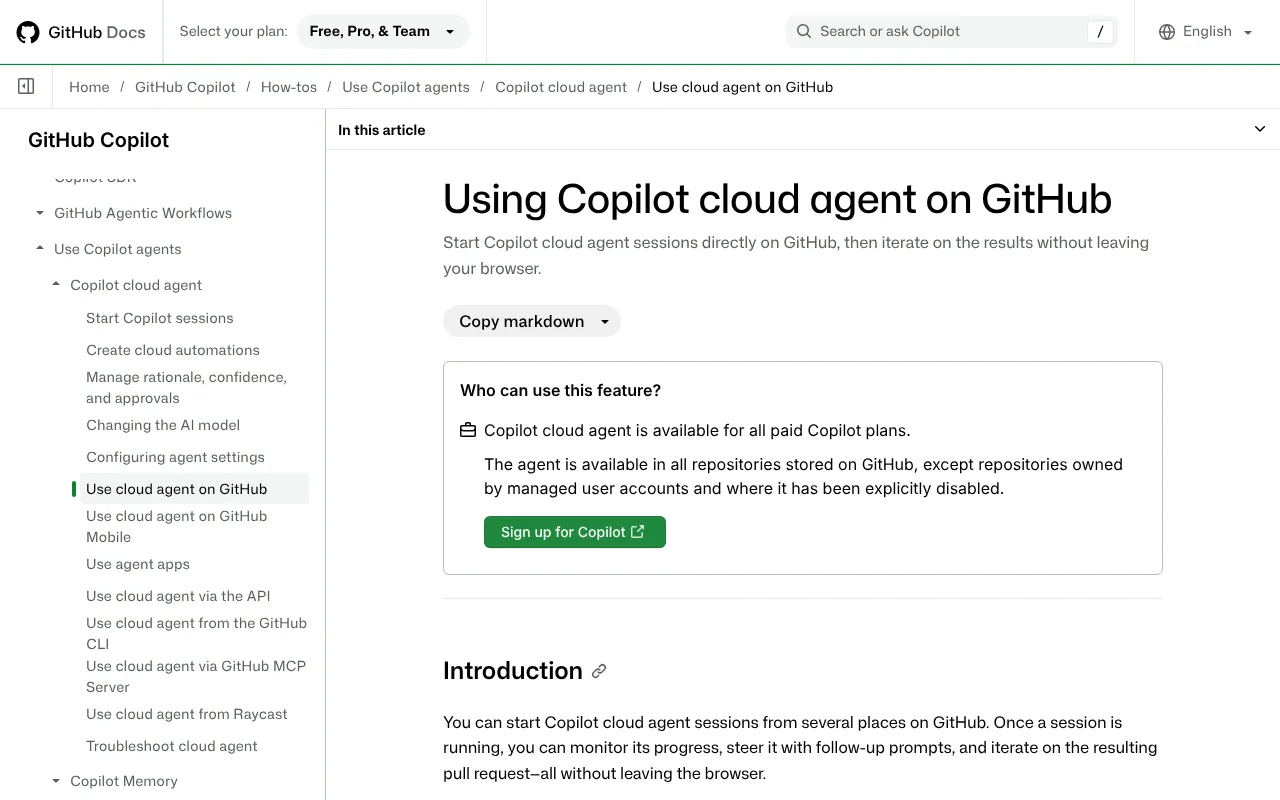
- Open your repository on GitHub.com and click the Issues tab.
- Open the issue. Write it like a brief for a new colleague: what is wrong, where, and how to tell it is fixed.
- In the right-hand sidebar, click Assignees.
- Click Copilot. An "Assign to Copilot" box opens.
- In Optional prompt, add extras such as "add tests" or "do not touch the payment code".
- Optionally pick a starting branch, a custom agent or a model.
- Assign it. Copilot works in the background on a new branch; follow it in the session logs.
- Wait. Success is a pull request from Copilot with a summary of its changes and a review request for you.
- Click Approve and run workflows so your automated checks run.
- Ask for changes with a pull request comment such as
@copilot also handle empty names. It pushes new commits to the same branch. - Review and merge it yourself. Copilot cannot approve or merge its own pull request.
Copilot only sees the issue as it was when assigned, so put later details in pull request comments.
Other ways to start a task:
- The Agents tab: go to github.com/copilot/agents, pick a repository, type the task and press Enter.
- The GitHub CLI (version 2.80.0 or later; this command is in public preview):
gh agent-task create "Add input validation to the signup form" --follow- Elsewhere: VS Code, JetBrains, Eclipse, Visual Studio 2026, GitHub Mobile, Slack, Microsoft Teams, Jira, Linear, Azure Boards and Raycast. In Copilot CLI,
/delegatefollowed by a task hands it to the cloud agent, which opens a draft pull request.
How do you install GitHub Copilot CLI?
Copilot CLI runs an agent in the terminal (the text window where you type commands) on your own computer. Every Copilot plan includes it, Free among them. Commands are from GitHub's install page as of 18 October 2026.
How to install Copilot CLI on a Mac
- Open Terminal: press Cmd and Space, type Terminal, press Return.
- Install it with Homebrew.
brew install --cask copilot-cli- No Homebrew? Use GitHub's install script instead.
curl -fsSL https://gh.io/copilot-install | bash- Move into a project folder and start Copilot.
cd ~/Documents/my-project
copilot- Type
/loginand follow the prompts to sign in with GitHub. You only do this once. - Confirm that you trust the files in the folder when asked. Success is the Copilot prompt waiting for you; try
Give me an overview of this project.
How to install Copilot CLI on Windows
- Check you have PowerShell 6 or later. The older Windows PowerShell 5.1 built into Windows is not enough.
- Install it with WinGet.
winget install GitHub.Copilot- Open a new PowerShell window,
cdinto your project and typecopilot. - Sign in with
/loginand confirm you trust the folder.
Linux and npm
On Linux, use the Mac install script or Homebrew. On any system with Node.js 22 or later you can use npm instead.
npm install -g @github/copilotOn business accounts, an admin must allow Copilot CLI first. Inside a session, /help lists commands, Shift+Tab toggles plan mode and /mcp add connects tools through MCP.
How do you use GitHub Copilot coding agent? First things to try
Start with small, clear jobs. GitHub suggests bug fixes, small features, tests, documentation and tidying old code.
- Fix a small bug: assign an issue called
Contact form accepts invalid UK postcodes, with the promptadd tests, and do not change the checkout code. - Ask for a plan before code: in the Agents tab,
research how login works in this repo and propose a plan to add password reset. - Raise test coverage:
add tests for src/utils/dates.js, including the clocks changing for British Summer Time. - Refresh the docs:
update the README with setup steps for Windows and Mac. - Steer a pull request: comment
@copilot use the existing formatDate helper instead of writing a new one. - Start from the terminal:
gh agent-task create "add a dark mode toggle to the settings page" --follow - Teach it your house rules: add
.github/copilot-instructions.mdcontainingUse British spelling in all text. Run npm test before finishing.GitHub's docs say Copilot also accepts AGENTS.md files, or a single CLAUDE.md or GEMINI.md at the root. - Try a local model in the CLI: with Ollama running, type
/modeland pick a model that supports tool calling. Offline mode stays off unless you setCOPILOT_OFFLINE=true.
Best GitHub Copilot coding agent video tutorials
Video: GitHub on YouTube.
GitHub's tour of the Copilot app shows a beginner starting a session, giving Copilot a real task, reviewing its changes and merging the result.
| Video | Channel | Length | Uploaded | Best for |
|---|---|---|---|---|
| Meet the GitHub Copilot app: Your new AI desktop assistant | GitHub (official) | 7:43 | 21 July 2026 | A first look at running, reviewing and merging agent work |
| The My work tab: your mission control in the GitHub Copilot app | GitHub (official) | 5:25 | 4 August 2026 | Starting agent sessions from your issues and pull requests |
| How to turn Jira tickets into draft PRs with GitHub Copilot | GitHub (official) | 2:24 | 22 July 2026 | Assigning Jira tickets to Copilot |
| GitHub Copilot everywhere: building code across Slack, Teams, mobile, and VS Code | GitHub (official) | 12:11 | 23 September 2026 | Starting work from Slack or Teams and opening a pull request from chat |
| How to continue GitHub Copilot app sessions in VS Code | GitHub (official) | 3:06 | 15 September 2026 | Finishing an agent's work by hand in your editor |
Watch the app tour first, then the My work tab video to see sessions started from real issues; all five come from GitHub's own channel, so expect an upbeat tone.
Official GitHub Copilot coding agent links
| Link | What it's for |
|---|---|
| Copilot homepage | Overview of Copilot, the cloud agent and the app |
| Plans and pricing | What each plan includes |
| About Copilot cloud agent | What the agent can and cannot do |
| Assign issues to Copilot | Step-by-step guide on GitHub.com |
| Risks and mitigations | Built-in security protections |
| Install Copilot CLI | Official install commands |
| Usage-based billing | How AI Credits work |
| Changelog | Every new feature and model |
| Status page | Check Copilot and Actions for outages |
| Privacy statement | How GitHub handles personal data |
Is GitHub Copilot coding agent safe? Privacy, security and UK GDPR
It is one of the more locked-down coding agents, because it works away from your computer and cannot ship code on its own. The real risks are bad code slipping through review, leaked secrets and prompt injection (hidden instructions planted in an issue or web page).
Built-in protections. According to GitHub's docs:
- It pushes only to its own
copilot/branch, and your branch protections and required checks still apply. - It cannot approve or merge its own pull request, and the person who asked for the work cannot approve it either.
- Only people with write access can trigger it; comments from anyone else never reach it.
- GitHub Actions workflows wait until someone with write access clicks Approve and run workflows.
- Hidden text, such as HTML comments in issues, is filtered out before Copilot sees it.
- Code scanning, secret scanning and a check of new dependencies run by default, at no extra cost.
The firewall. Internet access is restricted by default, with a recommended allowlist (package registries and similar) switched on. GitHub warns it covers only commands the agent runs itself, not MCP servers or setup steps.
Where your data goes. Your code is processed in GitHub's cloud and sent to the model you pick, hosted by OpenAI, Microsoft Azure, Anthropic, Amazon Bedrock, Google Cloud, xAI or Fireworks AI. GitHub says OpenAI, Anthropic (for most generally available features), xAI and Fireworks (for Kimi K3) work under zero data retention terms; Google Cloud may cache data for up to 24 hours. Its privacy statement (effective 27 April 2026) relies on standard contractual clauses and the UK extension of the EU-US Data Privacy Framework for transfers, and names the ICO for UK complaints. Enterprise data residency covers the EU, Australia, the US and Japan, not the UK.
Training. Since 24 April 2026, GitHub uses interaction data (prompts, outputs, code snippets and context) from Free, Pro and Pro+ users to train its models unless they opt out. Business and Enterprise data is not used.
Known issues. Copilot CLI has two published flaws: CVE-2026-29783 (high, 6 March 2026), letting shell tricks run commands without approval, fixed in 0.0.423; and CVE-2026-45033 (moderate, 6 May 2026), a booby-trapped Git folder, fixed in 1.0.43.
Practical settings:
- On a personal plan, switch off training under Privacy at github.com/settings/copilot.
- Keep the firewall on and allow only the domains your project needs.
- Require a human review on your main branch with a branch protection rule.
- In Copilot CLI, use
/sandbox enableand avoid--allow-all(also called--yolo). - With computer use, review the apps you have set to "always allow".
For client or customer personal data, use Business or Enterprise rather than a personal plan, and read our guide to AI agents and UK GDPR.
GitHub Copilot coding agent vs Claude Code, Codex and other alternatives
Prices are as of 18 October 2026.
| Tool | Price from | Where you give it work | Models | Best for |
|---|---|---|---|---|
| GitHub Copilot cloud agent | Pro, $10 a month (about £7.50) | GitHub issues, Agents tab, IDEs, CLI, Copilot app, Slack, Teams, Jira | Many, including Claude, GPT, Gemini and Grok | Teams whose code and issues live on GitHub |
| Claude Code | Claude Pro, £18 a month including VAT | Terminal, IDEs, desktop app, web | Claude only | Handing off bigger, multi-step jobs |
| OpenAI Codex | ChatGPT Free (limited); Plus $20 (about £15) | Web, CLI, IDE, desktop, iOS; @codex on GitHub from Plus | OpenAI only | People already paying for ChatGPT |
| Devin | Free (limited); Pro $20 (about £15) | Devin's web app, Slack, Linear and Jira; connects to GitHub, GitLab and Bitbucket | OpenAI, Claude, Gemini, SpaceXAI and open models, plus its own SWE-2 | Teams that also use GitLab or Bitbucket |
| Cursor | Free; cloud agents from Premium at $30 (about £22.50) | Its own editor, plus cloud agents | Grok; others at API list price from Premium | Hands-on editing with AI help |
| Google Antigravity | Free tier; business from $30 a seat (about £22.50) | Its own agent-first editor | Google Gemini | Trying an agent for free |
Pick Copilot if your work already runs through GitHub issues and pull requests: it is the cheapest paid cloud agent in this table, and Pro+ or Max can also hand tasks to Claude and Codex agents (in preview) without a second subscription. Pick Claude Code or Codex for an agent working on your own machine on longer jobs. Devin suits teams that also use GitLab or Bitbucket, which Copilot's cloud agent does not support.
Who should use GitHub Copilot coding agent?
It suits developers clearing a backlog of small fixes, open-source maintainers (Actions minutes are free on public repositories) and small businesses that keep a website or internal tool on GitHub and want changes delivered as reviewable pull requests. Our guide to AI agents for UK small businesses has more ideas.
Skip it if your code is not on GitHub, if you want something free (the Free plan excludes the cloud agent), or if code must never leave your computer. For that, see how to run AI agents on your Mac.
Frequently asked questions
What is GitHub Copilot coding agent?
GitHub Copilot coding agent is an AI agent inside GitHub that takes an issue or typed task, works on it in a temporary cloud environment powered by GitHub Actions, and opens a pull request for review. Since April 2026 GitHub calls it Copilot cloud agent. It can also research a repository or write a plan first.
Is GitHub Copilot coding agent free?
Not for most people. GitHub Copilot coding agent is not included in Copilot Free, which covers code completions, limited chat, Copilot CLI and the Copilot app. Verified students get it free with Copilot Student; for everyone else it starts with Copilot Pro at $10 a month (about £7.50) as of 18 October 2026. GitHub paused Copilot Pro free trials on 10 April 2026 and has not announced their return.
How do I assign an issue to Copilot?
Open the issue on GitHub.com, click Assignees in the sidebar and choose Copilot. In the Assign to Copilot box, add an optional prompt and, if you like, a base branch, custom agent or model. Copilot then works on a new branch and opens a pull request. Comment @copilot on that pull request to ask GitHub Copilot coding agent for changes.
How much does GitHub Copilot cost in the UK?
GitHub Copilot is priced in US dollars, as of 18 October 2026: Pro is $10 a month (about £7.50), Pro+ $39 (about £29), Max $100 (about £75), Business $19 a seat (about £14) and Enterprise $39 a seat (about £29). GitHub's pricing pages do not say whether UK VAT is added, and its terms make customers responsible for taxes, so check the GitHub Copilot total at checkout.
How do I install GitHub Copilot CLI?
On a Mac or Linux, run brew install --cask copilot-cli or curl -fsSL https://gh.io/copilot-install | bash. On Windows, run winget install GitHub.Copilot (PowerShell 6 or later needed). With Node.js 22 or later, npm install -g @github/copilot works anywhere. Then type copilot in a project folder and sign in with /login. GitHub Copilot CLI is included in every Copilot plan.
Can GitHub Copilot coding agent merge its own pull requests?
No. GitHub Copilot coding agent cannot mark its pull request ready for review, approve it or merge it, and the person who asked for the work cannot approve it either. It pushes only to its own branch, your branch protections still apply, and GitHub Actions workflows wait for approval from someone with write access.
What happened to GitHub Copilot premium requests?
GitHub replaced premium requests with GitHub AI Credits on 1 June 2026. Each credit is worth $0.01, and usage depends on the model and tokens processed rather than a flat count of requests. Monthly plans switched automatically, while annual GitHub Copilot Pro and Pro+ subscribers keep premium requests until their plan ends.
GitHub Copilot coding agent vs Claude Code: which should I use?
Choose GitHub Copilot coding agent if your team already works through GitHub issues and pull requests and wants changes made in the cloud for review, from $10 a month. Choose Claude Code if you want an agent working on your own computer for longer jobs, from £18 a month including VAT. On Pro+ or Max, Copilot can also hand tasks to a Claude agent in preview.
Read next
- Claude Code: UK pricing, install guide and how to use it
- OpenAI Codex: what it costs and how to get started
- Devin: the AI software engineer explained
- Cursor review: is the SpaceX-owned editor still worth it?
- AI agents and UK GDPR: what you need to know
Sources
- GitHub Copilot homepage - checked 18 October 2026
- GitHub Copilot plans - checked 18 October 2026
- Plans for GitHub Copilot, GitHub Docs - checked 18 October 2026
- Usage-based billing for individuals, GitHub Docs - checked 18 October 2026
- About billing for GitHub Copilot in organizations and enterprises, GitHub Docs - checked 18 October 2026
- GitHub Actions billing, GitHub Docs - checked 18 October 2026
- About GitHub Copilot cloud agent, GitHub Docs - checked 18 October 2026
- GitHub Copilot on GitHub.com, GitHub Docs - checked 18 October 2026
- Starting GitHub Copilot sessions, GitHub Docs - checked 18 October 2026
- Using Copilot cloud agent on GitHub, GitHub Docs - checked 18 October 2026
- Using Copilot cloud agent from the GitHub CLI, GitHub Docs - checked 18 October 2026
- Risks and mitigations for GitHub Copilot cloud agent, GitHub Docs - checked 18 October 2026
- Customizing or disabling the firewall for GitHub Copilot, GitHub Docs - checked 18 October 2026
- Adding repository custom instructions for GitHub Copilot, GitHub Docs - checked 18 October 2026
- Installing GitHub Copilot CLI, GitHub Docs - checked 18 October 2026
- Getting started with GitHub Copilot CLI, GitHub Docs - checked 18 October 2026
- Using GitHub Copilot CLI, GitHub Docs - checked 18 October 2026
- Hosting of models for GitHub Copilot, GitHub Docs - checked 18 October 2026
- GitHub Copilot CLI repository - checked 18 October 2026
- GitHub Copilot CLI licence - checked 18 October 2026
- GitHub Copilot CLI security advisories - checked 18 October 2026
- Advisory GHSA-g8r9-g2v8-jv6f (CVE-2026-29783), GitHub - checked 18 October 2026
- Advisory GHSA-9ccr-r5hg-74gf (CVE-2026-45033), GitHub - checked 18 October 2026
- GitHub changelog - checked 18 October 2026
- Upcoming deprecation of selected GitHub Copilot models in mid-November, GitHub changelog - checked 18 October 2026
- Multi-repository support for GitHub in Slack and Teams, GitHub changelog - checked 18 October 2026
- HydraFusion updates and new Max option, GitHub changelog - checked 18 October 2026
- Gemini 4 Argon in GitHub Copilot, GitHub changelog - checked 18 October 2026
- GitHub Copilot weekly releases, October 5, GitHub changelog - checked 18 October 2026
- Claude Haiku 5.5 in GitHub Copilot, GitHub changelog - checked 18 October 2026
- Local sandboxing for GitHub Copilot now generally available, GitHub changelog - checked 18 October 2026
- Discover local models in GitHub Copilot CLI, GitHub changelog - checked 18 October 2026
- Selected models in GitHub Copilot deprecated, GitHub changelog - checked 18 October 2026
- GitHub Copilot can now interact with desktop apps with computer use, GitHub changelog - checked 18 October 2026
- Dynamic workflows in Copilot CLI and the Copilot app, GitHub changelog - checked 18 October 2026
- Research, plan, and code with Copilot cloud agent, GitHub changelog - checked 18 October 2026
- GitHub Copilot app available to all, GitHub changelog - checked 18 October 2026
- Pausing new GitHub Copilot Pro trials, GitHub changelog - checked 18 October 2026
- GitHub Copilot is moving to usage-based billing, GitHub blog - checked 18 October 2026
- Introducing flex allotments in Pro and Pro+ and a new Max plan, GitHub blog - checked 18 October 2026
- Updates to GitHub Copilot interaction data usage policy, GitHub blog - checked 18 October 2026
- GitHub Terms of Service - checked 18 October 2026
- GitHub General Privacy Statement - checked 18 October 2026
- About GitHub Enterprise Cloud with data residency, GitHub Docs - checked 18 October 2026
- GitHub status - checked 18 October 2026
- GitHub Copilot CLI computer use preview, Tech Insider - checked 18 October 2026
- GitHub on YouTube - checked 18 October 2026
- GitHub Copilot playlist, GitHub on YouTube - checked 18 October 2026
- Claude pricing - checked 18 October 2026
- Codex pricing, OpenAI - checked 18 October 2026
- Devin pricing, Cognition - checked 18 October 2026
- Cursor pricing - checked 18 October 2026
- Google Antigravity pricing - checked 18 October 2026


