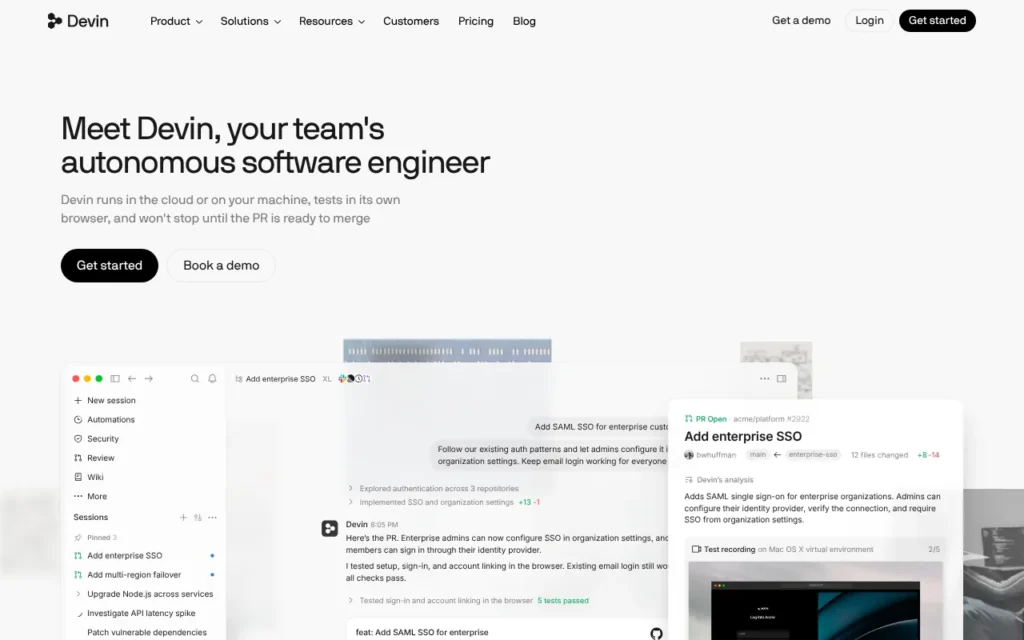
Devin is Cognition's AI software engineer: you hand it a coding task and it plans, writes, tests and opens a pull request, in the cloud or on your computer. Devin Desktop, the app formerly called Windsurf, is where you run and watch many agents at once. It suits developers and engineering teams. There is a Free plan, and Pro costs $20 a month (about £15 before VAT). It works in the UK. Know this first: on self-serve plans Cognition may train on your code unless you pay and opt out.
Key facts
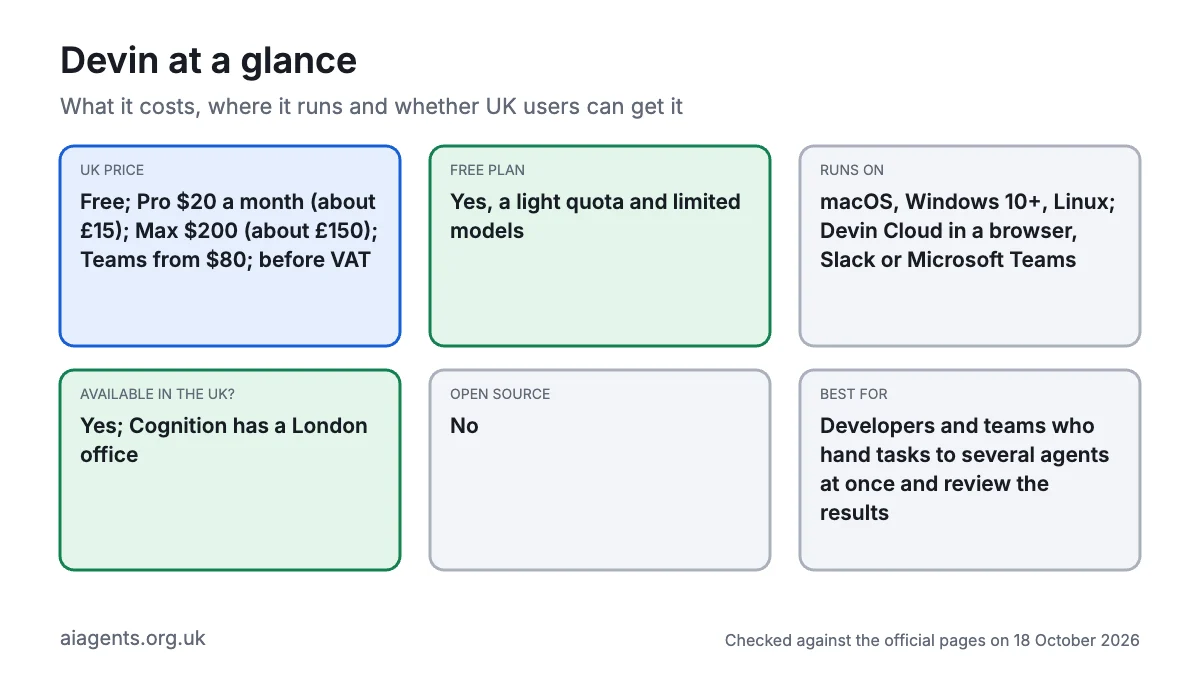
- What it is: An AI software engineer that works in its own cloud machine or on your computer, plus Devin Desktop (formerly Windsurf), an editor for running many coding agents
- Made by: Cognition AI, Inc., a San Francisco company with a London office since January 2026
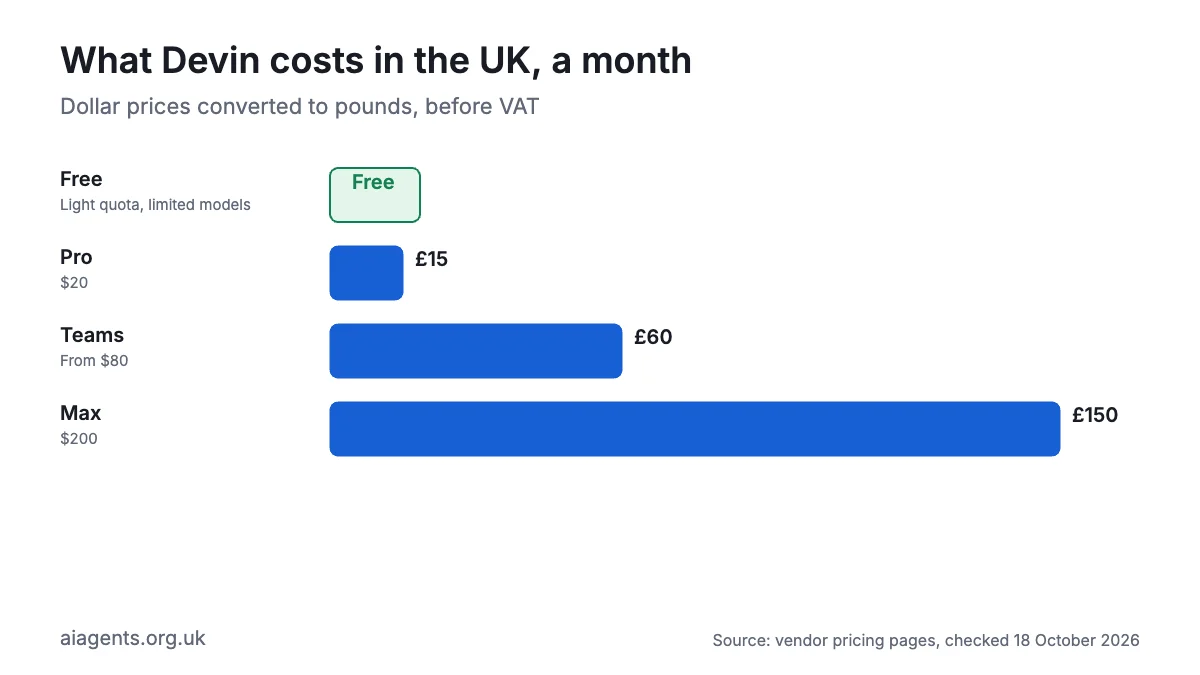
- Price: Free; Pro $20 a month (about £15), Max $200 (about £150), Teams from $80 a month, all in US dollars before VAT, as of 18 October 2026
- Free plan or trial: Yes, a Free plan with a light quota and limited models; paid-plan trials go only to some new customers
- Runs on: macOS, Windows 10 or later, Linux (Ubuntu 20, Debian 10, Fedora 36, RHEL 8 or later); Devin Cloud in a browser, Slack or Microsoft Teams
- What you need: A Devin account (you must be 18 or over), an internet connection and, for cloud work, a GitHub, GitLab or Bitbucket repository
- Open source: No
- Available in the UK: Yes; the terms only block US-sanctioned countries, and Cognition has a London office
- Best for: Developers and engineering teams who want to hand tasks to several agents at once and review the results
- Official site: devin.ai
On this page
- What is Devin AI?
- What happened to Windsurf? Windsurf is now Devin Desktop
- What's new in Devin in October 2026?
- Devin pricing: how much does Devin cost in the UK?
- What do you need to run Devin?
- How to install Devin Desktop
- How to use Devin: first things to try
- Best Devin AI and Devin Desktop video tutorials
- Official Devin links
- Is Devin safe? Privacy, security and UK GDPR
- Devin vs Claude Code, Codex, Cursor and other alternatives
- Who should use Devin?
- Frequently asked questions
What is Devin AI?
Devin is an AI agent built for software work. A chatbot gives you code to paste. Devin takes a ticket, works on it, tests what it built and hands back a pull request (a proposed code change you approve before it goes live).
Cognition now sells Devin as one agent on four surfaces:
- Devin Cloud: the original Devin. Each session runs in its own virtual machine with a shell, editor and browser, so it keeps working when your laptop is shut. It can spin up Linux, Windows or Mac machines to test apps.
- Devin Desktop: an editor based on VS Code with an "Agent Command Center" on top, a Kanban-style board of every local and cloud agent you have running.
- Devin CLI: the same local agent in your terminal (the text window where you type commands).
- Devin Review: AI code review on every pull request.
You can also tag @Devin in Slack, Microsoft Teams, Linear or Jira. Models include Cognition's own SWE-2 plus Claude, GPT, Gemini and Grok, and a "Fusion" setting pairs a top model with a cheaper helper to cut costs. Devin Desktop also runs other agents, such as Codex, Claude Agent and the open-source OpenCode, through the Agent Client Protocol (ACP), an open standard for plugging agents into editors.
What happened to Windsurf? Windsurf is now Devin Desktop
Cognition agreed to buy Windsurf in July 2025, and on 2 June 2026 renamed it Devin Desktop. Windsurf's docs and changelog have moved to docs.devin.ai. If you search for Windsurf today, this is the product you will land on.
For existing Windsurf users, Cognition's FAQ says almost nothing breaks:
- The update arrived automatically. Settings, extensions, keybindings, rules and in-progress work carried over. On first launch, Devin Desktop offers "Migrate from Windsurf" or "Start fresh".
- Your price stays the same. Cognition says plans and pricing are unchanged, including legacy Windsurf Enterprise deals. Since the March 2026 switch to quotas, Windsurf Pro customers on $15 a month keep that price indefinitely, and older Teams seats stay at $30.
- Cascade has gone. Windsurf's built-in agent was replaced by Devin Local, rewritten in Rust and up to 30% more token-efficient, Cognition says. Cascade was removed from Devin Desktop on 8 September 2026 (version 3.9.19). Devin Local does not yet support Cascade's memories, workflows, app deploys or Arena mode, so use the "Devin: Open Cascade Migration Wizard" command to turn them into skills.
- The
surfcommand is nowdevin-desktop. The old command still ships for now. - JetBrains: the Windsurf JetBrains plugin is in maintenance mode. Cognition recommends running Devin inside JetBrains via ACP instead.
- Company IT teams take note: the app is now called Devin.app or Devin.exe, so device-management allowlists that only name Windsurf may block it.
What's new in Devin in October 2026?
- 14 October: Devin added a Review manager role and SARIF export for code-scan findings.
- 15 October: Cognition made Devin Oncall generally available. It watches alerts in Slack, Microsoft Teams or PagerDuty, investigates the cause using your telemetry, code, runbooks and past incidents, and can open a fix pull request for an engineer to review.
- SWE-2: Cognition's own SWE-2 model has been in Devin Desktop and the CLI since 10 September; check the pricing page for what it now costs on your plan.
- 13 October: Google's Gemini 4 Argon arrived in Devin Desktop and the CLI, discounted until 27 October.
- 12 October: Devin Desktop 3.10.67 added a newer MCP protocol version and let company admins lock extensions to their own marketplace.
- 9 October: Memory and dreaming rolled out: Devin remembers your preferences across sessions and tidies those notes overnight (switch it off under Settings, Customization, Memory). Sleeping sessions can now be resumed for 14 days, down from 30.
- 7 October: Claude Haiku 5.5 became available.
- September context: you can now sign in with ChatGPT and bill GPT usage to a ChatGPT plan (29 September), and Cognition raised over $2 billion at a $48 billion valuation (8 September).
Devin pricing: how much does Devin cost in the UK?
One account covers Devin Cloud, Devin Desktop, the CLI and Devin Review. Cognition shows prices only in US dollars, even to UK visitors, and they exclude tax. Its terms allow it to charge applicable tax on top, so budget for 20% VAT. Pound figures below are converted at $1 = £0.75 and exclude VAT. Prices are as of 18 October 2026.
| Plan | Price | In pounds | What you get |
|---|---|---|---|
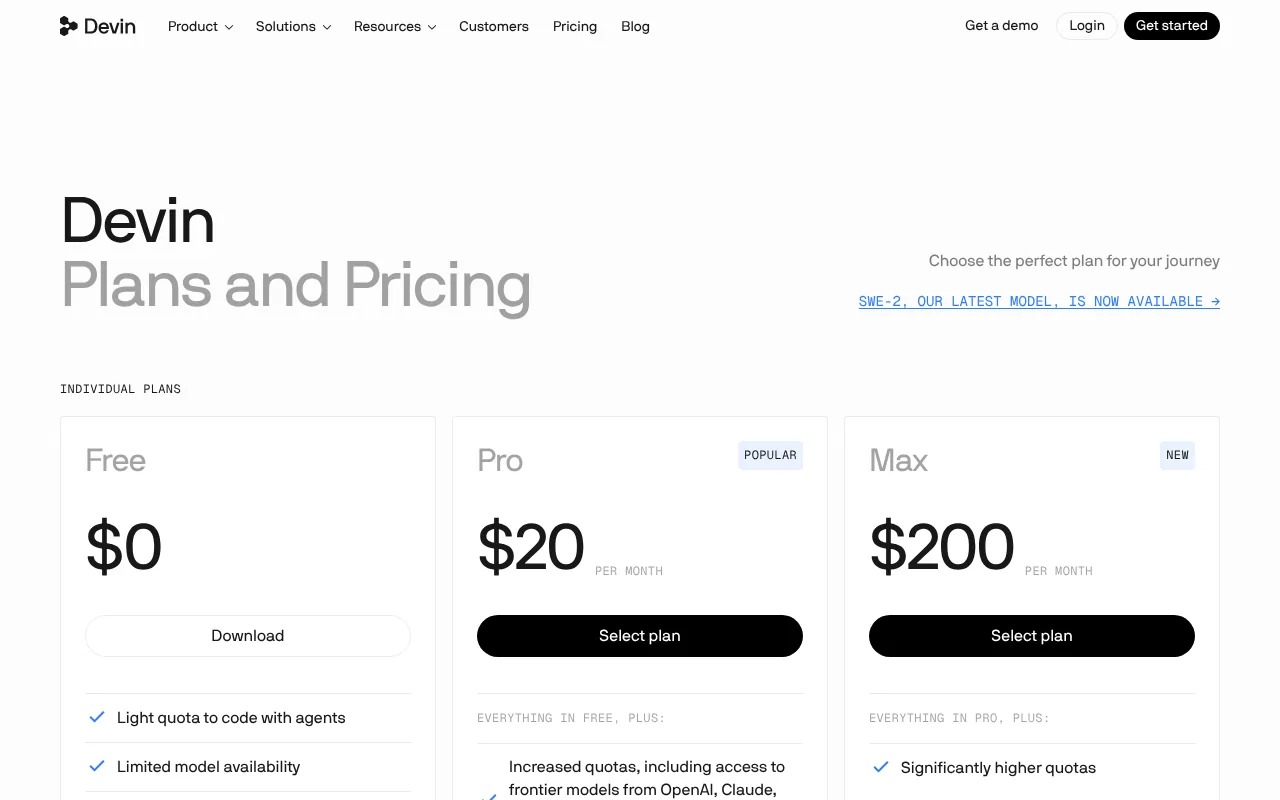
| Free | $0 | £0 | Limited Devin usage, plus Devin Review and DeepWiki |
| Pro | $20 a month | about £15 | Daily and weekly quota shared across Desktop, CLI and Devin Cloud; all frontier models; extra usage at API prices |
| Max | $200 a month | about £150 | Everything in Pro with a larger weekly quota and no daily cap |
| Teams | $80 a month minimum; full seats $40 each | about £60 minimum; about £30 a seat | Up to 200 users, sharing and collaboration, shared billing, admin analytics |
| Enterprise | Custom | Not published | SAML or OIDC single sign-on, private cloud (VPC) or dedicated deployment, billed in ACUs |
How usage works. Paid plans get an allowance that resets daily and weekly. It is measured in tokens (small chunks of text the model reads and writes), so bigger codebases and pricier models use it faster. At the limit, Free users wait; paid users buy on-demand credits, charged at the model's API list price. Credits roll over and never expire.
What are ACUs? Agent Compute Units measure Devin's work, including model use and cloud machine time. Only Enterprise contracts are billed in ACUs now; old ACU-based self-serve plans became credits of equal dollar value.
Costs that catch people out:
- Teams flex seats are free but draw on shared credits and do not include Devin Desktop. Only $40 full seats do.
- Automations and Devin Review on Teams draw on shared credits, not seat quota.
- Windows cloud sessions may use your allowance faster than Linux ones, so check the usage docs.
- Third-party agents you run through ACP, such as Codex, are billed by their own providers.
- SSO is no longer sold on Teams; it is Enterprise-only.
For the wider picture, see what AI agents cost in the UK.
What do you need to run Devin?
- A computer for Devin Desktop: a Mac on a macOS version that still gets Apple security updates, 64-bit Windows 10 or later, or 64-bit Linux with glibc 2.28 or later, such as Ubuntu 20, Debian 10, Fedora 36 or RHEL 8.
- A Devin account: free to create; you must be 18 or over. Paid plans are charged to the payment method you add at checkout.
- An internet connection: Devin's own agents use cloud-hosted models, and Cognition documents no option for running local models.
- For Devin Cloud: a code repository on GitHub, GitLab, Bitbucket or Azure DevOps.
- Skills: none for the basics, but knowing what a pull request is helps.
How to install Devin Desktop
These steps follow Cognition's official install and getting-started pages.
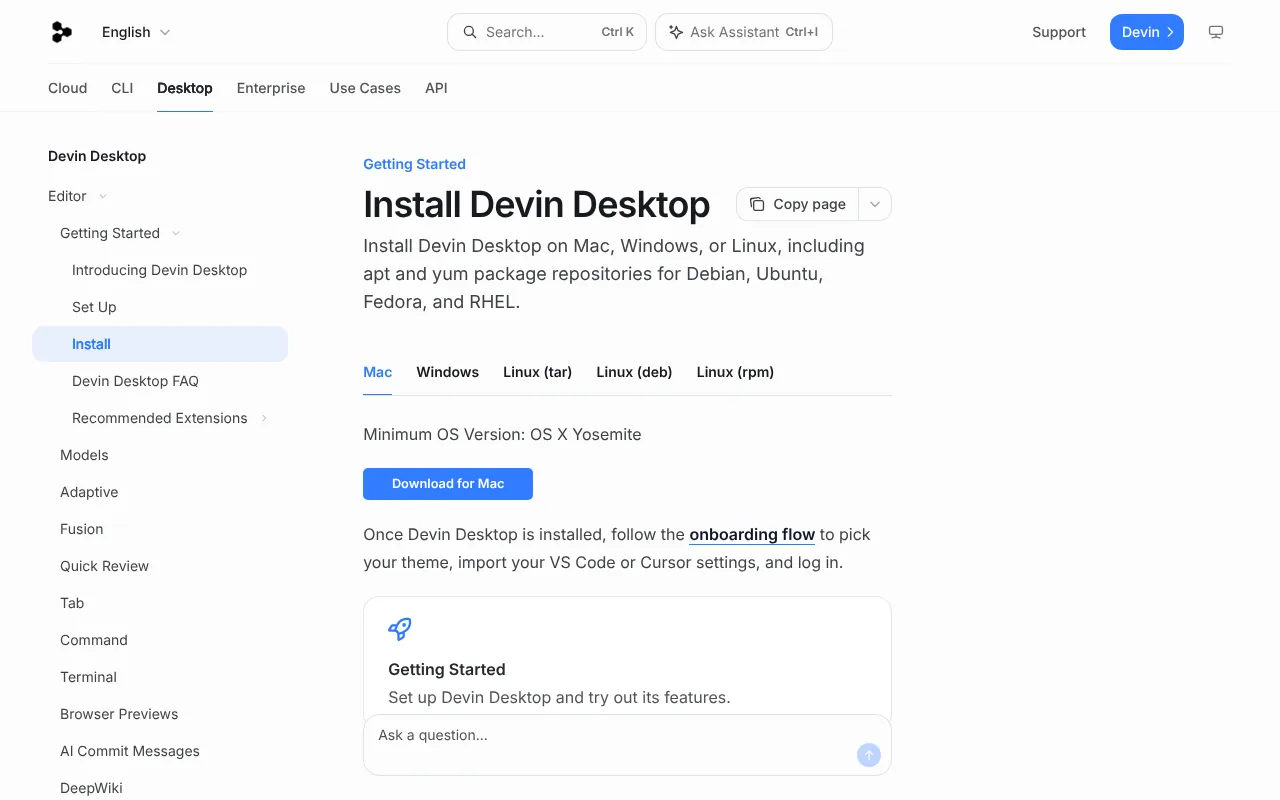
Install Devin Desktop on Mac
- Go to devin.ai/download and click Download for Mac.
- Open the downloaded file and move Devin into your Applications folder.
- Open Devin. If you used Windsurf, choose Migrate from Windsurf; otherwise choose Start fresh.
- Pick a theme. Keep "Install
devin-desktopterminal command" ticked, and open "Import Settings" if you want your VS Code or Cursor setup. - Log in, or sign up free in your browser.
- Success looks like a starting page with an agent input box and suggested prompts.
You can now open any project from Terminal:
devin-desktop ~/Developer/my-projectInstall Devin Desktop on Windows
- Go to devin.ai/download and click Download for Windows (Windows 10 or later).
- Run the installer. The app usually lands in
C:\Program Files\DevinorC:\Users\[YourUsername]\AppData\Local\Programs\Devin. - Open Devin and follow the same theme, import and login steps as on a Mac.
The CLI's OS-level sandbox does not work on Windows yet, and asking for it there stops the CLI from starting, so rely on approval prompts instead.
Install Devin Desktop on Linux
On Ubuntu or Debian, add Cognition's repository (it still uses the old Windsurf name) and install the devin-desktop package:
sudo apt-get install wget gpg
wget -qO- "https://windsurf-stable.codeiumdata.com/wVxQEIWkwPUEAGf3/windsurf.gpg" | gpg --dearmor > windsurf-stable.gpg
sudo install -D -o root -g root -m 644 windsurf-stable.gpg /etc/apt/keyrings/windsurf-stable.gpg
echo "deb [arch=amd64 signed-by=/etc/apt/keyrings/windsurf-stable.gpg] https://windsurf-stable.codeiumdata.com/wVxQEIWkwPUEAGf3/apt stable main" | sudo tee /etc/apt/sources.list.d/windsurf.list > /dev/null
rm -f windsurf-stable.gpg
sudo apt install apt-transport-https
sudo apt update
sudo apt install devin-desktop
On Fedora or RHEL, the install page gives the matching dnf install -y devin-desktop steps. A plain tarball exists too, but it does not update itself.
Install the Devin CLI (optional)
On Mac, Linux or WSL:
curl -fsSL https://cli.devin.ai/install.sh | bashOn Windows, in PowerShell (not Command Prompt):
irm https://static.devin.ai/cli/setup.ps1 | iexRestart your terminal, move into a project folder and type devin.
How to uninstall Devin Desktop
Quit the app, drag Devin to the Bin (Mac) or delete its folder (Windows), then remove the settings folder. On Mac or Linux:
rm -rf ~/.codeium/windsurfOn Windows, delete C:\Users\[YourUsername]\.codeium\windsurf.
How to use Devin: first things to try
Specific beats vague: "fix the checkout bug where the basket empties on refresh" works better than "fix the bug". Devin Local starts in Normal mode, which reads freely but asks before editing files or running commands.
- Get a tour:
Explore my codebase and diagram how it works - Plan before building: add the word megaplan to switch into Plan mode, for example
megaplan: add online booking to this site. The plan is saved as a Markdown file you can edit. - Build something small:
create a one-page website for a bakery in Bristol with opening hours, prices and a contact form - Fix and test:
run the tests, fix any failures and explain each fix in one line - Work safely on the side: choose Worktree as the location (a separate copy of your code), then
upgrade this project to the latest React and check the build still passes. Click Merge when you are happy. - Hand off to the cloud: start a Cloud session with
add tests for the login and logout methods in AuthService and open a pull request, then close your laptop. - Review before you push: run Quick Review on your changes to catch bugs before committing.
- Delegate from chat: in Slack,
@Devin the contact form returns a 500 error, please find and fix it
Devin connects to other tools through MCP servers (our MCP guide explains them), and Devin Local asks before using any MCP tool.
Best Devin AI and Devin Desktop video tutorials
Video: Riley Brown on YouTube.
Riley Brown, who says he has never written code, downloads Devin and builds and publishes a landing page, a lead magnet and a dashboard.
| Video | Channel | Length | Uploaded | Best for |
|---|---|---|---|---|
| Devin AI: The Full Beginner's Guide (Better Than Claude Code?) | Riley Brown | 24:47 | 16 July 2026 | Non-coders building and deploying a first project |
| Devin Desktop Full Tour: One Place to Manage Every Coding Agent | Cognition (official) | 4:29 | 5 June 2026 | A quick tour of the Agent Command Center, Devin Local and cloud handoff |
| How to Install and Set Up Devin Desktop on Windows 11 | ProgrammingKnowledge | 10:13 | 1 July 2026 | Installing on Windows and opening a first project |
| Windsurf Becomes Devin Desktop in 2026: What Changed | Standarity | 4:41 | 10 June 2026 | Windsurf users catching up on the rename |
| Devin AI Is the Future of Coding… Full Tutorial | Tech With Tim | 38:06 | 18 May 2026 | The CLI, permission modes, subagents and cloud handoff |
| Complete Guide to Build With An AI Software Engineer -Devin AI | Krish Naik | 1:00:32 | 5 October 2026 | Devin Cloud end to end: Slack, automations, review and security scans |
Watch Cognition's four-minute tour first, then Riley Brown's build. Tech With Tim's video predates the rename, so some names and models have since changed.
Official Devin links
| Link | What it's for |
|---|---|
| Devin homepage | Overview of Devin and its cloud agents |
| Devin Desktop | The renamed Windsurf editor |
| Download | Mac, Windows and Linux installers |
| Install guide | Official install steps and system requirements |
| Pricing | Free, Pro, Max, Teams and Enterprise |
| Windsurf to Devin Desktop FAQ | What changed for Windsurf users |
| Desktop changelog | What changed in each version |
| Security at Cognition | Training, retention and certification |
| Trust Center | SOC 2 and ISO 27001 documents (NDA required) |
| Privacy policy | How Cognition handles personal data |
Is Devin safe? Privacy, security and UK GDPR
Devin is as safe as the access you give it: your files locally, and whatever repositories, secrets and tools you connect in the cloud.
Permissions. Devin Local in Normal mode auto-approves file reads but asks before edits, shell commands and web requests. Other modes approve more automatically: Accept Edits, Smart (a fast model judges what is safe), Bypass (everything) and Autonomous, which runs inside an OS-level sandbox on Mac and Linux. By default it only reads and edits files inside your workspace. Avoid Bypass on anything that matters.
Training on your code. This is the big one. Cognition's terms (updated 30 June 2026) say it may train on your data by default. Paid self-serve users can opt out on the Data Controls page, which also switches on zero data retention with its model providers (they do not store your prompts). On Teams, only an admin can opt out. Free users cannot opt out. Cognition says it does not train on Enterprise customers' data or code by default.
Where data goes. Prompts and code go to Cognition, which runs on Amazon Web Services, and on to model providers. The privacy policy (updated 9 March 2026) says data may be processed worldwide, including the EU, UK and US, under standard contractual clauses and the UK's International Data Transfer Addendum. There is no UK data residency option on self-serve plans; Enterprise customers can get a dedicated deployment that keeps data in their own tenant.
Certifications and issues. Cognition has held SOC 2 Type II since September 2024, and its Trust Center lists ISO/IEC 27001:2022. Devin Desktop 3.10.31 (16 September 2026) fixed a Restricted Mode weakness, CVE-2026-81376. Cognition itself warns that Devin can still write buggy or insecure code.
Practical settings:
- On a paid plan, opt out of training in Data Controls before connecting client code.
- Keep Devin Local in Normal mode for sensitive work, and use the sandbox on Mac or Linux.
- Block secret files with a deny rule such as
Read(**/*.pem)in.devin/config.json. - Store API keys in Devin's Secrets settings, never in prompts.
- Use branch protection so Devin cannot merge without a human review.
- Remember that third-party ACP agents fall outside Cognition's privacy policy and terms.
If you handle customers' personal data, use Teams or Enterprise with training switched off, and read our guide to AI agents and UK GDPR.
Devin vs Claude Code, Codex, Cursor and other alternatives
Prices are as of 18 October 2026, converted at $1 = £0.75 where no pound price exists.
| Tool | Price from | Where it runs | Models | Open source | Best for |
|---|---|---|---|---|---|
| Devin | Free; Pro $20 (about £15) plus VAT | Desktop app, CLI, cloud VMs, Slack, Teams | SWE-2, Claude, GPT, Gemini, Grok | No | Running many agents and cloud handoff |
| Claude Code | Claude Pro, £18 a month including VAT | Terminal, IDEs, desktop, web | Claude only | No | Handing off whole tasks |
| OpenAI Codex | ChatGPT Free (limited); Plus $20 (about £15) | Web, CLI, IDE, desktop | OpenAI, or local via Ollama or LM Studio | CLI only | Businesses already on ChatGPT |
| Cursor | Free; Plus $8 (about £6), Grok only | Its own editor; cloud agents from Premium ($30) | Grok; others at API price from Premium | No | Hands-on editing |
| GitHub Copilot coding agent | Pro $10 (about £7.50) | GitHub, VS Code, JetBrains | Several, including Claude and OpenAI | No | Teams already on GitHub |
| Kilo Code | Free; Kilo Pass from $19 (about £14) | VS Code, JetBrains, CLI | Any provider, or local via Ollama or LM Studio | Yes | Private local models |
Devin vs Claude Code. Claude Code is one agent tied to Anthropic's models. Devin mixes models and puts every agent on one board, Claude Agent included. Pick Claude Code if you work alone in a terminal; pick Devin to run several agents or hand work to cloud machines from Slack.
Devin vs Cursor. Both began as AI editors based on VS Code. Cursor's cheapest paid plan covers only Grok models, while Devin Pro includes all frontier models. If code must stay on your machine, Kilo Code or Codex with a local model, set up as in our Ollama guide, fits better.
Who should use Devin?
Devin suits developers who want to delegate several tasks at once, engineering teams with a backlog in Linear, Jira or Slack, companies wanting Devin Oncall on production alerts, and existing Windsurf users, who need do nothing to keep working. Our guide to AI agents for UK small businesses has more ideas.
Skip it if your code must never leave your computer (see how to run AI agents on your Mac), if you would use the Free plan for client work, since you cannot opt out of training, or if you want simple pound pricing with VAT included.
Frequently asked questions
What is Devin AI?
Devin AI is Cognition's AI software engineer. You give Devin a task in plain English, and Devin plans the work, writes the code, tests it in its own browser and opens a pull request for you to review. Devin runs in cloud virtual machines, in the Devin Desktop editor, in the Devin CLI and through Slack, Microsoft Teams, Linear and Jira.
What happened to Windsurf?
Cognition agreed to buy Windsurf in July 2025 and renamed it Devin Desktop on 2 June 2026. Windsurf users got the change as an automatic update, with settings, extensions and pricing carried over. Windsurf's Cascade agent was replaced by Devin Local and removed in September 2026, and Windsurf's docs and changelog now live on docs.devin.ai.
Is Devin AI free?
Yes, Devin has a Free plan with limited Devin usage, plus Devin Review and DeepWiki. Free users wait for their quota to reset rather than buying more. The catch is privacy: Free users cannot opt out of Cognition using their data for model training. Devin Pro, at $20 a month, adds a daily and weekly quota across Devin Cloud, Desktop and the CLI, plus the training opt-out.
How much does Devin cost in the UK?
As of 18 October 2026, Devin costs $20 a month for Pro (about £15), $200 for Max (about £150) and at least $80 a month for Teams, with $40 full seats. Cognition shows only US dollar prices, before tax, so UK buyers should allow for 20% VAT. Usage beyond your quota is charged at model API prices. Enterprise pricing is custom.
How do I install Devin Desktop?
Download Devin Desktop from devin.ai/download for Mac, Windows or Linux, then open the installer. On first launch, choose Migrate from Windsurf or Start fresh, pick a theme, optionally import VS Code or Cursor settings, and log in or sign up. Linux users can install the devin-desktop package from Cognition's apt or dnf repository so updates arrive automatically.
Devin vs Claude Code: which should I use?
Choose Claude Code if you want one strong agent in your terminal and already pay for Claude. Choose Devin if you want to run several agents side by side, mix models from different companies, or send long tasks to Devin's cloud machines from Slack. Devin Desktop can even run Claude Agent through ACP, so the two can work together.
Does Devin train on my code?
By default, Cognition may use self-serve customers' data to train models. On Pro, Max and Teams you can opt out on the Data Controls page, which also turns on zero data retention with Devin's model providers; on Teams only an admin can do this. Free users cannot opt out. Cognition says it does not train on Enterprise data or code by default.
What is Devin Oncall?
Devin Oncall, launched on 15 October 2026, is a Devin product for production problems. Devin Oncall watches alerts and bug reports in Slack, Microsoft Teams or PagerDuty, investigates the likely cause using your telemetry, code, runbooks and past incidents, and can open a fix pull request for an engineer to review.
Read next
- Claude Code: UK pricing, install guide and how to use it
- Cursor review: is the SpaceX-owned editor still worth it?
- OpenAI Codex explained
- Kilo Code review: the open-source coding agent
- GitHub Copilot coding agent explained
Sources
- Devin homepage, Cognition - checked 18 October 2026
- Devin Desktop, Cognition - checked 18 October 2026
- Plans and pricing, Devin - checked 18 October 2026
- Windsurf is now Devin Desktop, Devin blog - checked 18 October 2026
- Introducing Devin Oncall, Devin blog - checked 18 October 2026
- Devin blog RSS feed - checked 18 October 2026
- Install Devin Desktop, Devin Docs - checked 18 October 2026
- Welcome to Devin Desktop (setup and uninstall), Devin Docs - checked 18 October 2026
- Devin Desktop FAQ, Devin Docs - checked 18 October 2026
- Devin Local agent, Devin Docs - checked 18 October 2026
- Agent Client Protocol, Devin Docs - checked 18 October 2026
- AI models, Devin Docs - checked 18 October 2026
- Devin Desktop changelog, Devin Docs - checked 18 October 2026
- Recent updates (release notes), Devin Docs - checked 18 October 2026
- Devin Oncall, Devin Docs - checked 18 October 2026
- Self-serve plans, Devin Docs - checked 18 October 2026
- Usage, Devin Docs - checked 18 October 2026
- Enterprise billing, Devin Docs - checked 18 October 2026
- Plans and usage, Devin Docs - checked 18 October 2026
- Quota-based usage, Devin Docs - checked 18 October 2026
- Devin CLI, Devin Docs - checked 18 October 2026
- Devin CLI permissions, Devin Docs - checked 18 October 2026
- Devin CLI sandbox, Devin Docs - checked 18 October 2026
- Security at Cognition, Devin Docs - checked 18 October 2026
- Enterprise security, Devin Docs - checked 18 October 2026
- Cognition Trust Center - checked 18 October 2026
- Privacy policy, Cognition - checked 18 October 2026
- Platform terms of service, Cognition - checked 18 October 2026
- Data processing addendum, Cognition - checked 18 October 2026
- Cognition blog - checked 18 October 2026
- Devin crosses the pond: Cognition opens its London office, Cognition - checked 18 October 2026
- Cognition launches Devin Oncall to investigate and fix production incidents, Runtime Wire - checked 18 October 2026
- Cognition AI, Wikipedia - checked 18 October 2026
- Cognition YouTube channel - checked 18 October 2026
- Claude plans and pricing - checked 18 October 2026
- Codex pricing, OpenAI - checked 18 October 2026
- Cursor pricing - checked 18 October 2026
- GitHub Copilot plans - checked 18 October 2026
- Kilo Code pricing - checked 18 October 2026


