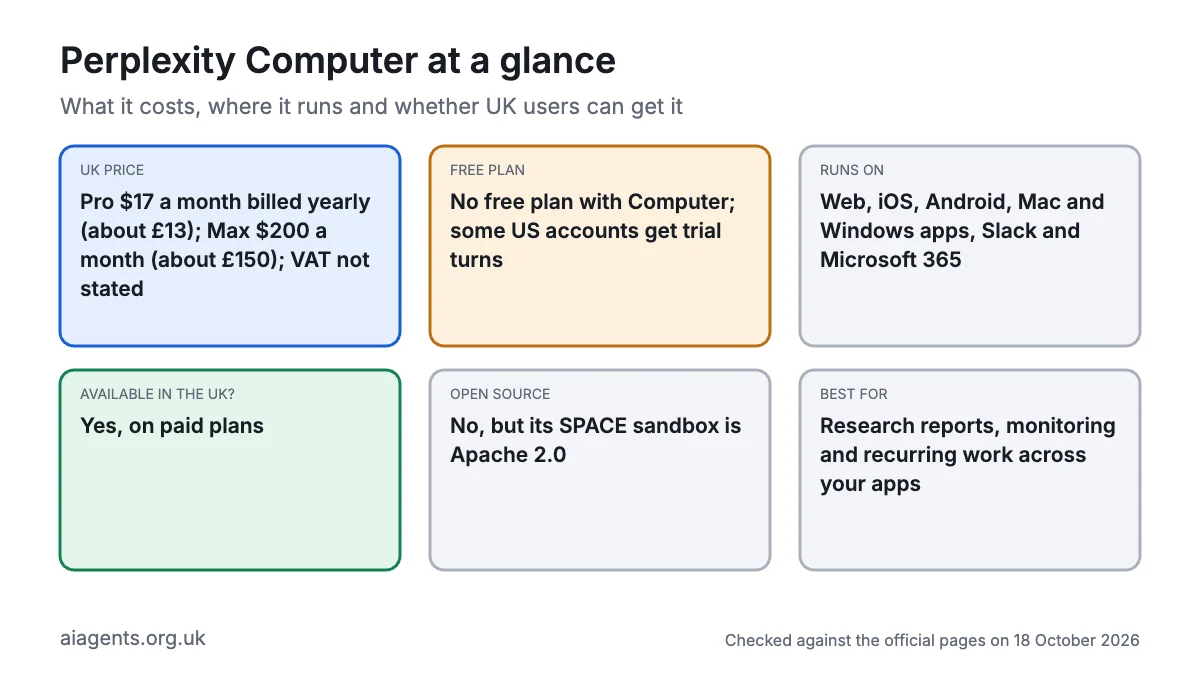
Perplexity Computer is Perplexity's cloud AI agent: you describe a task and it researches, writes, builds files or apps, and can repeat the job on a schedule. It suits researchers, consultants and small teams who already live in Gmail, Slack or GitHub. It needs a paid plan: Pro is $17 a month billed yearly (about £13) and Max is $200 a month (about £150), with VAT likely on top. It works in the UK. Know this first: heavy jobs burn credits fast, so set a spending cap before you start.
Key facts
- What it is: A cloud AI agent that plans, researches, builds and runs recurring Automations
- Made by: Perplexity AI, Inc., a US company
- Price: Pro $17 a month billed yearly (about £13); Max $200 a month (about £150); VAT not stated
- Free plan or trial: No free plan with Computer (some US accounts get trial turns); Pro adds 4,000 one-off bonus credits, Max 35,000
- Runs on: Web, iOS, Android, Mac and Windows apps, Slack and Microsoft 365
- What you need: A paid Perplexity plan and the apps you want it to use
- Open source: No, but its SPACE sandbox is open source (Apache 2.0)
- Available in the UK: Yes, for paid plans, as of 18 October 2026
- Best for: Research reports, monitoring and recurring work across your apps
- Official site: perplexity.ai/products/computer
On this page
- What is Perplexity Computer?
- What's new in Perplexity Computer in October 2026?
- How much does Perplexity Computer cost in the UK?
- What do you need to use Perplexity Computer?
- How do you set up Perplexity Computer?
- How do Perplexity Computer Automations work?
- What is Perplexity SPACE, and can you self-host it?
- How do you use Perplexity Computer? First things to try
- Best Perplexity Computer video tutorials
- Official Perplexity Computer links
- Is Perplexity Computer safe? Privacy, security and UK GDPR
- Perplexity Computer vs alternatives
- Who should use Perplexity Computer?
- Frequently asked questions
What is Perplexity Computer?
Perplexity Computer is an AI agent: software that takes a goal, breaks it into steps and uses tools to finish the job. Perplexity's tagline puts it simply: "Chat answers. Agents do tasks. Computer works." (More in AI agent vs chatbot.)
Perplexity launched Computer on 25 February 2026, first for Max subscribers. It now reaches Pro, Max and Enterprise plans. How it works:
- It splits the job. Computer turns your request into tasks and hands them to sub-agents, picking from 19 AI models from OpenAI, Anthropic, Google and others.
- It works in a sandbox. Each session runs in a small, isolated virtual machine in Perplexity's cloud, with its own files and a real browser. Since July that sandbox has been SPACE, which Perplexity has now open-sourced.
- It uses your apps. Connectors (links to your accounts) cover Gmail, Slack, Notion, GitHub and, according to the pricing page, more than 400 app connectors in all.
- It keeps going. Tasks can run for hours, and Automations repeat work on a schedule or when something happens in a connected app.
Computer has several faces. The cloud version runs in a browser or the mobile apps. Personal Computer is the Mac and Windows app, which adds your local files and, on Mac, your desktop apps. Portable Computer runs a local model on high-end Nvidia or AMD PCs, so local work uses no credits.
How does Comet fit in? Comet is Perplexity's separate AI web browser. Computer can drive Comet directly for browsing jobs, and Comet's assistant spends Computer credits in its Work mode (its Search mode doesn't). Since October, a browser extension also lets the Mac app's Computer control Chrome, Edge or Brave, with Comet as the default when installed.
What's new in Perplexity Computer in October 2026?
- 15 October: SPACE goes open source. The sandbox behind every Computer session is now Apache 2.0 code. Akamai has launched it, Crusoe is adding it and CoreWeave has published setup guidance.
- October, rolling out: Plugins. Connectors and Skills merge into one Plugins page, individual plans first. A plugin bundles both for a job.
- 5 October changelog. GPT-6.1 Sol powers the Light effort level and Claude Opus 5.5 powers Standard. Also new: video generation on Pro and Max, interactive charts, and Chrome, Edge or Brave control from the Mac app.
- 1 October: American Express business skills. Ten ready-made workflows, such as a week-by-week cash flow forecast, for US Amex Small Business Card members on Enterprise plans. Not for UK users.
- 29 September: Automations. Agents that start on a schedule or on Slack, Gmail, Outlook, Linear or GitHub events, replacing Scheduled Tasks.
- 23 September: escape tests. AI agents failed to break out of SPACE in 108 attempts, though some got round its network rules before fixes.
- 21 September: Effort Mode. A slider sets how hard Computer works (Light, Standard, High or Ultra). Also new: a Skills Marketplace, Side Chat and trial turns for some free US accounts.
How much does Perplexity Computer cost in the UK?
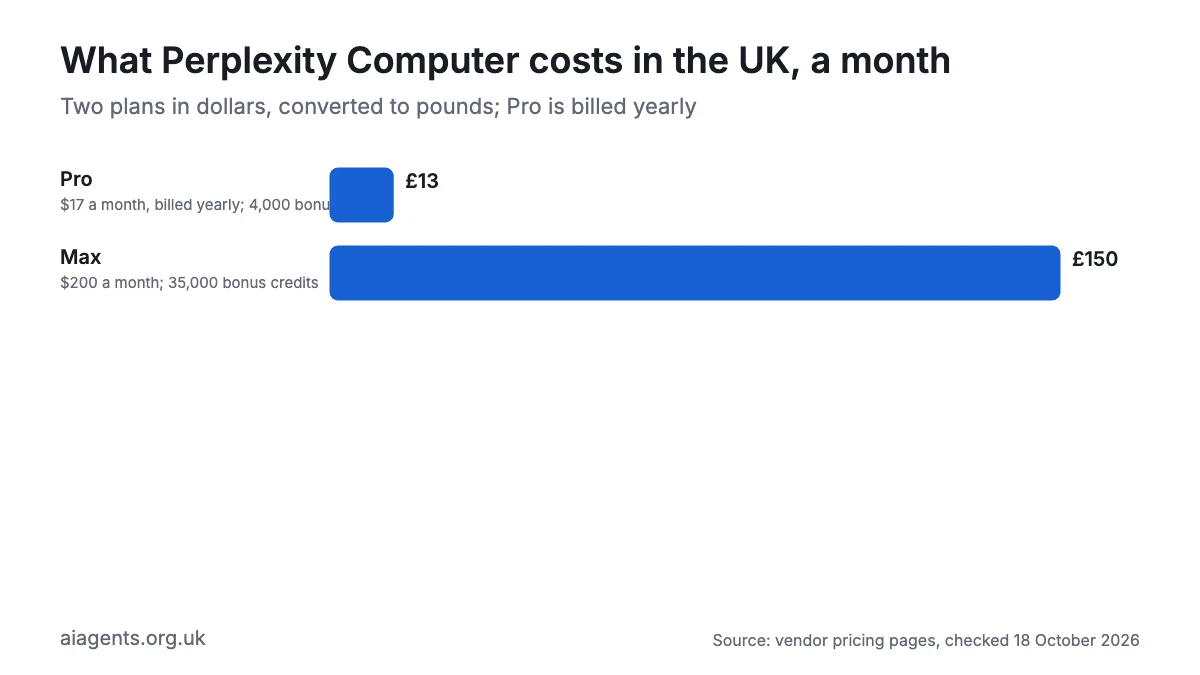
Perplexity shows US dollar prices, even on its en-GB pages, and doesn't say whether VAT is included. Its terms say tax may be worked out from your billing details, so budget for 20% VAT on top. Website checkout may offer pounds instead.
| Plan | Price (as of 18 October 2026) | In pounds | Computer allowance |
|---|---|---|---|
| Free | $0 | £0 | Computer not included (some US free accounts get trial turns) |
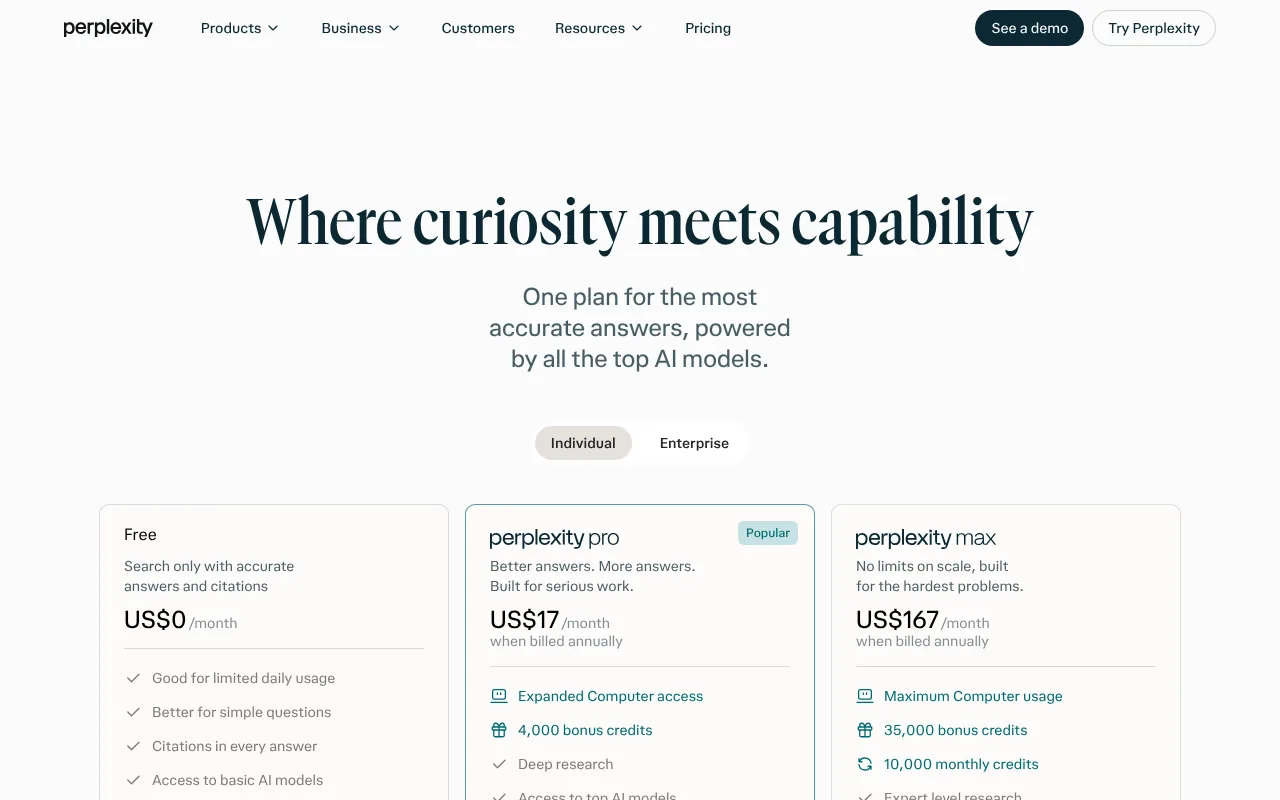
| Pro | $17 a month, billed yearly | about £13 | Weekly Computer usage (amount not published), plus 4,000 one-off bonus credits that expire after about 30 days |
| Max | $200 a month, or $2,000 a year ($167 a month) | about £150, or £1,500 a year | 10,000 credits a month, plus 35,000 one-off bonus credits |
| Enterprise Pro | $40 a seat a month, or $400 a year | about £30, or £300 a year | 500 credits a seat a month |
| Enterprise Max | Not shown on the public pricing page; ask Perplexity sales | n/a | 15,000 credits a seat a month |
| Extra credits | 100 credits for $1 | about 75p | Top-ups and optional auto-refill |
Perplexity's help centre gives rough costs per task: a quick fact takes 15 to 70 credits, a research report 350 to 950 (about £2.60 to £7), a data dashboard 2,400 to 9,800 (about £18 to £74), and a whole app 15,000 or more (about £113). So Max's 10,000 monthly credits ($100 worth) cover roughly 10 to 28 research reports or one large dashboard; a whole app needs top-ups.
Hidden costs:
- Top-ups. Auto-refill is off by default; Max's default monthly spending cap is $200 (about £150), adjustable to $5,000. Monthly credits don't roll over.
- Automations. Watching for a trigger is free, but every run costs credits, and hourly jobs cost far more than weekly ones.
- Hardware for local work. Local models need an Apple silicon Mac with at least 24GB of memory, or a PC with 24GB of graphics memory (Nvidia RTX or AMD Ryzen AI Max). See which Mac to buy for local AI.
For how this compares with other agents, see what AI agents cost in the UK.
What do you need to use Perplexity Computer?
- A paid plan. Pro, Max, Enterprise Pro or Enterprise Max. Education Pro also includes Computer.
- A device. Any modern browser, or the iOS and Android apps. The Personal Computer app needs macOS 15 Sequoia or later, or Windows 10 (version 1809) or Windows 11.
- Accounts to connect. Gmail, Outlook, Slack, Notion, GitHub and so on, if you want Computer to act on them.
- Optional local hardware. Hybrid compute on a Mac needs Apple silicon and 24GB of unified memory (32GB works best). Portable Computer needs an Nvidia RTX card or AMD Ryzen AI Max chip with 24GB, or an Nvidia DGX Spark.
- Skills. None beyond clear instructions. The cloud version needs no install.
How do you set up Perplexity Computer?
- Sign in at perplexity.ai and upgrade to Pro or Max from the pricing page.
- Open perplexity.ai/computer and type a task in the box. Success looks like a task thread showing Computer's plan and its sub-agents at work.
- Go to Plugins (or Customize if Plugins hasn't reached you) and connect the apps you need, one account at a time.
- Open your usage page, check your credit balance and set a monthly spending limit before turning on auto-refill.
- Open your account preferences and switch off AI data retention if you don't want your chats used for training.
- Optional: install the Mac or Windows app to let Computer work with local folders. Connect only the folders it needs.
- Optional: set the effort slider to Light for simple jobs to save credits.
When credits run out, running tasks pause rather than fail, and resume once you top up.
How do Perplexity Computer Automations work?
Automations are standing jobs. Setting one up takes four choices:
- Instructions. What to do and what the output should look like.
- A trigger. A schedule (from hourly to monthly, or a custom pattern), or an event in Slack, Gmail, Outlook, Linear or GitHub, with optional filters such as "only emails from this client".
- Resources. The accounts, files and Projects it may use.
- Approvals. Which actions it may take alone and which wait for you, such as posting to Slack.
Automations remember earlier runs, so a weekly price check can compare this week with last. They can also flag things that didn't happen, such as a customer who hasn't replied in four days. Cloud Automations run with your laptop shut; on Portable Computer, the PC must stay awake.
Limits worth knowing: up to 15 scheduled tasks per Computer conversation, runs may start a few minutes late, and a run is skipped if you're out of credits. After repeated skips the Automation pauses until you switch it back on.
What is Perplexity SPACE, and can you self-host it?
SPACE (Sandboxed Platform for Agentic Code Execution) is the engine that gives each Computer session a safe, throwaway workspace. Every sandbox is a Firecracker microVM, a tiny virtual machine with its own operating system. It can pause, resume, roll back to a checkpoint or split into two copies to try different approaches. Login credentials stay outside the sandbox, so the agent can reach approved services without them being stored inside it.
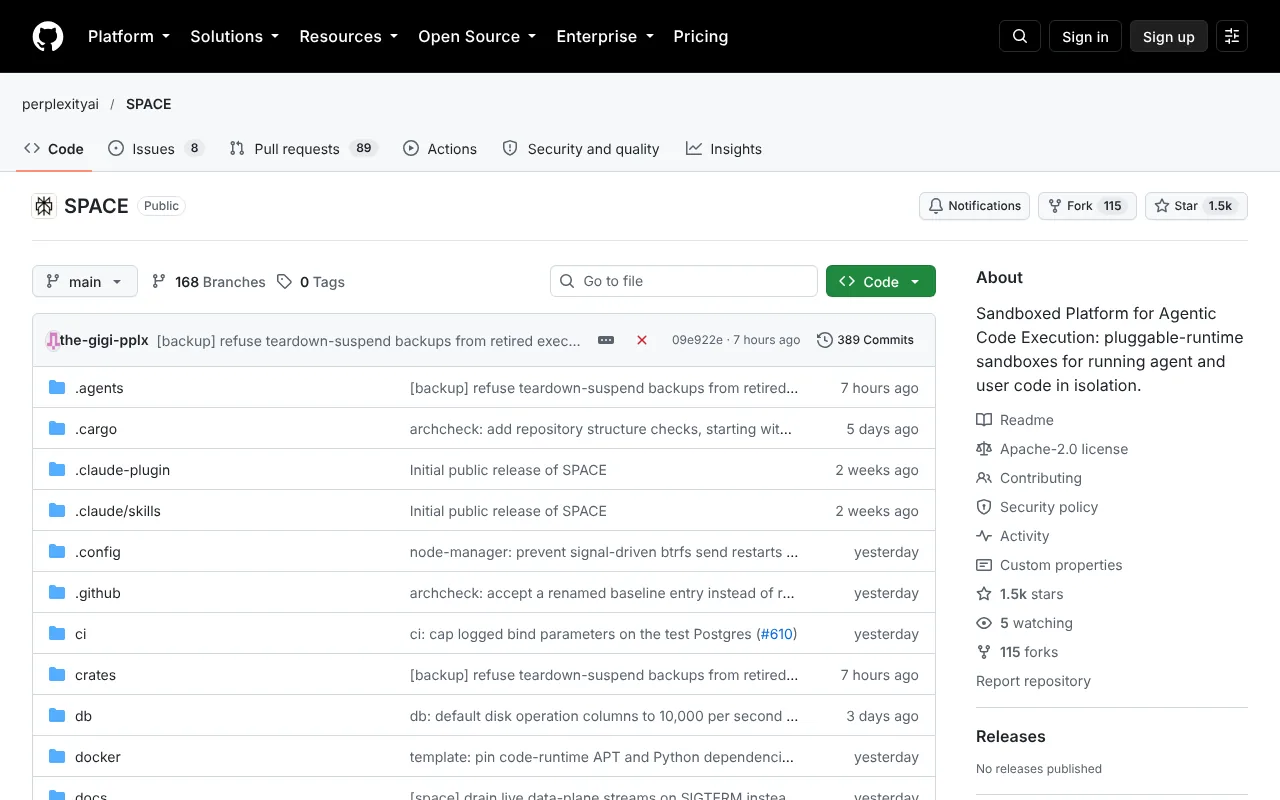
Yes, you can self-host it. The code is on GitHub under the Apache 2.0 licence, written in Rust. But this is a developer tool, not a free copy of Computer: you get the sandbox, not Perplexity's agent, models or connectors. The local install needs an x86_64 Debian-style Linux machine with KVM virtualisation, Docker and root access. It won't run on a Mac. The install guide warns that its local Kubernetes setup uses development passwords and keys, though the repository includes a reference AWS deployment.
git clone https://github.com/perplexityai/SPACE.git
cd SPACE
export INSTALL_DIR="$HOME/.local/bin"
export PATH="$INSTALL_DIR:$PATH"
bash infra/space/kind/scripts/install-prereqs.sh
The official guide runs a host check before the prerequisites script; follow the installation guide for that and the bootstrap and verification steps. Success is a running cluster that answers on port 8080 and lets you create a first sandbox.
How do you use Perplexity Computer? First things to try
- A research brief. "Find the ten biggest independent coffee roasters in Yorkshire and put their prices and wholesale terms in a spreadsheet."
- A weekly competitor check. "Every Monday at 8am, check these three websites for price changes and email me a summary."
- An inbox trigger. "When an email from Acme Ltd asks for a decision, summarise it, find the deadline and message me in Slack. Ask before replying."
- A dashboard from a file. "Turn this sales export into a dashboard showing revenue by month and product."
- A simple website. "Build a one-page site for my dog-walking business in Bristol, with prices and a contact form."
- A follow-up check. "Every Friday, list customers who haven't replied to my last email within five working days."
- A side question. While a long task runs, type
/btw which sources have you used so far?to ask without interrupting it.
Best Perplexity Computer video tutorials
Video: Perplexity on YouTube.
Perplexity's own four-minute guide shows how to create an Automation, choose a schedule or Gmail and Slack triggers, add approvals and read the run history.
| Video | Channel | Length | Uploaded | Best for |
|---|---|---|---|---|
| How to use Automations | Perplexity | 4:34 | 29 Sep 2026 | Schedules, triggers and approvals |
| Search vs Computer | Perplexity | 4:33 | 16 Aug 2026 | Knowing when a job needs Computer, not search |
| Managing Computer credits | Perplexity | 2:57 | 4 Aug 2026 | Enterprise admins controlling spend |
| Personal Computer for Mac | Perplexity | About 3 min | 26 Jun 2026 | The Mac app, local files and Comet |
| How to use Computer Skills | Perplexity | About 3 min | 23 Apr 2026 | Turning repeat instructions into skills |
Watch Search vs Computer first if you're new, then the Automations guide.
Official Perplexity Computer links
| Link | What it's for |
|---|---|
| Computer product page | Overview and sign-up |
| Start Computer | The web app itself |
| Pricing | Free, Pro, Max and Enterprise plans |
| How credits work | Credit costs, bonuses and refills |
| Scheduled Tasks and Automations help | Cadences, limits and notifications |
| Changelog | New features by date |
| SPACE on GitHub | The open-source sandbox |
| SPACE documentation | Install and API guides |
| Perplexity Academy | Official video lessons |
| Privacy notice | How Perplexity handles your data |
Is Perplexity Computer safe? Privacy, security and UK GDPR
Computer is as safe as the access you give it, and on a consumer plan your chats may be used for training until you switch that off.
Permissions. Connectors act with your own account rights, so a Gmail connector can read and send what you can. The Mac app can read and write folders you connect and control apps such as Mail, though a privacy gate can ask before data leaves the machine.
Where data goes. The privacy notice (updated 8 July 2026) says data may be processed in the US, but doesn't say where it is stored or name UK GDPR. Perplexity uses the UK Extension to the EU-US Data Privacy Framework and has a London representative, VeraSafe. You can complain to the ICO.
Training and retention. Free, Pro and Max accounts have AI data retention on by default, so some data may train models; opting out covers only future data. Perplexity says its contracts bar model providers such as OpenAI from training on your data. Enterprise data is never used for training, and Enterprise session files are deleted after seven days. Consumer data is kept while your account is active and removed within 30 days of closing it.
Incidents. In August 2025 Brave showed that hidden text on a web page could trick Comet's assistant into leaking a one-time password; Brave said Perplexity's fix was incomplete. In September 2026 Perplexity's own tests found that 11 of 54 agent attempts got round SPACE's network rules before it patched them; none escaped the sandbox.
Safety settings for day one:
- Require approval for anything that sends, posts, pays or deletes.
- Connect only the accounts a task needs, and disconnect them afterwards.
- Set a spending cap and keep auto-refill off until you know your usage.
- Turn off AI data retention in your account preferences.
- Treat web pages and emails as untrusted: prompt injection (hidden instructions in content) is the main agent risk.
Handling customer or staff data? Use an Enterprise plan, whose data is never used for training, and read AI agents and UK GDPR first.
Perplexity Computer vs alternatives
| Tool | Made by | Runs where | Free plan | Open source | Paid from (as of 18 October 2026) | UK? |
|---|---|---|---|---|---|---|
| Perplexity Computer | Perplexity, US | Cloud sandbox; Mac and Windows apps | No (US trial turns only) | Sandbox only | Pro $17 a month billed yearly (about £13); Max $200 (about £150) | Yes |
| Manus | Butterfly Effect | Cloud sandbox | Yes, 300 credits a day | No | $20 a month (about £15) | Yes |
| ChatGPT Work (replaced agent mode) | OpenAI, US | Cloud and desktop app | Limited, desktop only | No | Plus, reported at £16 a month plus VAT | Yes |
| Claude Cowork | Anthropic, US | Claude desktop app, sessions on US servers | No | No | Pro £18 a month plus VAT | Yes |
| Genspark | MainFunc, US | Cloud | Yes, 100 credits a day to a lifetime cap | No | $24.99 a month (about £19) | Yes, with a 14-day UK refund window |
| Hermes Agent | Nous Research, US | Your own computer or server | Yes, free software | Yes (MIT) | Free; Portal $20 a month (about £15) | Yes |
I would pick Perplexity Computer for research-heavy work and Automations that react to Gmail, Slack or GitHub. Pick Manus or Genspark for a free plan, and Claude Cowork or ChatGPT Work if you already pay for those assistants. For private data, Hermes Agent or OpenClaw with a local model keeps everything on your machine.
Who should use Perplexity Computer?
It suits analysts, consultants, journalists and founders who need cited research turned into reports, spreadsheets or dashboards, small teams who want an agent watching Slack, Gmail or GitHub, and anyone already paying for Max.
Skip it if you want a free plan, need client data kept in the UK, or can't predict your workload, because credit costs swing widely. Privacy-first users should look at running AI agents on your Mac instead.
Frequently asked questions
What is Perplexity Computer?
Perplexity Computer is an AI agent from Perplexity, launched in February 2026, that turns a plain-English request into finished work. Perplexity Computer researches the web and your connected apps, writes reports, builds spreadsheets, dashboards and websites, and can repeat jobs as Automations. Perplexity Computer runs in an isolated cloud sandbox, with Mac and Windows apps for local files.
Is Perplexity Computer free?
No, not in the UK. Perplexity Computer needs a paid plan. As of 18 October 2026, Pro costs $17 a month billed yearly (about £13) and includes weekly Computer usage, while Max costs $200 a month (about £150) with 10,000 credits. Some free US accounts get trial turns. Extra credits cost $1 per 100.
How much does Perplexity Computer cost in the UK?
Perplexity Computer is priced in US dollars, even for UK buyers. Pro is $17 a month on a yearly plan (about £13), Max is $200 a month (about £150) and Enterprise Pro is $40 a seat a month (about £30). Perplexity doesn't say whether VAT is included, so expect 20% on top. Heavy tasks can cost several pounds each in credits.
What are Perplexity Computer Automations?
Perplexity Computer Automations are recurring jobs that start on a schedule or when something happens in Slack, Gmail, Outlook, Linear or GitHub. You set instructions, a trigger, the apps Perplexity Computer may use and which actions need approval. Watching for a trigger is free; each run spends credits. Automations replaced Scheduled Tasks on 29 September 2026.
What is Perplexity SPACE, and can I self-host it?
SPACE is the sandbox platform behind every Perplexity Computer session, open-sourced on 15 October 2026 under the Apache 2.0 licence. Developers can self-host SPACE on an x86_64 Linux machine with KVM and Docker. Self-hosting SPACE gives you secure microVM sandboxes for your own agents, not a free copy of Perplexity Computer.
Is Perplexity Computer the same as Comet?
No. Comet is Perplexity's AI web browser, while Perplexity Computer is the agent that plans and completes whole tasks. Perplexity Computer can drive Comet to browse and fill in web pages, and Comet's assistant uses Computer credits in Work mode. You don't need Comet to use Perplexity Computer in a normal browser.
Is Perplexity Computer available in the UK?
Yes. Perplexity Computer is available to UK subscribers on Pro, Max and Enterprise plans as of 18 October 2026. Some extras are US-only, including free trial turns and the American Express business skills. Perplexity's privacy notice covers UK users through a London representative and the UK Extension to the Data Privacy Framework.
Read next
- Manus: the UK guide
- Claude Cowork review
- ChatGPT Work, workspace agents and agent mode
- What AI agents cost in the UK
- AI agents for UK small businesses
Sources
- Perplexity Computer product page - checked 18 October 2026
- Introducing Perplexity Computer, Perplexity - checked 18 October 2026
- Computer adds Automations for ongoing work, Perplexity - checked 18 October 2026
- Open-sourcing SPACE, Perplexity - checked 18 October 2026
- Escaping SPACE: Part I, Perplexity - checked 18 October 2026
- perplexityai/SPACE on GitHub - checked 18 October 2026
- SPACE documentation - checked 18 October 2026
- SPACE installation guide - checked 18 October 2026
- Perplexity changelog - checked 18 October 2026
- Changelog: Automations, inline visualizations and GPT-6.1 Sol - checked 18 October 2026
- Changelog: Effort Mode, GPT-6 Astra and Skills Marketplace - checked 18 October 2026
- Perplexity pricing - checked 18 October 2026
- Perplexity Pro page - checked 18 October 2026
- How credits work on Perplexity - checked 18 October 2026
- What is Computer?, Perplexity help centre - checked 18 October 2026
- Scheduled Tasks in Computer, Perplexity help centre - checked 18 October 2026
- What is Personal Computer?, Perplexity help centre - checked 18 October 2026
- Which Perplexity subscription plan is right for you? - checked 18 October 2026
- Perplexity Max, Perplexity help centre - checked 18 October 2026
- Paying in local currency, Perplexity help centre - checked 18 October 2026
- What are plugins?, Perplexity help centre - checked 18 October 2026
- Where did Connectors and Skills go?, Perplexity help centre - checked 18 October 2026
- Data collection at Perplexity - checked 18 October 2026
- Data retention for Enterprise, Perplexity help centre - checked 18 October 2026
- How long does Perplexity retain my data? - checked 18 October 2026
- Are third-party model providers training on my data? - checked 18 October 2026
- Perplexity privacy notice - checked 18 October 2026
- Perplexity terms of service - checked 18 October 2026
- Comet browser, Perplexity - checked 18 October 2026
- Perplexity Academy - checked 18 October 2026
- Perplexity and American Express launch AI skills, The Paypers - checked 18 October 2026
- Amex launches agentic business tools in Perplexity, eMarketer - checked 18 October 2026
- Perplexity open-sources SPACE, RuntimeWire - checked 18 October 2026
- Perplexity's Computer agent now automates recurring work, AlphaSignal - checked 18 October 2026
- Agentic browser security: indirect prompt injection in Comet, Brave - checked 18 October 2026
- Genspark membership plans - checked 18 October 2026
- Manus pricing - checked 18 October 2026
- How to use Automations, Perplexity on YouTube - checked 18 October 2026


