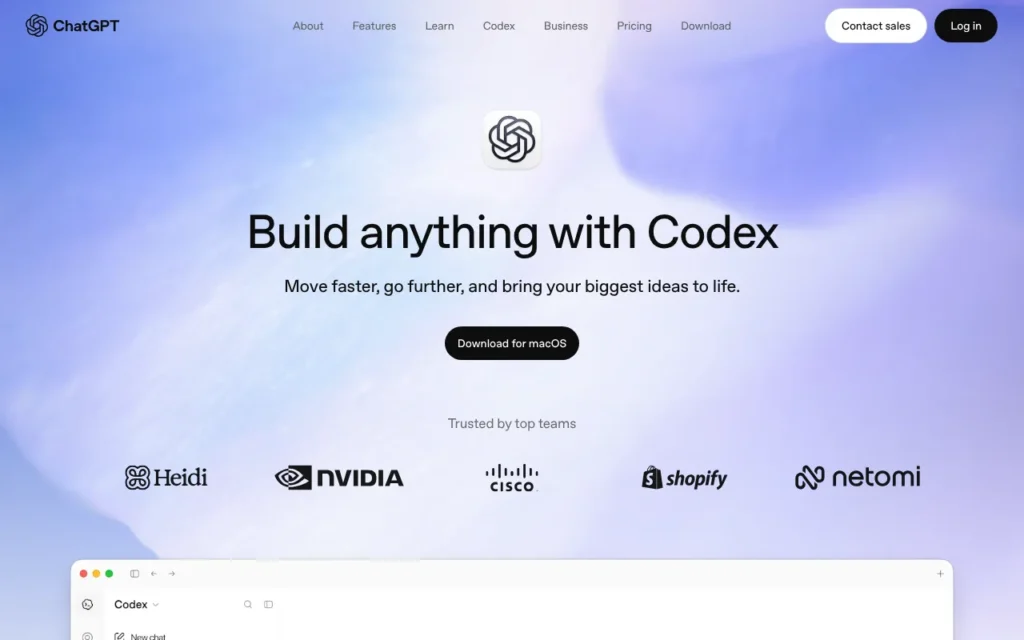
OpenAI Codex is OpenAI's AI coding agent: you describe a job in plain English, and it reads your project, edits the files and runs commands to get it done. It suits developers and small businesses already paying for ChatGPT. It is not the 2021 Codex model behind the first GitHub Copilot. Every ChatGPT plan includes some Codex use, from Free to Plus at £20 a month including VAT, and it works in the UK. Know this first: on personal plans, OpenAI can train its models on your Codex sessions unless you switch that off.
Key facts
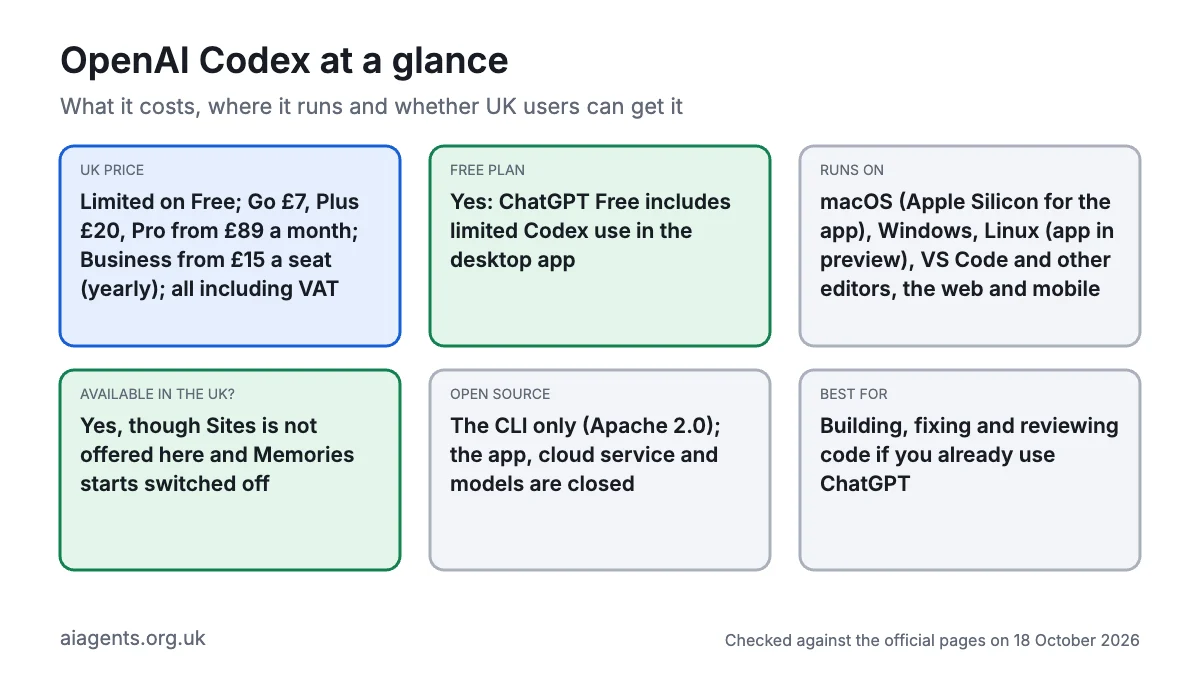
- What it is: An AI coding agent that reads your code, edits files, runs commands and reviews pull requests
- Made by: OpenAI, a US company (OpenAI OpCo, LLC is the data controller for UK users)
- Price: Limited on Free; Go £7, Plus £20, Pro from £89 a month, Business from £15 a seat (yearly), all including VAT, as of 18 October 2026
- Free plan or trial: Yes, ChatGPT Free includes limited Codex use in the desktop app
- Runs on: macOS (the app needs Apple Silicon), Windows, Linux (app in preview), VS Code and other editors, the web and mobile
- What you need: A ChatGPT account or OpenAI API key, an internet connection (unless you use a local model) and a project folder
- Open source: The CLI only (Apache 2.0); the app, cloud service and models are closed
- Available in the UK: Yes, though Sites is not offered here and Memories starts switched off
- Best for: Building, fixing and reviewing code if you already use ChatGPT
- Official site: openai.com/codex
On this page
- What is OpenAI Codex?
- What's new in Codex in October 2026?
- How much does Codex cost in the UK?
- What do you need to run Codex?
- How do you install Codex?
- How do you use Codex? First things to try
- Best Codex video tutorials
- Official Codex links
- Is OpenAI Codex safe? Privacy, security and UK GDPR
- Codex vs Claude Code, Cursor and other alternatives
- Who should use Codex?
- Frequently asked questions
What is OpenAI Codex?
OpenAI Codex is an AI agent for software work. A chatbot hands you code to paste; Codex makes the change itself, runs the code to check it and tells you what it did.
- You point it at a project folder in the ChatGPT desktop app, the terminal (the text window where you type commands), your code editor or the web.
- You type what you want, such as "add a booking form to this website".
- It plans, edits files and runs tests, asking before risky steps depending on its permissions.
- You keep or undo the result, usually with Git (the tool developers use to track changes).
It comes in five forms sharing one ChatGPT account and allowance: the desktop app (a separate Codex app until 9 July 2026, when OpenAI merged it into the ChatGPT desktop app), the open-source Codex CLI, an editor extension, cloud tasks that run while your laptop is shut, and the ChatGPT mobile app.
The name confuses people. OpenAI's 2021 Codex was a GPT-3 model trained on code that powered the original GitHub Copilot. Today's Codex is a product, first released as a terminal tool in April 2025. As of 18 October 2026, paid plans default to GPT-6.1 Sol, Free and Go get the lighter GPT-6 Luna, and GPT-6 Astra is the strongest option. The CLI can also run open models locally through Ollama or LM Studio. For documents rather than code, the same app has ChatGPT Work, covered in our ChatGPT agents guide.
What's new in Codex in October 2026?
- 15 October: Codex CLI 0.163.0 added a searchable
/configsettings panel, lets you steer Codex mid-answer and tightened its network proxy. - 14 October: GPT-5.5 retired from Codex for ChatGPT sign-ins. GPT-6.1 Sol replaces it on paid plans and GPT-6 Luna on Free and Go; API-key sessions are unaffected.
- 9 October: composer predictions, which suggest your next prompt in the desktop app, arrived in beta for personal Pro subscribers.
- 8 October: Ultrafast mode for GPT-6.1 Sol arrived on the $500 Pro tier and eligible Enterprise and Edu plans. Its inference residency covers the US and Europe (EEA and Switzerland), not the UK.
- 7 October: OpenAI said Codex and ChatGPT Work had 40 million active users combined, a company figure blending two differently measured products. OpenAI also said paid accounts would get a banked usage reset, and posted its DevDay 2026 Codex sessions.
- 29 September: GPT-6.1 Sol launched and became the CLI's default model.
- 22 September: GPT-6 Sol and Luna rolled out, with Luna opening to Free and Go users.
- 1 and 25 September: two high-severity flaws were published, then a macOS security fix shipped (see the safety section).
How much does Codex cost in the UK?
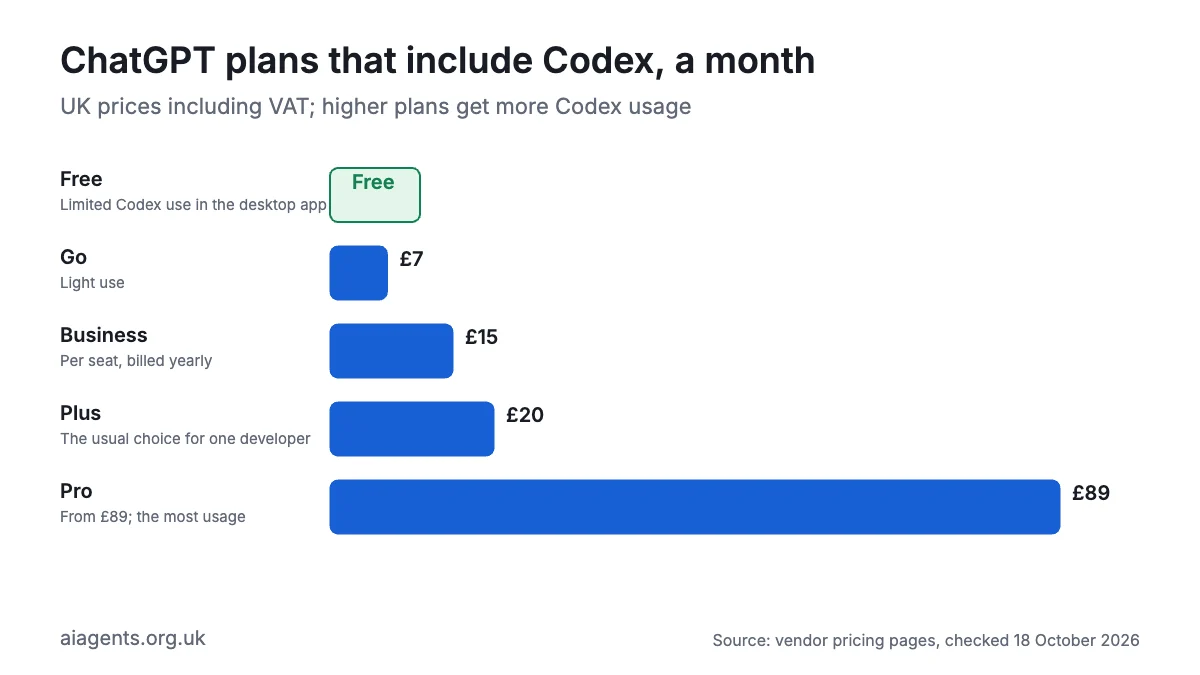
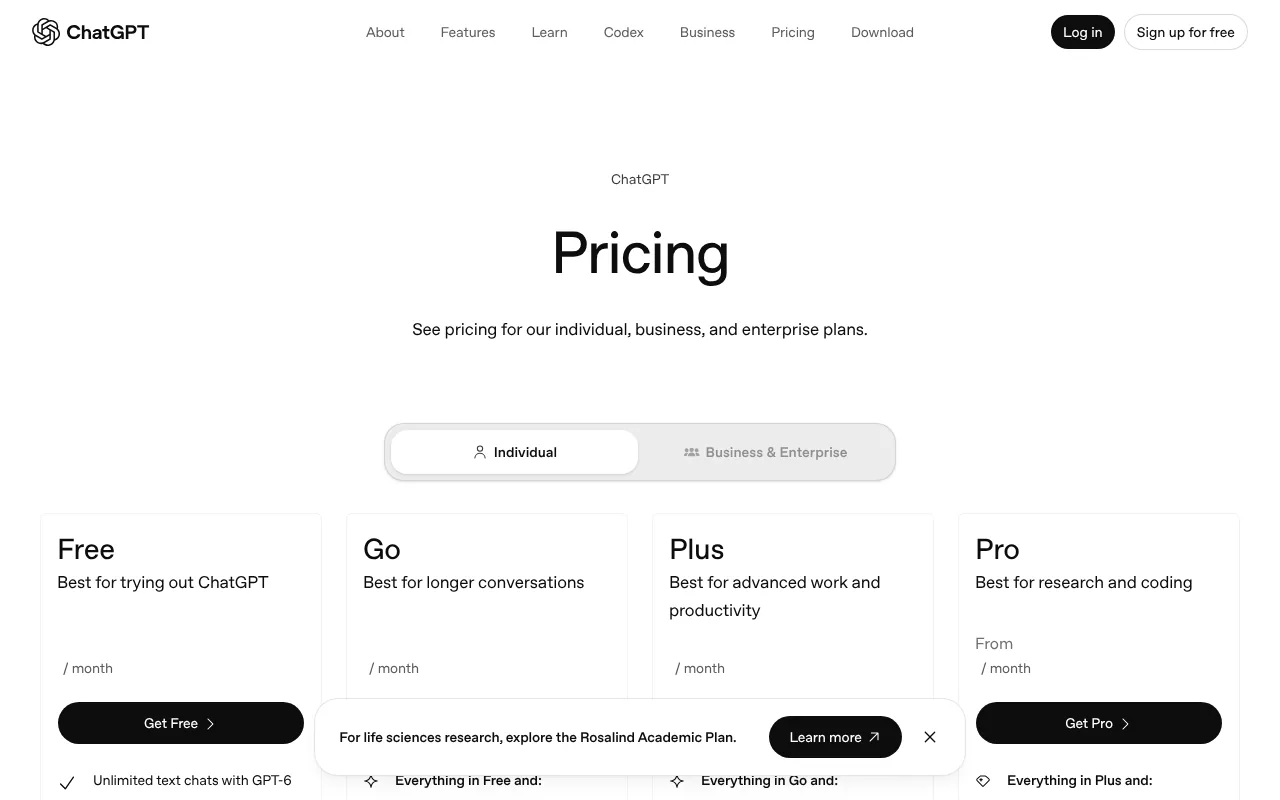
Codex pricing is simple: Codex comes with ChatGPT plans, or you pay per use with an OpenAI API key. OpenAI shows UK visitors pound prices, and UK checkout prices checked on 17 October 2026 include 20% VAT. Where no pound price is published, I have converted at $1 = £0.75. Prices are as of 18 October 2026.
| Plan | US price | UK price | Codex use |
|---|---|---|---|
| Free | $0 | £0 | Limited, desktop app only, GPT-6 Luna |
| Go | $8 a month | £7 a month | Light tasks, same models as Free; may show ads |
| Plus | $20 a month | £20 a month | GPT-6.1 Sol, Astra and Luna in the app, CLI, editor and cloud |
| Pro 100 | $100 a month | £89 (including £14.83 VAT) | No five-hour limit for now; weekly limits may apply |
| Pro 200 | $200 a month | £200 (including £33.33 VAT) | More than Pro 100 |
| Pro 500 | $500 a month | Not checked; about £375 before VAT | Most usage, plus Ultrafast |
| Business, Standard seat | $20 a seat yearly, $25 monthly | £15 yearly, £18 monthly | Plus-level limits, admin controls, no training by default; two seats minimum |
| Business, Premium seat | Not in OpenAI's docs | £75 yearly, £90 monthly | Docs do not set out its Codex allowance |
| Enterprise and Edu | Contact sales | Contact sales | Credits on flexible pricing, otherwise Plus-level limits |
| API key | Pay per token | See below | CLI, SDK and editor only, no cloud tasks |
Oddly, Pro 200 costs more than twice Pro 100 in the UK, while in the US it is exactly double.
Usage limits in plain terms. Plus works in five-hour windows. OpenAI estimates 15 to 160 local messages (tasks run on your computer) per window with GPT-6.1 Sol, 5 to 45 with Astra and 350 to 3,000 with Luna. Cloud tasks use more, weekly caps may apply, and ChatGPT Work shares the pool. Plus and Pro can buy extra credits.
API prices per million tokens (small chunks of text), US list prices:
| Model | Input | Output |
|---|---|---|
| GPT-6.1 Sol | $2 (about £1.50) | $10 (about £7.50) |
| GPT-6 Luna | $0.10 (about 8p) | $0.50 (about 38p) |
| GPT-6 Astra | $10 (about £7.50) | $50 (about £37.50) |
Costs that catch people out: fast mode uses 2.5 times your normal allowance and Ultrafast 8 times; desktop voice costs $0.05 (about 4p) a minute; auto-review, where a second AI judges risky actions, makes extra model calls. See what AI agents cost in the UK.
What do you need to run Codex?
- A Mac: the desktop app is for Apple Silicon. Intel Macs can use the CLI. OpenAI publishes no minimum macOS version.
- Or Windows: the app comes from the Microsoft Store with a native sandbox. WSL 2 is optional; WSL 1 has been unsupported since CLI 0.115.
- Or Linux: the CLI runs on x86_64 and Arm. The app is in preview for Ubuntu 24.04 and 26.04, Debian 13, Fedora 43 and 44, and Arch, without Computer Use.
- An account: any ChatGPT plan, or an OpenAI API key.
- An internet connection, unless you run a local model.
- Optional: Git, and GitHub for cloud tasks and pull request reviews (GitLab is in beta).
- Skills: none for the app; basic terminal confidence for the CLI.
How do you install Codex?
The desktop app is easiest. The CLI and editor extension sign in with the same ChatGPT account.
How to install the Codex app on Mac
- Open OpenAI's desktop app page and click Download for macOS (Apple Silicon). You get Codex.dmg.
- Open it and drag the app into Applications.
- Open the app and sign in with ChatGPT.
- Open a project folder, choose Codex from the dropdown and start a chat. Success is a reply describing your project.
How to install the Codex CLI on Mac
- Open Terminal: press Cmd and Space, type Terminal, press Return.
- Paste OpenAI's installer and press Return.
curl -fsSL https://chatgpt.com/codex/install.sh | sh- Open a new window and check it. Success is a version number (0.163.0 was the latest on 18 October 2026).
codex --version- Go to your project and start Codex.
cd ~/Documents/my-project
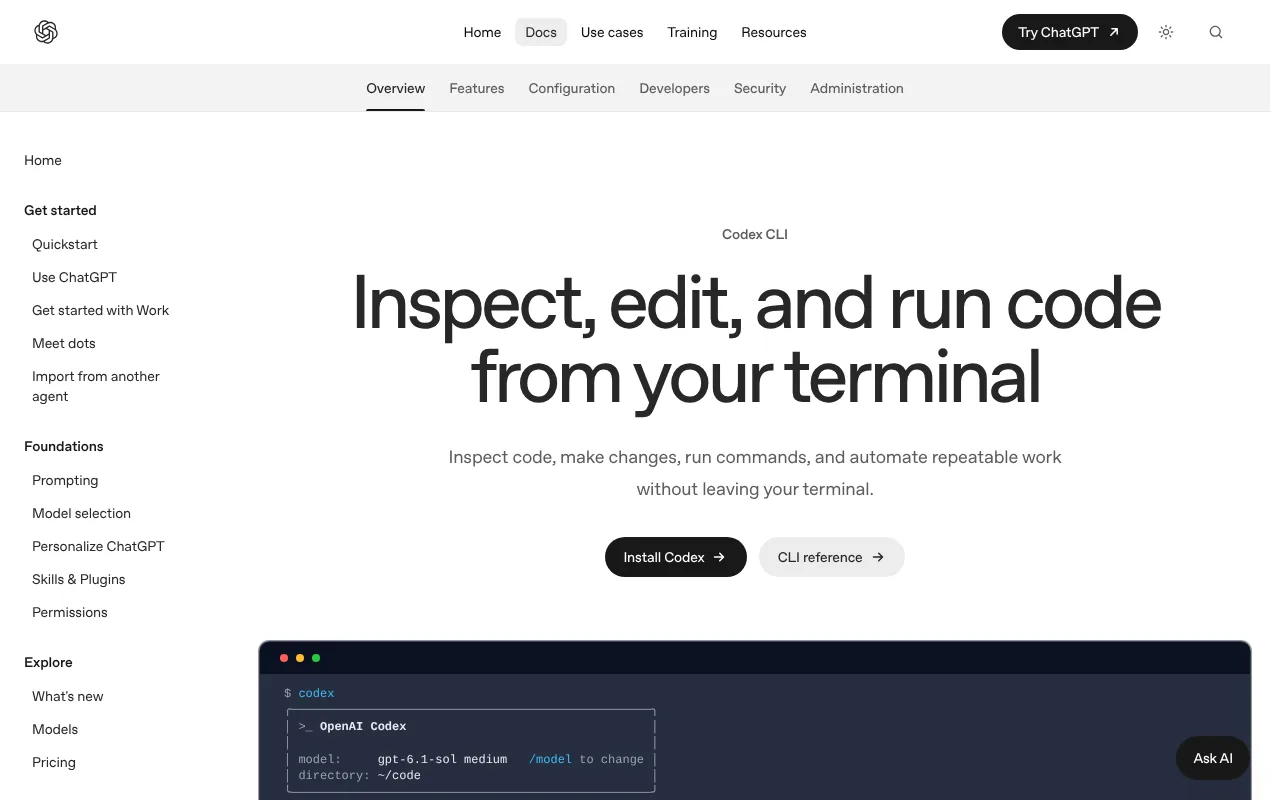
codex- Choose Sign in with ChatGPT and approve in your browser. The Codex prompt appears, showing the model and folder.
Homebrew (brew install --cask codex) and npm (npm install -g @openai/codex) also work. Update by re-running the installer or typing codex update.
How to install Codex on Windows
- For the app, install ChatGPT from the Microsoft Store, or in PowerShell run:
winget install --id 9PLM9XGG6VKS -s msstore- For the CLI, paste OpenAI's installer into PowerShell:
powershell -ExecutionPolicy ByPass -c "irm https://chatgpt.com/codex/install.ps1 | iex"- Open a new window, run
codex --version, thencdto your project and typecodex.
To run the app's agent in WSL 2, switch it from Windows native to WSL in Settings and restart. If you keep the native agent, store projects on the Windows drive.
Linux, the web and mobile
On Linux, the Mac CLI command works. For the app preview, download your package from OpenAI's Linux page; on Ubuntu or Debian:
cd ~/Downloads
sudo apt install ./chatgpt_amd64.deb
Fedora uses sudo dnf install ./chatgpt.x86_64.rpm. With no install, Plus and higher plans can run cloud tasks at chatgpt.com/codex and follow them on mobile.
How to use Codex in VS Code
- Open Extensions (Cmd+Shift+X or Ctrl+Shift+X), search "Codex" and install OpenAI's extension (ID
openai.chatgpt, over 15.6 million installs on 18 October 2026), or runcode --install-extension openai.chatgpt. - Click the Codex icon in the sidebar.
- Sign in with ChatGPT.
It also works in Cursor and Windsurf; JetBrains IDEs and Xcode have Codex in their own AI chat. To remove the CLI, use npm uninstall -g @openai/codex or brew uninstall --cask codex if you installed it that way; OpenAI's Mac and Linux installer puts codex in ~/.local/bin, so delete it from there.
How do you use Codex? First things to try
Be specific, and make a Git checkpoint (saved snapshot) before each task so you can undo, as OpenAI advises.
- Get a tour:
Tell me about this project - Write house rules:
/initcreates an AGENTS.md file of build and test steps that Codex reads every session. - Plan first:
Plan how to add online booking to this site. Do not change any files yet. - Build something small:
Create a one-page website for a bakery in Bristol with opening hours, prices and a contact form - Tidy business data:
Read sales-2026.csv and save total sales by month to summary.csv - Fix from a screenshot:
codex --image error.png "Explain this error and fix it" - Check before committing:
/reviewlists problems in uncommitted changes without editing anything. - Switch from another agent:
/importbrings settings and recent chats from Claude Code or Cursor.
How to run Codex with a local model
If code must never leave your computer, the CLI's OSS mode uses a model running locally. Install Ollama, download an open model, then start Codex:
ollama pull gpt-oss:20b
codex --oss --local-provider ollama --model gpt-oss:20b
LM Studio works too (--local-provider lmstudio). Expect slower, weaker results, no cloud tasks and heavy memory use: see which Mac to buy for local AI and running AI agents on your Mac.
Best Codex video tutorials
Video: Kevin Stratvert on YouTube.
Kevin Stratvert builds a simple browser game in the desktop app with no coding, then covers Git, parallel agents, skills and cloud handoff.
| Video | Channel | Length | Uploaded | Best for | |
|---|---|---|---|---|---|
| How to Use OpenAI Codex (Step-by-Step Tutorial) | Kevin Stratvert | 17:11 | 8 October 2026 | A first project in the desktop app | |
| OpenAI Codex Crash Course - Build & Deploy Apps with Autonomous AI | freeCodeCamp.org | 41:19 | 10 September 2026 | Install, pricing, permissions and plan mode, then a full build | |
| Ultimate Guide To ChatGPT Codex for Everyday People | Skill Leap AI | 24:23 | 22 June 2026 | Non-coding jobs: receipts, invoices, messy folders | |
| OpenAI Codex in 7 Minutes | Developers Digest | 6:52 | 14 June 2026 | A fast tour of goals, plugins and the browser | |
| Run OpenAI Codex Locally for FREE with Ollama | Mervin Praison | 5:04 | 15 May 2026 | Running it with a free local model | |
| [Codex Has Left The Laptop \ | DevDay 2026](https://www.youtube.com/watch?v=XkKdbPhIvbY) | OpenAI (official) | 22:01 | 7 October 2026 | OpenAI's demos of goal-level work across CLI, app and web |
Watch Kevin Stratvert first, then freeCodeCamp for depth. Mervin Praison's video is from May, so check its commands against current docs.
Official Codex links
| Link | What it's for |
|---|---|
| Codex homepage | Overview and plans |
| Documentation | Official docs (developers.openai.com/codex redirects here) |
| Codex CLI | Terminal install and use |
| Desktop app | Mac download, Windows and Linux pages |
| IDE extension | VS Code, Cursor, Windsurf, JetBrains, Xcode |
| Pricing and limits | Plans, usage estimates, credits |
| Changelog | What changed, and when |
| GitHub repository | CLI source, releases, bug reports |
| Codex on the web | Cloud tasks |
| Privacy policy (UK, EEA, Switzerland) | How OpenAI handles your data |
Is OpenAI Codex safe? Privacy, security and UK GDPR
It is as safe as the permissions you give it, and its defaults are fairly cautious.
Permissions. In a Git project, Codex recommends its Auto preset: it edits files and runs commands inside the project, but asks before going outside it or online. Elsewhere it recommends read-only, and it may stay read-only until you trust the folder. A sandbox enforces this on Mac, Linux and Windows. Full access (the --yolo flag) removes sandbox and approvals; OpenAI advises against it. Cloud tasks run on OpenAI's servers, with internet access set for each environment. Computer Use, which lets Codex click and type in your desktop apps, reached the UK on 16 June 2026.
Where your data goes. Prompts, code Codex reads and its replies go to OpenAI unless you use a local model. OpenAI's European privacy policy (updated 24 August 2026) covers the UK but names OpenAI OpCo, LLC in San Francisco as controller for UK users; its Irish company covers only the EEA and Switzerland. Data is processed in the US and elsewhere under UK adequacy rules or the UK transfer addendum, and you can complain to the ICO. UK data residency is not offered on Free, Go, Plus or Pro. Your login sits in plain text at ~/.codex/auth.json unless you change it.
Training. Free, Go, Plus and Pro content can train OpenAI's models unless you opt out. Business, Enterprise and Edu data is not used by default.
Known issues. On 1 September 2026 the US National Vulnerability Database published CVE-2026-19591 (score 8.8), letting a booby-trapped repository slip a command past approval via PowerShell, and CVE-2026-19592 (7.3), letting a copied repository run a hidden program through its Git settings. A macOS fix (CVE-2026-100754) followed on 25 September. In March 2026, a since-patched flaw let malicious GitHub branch names expose GitHub tokens.
Practical settings:
- For client work, start read-only:
codex --sandbox read-only --ask-for-approval on-request- In ChatGPT, open Settings, then Data controls, and switch off "Improve the model for everyone". Separately, switch off "Include environments" in Codex's settings.
- Keep your login in the system keychain and turn off analytics in
~/.codex/config.toml:
cli_auth_credentials_store = "keyring"

[analytics]
enabled = false- Never use
--yolooutside a throwaway container, open only repositories you trust, and keep Codex updated. - Only connect MCP servers (add-ons linking Codex to other tools; see our MCP guide) you trust.
For customers' personal data, use Business or Enterprise, and read our guide to AI agents and UK GDPR.
Codex vs Claude Code, Cursor and other alternatives
In Stack Overflow's 2026 Developer Survey (published 6 October), 29.5% of 12,255 respondents had used Codex in the past year, behind Claude Code (65.5%) and GitHub Copilot (58.7%), ahead of Cursor (25.5%), Google Antigravity (16.0%) and Kilo Code (3.2%). Prices are as of 18 October 2026.
| Tool | Price from | Where it runs | Models | Open source | Best for |
|---|---|---|---|---|---|
| OpenAI Codex | Free (limited); Plus £20 including VAT | App, CLI, editors, web, mobile | OpenAI's GPT-6 family, or local via Ollama or LM Studio | CLI only (Apache 2.0) | People already paying for ChatGPT |
| Claude Code | Pro £18 including VAT; no free plan | Terminal, editors, desktop, web, Slack | Claude only | No | Handing off whole tasks |
| Cursor | Free; Plus $8 (about £6), Grok only | Its own editor, plus cloud agents | Grok; others at API list price from Premium ($30) | No | Hands-on editing with AI help |
| GitHub Copilot coding agent | Pro $10 (about £7.50); Free excludes the agent | GitHub, VS Code, JetBrains, CLI | Several, including Claude and OpenAI | No | Teams already on GitHub |
| Google Antigravity | Free tier; business from $30 (about £22.50) a seat | App, CLI, editor extensions | Google Gemini | No | Trying an agent for free |
| Kilo Code | Free; model rates or Kilo Pass from $19 (about £14) | VS Code, JetBrains, CLI | Any provider, or local | Yes (MIT) | Private local models |
Codex vs Claude Code
The closest rivals: terminal-first agents with desktop, web and editor versions. Codex is cheaper to try, since ChatGPT Free includes it, and its CLI is open source and runs local models. Claude Code is far more used by developers, and Claude Pro (£18) undercuts ChatGPT Plus (£20) in the UK. Pick the one matching the subscription you already pay for.
Codex vs Cursor
Cursor is an editor you work in, with agents alongside; Codex is an agent you hand jobs to. Cursor's cheapest paid plan covers only Grok models, and Codex runs inside Cursor through OpenAI's extension, so you can use both.
Choose Codex if you already pay for ChatGPT, Kilo Code for a fully open-source tool with any model, and Copilot if your team lives in GitHub.
Who should use Codex?
Codex suits developers handing off tests, fixes and reviews, small-business owners building simple sites and internal tools, and teams on ChatGPT Business. The free tier is the cheapest way to try a coding agent. Our guide to AI agents for UK small businesses has more ideas.
Skip it if you need UK data residency on a personal plan, or if your work is mostly documents and email, where ChatGPT Work or Claude Cowork fit better. If everything must stay on your machine, Kilo Code is simpler.
Frequently asked questions
What is OpenAI Codex?
OpenAI Codex is OpenAI's AI coding agent. You describe a task in plain English, and Codex reads your project, edits files, runs commands and tests, and reviews pull requests. Codex runs in the ChatGPT desktop app, an open-source command-line tool, editor extensions, cloud tasks on chatgpt.com and the ChatGPT mobile app.
Is OpenAI Codex free?
Partly. As of 18 October 2026, ChatGPT Free includes limited OpenAI Codex use in the desktop app with GPT-6 Luna. Plus, at £20 a month including VAT, unlocks GPT-6.1 Sol, the CLI, the editor extension and cloud tasks. Go costs £7 a month. The Codex CLI itself is free, open-source software.
How much does Codex cost in the UK?
Codex comes with ChatGPT plans. As of 18 October 2026, UK prices including VAT are £7 a month for Go, £20 for Plus, £89 for Pro 100 and £200 for Pro 200. Business seats cost £15 a month billed yearly or £18 monthly, with a two-seat minimum. Codex can also be paid per token with an API key.
How do I install the Codex CLI?
On a Mac or Linux, open a terminal and run curl -fsSL https://chatgpt.com/codex/install.sh | sh. On Windows, run OpenAI's PowerShell installer. Homebrew and npm work too. Then go to your project folder, type codex and choose Sign in with ChatGPT. Running codex --version confirms the Codex CLI is installed.
Is OpenAI Codex the same as the old Codex model?
No. The original Codex was a 2021 OpenAI model, a version of GPT-3 trained on code, which powered the first GitHub Copilot. Today's OpenAI Codex is a coding agent product, first released in April 2025, that runs OpenAI's current models such as GPT-6.1 Sol through an app, CLI, editor or browser.
Codex vs Claude Code: which should I use?
Both are capable coding agents with terminal, desktop, web and editor versions. OpenAI Codex comes with every ChatGPT plan, including Free, and its open-source CLI can run local models. Claude Code needs a paid Claude plan, from £18 a month, and is more widely used. If you already pay for ChatGPT or Claude, start with that one.
Can Codex run with a local model?
Yes. The Codex CLI's OSS mode connects to models on your own computer through Ollama or LM Studio, for example codex --oss --local-provider ollama. Your prompts and code then stay on your computer (turn off analytics too) and no subscription is needed. Local models are slower and weaker than GPT-6.1 Sol, need plenty of memory and cannot run Codex cloud tasks.
Read next
- Claude Code: UK pricing, install guide and how to use it
- Cursor review: is the AI code editor still worth it?
- GitHub Copilot coding agent explained
- ChatGPT Work, workspace agents and agent mode
- Ollama: run AI models on your own computer
Sources
- ChatGPT on the UK App Store, with in-app prices for Go (£6.99), Plus (£19.99) and Pro - checked 18 October 2026
- Codex homepage, OpenAI - checked 18 October 2026
- ChatGPT Learn documentation - checked 18 October 2026
- Codex CLI, ChatGPT Learn - checked 18 October 2026
- Quickstart, ChatGPT Learn - checked 18 October 2026
- ChatGPT desktop app, ChatGPT Learn - checked 18 October 2026
- Windows desktop app, ChatGPT Learn - checked 18 October 2026
- Linux desktop app, ChatGPT Learn - checked 18 October 2026
- Codex IDE extension, ChatGPT Learn - checked 18 October 2026
- Models, ChatGPT Learn - checked 18 October 2026
- Pricing, ChatGPT Learn - checked 18 October 2026
- ChatGPT and Codex changelog, ChatGPT Learn - checked 18 October 2026
- Developer commands reference, ChatGPT Learn - checked 18 October 2026
- Authentication, ChatGPT Learn - checked 18 October 2026
- Permissions and approvals, ChatGPT Learn - checked 18 October 2026
- Sandboxing, ChatGPT Learn - checked 18 October 2026
- Basic configuration, ChatGPT Learn - checked 18 October 2026
- Configuration reference, ChatGPT Learn - checked 18 October 2026
- ChatGPT Work cloud security, ChatGPT Learn - checked 18 October 2026
- Official videos, ChatGPT Learn - checked 18 October 2026
- OpenAI Codex repository, GitHub - checked 18 October 2026
- Codex CLI version release dates, npm registry - checked 18 October 2026
- Codex extension, Visual Studio Marketplace - checked 18 October 2026
- ChatGPT plans and pricing (UK view) - checked 18 October 2026
- About ChatGPT Pro tiers, OpenAI Help Centre - checked 18 October 2026
- Codex in ChatGPT, OpenAI Help Centre - checked 18 October 2026
- How your data is used to improve model performance, OpenAI Help Centre - checked 18 October 2026
- ChatGPT supported countries, OpenAI Help Centre - checked 18 October 2026
- Privacy policy for the EEA, UK and Switzerland, OpenAI - checked 18 October 2026
- Enterprise privacy, OpenAI - checked 18 October 2026
- API pricing, OpenAI - checked 18 October 2026
- OpenAI newsroom - checked 18 October 2026
- OpenAI says Codex and ChatGPT Work have 40M active users, Runtime Wire - checked 18 October 2026
- CVE-2026-19591, National Vulnerability Database - checked 18 October 2026
- CVE-2026-19592, National Vulnerability Database - checked 18 October 2026
- OpenAI Codex (AI agent), Wikipedia) - checked 18 October 2026
- OpenAI Codex (language model), Wikipedia) - checked 18 October 2026
- The results of the 2026 Developer Survey are here, Stack Overflow blog - checked 18 October 2026
- AI data 2026, Stack Overflow Developer Survey - checked 18 October 2026
- Cursor pricing - checked 18 October 2026
- GitHub Copilot plans - checked 18 October 2026
- Google Antigravity pricing - checked 18 October 2026
- Kilo Code pricing - checked 18 October 2026


