Google Antigravity is Google's agent-first coding platform: AI agents plan, write and test software for you in a desktop app, a terminal tool or your code editor. It suits developers and curious non-coders who want apps built by describing them. The individual plan is free with weekly limits, and Google AI Pro (£18.99 a month) or Ultra (from £79.99) raise them. It works in the UK for adults with a personal Google account. Know this first: on personal plans, Google may use your sessions to improve its models unless you turn telemetry off.
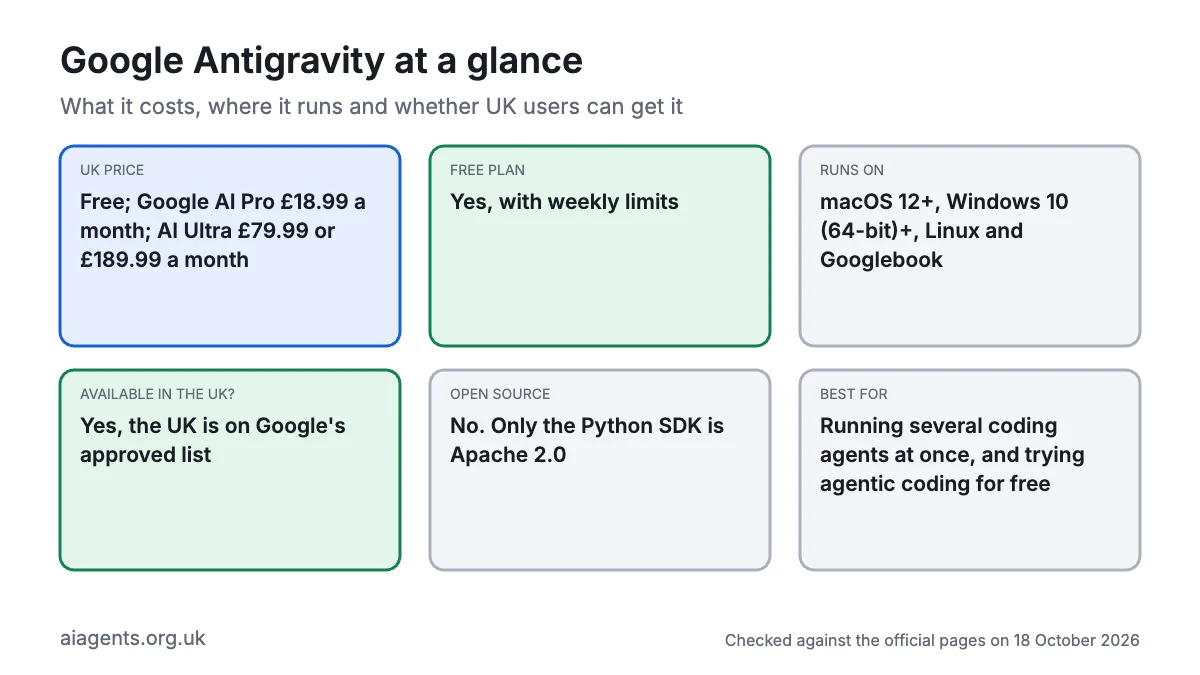
Key facts
- What it is: A multi-agent coding platform: desktop app, CLI (agy), editor extensions, standalone IDE and Python SDK
- Made by: Google; Google LLC, in the US, is the data controller for UK users
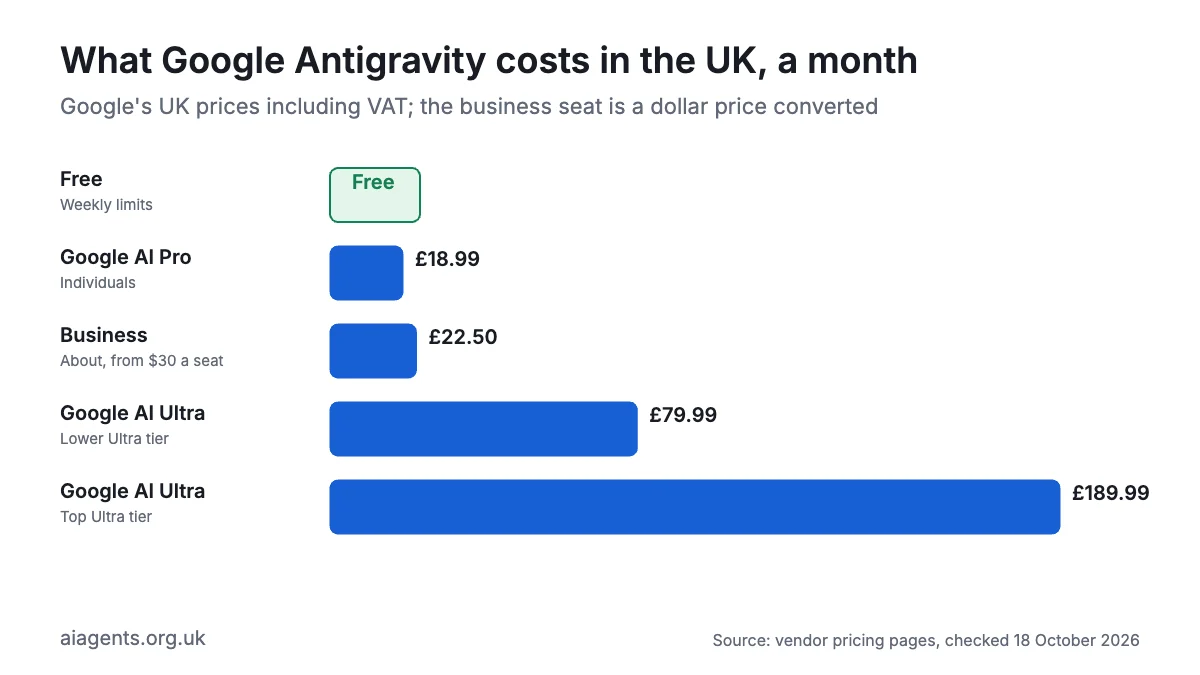
- Price: Free; Google AI Pro £18.99 a month; AI Ultra £79.99 or £189.99 a month; business from $30 (about £22.50) a seat, as of 18 October 2026
- Free plan or trial: Yes, with weekly limits. AI Pro trials exclude Gemini 4 Argon and Claude 5.5
- Runs on: macOS 12+, Windows 10 64-bit+, Linux (glibc 2.28+), Googlebook
- What you need: A personal Google account, age 18+, an internet connection
- Open source: No. Only the Python SDK repo is Apache 2.0, and it needs Google's compiled runtime
- Available in the UK: Yes, the UK is on Google's approved countries list
- Best for: Running several coding agents at once and trying agentic coding for free
- Official site: antigravity.google
On this page
- What is Google Antigravity?
- What's new in Google Antigravity in October 2026?
- How much does Google Antigravity cost in the UK?
- What do you need to run Google Antigravity?
- How do you install Google Antigravity?
- How do you use Google Antigravity? First things to try
- Best Google Antigravity video tutorials
- Official Google Antigravity links
- Is Google Antigravity safe? Privacy, security and UK GDPR
- Google Antigravity vs Claude Code, Codex, Cursor and other alternatives
- Who should use Google Antigravity?
- Frequently asked questions
What is Google Antigravity?
Google Antigravity is an AI agent platform for building software. You describe the job in plain English. Agents read your project, plan, edit files, run commands and check the result in a browser. They show their work as "artifacts": plans, file changes (diffs), screenshots and browser recordings you can review and comment on.
It comes in several forms that share the same agents and settings:
- The Antigravity app: a desktop command centre where several agents work in parallel. It runs Automations (scheduled tasks) and can be steered from a browser with Remote Control.
- The Antigravity CLI: a terminal tool (the text window where you type commands), started with
agy. - Editor extensions: for VS Code, Visual Studio, JetBrains IDEs, Zed and Xcode.
- The standalone IDE: the original code editor, still offered, but without Gemini 4 Argon.
- The SDK: a Python toolkit for building your own agents, including on local models.
- The Gemini app on Mac: AI Ultra subscribers get an Antigravity button.
Google launched Antigravity on 18 November 2025 as an agent-first editor built on Visual Studio Code. Antigravity 2.0 (19 May 2026) rebuilt it around the app, CLI and SDK, replacing Gemini CLI, which stopped serving personal accounts on 18 June.
As of 18 October 2026 the free plan runs Gemini 3.8 Flash, plus Claude Sonnet 4.6, Claude Opus 4.6 and OpenAI's open-weight GPT-OSS-120b until 2 November. Paid plans add Gemini 4 Argon, Claude Sonnet 5.5 and Claude Opus 5.5.
What's new in Google Antigravity in October 2026?
- 16 October: CLI 1.4.0 adds a message queue toggle (Alt+M) and better plugin checks.
- 15 October: App 2.24.0 adds a redesigned side panel,
/compactto shrink long conversations, and a model choice for Automations. CLI 1.3.6 speeds up auto mode (added in 1.3.5 the day before), whose reviews of commands that leave the sandbox now block uploads of sensitive data. - 13 October: Gemini 4 Argon, Google's newest model, reached the app and CLI for AI Pro (not trials) and Ultra. The Gemini app for Mac gained an Antigravity button that opens the full workspace, for AI Ultra subscribers only, 9to5Google reported.
- 12 October: App 2.23.0 adds a permissions picker, .zip and folder attachments, new onboarding and a "Fix with Agent" button for broken MCP servers.
- 10 October: CLI 1.3.3 blocks sandboxed commands on a Mac from reading the folder where desktop apps keep sign-in tokens.
- 7 October: App 2.21.1 adds conversation search (Cmd or Ctrl+K) and renames Scheduled Tasks to Automations.
- 30 September: an app for Googlebook laptops reached the Play Store.
- Coming next: the Claude 4.6 models and GPT-OSS-120b leave on 2 November 2026.
How much does Google Antigravity cost in the UK?
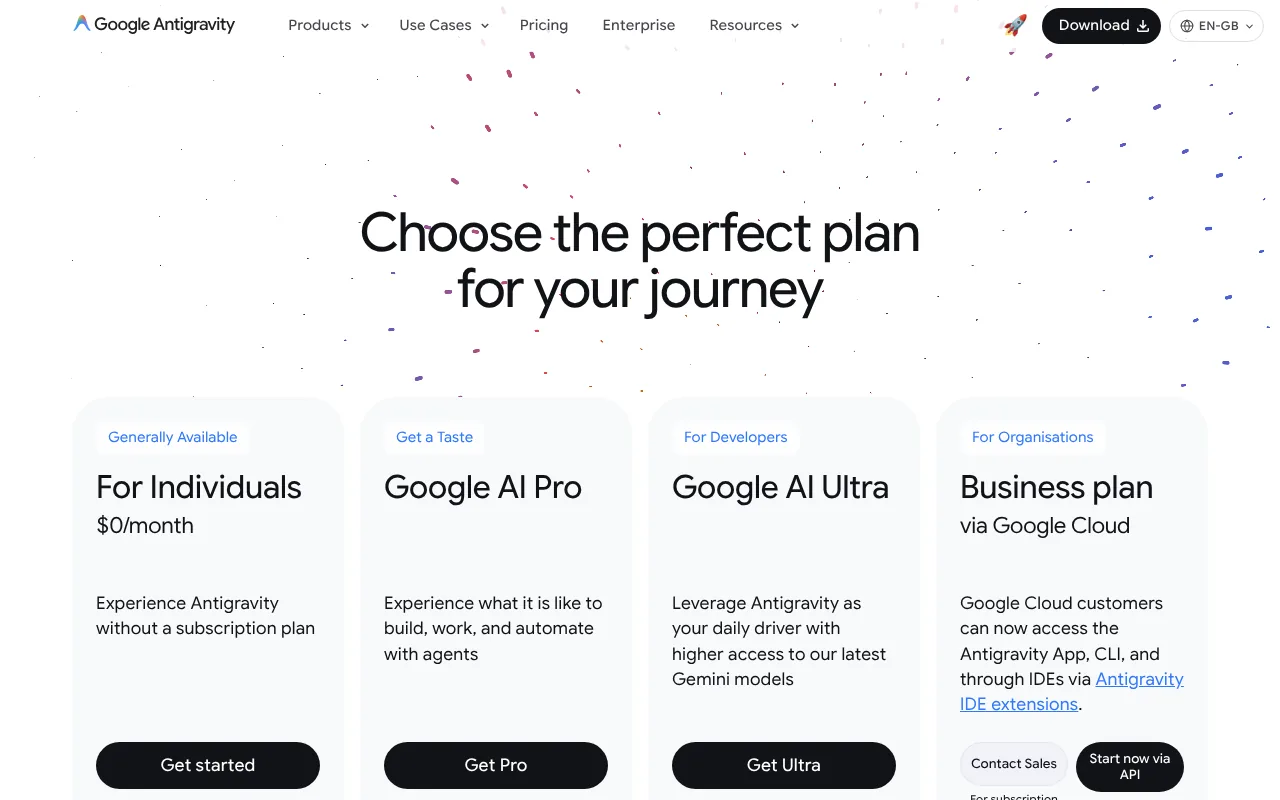
Antigravity is free for individuals. The paid Antigravity plans are Google's AI subscriptions, which raise the limits and are priced in pounds on Google's UK Gemini page. That page does not say whether VAT is included; UK consumer prices normally include it, and Google shows any tax at checkout. Prices are as of 18 October 2026.
| Plan | US price | UK price | What you get in Antigravity |
|---|---|---|---|
| Individuals | $0 | £0 | Gemini 3.8 Flash (plus Claude 4.6 and GPT-OSS-120b until 2 November), unlimited Tab completions, a weekly quota |
| Google AI Pro | $19.99 a month | £18.99 a month | Gemini 4 Argon and Claude 5.5 (not on trials); quota refreshes every five hours up to a weekly cap |
| Google AI Ultra (5x) | $100 a month | £79.99 a month | Higher limits than Pro, plus Antigravity in the Gemini Mac app |
| Google AI Ultra (20x) | $200 a month | £189.99 a month | The highest limits |
| Business (Gemini Enterprise) | From $30 a seat a month, or pay as you go | About £22.50 a seat | Google Cloud terms, admin controls, spend caps, US or EU data regions |
US Ultra prices are as TechCrunch reported them on 19 May 2026. Google AI Plus (£4.49) gets the same Antigravity models as free, so skip it for Antigravity.
Rate limits in plain terms. Google publishes no numbers. Limits track how much work the agent does, not how many messages you send, and Google may change them to manage capacity. Check yours in the app's Settings or with /usage in the CLI.
Costs that catch people out:
- AI credits. On Pro and Ultra, you can keep working past your quota by spending AI credits from Google One. Set AI Credit Overages to Never to avoid surprise bills.
- API keys. If you sign the CLI in with a Gemini API key instead of your Google account, usage may be billed to that key rather than your plan.
For the wider picture, see what AI agents cost in the UK.
What do you need to run Google Antigravity?
- A computer: macOS 12 or later (Apple Silicon or Intel), Windows 10 64-bit or later (x64 or ARM), or Linux with glibc 2.28 or later, such as Ubuntu 20+ or Fedora 36+. Googlebooks have it preinstalled.
- For the Gemini app route: an Apple Silicon Mac on macOS 15 or later, plus AI Ultra.
- An account: a personal Google account, and you must be 18 or over. If a Workspace account will not sign in, Google suggests a @gmail.com address.
- An internet connection: the app and CLI use Google's cloud models.
- Optional: Git, VS Code (or another supported editor) for the extension, and Python 3 for the SDK.
- Skills: none for the app; the CLI needs basic terminal confidence.
Local models. Only the SDK runs models on your machine, through Ollama, LM Studio or vLLM, or on-device with Google's LiteRT running Gemma 4. Google suggests 24 GB of memory for Gemma 4 26B.
How do you install Google Antigravity?
As of 18 October 2026 the download page offers app version 2.24.0 and CLI version 1.4.0.
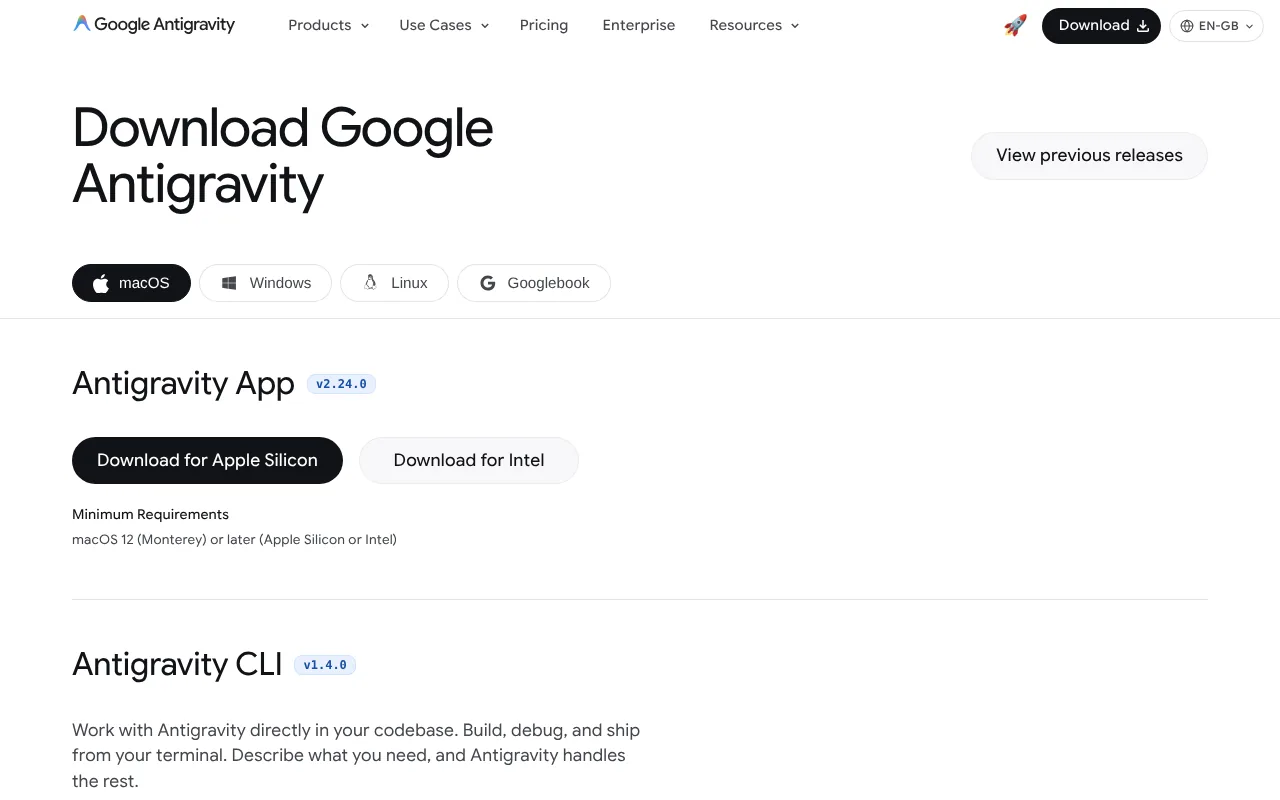
How to install Google Antigravity on Mac
- Go to https://antigravity.google/download and choose the Apple Silicon or Intel .dmg.
- Open Antigravity.dmg and drag Antigravity into Applications.
- Open Antigravity and click Sign in, then finish signing in through your browser.
- Click New Project in the left sidebar, then Add Folder, pick a folder and click Create.
- Choose Local mode (agents work in the folder) or New worktree mode (agents work on a separate Git copy).
- Type a prompt. Success is an agent replying with a plan.
For the CLI, open Terminal (Cmd and Space, type Terminal, press Return) and run:
curl -fsSL https://antigravity.google/cli/install.sh | bashCheck it worked. Success is a version number:
agy --versionThen start it in a folder:
mkdir agy-demo && cd agy-demo
agy
First run asks for a colour scheme and display mode, folder trust and a browser sign-in. Leave with /exit.
How to install Google Antigravity on Windows
- Download the x64 or ARM64 .exe, run it and follow the wizard.
- For the CLI, open PowerShell and run:
irm https://antigravity.google/cli/install.ps1 | iex- In the older Command Prompt, use this instead:
curl -fsSL https://antigravity.google/cli/install.cmd -o install.cmd && install.cmd && del install.cmd- Open a new window and run
agy --version. A version number means success.
Windows sandboxing for agent commands arrived on 19 September 2026 and is still a preview.
Linux, the Gemini Mac app and VS Code
On Linux, download the x64 or ARM64 .tar.gz (there are no .deb or .rpm packages), then:
tar -xzf Antigravity.tar.gz
./Antigravity
The CLI uses the Mac command. With AI Ultra, update the Gemini app for Mac and click the Antigravity button at the top right. In VS Code, open Extensions (Cmd+Shift+X or Ctrl+Shift+X), search for and install Google Antigravity, then click its icon in the Activity Bar to sign in.
Uninstalling. Google's download page gives no uninstall steps. Sign out of the CLI first, remove the agy program the installer added, and drag the Mac app to the Bin.
How do you use Google Antigravity? First things to try
Give agents a goal and a check: "add a contact form and test that it sends" beats "improve the site".
- Get a tour:
Explain what this project does and list the files that matter most. - Plan before building:
/plan add online booking to this website(you approve the plan before anything changes). - Build something small:
Create a one-page website for a café in Bristol with opening hours, a menu and a contact form. - Test in the browser:
Open the site, click every link and fix any that are broken.Watch the recording afterwards. - Tidy business data:
Read sales-2026.csv and save monthly totals to summary.csv. - Set up an Automation:
Every Monday at 9am, check this project's dependencies for security updates and summarise them. - Ask a one-off question:
agy -p "In one sentence, what does this script do?"
To connect tools such as GitHub or Figma, add MCP servers; our guide to MCP explains them.
Best Google Antigravity video tutorials
Video: Google Antigravity on YouTube.
Google's official beginner guide tours the 2.0 desktop app, multi-agent teams, scheduled tasks and voice control in about 16 minutes.
| Video | Channel | Length | Uploaded | Best for | |
|---|---|---|---|---|---|
| Google Antigravity 2.0 Beginner's Guide | Google Antigravity (official) | 16:14 | 19 May 2026 | A first look at the desktop app | |
| Google Antigravity 2.0 Tutorial for Beginners: Learn 90% Of Antigravity in Under 25 Minutes | James NoCode | 22:39 | 8 June 2026 | Non-coders building a first app | |
| Which Antigravity surface should I use? 2.0 vs CLI vs IDE vs SDK | Google Antigravity (official) | 18:36 | 12 June 2026 | Choosing between the app, CLI, IDE and SDK | |
| [Inside Google Antigravity 2.0: The complete developer guide \ | The Agent Factory](https://www.youtube.com/watch?v=Dk4MD6TNiWE) | Google Cloud Tech | 34:42 | 8 June 2026 | Developers: parallel subagents, skills and MCP |
Start with Google's guide, then James NoCode (new coders) or The Agent Factory (developers). All four predate October's updates.
Official Google Antigravity links
| Link | What it's for |
|---|---|
| Homepage | Overview of the app, CLI, IDE and SDK |
| Download | Installers and CLI commands |
| Quickstart | First install and first prompt |
| Documentation | The full official docs |
| Pricing | Plans at a glance |
| Plans and limits | How quotas and AI credits work |
| Changelog | What changed in each version |
| Permissions | Security presets and rules |
| FAQ | Countries, age and accounts |
| Terms | Additional terms, including data use |
Is Google Antigravity safe? Privacy, security and UK GDPR
It is as safe as the permissions you give it, because its agents run commands, edit files and drive a browser.
Permissions. The app's Default preset runs terminal commands in a sandbox (a fenced-off area with no network) without asking, but asks before anything outside it, web browsing and MCP tool calls. Request Review limits files to your project. Turbo allows everything, across your whole disk. The CLI asks before edits, shell commands and web tools by default, but its sandbox starts switched off.
Where your data goes. Prompts, code the agents read and their replies go to Google. Google's privacy policy (effective 16 October 2026) names Google LLC, in California, as the controller for UK users and says data may be processed abroad. Business accounts can choose US or EU processing; there is no UK option.
Training. Antigravity's terms say Google collects your interactions while it runs, uses them to improve Google and Alphabet products and machine learning, and may let employees and contractors read them. Free, Pro and Ultra are treated alike. Switch off Enable Telemetry under Account in the app's settings to opt out, and email antigravity-support@google.com to delete past data. Google says Gemini Enterprise prompts and code are not used for training. Choosing a Claude model also brings in Anthropic's terms.
Known security issues:
- November 2025: PromptArmor showed hidden text on a web page could trick the agent into sending a project's secret keys to an attacker (TechTalks, 27 November 2025). This is prompt injection: instructions hidden in content the agent reads.
- April 2026: Pillar Security disclosed a file search flaw that let prompt injection run code despite Strict Mode, fixed by 28 February (The Hacker News, 21 April 2026).
- July 2026: Pillar found two more sandbox bypasses. Google rated them hard to exploit, and the report did not confirm fixes (BleepingComputer, 20 July 2026).
Google's FAQ also warns that reaching Antigravity through third-party tools can get your account suspended.
Practical settings:
- Turn off Enable Telemetry before opening client code.
- Stay on Default or Request Review, never Turbo.
- Add Deny rules such as
read_file(.env)andcommand(sudo). Deny always beats Allow. - In the CLI, run
/configto turn on Sandbox Mode, keep Tool Permission on request-review and turn off Enable Telemetry; the choices are saved to~/.gemini/antigravity-cli/settings.json:
{
  "enableTelemetry": false,
  "enableTerminalSandbox": true,
  "toolPermission": "request-review"
}- Give the browser agent a separate Chrome profile, and only open repositories you trust.
For customers' personal data, use Gemini Enterprise rather than a personal plan, and read our guide to AI agents and UK GDPR.
Google Antigravity vs Claude Code, Codex, Cursor and other alternatives
Prices are as of 18 October 2026. Cursor and Claude exclude tax from their dollar prices.
| Tool | Price from | Free plan | Where it runs | Models | Open source |
|---|---|---|---|---|---|
| Google Antigravity | Free; AI Pro £18.99 | Yes | Desktop app, CLI, editors, SDK | Gemini, some Claude | SDK repo only (Apache 2.0) |
| Claude Code | Claude Pro, $20 a month (£18 in the UK) | No | Terminal, editors, desktop, web | Claude only | No |
| OpenAI Codex | ChatGPT Free; Plus $20 (about £15) | Yes, limited | Web, CLI, editors, desktop | OpenAI | CLI only (Apache 2.0) |
| Cursor | Free; Plus $8 (about £6) | Yes, limited | Its own editor | Grok on Plus; others from Premium ($30) | No |
| GitHub Copilot coding agent | Copilot Pro $10 (about £7.50) | Not for the coding agent | GitHub, VS Code, other editors | Several providers | No |
| Kilo Code | Free; Kilo Pass from $19 (about £14) | Yes | VS Code, JetBrains, CLI | Any provider, or local via Ollama or LM Studio | Yes |
Antigravity vs Claude Code. Both take whole tasks. Antigravity is free to start and built around several agents at once; Claude Code has no free plan and is strongest in the terminal.
Antigravity vs Cursor. Cursor is an editor first, where you write code with AI help; Antigravity puts agents first. Cursor's Plus plan is cheaper but covers only Grok models.
For privacy, pick Kilo Code with a local model. Antigravity's app and CLI always use Google's cloud.
Who should use Google Antigravity?
It suits anyone trying agentic coding without paying, Google AI subscribers who already have the allowance, and developers who like parallel agents with plans and recordings to check. Small businesses can prototype simple sites and tools; see AI agents for UK small businesses.
Skip it if code must stay on your machine (see how to run AI agents on your Mac), if you need UK-only data storage, or if you are under 18.
Frequently asked questions
What is Google Antigravity?
Google Antigravity is Google's agent-first platform for building software. You describe a task, and Google Antigravity's agents plan it, edit files, run commands and test the result in a browser, then show plans, diffs and recordings for review. It comes as a desktop app, a CLI called agy, editor extensions, a standalone IDE and a Python SDK, mostly running Gemini models.
Is Google Antigravity free?
Yes. Google Antigravity has a free individual plan with Gemini 3.8 Flash and a weekly quota. As of 18 October 2026, Google's UK page lists Google AI Pro at £18.99 a month and AI Ultra at £79.99 or £189.99, without saying whether VAT is included. These raise Google Antigravity's limits and add Gemini 4 Argon and Claude's 5.5 models.
How do I install the Antigravity CLI?
On a Mac or Linux, run curl -fsSL https://antigravity.google/cli/install.sh | bash in a terminal. On Windows, open PowerShell and run irm https://antigravity.google/cli/install.ps1 | iex. Then run agy --version to check the Antigravity CLI installed, and type agy in a project folder to start. You sign in through your browser on first run.
Is Google Antigravity available in the UK?
Yes. Google's Antigravity FAQ lists the United Kingdom among its approved countries, and Google AI Pro and Ultra are sold in pounds in the UK. You need a personal Google account and must be 18 or over. Google LLC in the US controls UK users' data, and Google Antigravity offers no UK-only data region.
Does Google Antigravity use my code for training?
On personal plans, it can. Google Antigravity's terms say Google uses your interactions to improve its products and machine learning, and human reviewers may read them. Switch off Enable Telemetry under Account in the app's settings, and email antigravity-support@google.com to delete past data. Google says Gemini Enterprise prompts and code are not used for training.
Google Antigravity vs Cursor: which should I use?
Choose Google Antigravity if you want agents to take whole tasks while you review their plans and results, with a free start. Choose Cursor if you prefer an editor where you write code with AI help. Cursor's cheapest paid plan covers only Grok models, while Google Antigravity's free plan includes Gemini and, until 2 November 2026, some Claude models.
Read next
- Claude Code guide
- OpenAI Codex guide
- Cursor review
- Kilo Code review: the open-source coding agent
- What is MCP?
Sources
- Google Antigravity homepage - checked 18 October 2026
- Google Antigravity pricing - checked 18 October 2026
- Download Google Antigravity - checked 18 October 2026
- Overview, Antigravity docs - checked 18 October 2026
- Quickstart, Antigravity docs - checked 18 October 2026
- Authenticate, Antigravity docs - checked 18 October 2026
- Plans, Antigravity docs - checked 18 October 2026
- Models, Antigravity docs - checked 18 October 2026
- AI credits in the CLI, Antigravity docs - checked 18 October 2026
- CLI reference, Antigravity docs - checked 18 October 2026
- CLI execution modes, Antigravity docs - checked 18 October 2026
- Headless mode, Antigravity docs - checked 18 October 2026
- Permissions, Antigravity docs - checked 18 October 2026
- Settings, Antigravity docs - checked 18 October 2026
- Enterprise overview, Antigravity docs - checked 18 October 2026
- Local models, Antigravity SDK docs - checked 18 October 2026
- Migrating from Gemini CLI, Antigravity docs - checked 18 October 2026
- FAQ, Antigravity docs - checked 18 October 2026
- Changelog, Antigravity docs - checked 18 October 2026
- Antigravity blog - checked 18 October 2026
- Gemini 4 Argon in Google Antigravity, Antigravity blog - checked 18 October 2026
- Introducing IDE extensions, Antigravity blog - checked 18 October 2026
- Google Antigravity additional terms - checked 18 October 2026
- Google privacy policy, UK version - checked 18 October 2026
- Google AI subscriptions, Gemini UK - checked 18 October 2026
- Google One plans - checked 18 October 2026
- Tax information for Google Play purchases, Google Help - checked 18 October 2026
- Gemini app for Mac - checked 18 October 2026
- Antigravity SDK repository, GitHub - checked 18 October 2026
- An important update: transitioning Gemini CLI to Antigravity CLI, Google Developers Blog - checked 18 October 2026
- Google Antigravity is now built into Gemini app for macOS, 9to5Google - checked 18 October 2026
- Google adds a one-click Antigravity launcher to Gemini for Mac, Runtime Wire - checked 18 October 2026
- Google Antigravity Googlebook app hits the Play Store, 9to5Google - checked 18 October 2026
- Google launches Antigravity 2.0 with an updated desktop app and CLI tool, TechCrunch - checked 18 October 2026
- Google Antigravity, Wikipedia - checked 18 October 2026
- Prompt injection attack tricks Google's Antigravity into stealing your secrets, TechTalks - checked 18 October 2026
- Google patches Antigravity IDE flaw, The Hacker News - checked 18 October 2026
- Cursor, Codex, Gemini CLI, Antigravity hit by sandbox escapes, BleepingComputer - checked 18 October 2026
- Claude pricing - checked 18 October 2026
- OpenAI Codex repository, GitHub - checked 18 October 2026
- Cursor pricing - checked 18 October 2026
- GitHub Copilot plans - checked 18 October 2026
- Codex pricing, OpenAI - checked 18 October 2026
- Kilo Code pricing - checked 18 October 2026
- Google Antigravity 2.0 Beginner's Guide, Google Antigravity on YouTube - checked 18 October 2026
- Google Antigravity 2.0 Tutorial for Beginners, James NoCode on YouTube - checked 18 October 2026
- Which Antigravity surface should I use?, Google Antigravity on YouTube - checked 18 October 2026
- Inside Google Antigravity 2.0, Google Cloud Tech on YouTube - checked 18 October 2026


