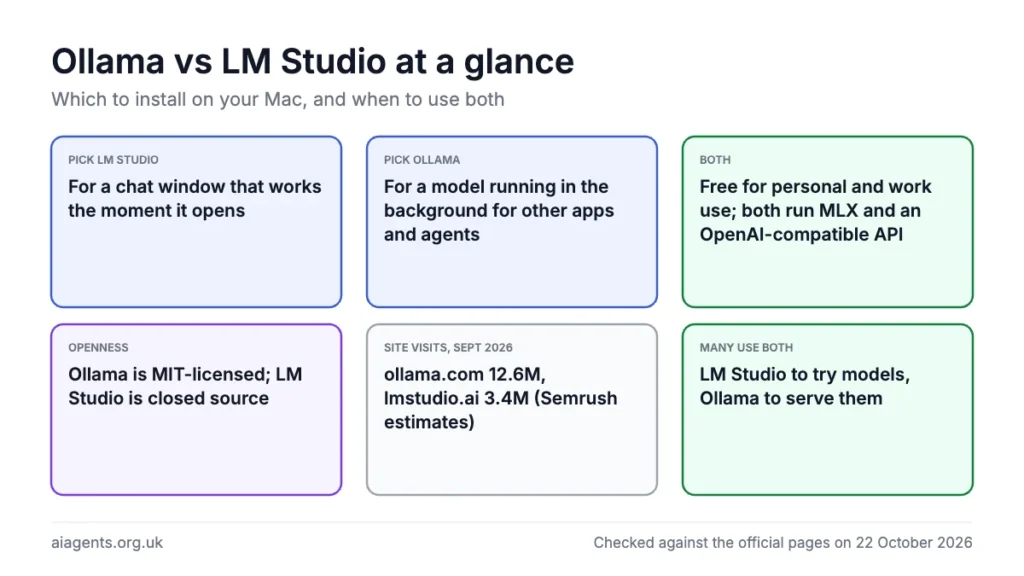
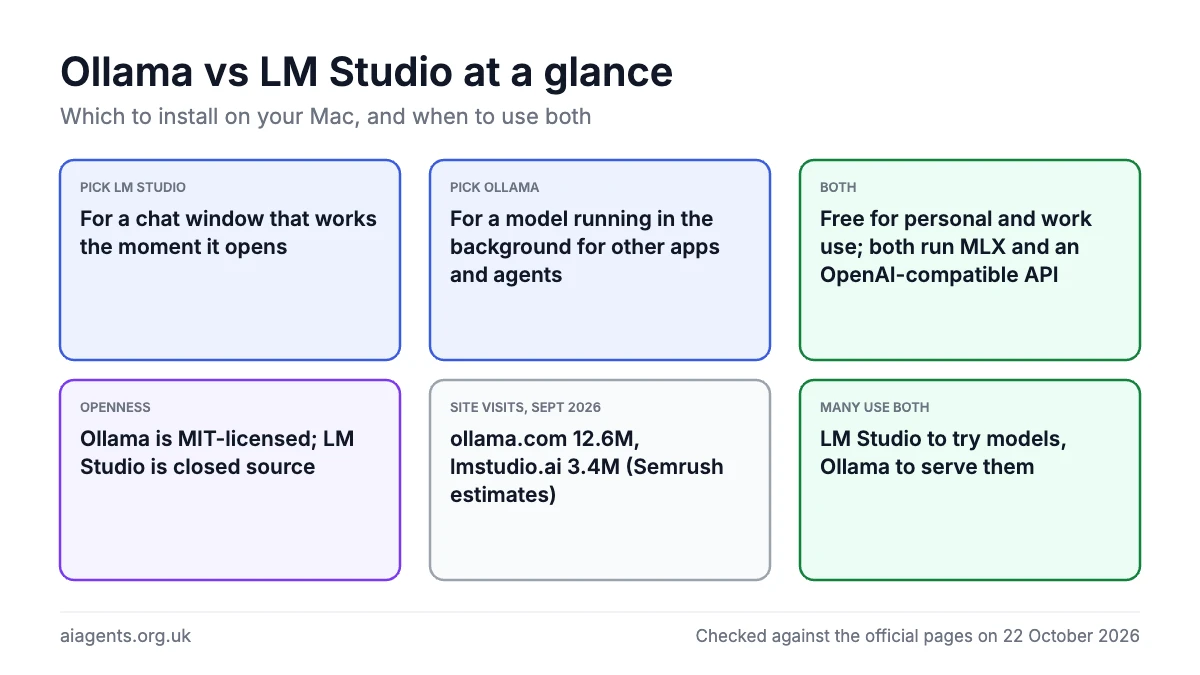
Install LM Studio if you want a chat window that works the moment it opens, and Ollama if you want a model running quietly in the background for other apps and agents to call. Both are free for personal and work use, both run Apple's MLX engine on an Apple silicon Mac, and both expose an OpenAI-compatible API, so the real differences are interface and openness: LM Studio is a closed-source desktop app with the richer interface and built-in MCP support, while Ollama is an MIT-licensed server with a simpler app and the widest set of one-command integrations. Many Mac users run both, LM Studio to try models and Ollama to serve them. Ollama is also the more widely used: Semrush estimates its website drew 12.6 million visits in September 2026 to LM Studio's 3.4 million. If you are weighing a third option as well, the Ollama vs LM Studio vs Jan page covers all three.
On this page
- The short answer
- What each one is
- Ollama vs LM Studio in numbers
- Side by side
- Ease of use on a Mac
- Speed on Apple Silicon
- Models and formats
- Connecting to other apps and agents
- Privacy, openness and licences
- Cost
- Which should you install?
- Why many people run both
- What people say on Reddit and X
- Frequently asked questions
- Read next
- Sources
The short answer
Ollama vs LM Studio is less a contest than a question of what you want the model for. If you want to type questions into a window, attach a PDF and get an answer, LM Studio is the better first install. Its User mode shows "only the chat interface" and auto-configures everything.
If you want a local model that Claude Code, OpenClaw, n8n or Open WebUI can call, Ollama is the better first install: it runs as a server on port 11434, has a one-command launcher for agents, and is the connection type most tools support natively. The recommendation by reader type below goes further.
What each one is
Ollama is an open-source project under the MIT licence. At its heart is a server that answers API requests at http://localhost:11434, with a command line tool for pulling and running models.
Since July 2025 it has also had a desktop app for macOS and Windows with a chat window. The latest release is 0.40.8 of 21 October 2026, and the company raised 88 million dollars in July 2026. Our Ollama guide covers installing, updating and uninstalling it.
LM Studio is a desktop app from Element Labs, Inc. of Wilmington, Delaware. It is proprietary: the terms call it the company's "exclusive property", though its CLI, SDKs and MLX engine are MIT-licensed. It has been free for personal and workplace use since 8 July 2025. The current version is 0.4.26, released on 13 October 2026.
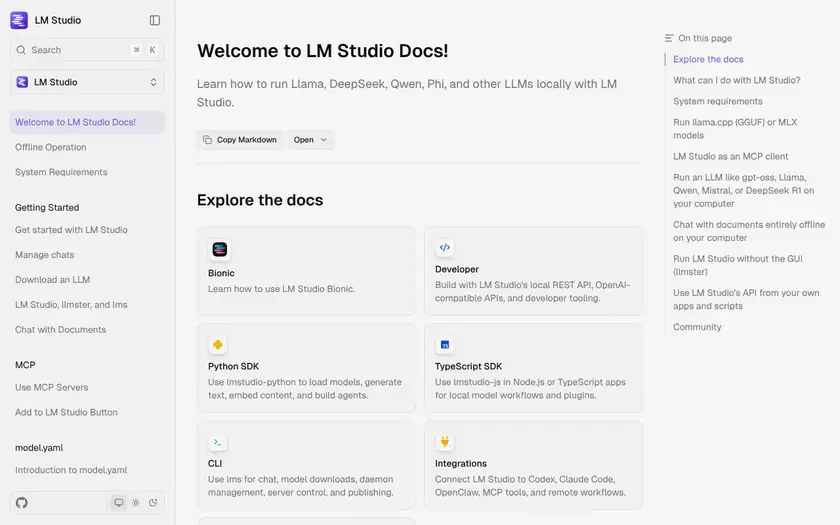
The app downloads models from Hugging Face, runs GGUF files through llama.cpp and MLX models through its own mlx-engine, chats with documents offline, acts as an MCP host, and serves an OpenAI-compatible API on port 1234. Alongside it sit the lms command line tool, a headless daemon called llmster, LM Link for reaching your models from an iPhone, and since 16 July 2026 a separate agent app called Bionic. The LM Studio guide has the install walkthrough.
Ollama vs LM Studio in numbers
Ollama is the bigger of the two on every public measure I could find. On the one like-for-like figure, website traffic, Semrush estimates ollama.com had 12.6 million visits in September 2026 against 3.4 million for lmstudio.ai, nearly four times as many, although site visits are not the same as people using the app.
| Measure | Ollama | LM Studio |
|---|---|---|
| Website visits, September 2026 (Semrush estimate) | 12.6M (ollama.com) | 3.4M (lmstudio.ai) |
| Unique visitors, September 2026 (Semrush estimate) | 6.2M | 2.1M |
| UK organic search traffic a month, October 2026 (Semrush estimate) | 38.3K | 13.8K |
| UK searches a month for the name plus "download" (Semrush, October 2026) | 880 ("ollama download") | 260 ("lm studio download") |
| GitHub stars, 22 October 2026 | 183.8k for ollama/ollama, the whole project (18.4k forks) | 5,291 for lms, its most-starred repo, then lmstudio-js 1,774 and mlx-engine 1,179; the app is closed source, so these cover only the CLI, SDKs and engine |
| Homebrew installs, last 365 days | 641,608 (ollama formula); 88,554 (ollama-app cask) | 56,503 (lm-studio cask) |
| What the company says | "serving 8.9 million developers" (9 July 2026); 9M+ installs a month and 1B+ model downloads (homepage, October 2026) | "millions of downloads worldwide" (8 July 2025) |
The gap is real but narrower than the visit count suggests: ollama.com is also Ollama's model library, which is why visitors view 5.1 pages each against 3.7 on lmstudio.ai, and app against app on Homebrew the lead is about one and a half to one, not eleven to one. LM Studio is also under-counted by design, because its app is closed source and the company does not publish its own download figures.
Side by side
Checked on 22 October 2026 against each product's own documentation, terms and pricing.
| Area | Ollama | LM Studio |
|---|---|---|
| Made by | Ollama (open-source project, MIT licence) | Element Labs, Inc., Wilmington, Delaware (proprietary) |
| Current version | 0.40.8 (21 October 2026) | 0.4.26 (13 October 2026) |
| Price for local use | Free, unlimited on every plan | Free for personal and work use |
| Mac requirements | macOS Sonoma 14 or newer; Apple M series (GPU) or Intel (CPU only) | macOS 14.0 or newer; Apple silicon only, 16GB+ RAM recommended |
| Interface | Chat app plus command line; app connects Claude Desktop and ChatGPT Desktop | Full desktop app with User and Developer modes; lms command line; llmster headless |
| Engines on Apple silicon | MLX by default for supported architectures since 0.40.0; llama.cpp for GGUF | MLX (mlx-engine) and llama.cpp; experimental Splash engine in Bionic |
| Model formats | Ollama library; GGUF and Safetensors import via Modelfile | GGUF and MLX from Hugging Face; GGUF sideload with lms import |
| Local API | Native API, OpenAI-compatible /v1 and Anthropic /v1/messages on port 11434 | Native REST API, OpenAI-compatible /v1 and Anthropic /v1/messages on port 1234 |
| MCP | Not documented in the app; tool calling via API | MCP host since 0.3.17 (mcp.json, Add to LM Studio button) |
| Cloud models | Ollama cloud: Free credits, Pro 20 dollars a month, Max 100 dollars a month | LM Studio Secure Cloud via Bionic: Bionic+ 20 dollars a month, Pro 100 dollars a month |
| Privacy statement | "We don't see your prompts or data when you run locally"; may collect "limited device and usage metadata" | "the application does not include telemetry"; update checks send app version and OS |
| Best for | Serving models to agents and apps such as Claude Code, OpenClaw, n8n and Open WebUI; Intel Macs; an open-source licence | A private chat window with documents, MCP tools in a local chat, trying out models, and using your Mac's models from an iPhone |
Ease of use on a Mac
LM Studio is the easier app for someone who never wants to see a terminal. The getting-started flow is three steps: open the Discover tab and pick a model, load it in the Chat tab, then chat. The docs advise choosing "a 4-bit option or higher if your machine is capable enough".
Its User mode hides every advanced setting. Developer mode gives "Full access to all aspects in LM Studio", including load parameters and the server toggle. You can attach .docx, .pdf and .txt files to a chat; if a document fits the model's context the whole thing goes in, otherwise LM Studio retrieves the relevant sections.
Ollama's app is simpler and lighter. It downloads and chats with models, accepts text, PDF and image files, has a context length slider in its settings, and its Apps sidebar connects Claude Desktop and ChatGPT Desktop with a couple of clicks.
The honest difference is that Ollama's power lives in the terminal. Pulling, listing and unloading models are commands, which our Ollama commands cheat sheet lists. The two that matter most:
ollama pull gemma4:e2b
ollama run gemma4:e2b
One hardware point decides it for some readers. Ollama's macOS page lists "Apple M series (CPU and GPU support) or x86 (CPU only)", so it runs on an Intel Mac, slowly. LM Studio's requirements page says "Intel-based Macs are currently not supported".
Speed on Apple Silicon
Both now use MLX, Apple's machine learning framework, built around unified memory. LM Studio got there first: version 0.3.4 shipped with MLX on 8 October 2024. Ollama followed with version 0.19 on 27 March 2026, "powered by MLX on Apple Silicon in preview", and made MLX the default for supported architectures in 0.40.0 on 25 September 2026.
Ollama's own figures show why the switch mattered. In the 0.19 preview post, Qwen3.5-35B-A3B went from about 58 to about 112 tokens a second of generation compared with 0.18. A June 2026 update added NVFP4 and claimed up to 20% more speed, and a later post said Gemma 4 generated almost 90% faster on an M5 Max with multi-token prediction.
LM Studio's mlx-engine 1.8.5, released on 5 June 2026, added disk-backed prompt caching and continuous batching for vision models; its benchmark on an M3 Max with 36GB showed four parallel chats running about 2.2 times faster. September 2026 added an experimental Splash engine inside Bionic for Qwen3.6 and Qwen3.8 on an M3 or newer Mac with 36GB or more.
Neither company has published a like-for-like benchmark, so I will not claim one is faster; Hacker News commenters in 2026 report switching between the two to find the fastest for a given model. The memory calculator shows which models fit which Macs.
Models and formats
Ollama's models come from its own library at ollama.com, with short tags such as gemma4:e2b or gemma4:cloud, and pulling one needs no decisions about quantisation. For a model outside the library, the import docs show how to build one from a GGUF file or Safetensors folder:
FROM /path/to/file.ggufollama create my-modelLM Studio's Discover tab searches Hugging Face directly, by keyword, user/model name or URL. You pick the quantisation yourself from labels such as Q3_K_S or Q_8, and on a Mac you can choose between a GGUF build and an MLX build of the same model. The 30 most downloaded Ollama models page is a good starting list for either app.
The two apps keep separate stores, Ollama in ~/.ollama/models and LM Studio in ~/.lmstudio/models/, and Ollama's docs warn that models can be "tens to hundreds of GB in size". If you run both, budget disk space for two copies of any shared model.
On context length, Ollama's default depends on unified memory (4k below 24 GiB, 32k from 24 to 48 GiB, 256k above) and changes with the app's slider; LM Studio sets it per model in My Models. For agents, Ollama recommends 64k or more, LM Studio over about 25k for Claude Code and 50k for OpenClaw.
Connecting to other apps and agents
Ollama has the edge when it comes to connecting other apps and agents. Its API is a connection type in its own right: Open WebUI finds it automatically on port 11434, n8n has a dedicated Ollama credential defaulting to http://localhost:11434, and Ollama's integrations docs list Claude Code, Codex, Cline, VS Code, Xcode, Zed, OpenClaw and Hermes Agent, among others.
Since January 2026 the ollama launch command sets these up without environment variables. For Claude Code it is one line, which our Claude Code with Ollama guide walks through:
ollama launch claudeLM Studio connects to the same tools through its OpenAI-compatible and Anthropic-compatible endpoints rather than a named integration. In Open WebUI it is added as an OpenAI-compatible connection. For Claude Code the LM Studio docs give this sequence:
lms server start --port 1234
export ANTHROPIC_BASE_URL=http://localhost:1234
export ANTHROPIC_AUTH_TOKEN=lmstudio
claude --model openai/gpt-oss-20b
OpenClaw supports both as providers: Ollama through ollama launch openclaw, LM Studio through the openclaw onboard wizard with http://localhost:1234/v1 as the base URL; see OpenClaw on a Mac. n8n's documentation does not mention LM Studio as of 22 October 2026, so there Ollama is the documented path.
MCP goes the other way. LM Studio has been an MCP host since version 0.3.17, so a local model in its chat window can use servers added in mcp.json or with an "Add to LM Studio" button, with the warning that "Some MCP servers can run arbitrary code". Ollama's docs cover tool calling through its API but do not describe the app as an MCP host. See LM Studio plugins and MCP and What is MCP?.
Privacy, openness and licences
Both say your local chats stay on your Mac. Ollama's FAQ states "Ollama runs locally. We don't see your prompts or data when you run locally". LM Studio's policy (effective June 2026) says that locally "none of your messages, chat histories, and documents are ever transmitted from your system".
The telemetry wording differs. LM Studio's policy says "the application does not include telemetry or user-specific tracking", though update checks send the app version, build and operating system, and model searches are collected anonymised. Ollama's may collect "limited device and usage metadata (such as app version and request counts)" without prompt or response content. Neither says how to switch these off.
Ollama's cloud features can be disabled outright with OLLAMA_NO_CLOUD=1. LM Studio's docs say it "can operate entirely offline, just make sure to get some model files first", with network requests limited to model search, downloads, runtimes and update checks.
On openness, Ollama is the clear winner: the whole project is MIT-licensed and public on GitHub. LM Studio's app is proprietary, and its terms forbid modifying it, reverse engineering it or offering it as a hosted service; only the lms CLI, the SDKs and the mlx-engine are MIT. The practical difference is auditability, which the Private AI pillar discusses.
Cost
Running models on your own Mac costs nothing in either app, as of 22 October 2026. Ollama's pricing page says local use is unlimited on every plan, and LM Studio has been free for work as well as home use since July 2025. Neither pricing page mentions VAT, and both price in US dollars.
The paid tiers are for cloud models. Ollama's Free plan includes starter credits; Pro is 20 dollars a month (about £15) with 60 dollars of monthly credit and Max is 100 dollars a month (about £75) with 300 dollars of credit, with usage billed per million tokens. See Ollama Cloud explained.
LM Studio's cloud models come through Bionic: Bionic+ is 20 dollars a month (about £15) for US-hosted open models such as Kimi K3 and DeepSeek V4 Flash plus web search, and Pro is 100 dollars a month (about £75) with five times the usage limits. See LM Studio Bionic explained.
Both cloud services make the same privacy promise: Ollama's pricing page says "Prompt or response data is never logged or trained on", with hosting mainly in the United States, and LM Studio says its cloud is "Zero Data Retention (ZDR) across the board" and US-hosted. Either way a cloud prompt leaves the UK, which matters with client data; see AI agents and UK GDPR.
Which should you install?
You want a private chat window and nothing else: LM Studio. You get document attachments, a model picker that explains quantisation choices, and a User mode that hides everything you do not need.
You want to wire a model into Claude Code, OpenClaw, n8n or Open WebUI: Ollama. It is the connection type every one of those tools supports by name, ollama launch does the configuration, and its MIT licence means you can read exactly what it does. Set the context length to 64k or more first.
You want MCP tools inside a local chat: LM Studio. It is the only one of the two documented as an MCP host. The LM Studio plugins page lists what works.
You have an Intel Mac: Ollama, because LM Studio does not support it. Expect slow results, since Ollama runs on the CPU only on Intel; see which Mac to buy.
You want your home Mac's model on your iPhone: LM Studio, whose LM Link and Locally app do this over an end-to-end encrypted Tailscale connection. Ollama has no equivalent phone app as of 22 October 2026.
You want a team server rather than a desktop app: either, and the decision rests on licence. Ollama has an official Docker image under MIT; LM Studio's llmster daemon installs with one curl command and runs without a GUI, under proprietary terms. The self-hosted LLM for a team page compares the options.
Why many people run both
Ollama and LM Studio do not conflict, so you can run both on one Mac. Ollama listens on port 11434 and LM Studio on port 1234, each keeps its own model folder, and each only uses memory while a model is loaded.
Ollama unloads a model after five minutes of inactivity by default and LM Studio has lms unload, so running both does not mean two models in memory all day. You do need disk space for two sets of model files and 16GB of memory or more.
The common pattern on a Mac is LM Studio for exploring and Ollama for serving. LM Studio makes it easy to try three quantisations of a new model in an afternoon; once you know which you like, Ollama is the simpler thing to leave running for Claude Code, n8n or a chat front end such as Open WebUI, which the Open WebUI review looks at.
What people say on Reddit and X
These are individual users' opinions from 2026 comparison threads, not tested facts, picked to show why people choose one or the other.
For reference, both makers announced Claude Code support on X within a week of each other in January 2026: Ollama on 24 January and LM Studio on 30 January.
- On ease of use: "I found quickly that while ollama is good it doesn't have the ease of use for more advanced users." - a user in r/ollama recommending LM Studio to an M1 Max owner, March 2026 thread
- On defaults: "It ships certain models with generally sane defaults that mostly work for a broad range of hardware, but it hides lots of the complexity." - a user in r/LocalLLM describing Ollama, September 2026 thread
- On speed and memory: "LM Studio feels much more lightweight in terms of RAM and is very convenient, but in my testing it seems a little slower." - a 48GB MacBook Pro owner in r/ollama who found Ollama "very fast" but Open WebUI on top of it heavy, September 2026 thread
- On MLX speed: @ivanfioravanti's June 2026 test on an M5 Max put LM Studio's MLX engine top at 100.9 tokens a second on Qwen3.6-35B-A3B, and a reply pushed back: "Did you test Ollama-MLX? it blows every other engine for me here..." - one user on X, June 2026 post
- On Ollama's reputation: "Ollama is popular because it offers a better user experience. For now." - a reply in r/LocalLLaMA's much-discussed "Stop using Ollama" thread, which attacked its move into cloud models, June 2026 thread
- On LM Studio's direction: "This is very frustrating as someone who has used LM Studio for years and does not want to use yet another agentic harness." - a user in r/LocalLLaMA after Bionic's launch, August 2026 thread
The praise splits neatly: LM Studio wins people over with its interface and the settings it lets you see, Ollama with sensible defaults and the sense that it just runs. The complaints are less about speed, where results vary by model and Mac, than about direction, with Ollama's cloud plans and LM Studio's Bionic agent both unsettling some long-time users.
Frequently asked questions
Is LM Studio better than Ollama?
LM Studio is better as a standalone chat app, with a fuller interface, document attachments, a Hugging Face model browser and built-in MCP support. Ollama is better as a background server for other tools, with native support in Open WebUI, n8n and OpenClaw, a one-command launcher for Claude Code, and an MIT licence. Both are free for home and work use and both run MLX on Apple silicon, so pick by how you will use the model.
Which is more popular, Ollama or LM Studio?
Ollama, on every public measure I could find. Semrush estimates ollama.com had 12.6 million visits in September 2026 against 3.4 million for lmstudio.ai, and Ollama says it serves 8.9 million developers, while LM Studio last spoke of millions of downloads in July 2025. Website visits are not app users, and Ollama's site doubles as its model library, so treat the gap as a rough guide rather than a user count.
Can I run Ollama and LM Studio at the same time on a Mac?
Yes. Ollama serves on port 11434 and LM Studio on port 1234, and they store models in separate folders, so they do not interfere. Only load a model in one at a time if memory is tight, because each loaded model takes its own share of unified memory.
Which is faster on Apple Silicon, Ollama or LM Studio?
Neither is clearly faster: speeds are now broadly similar for the same model and quantisation, because both use Apple's MLX framework. LM Studio has used MLX since October 2024, and Ollama by default since version 0.40.0 in September 2026. Neither company has published a head-to-head benchmark as of 22 October 2026. Hacker News users report switching between the two to find the fastest for a particular model.
Does LM Studio work on an Intel Mac?
No. LM Studio's system requirements say Intel-based Macs are not supported and the app needs Apple silicon with macOS 14 or newer. Ollama does run on Intel Macs, but on the CPU only, so it will be slow with anything but small models.
Is LM Studio free for commercial use?
Yes. Since 8 July 2025 LM Studio has been free for personal and workplace use with no form to fill in or licence to request. The terms grant use for personal and internal business purposes; paid features such as cloud models in Bionic are optional and start at 20 dollars a month, about £15, with VAT not mentioned.
Is Ollama open source, and is LM Studio open source?
Ollama is open source under the MIT licence, with the full project on GitHub. LM Studio's desktop app is proprietary and its terms call it the company's exclusive property, although its lms command line tool, Python and TypeScript SDKs and mlx-engine are published under MIT.
Which one works with Claude Code?
Both do, through an Anthropic-compatible messages endpoint. Ollama sets it up with the single command ollama launch claude and recommends a context window of 64k tokens or more. LM Studio needs the server started on port 1234 and two environment variables pointing Claude Code at it, and recommends more than about 25k tokens of context.
Do Ollama and LM Studio share downloaded models?
Not automatically. Ollama keeps models in its own store under ~/.ollama/models and LM Studio under ~/.lmstudio/models, so a model pulled in one is not visible in the other. You can import the same GGUF file into both, using a Modelfile and ollama create on the Ollama side and the experimental lms import command on the LM Studio side, at the cost of two copies on disk.
Read next
- Ollama on a Mac: install, models, cloud pricing, updating and uninstalling
- LM Studio guide
- Ollama vs LM Studio vs Jan: the three-way comparison
- Ollama commands cheat sheet
- Claude Code with Ollama
- LM Studio plugins and MCP
- LM Studio Bionic explained
- Open WebUI review
- Can my Mac run this model? Memory calculator
Sources
- Ollama homepage, Ollama: positioning, 9M+ installs a month and 1B+ model downloads - checked 22 October 2026
- ollama/ollama README, GitHub: MIT licence, 183.8k stars and 18.4k forks, API example, Docker image - checked 22 October 2026
- Ollama releases, GitHub: version 0.40.8 of 21 October 2026 and MLX notes - checked 22 October 2026
- Ollama v0.40.0 release notes, GitHub: MLX by default on Apple silicon, 25 September 2026 - checked 22 October 2026
- Ollama v0.19.0 release notes, GitHub: MLX preview, 27 March 2026 - checked 22 October 2026
- Ollama is now powered by MLX on Apple Silicon in preview, Ollama blog: 30 March 2026 speed figures - checked 22 October 2026
- Ollama's highest performance on Apple Silicon yet with MLX, Ollama blog: NVFP4 and 20% claim, 11 June 2026 - checked 22 October 2026
- Faster Gemma 4 on MLX with multi-token prediction, Ollama blog: 90% figure on M5 Max, 29 June 2026 - checked 22 October 2026
- Improved performance and model support with GGUF, Ollama blog: GGUF via llama.cpp alongside MLX, 5 June 2026 - checked 22 October 2026
- Ollama's new app, Ollama blog: desktop app chat, file drag and drop, 30 July 2025 - checked 22 October 2026
- ollama launch, Ollama blog: launcher command, 23 January 2026 - checked 22 October 2026
- Ollama: all aboard open models, Ollama blog: 88 million dollar funding round and "serving 8.9 million developers", 9 July 2026 - checked 22 October 2026
- Quickstart, Ollama docs: install, Apps sidebar, pull and run commands - checked 22 October 2026
- macOS, Ollama docs: system requirements, model folder and size warning - checked 22 October 2026
- FAQ, Ollama docs: local privacy statement, keep-alive, local-only mode - checked 22 October 2026
- Context length, Ollama docs: defaults by memory and app slider - checked 22 October 2026
- OpenAI compatibility, Ollama docs: /v1 endpoints on port 11434 - checked 22 October 2026
- Anthropic compatibility, Ollama docs: /v1/messages endpoint - checked 22 October 2026
- Integrations, Ollama docs: list of supported agents, editors and apps - checked 22 October 2026
- Claude Code, Ollama docs: ollama launch claude and 64k context advice - checked 22 October 2026
- OpenClaw, Ollama docs: ollama launch openclaw - checked 22 October 2026
- n8n, Ollama docs: n8n credential setup - checked 22 October 2026
- Claude Desktop, Ollama docs: Apps sidebar connection on macOS - checked 22 October 2026
- Importing a model, Ollama docs: GGUF and Safetensors import via Modelfile - checked 22 October 2026
- Tool calling, Ollama docs: API tool use, no MCP host - checked 22 October 2026
- Pricing, Ollama: plans, credits, per-token rates, hosting and privacy promise - checked 22 October 2026
- Privacy policy, Ollama: local processing and usage metadata statements - checked 22 October 2026
- LM Studio homepage, Element Labs: Bionic, runtime, ZDR statement - checked 22 October 2026
- Download, LM Studio: macOS 0.4.26 build, Bionic for macOS, llmster install - checked 22 October 2026
- LM Studio 0.4.26 changelog, LM Studio: release date 13 October 2026 - checked 22 October 2026
- LM Studio docs home, LM Studio: features, engines, MCP, CLI, llmster - checked 22 October 2026
- System requirements, LM Studio docs: Apple silicon only, macOS 14, 16GB - checked 22 October 2026
- Offline operation, LM Studio docs: what needs the network - checked 22 October 2026
- Use MCP servers, LM Studio docs: MCP host since 0.3.17, mcp.json, warning - checked 22 October 2026
- Get started, LM Studio docs: three-step first run - checked 22 October 2026
- Download an LLM, LM Studio docs: Hugging Face search and quantisation advice - checked 22 October 2026
- Import models, LM Studio docs: model folder and lms import - checked 22 October 2026
- Chat with documents, LM Studio docs: file types and retrieval - checked 22 October 2026
- Per-model defaults, LM Studio docs: context size, GPU offload, Flash Attention - checked 22 October 2026
- User or Developer, LM Studio docs: mode descriptions - checked 22 October 2026
- LM Studio, llmster and lms, LM Studio docs: what each component is - checked 22 October 2026
- OpenAI compatibility, LM Studio docs: /v1 endpoints on port 1234 - checked 22 October 2026
- Local server, LM Studio docs: Start server toggle, localhost or network - checked 22 October 2026
- lms CLI, LM Studio docs: commands and MIT licence - checked 22 October 2026
- Claude Code, LM Studio docs: server command, environment variables, 25k context - checked 22 October 2026
- OpenClaw, LM Studio docs: onboarding, base URL, 50k context - checked 22 October 2026
- LM Link, LM Studio docs: Tailscale encryption and Locally iPhone app - checked 22 October 2026
- Bionic, LM Studio docs: separate app, local, cloud and LM Link models - checked 22 October 2026
- Blog index, LM Studio: dates for 0.3.4 with MLX (8 October 2024) and Locally AI joining (8 April 2026) - checked 22 October 2026
- LM Studio is free for use at work, LM Studio blog: 8 July 2025 terms change and "millions of downloads worldwide" - checked 22 October 2026
- Introducing LM Studio 0.4.0, LM Studio blog: llmster, parallel requests, 28 January 2026 - checked 22 October 2026
- Use your LM Studio models in Claude Code, LM Studio blog: Anthropic-compatible endpoint in 0.4.1, 30 January 2026 - checked 22 October 2026
- Introducing LM Studio Bionic, LM Studio blog: 16 July 2026 launch and ZDR - checked 22 October 2026
- Run your largest local models from your iPhone, LM Studio blog: Locally app and LM Link, 4 June 2026 - checked 22 October 2026
- Improving LM Studio's MLX engine for agentic workflows, LM Studio blog: mlx-engine 1.8.5 figures, 5 June 2026 - checked 22 October 2026
- Splash engine, LM Studio blog: experimental engine requirements, 18 September 2026 - checked 22 October 2026
- Pricing, LM Studio: Free, Bionic+ and Pro plans - checked 22 October 2026
- Terms of use, LM Studio: Element Labs, proprietary licence, restrictions - checked 22 October 2026
- Privacy policy, LM Studio: no telemetry statement, update checks, cloud ZDR - checked 22 October 2026
- lmstudio-ai organisation, GitHub: MIT licences and star counts for lms, lmstudio-js, mlx-engine and SDKs - checked 22 October 2026
- Starting with Ollama, Open WebUI docs: native Ollama connection - checked 22 October 2026
- Starting with OpenAI-compatible servers, Open WebUI docs: LM Studio listed as a compatible server - checked 22 October 2026
- Ollama credentials, n8n docs: dedicated credential and default URL - checked 22 October 2026
- LM Studio provider, OpenClaw docs: LM Studio and Ollama as separate providers - checked 22 October 2026
- Hacker News comments mentioning Ollama and LM Studio, Algolia HN search: community opinions, cited as such - checked 22 October 2026
- Semrush Traffic Analytics and Domain Overview (estimates): website visits for September 2026, UK organic search traffic and UK keyword volumes - checked 22 October 2026
- ollama formula, Homebrew: install counts for 30, 90 and 365 days - checked 22 October 2026
- ollama-app cask, Homebrew: install counts for 30, 90 and 365 days - checked 22 October 2026
- lm-studio cask, Homebrew: install counts for 30, 90 and 365 days - checked 22 October 2026
- Ollama vs LM Studio for M1 Max, r/ollama: user opinion, 18 March 2026 - checked 22 October 2026
- Beginner confused about Ollama vs LM Studio vs llama.cpp, r/LocalLLM: user opinion, 17 September 2026 - checked 22 October 2026
- Ollama vs. LM Studio vs. ?, r/ollama: user opinion, 18 September 2026 - checked 22 October 2026
- Stop using Ollama, r/LocalLLaMA: user opinion, 15 June 2026 - checked 22 October 2026
- Is LM Studio abandoning their core product?, r/LocalLLaMA: user opinion, 4 August 2026 - checked 22 October 2026
- Ivan Fioravanti's MLX engine test and replies, X: user opinion and reported speeds, 6 and 7 June 2026 - checked 22 October 2026


